UPM: one command line in front of Pip, Poetry, npm, pnpm, yarn, Bundler and Cask
⠕ Universal Package Manager - Python, Node.js, Ruby, Emacs Lisp.
At a glance
- What is it?
- UPM is the Go binary from Replit that puts a single interface in front of several language package managers, adding dependency guessing and machine-parseable specfile and lockfile listing. This looks at what it actually wraps, how the command surface is organised, and where the abstraction leaks.
- Who is it for?
- UPM fits a platform team, or a developer working across several languages, who wants one command shape for add, remove, install, lock, list, search and info, and who wants dependency output in a form a script can parse. It does not fit a developer who is happy with one ecosystem's own tooling, since a wrapper adds a layer without removing the underlying tool.
- Can I use it commercially?
- Check first. The repository uses a licence we do not classify automatically, so read its LICENSE file before any commercial use.
- Is it still maintained?
- Yes. The repository last received commits 2 days ago.
- What is it written in?
- Mainly Go, according to GitHub's language statistics.
Answers come from the project's GitHub data, last synced on November 7, 2026, and from our analysis. They are not legal advice.
Star history
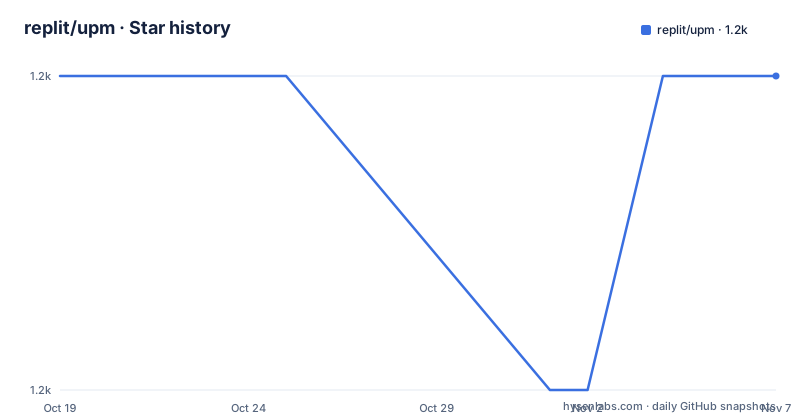
- replit/upm1,173 ★ · +0
| Repository | 2026-10-19 | 2026-11-07 |
|---|---|---|
| replit/upm | 1.2k | 1.2k |
0 Stars in the last 19 days, measured from the daily GitHub snapshot. Compare with other projects
Editorial analysis
It runs your package manager, it is not one
UPM is the Universal Package Manager. It allows you to manage packages for any supported programming language through the same interface, following the principle of least astonishment. At Repl.it, the project says, UPM is used to provide deep package manager integration for many different programming languages using the same infrastructure.
The critical sentence in the readme is that UPM does not implement package management itself. Instead, it runs a package manager for you.
That framing explains the entire project. Every decision follows from it: the interface is a wrapper, the language support is a list of adapters, and the value is not in resolving dependencies, which the upstream tool already does well, but in making several resolvers behave the same way from the outside.
The readme spells out the value added as a list of things you no longer have to do. You do not have to figure out whether to use Pip or Pipenv or Poetry to manage your Python packages, or wade into the Cabal versus Stack holy war in Haskell-land. You do not have to puzzle out why `pip search flask` does not return Flask in the search results. You do not have to debug Bundler silently dropping your command-line options if you do not specify them in the right, undocumented, order. You do not have to think about why the developers of NPM and Yarn decided to implement two completely different and mutually incompatible behaviors for `list --depth=0`, neither of which is exactly what you want. And you do not have to investigate what format the Yarn lockfile is in, which turns out to be almost YAML but not quite.
In other words, UPM eliminates the need to remember a large collection of language-specific quirks, and adds a few extras, namely dependency guessing and machine-parseable specfile and lockfile listing.
Core, index and guess, and a support matrix that is not uniform
The command surface is grouped into three families, and the readme gives the grouping explicitly. Core is `upm add`, `upm remove`, `upm lock`, `upm install` and `upm list`. Index is `upm search` and `upm info`. Guess is `upm guess`.
What the guess command does is not spelled out in detail in the readme excerpt, but the name and its position in the table make the intent clear: it infers the package manager for a project from the files present, so you do not have to say which one you want.
The support table is where the abstraction leaks, and it is the most useful thing in the readme for an evaluator. Each language entry lists core, index and guess support:
- python-python3-uv, python-python3-pip and python-python3-poetry: yes across all three. - nodejs-yarn, nodejs-pnpm and nodejs-npm: yes across all three. - ruby-bundler: core and index yes, no guess. - elisp-cask: yes across all three. - dart-pub.dev, rlang, java, rust, dotnet and php: core and index yes, no guess.
So the coverage is broad for the operations that matter, and the guess feature, which is the cleverest part, is limited to the backends where the mapping is unambiguous. That is a reasonable engineering decision, and it is also a reminder that this is an adapter layer with thirteen language backends rather than a uniform abstraction over all of them.
The specfile and lockfile pair, and the list command that reads it
UPM operates on a specfile and a lockfile for each project. The specfile says what the project's dependencies are in a human-readable format, and the lockfile specifies exact versions for everything, including transitive dependencies. For Python the specfile is `pyproject.toml` and the lockfile is `poetry.lock`.
The quick start shows the whole loop. You create a directory, and then ask for Flask to be added with the language selected:
$ mkdir ~/python
$ cd ~/python

$ upm -l python add flask
UPM then runs the underlying manager, in this case Poetry, printing what it did: `python3 -m poetry init --no-interaction`, then `python3 -m poetry add flask`, with the virtualenv creation, the version resolution, the lock file write and the list of package operations. The point of the `-l` flag is that you do not have to know or care which manager ran.
The list command is the one that pays off for scripting, because it prints the spec in a stable tabular form:
$ upm list
name    spec
-----   ----
flask   ^1.1

$ upm list -a
name           version
------------   -------
click          7.0
flask          1.1.1
itsdangerous   1.1.0
jinja2         2.10.1
markupsafe     1.1.1
werkzeug       0.15.4
The first form is the direct dependencies with their declared spec, the second with `-a` is the full resolved set with exact versions. That difference, and the fact that the output is a fixed column layout, is the machine-parseable part of the promise.
One binary, and a surprising number of ways to install it
UPM is a single binary with no dependencies, so you can install it anywhere, and the readme lists the channels.
On macOS it is on Homebrew in a custom tap:
brew install replit/tap/upmOn Windows it is on Scoop in the main bucket:
scoop install upmFor Debian-based and RPM-based Linux, `.deb` and `.rpm` packages are on the releases page, and tarballs are there too. For Arch, the readme says soon to be available in the Arch User Repository, and for now you can clone the repository and install with `makepkg` using the PKGBUILD in `packaging/aur`. For Snappy, the Snap Store is also listed as soon, with `.snap` packages on the releases page for now.
The Docker route is the most interesting, because it exists to solve a specific problem. UPM is a wrapper, so a wrapper without the wrapped tools is nearly useless, and the images come in two flavours. `replco/upm` is based on Ubuntu and has all the supported languages and package managers already installed, `replco/upm:full` is the same, and `replco/upm:light` has just the UPM binary installed to `/usr/local/bin` with none of the languages or package managers. If you want a specific tagged release rather than the latest development snapshot, there are tags such as `replco/upm:1.0`, `replco/upm:1.0-full` and `replco/upm:1.0-light`.
docker run -it --rm replco/upmThat distinction between light and full is the honest statement of what this tool is. The light image is the wrapper; the full image is the wrapper plus the estate it wraps.
Go, cobra, tree-sitter and a generated map of PyPI
The repository shows how the tool is built, and the manifest is informative about the approach.
The module is `github.com/replit/upm` with Go 1.23.0. The command layer is `github.com/spf13/cobra`, which is the standard Go CLI framework, and the project uses `github.com/smacker/go-tree-sitter`, a parser generator, which is how a single binary can read Python, JavaScript, Ruby, Lisp, Dart, R, Java, Rust, .NET and PHP project files to detect what a project is. The TOML and YAML libraries, `BurntSushi/toml` and `gopkg.in/yaml.v2`, are there because the specfiles are in those formats, and `mattn/go-sqlite3` backs the embedded database the tool ships.
The Makefile shows the generated artefact that is not obvious from the outside. `internal/backends/python/pypi_map.sqlite` is built from `internal/backends/python/download_stats.json` by running `go run ./gen_pypi_map gen`, and it is a checked-in generated file that the build depends on. That is the piece behind the index commands: a local map of the Python package index, so search and info work without a network round trip per query.
The rest of the Makefile is conventional Go packaging: `upm` builds the binary, `install` does a go install, `build-release` runs goreleaser, and there are targets for the light and full Docker images, a `doc` target that serves Godoc in a container on port 6060, and a `deploy` target that tags and pushes the images to Docker Hub under `replco/upm`. The repository also carries a `flake.nix` and `flake.lock`, an `nix/` directory, a `packaging/` directory, a `test-suite/`, `resources/`, `scripts/` and a `CHANGELOG.md`.
Where UPM is the wrong tool
Four limits are clear, and they follow from the wrapper design.
The first is that the wrapper is an extra layer, and the underlying tool is still there. `upm add flask` runs `poetry add flask`, and every Poetry behaviour, including the one that silently drops your command-line options, is still a Poetry behaviour. UPM removes the need to remember which quirks exist; it does not remove the quirks. If your team is standardised on one language's tooling, the honest answer is that a wrapper adds a dependency for a benefit you already have.
The second is that the estate must be installed. The light Docker image is the proof, since it contains only the binary and none of the package managers. A machine without Pip, Poetry, npm, pnpm, yarn, Bundler or Cask gets a UPM that can do very little, so the setup cost is the same as installing the tools directly, plus UPM.
The third is the uneven support matrix, covered above, and the fact that the guess feature is unavailable for seven of the thirteen backends. A project whose language is not on the list, or a project in one of the languages without guess support, needs the flags spelled out, which is the thing the tool is supposed to remove.
The fourth is the legal one. The licence is listed as a custom one that GitHub cannot classify, and the repository carries both a `LICENSE.md` and a `LICENSES/` directory, which is the REUSE convention for a project with more than one set of terms. For a tool that Replit uses inside its own platform and that other people run on their own machines, that is worth reading before you depend on it.
On maintenance, the record is thin but recent: v2.7.4 on 2024-12-19, v2.7.5 on 2024-12-20, v2.7.6 on 2025-01-08, with the last push to the repository on 2026-06-25. So the source is being worked on, and the released versions are not moving quickly, which for a wrapper whose upstream package managers move often is the thing to watch.
Editorial conclusion
UPM fits a platform team, or a developer working across several languages, who wants one command shape for add, remove, install, lock, list, search and info, and who wants dependency output in a form a script can parse. It does not fit a developer who is happy with one ecosystem's own tooling, since a wrapper adds a layer without removing the underlying tool. It is also the wrong choice if you cannot install the language toolchains, because the light Docker image ships only the binary. Before you adopt it, read the language support matrix, because guess and the index commands are not available for every backend, and check the licence file, since the project is not covered by a standard open source grant.
Frequently asked questions
What is UPM from Replit?
UPM is the Universal Package Manager, a Go binary that manages packages for any supported programming language through the same interface. It does not implement package management itself; it runs a package manager for you, and adds dependency guessing and machine-parseable specfile and lockfile listing.
How do I install UPM?
With `brew install replit/tap/upm` on macOS, `scoop install upm` on Windows, `.deb`, `.rpm` and tarballs from the releases page on Linux, or the Docker images `replco/upm`, `replco/upm:full` and `replco/upm:light`. The Arch and Snap packages are listed as soon to be available.
Which languages does UPM support?
The table in the readme lists python-python3-uv, python-python3-pip, python-python3-poetry, nodejs-yarn, nodejs-pnpm, nodejs-npm, ruby-bundler, elisp-cask, dart-pub.dev, rlang, java, rust, dotnet and php. The core, index and guess commands are not available for every one of them.
What is the difference between a specfile and a lockfile in UPM?
The specfile records what the project's dependencies are in a human-readable format, and the lockfile pins exact versions for everything including transitive dependencies. For Python the specfile is pyproject.toml and the lockfile is poetry.lock.
Does UPM replace pip, poetry, npm or bundler?
No. The documentation says UPM does not implement package management itself, it runs a package manager for you. The underlying tool is still installed and still does the resolving, so the Docker images come in a light flavour with only the UPM binary and a full flavour with every supported language and package manager.
Official sources
Add this badge to your README
If you maintain this project, the badge below links readers to this analysis and shows its maintenance status from the daily GitHub snapshot. Paste the markdown into your README; add ?metric=license or ?metric=stars to the image URL for a different field.

[](https://hysenlabs.com/projects/replit-upm)Star history chart for your README
[](https://hysenlabs.com/projects/replit-upm)Was this useful?