RTRootNavigationController: giving every pushed view controller its own navigation bar by wrapping it in a container
Implicitly make every view controller has its own navigation bar
At a glance
- What is it?
- RTRootNavigationController is an Objective-C UINavigationController replacement that lets each view controller carry its own navigation bar. This article covers the wrapping trick, what changed before v0.6, the iOS 15 appearance override, and the alternatives the project names.
- Who is it for?
- Use RTRootNavigationController when each screen needs a different navigation bar style and you want to keep using navigationItem and title as usual, and when you can accept an extra container layer in the view controller hierarchy. Look elsewhere if you need full-screen swipe back as the main feature, since the README sends you to other projects for that.
- Can I use it commercially?
- Yes. MIT is a permissive licence: you can use, modify and sell software built on it, as long as you keep its copyright and licence notices.
- Is it still maintained?
- Yes. The repository last received commits 138 days ago.
- What is it written in?
- Mainly Objective-C, according to GitHub's language statistics.
Answers come from the project's GitHub data, last synced on November 7, 2026, and from our analysis. They are not legal advice.
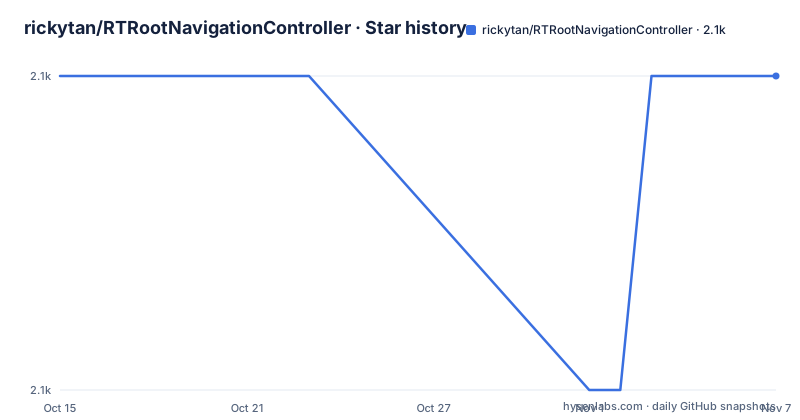
Star history
- rickytan/RTRootNavigationController2,148 ★ · +0
| Repository | 2026-10-15 | 2026-11-07 |
|---|---|---|
| rickytan/RTRootNavigationController | 2.1k | 2.1k |
0 Stars in the last 23 days, measured from the daily GitHub snapshot. Compare with other projects
Editorial analysis
Two ways to get per-screen bars both break something, and this project picks a third
More and more apps use a custom navigation bar for each view controller, in place of one common global bar. Different screens want different looks: one blue, the next red, transparent, or with no bar at all.
There are two obvious approaches, and the README rejects both. The first is to restyle the shared bar in viewWillAppear of every view controller. The README asks the reader to think about why that is viewWillAppear and not viewDidLoad. Changing one bar back and forth is fragile, and a small mistake produces mixed styles. The second is to hide the global bar and have each view controller add its own with addSubview:. That works, but you lose self.navigationItem.rightBarButtonItem, you cannot change the title through self.title without adding your own observation, you lose a convenient navigationBarHidden, and contentInsets no longer adjust automatically.
RTRootNavigationController takes a third route. The README calls it a tricky way: you use the navigation controller the way you always did, and each pushed view controller gets an individual navigation bar. The repository description says the same thing in one line, that it implicitly makes every view controller have its own navigation bar.
Pushed controllers sit inside RTContainerViewController and RTContainerNavigationController
The mechanism is a wrapper stack. For versions below v0.6, the view controller hierarchy changes to this shape: the RTRootNavigationController holds one RTContainerViewController per screen, each RTContainerViewController holds an RTContainerNavigationController, and your own view controller sits inside that. Your first screen and your second screen each get their own container pair.
The bar you see belongs to the inner RTContainerNavigationController, which is why every screen can have an independent one. Each screen's navigation bar is a real UINavigationBar owned by a real navigation controller, so the usual properties keep working.
The cost of the wrapper is that parent relationships change. Anything in your code that walks the hierarchy, whether to find a parent, check the class of a parent or present from a particular level, now meets container classes it did not expect. The README warns only about the navigationController case below, but the same wrapper sits in the path of any other lookup. The project does not name every such lookup, so test a screen that uses custom containment or a child controller before trusting the library across the whole app.
self.navigationController returns a container with exactly one view controller below v0.6
The README marks one notice as applying only below v0.6. If you read self.navigationController from inside your own view controller, it returns the container navigation controller, and its viewControllers array always has one element, which is self. That array is useless for answering questions like how deep is the stack or what is the previous controller.
The README's replacement is self.rt_navigationController.rt_viewController, which returns all the siblings. It links to two header files, UIViewController+RTRootNavigationController.h and RTRootNavigationController.h, for the definitions. The rt_ prefix is the project's namespace for its additions, and the same prefix shows up in rt_customBackItemWithTarget:action: later.
The notice is labelled for versions below v0.6, which tells a reader that later versions changed this behavior, though the README does not say how. The repository has no GitHub releases, and CHANGELOG.md exists at the top level, so that file is where the version history lives. Anyone upgrading from an old copy of the pod should read the change log first. Anyone with code that calls self.navigationController.viewControllers is the person most likely to be surprised.
Setting it as the window root controller is the one required step
The usage advice is to set RTRootNavigationController as your rootViewController. The README shows this inside the application delegate:
- (BOOL)application:(UIApplication *)application didFinishLaunchingWithOptions:(NSDictionary *)launchOptions
{

    UIViewController *yourController = ...;
    self.window.rootViewController = [[RTRootNavigationController alloc] initWithRootViewController:yourController];
    return YES;
}
The word used is advice, not requirement, and the README does not describe what goes wrong when you nest it differently. Interface Builder is on the supported feature list, so a storyboard can host the class too.
The back button is the other customization point. Implementing rt_customBackItemWithTarget:action: lets you return your own button, which the README marks as recommended:
- (UIBarButtonItem *)rt_customBackItemWithTarget:(id)target
                                          action:(SEL)action
{
    return [[UIBarButtonItem alloc] initWithTitle:NSLocalizedString(@"Back", nil)
                                            style:UIBarButtonItemStylePlain
                                           target:target
                                           action:action];
}
The alternative is to set useSystemBackBarButtonItem to YES and keep the default one.
The iOS 15 section moves appearance work into UINavigationBarAppearance
Apple changed some default behavior of UINavigationBar on iOS 15, and the README opens with a section on it, linking an Apple developer forums thread. Developers can override the change on demand. The sample sets the scrollEdgeAppearance proxy inside didFinishLaunchingWithOptions, guarded by an @available(iOS 15.0, *) check:
[[UINavigationBar appearance] setScrollEdgeAppearance:({
    UINavigationBarAppearance *app = [UINavigationBarAppearance new];
    [app configureWithDefaultBackground];
    app;
})];
Two lines inside it are commented out, app.backgroundColor and app.shadowColor, as the places to put your own values. The else branch for earlier versions is empty.
The point for this library is that the iOS 15 change affects the bar of every container navigation controller, so the override is applied once through the global appearance proxy instead of per screen. A related claim sits under the iPhone X heading: how many lines of code to fit in iPhone X, zero. The README gives no explanation of why, and no device list beyond that line, so treat it as a statement about the author's own testing, not a guarantee for later screen shapes.
The feature list is short, and full-screen swipe back is delegated to other projects
Supported features are: custom navigation bar class per view controller, unwind support, rotation support, enabling and disabling interactive pop, and Interface Builder support. Unwind has a link to an Apple technical note, in case you do not know what an unwind segue is.
The Alternatives section names two other projects. JTNavigationController is noted for supporting full-screen back. FDFullscreenPopGesture is noted for two things: it uses the native UINavigationController, handling things in viewWillAppear, and it also supports full-screen back. RTRootNavigationController itself does not claim full-screen back anywhere in its feature list, so if swiping from any point on the screen is your main requirement, those two are what the README points to.
The contrast with FDFullscreenPopGesture also clarifies the design choice. That project keeps one native bar and adjusts it in viewWillAppear, which is exactly the approach this library argues against. The trade is a native controller with in-method handling against a wrapper hierarchy with independent bars. The README lists one app that integrates the library, an iOS app named 网易美学, and gives no figures for how widely it is used.
iOS 7 and Xcode 7 are the stated floors, and the last push was on 2026-06-23
The requirements are iOS 7 and up and Xcode 7 and up. Those are the numbers the README states, and they are old: nothing in the README says the library was tested against recent iOS releases, apart from the iOS 15 section. The repository is not archived and has had a push on 2026-06-23, but there are no GitHub releases, so the tagged versions only appear through the CocoaPods side.
Installation is through CocoaPods. Add this line to your Podfile:
pod "RTRootNavigationController"To run the example project, clone the repo and run pod install from the Example directory first. The Example folder holds Podfile, Podfile.lock, an xcodeproj, an xcworkspace and a Tests folder. At the top level, RTRootNavigationController.podspec, Gemfile, Gemfile.lock, .swift-version and ScreenShot/ are present, and a GitHub workflow badge named objective-c-xcode points at the project's own CI. The library is MIT licensed, and the author listed is rickytan.
There is no Swift Package Manager instruction and no Carthage instruction in the README, so CocoaPods is the only documented install route.
Editorial conclusion
Use RTRootNavigationController when each screen needs a different navigation bar style and you want to keep using navigationItem and title as usual, and when you can accept an extra container layer in the view controller hierarchy. Look elsewhere if you need full-screen swipe back as the main feature, since the README sends you to other projects for that. Before adopting, check which release you install, because the self.navigationController behavior differs below v0.6.
Frequently asked questions
Can you change the iPhone navigation bar with RTRootNavigationController?
Yes. The library gives each pushed view controller its own navigation bar, and it supports a custom navigationBarClass per view controller, plus a custom back item through rt_customBackItemWithTarget:action:.
How do I install RTRootNavigationController?
Add pod "RTRootNavigationController" to your Podfile. The README lists CocoaPods as the install route and states that iOS 7 and Xcode 7 or newer are required.
What does RTRootNavigationController do to self.navigationController?
Below v0.6, self.navigationController returns a container navigation controller whose viewControllers array holds only self. The README says to use self.rt_navigationController.rt_viewController to get all siblings.
Official sources
Add this badge to your README
If you maintain this project, the badge below links readers to this analysis and shows its maintenance status from the daily GitHub snapshot. Paste the markdown into your README; add ?metric=license or ?metric=stars to the image URL for a different field.

[](https://hysenlabs.com/projects/rickytan-rtrootnavigationcontroller)Star history chart for your README
[](https://hysenlabs.com/projects/rickytan-rtrootnavigationcontroller)Was this useful?