TailBlazer: a reactive Windows log tail built on Rx.Net and DynamicData
A modern file tail utility based on Rx.Net which show cases reactive programming and Dynamic Data (see https://github.com/RolandPheasant/DynamicData)
At a glance
- What is it?
- TailBlazer is a Windows desktop log tail utility built on Rx.Net and DynamicData, aimed at developers who want filtering, regex search and highlighted matches over a live file rather than a stream of printed lines.
- Who is it for?
- TailBlazer is worth adopting only on a Windows workstation where a developer watches a handful of log files and wants filtering, regex highlighting and a search index over the file rather than a console stream. It is the wrong choice for anything scripted, for folder wide sweeps or for piping into another process, since those sit on the project's own future list.
- Can I use it commercially?
- Yes, with conditions. GPL-3.0 is a copyleft licence: if you distribute software that includes it, you must release that software's source code under the same licence. Running it internally without distributing it does not trigger that obligation.
- Is it still maintained?
- Activity is slowing. The repository last received commits 6 months ago.
- What is it written in?
- Mainly C#, according to GitHub's language statistics.
Answers come from the project's GitHub data, last synced on October 23, 2026, and from our analysis. They are not legal advice.
Star history
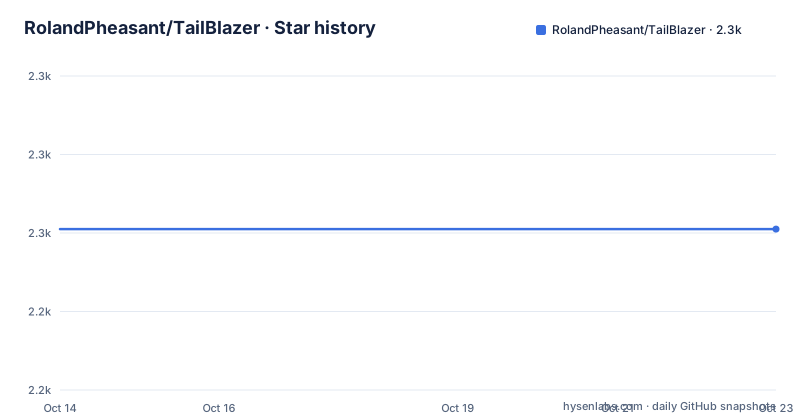
- RolandPheasant/TailBlazer2,261 ★ · +0
| Repository | 2026-10-14 | 2026-10-23 |
|---|---|---|
| RolandPheasant/TailBlazer | 2.3k | 2.3k |
0 Stars in the last 9 days, measured from the daily GitHub snapshot. Compare with other projects
Editorial analysis
A Windows log tailer built on Rx.Net and DynamicData
RolandPheasant started TailBlazer because the free tail utilities he met in day to day work looked, in his own description, as though they had been written in the 1990s and carried limited functionality. The mission statement attached to the repository is blunt about the target: it has to be fast, intuitive, functionally rich and the code has to be 100% reactive. That last clause shapes everything else in the project. Tail Blazer is a C# WPF desktop application rather than a console tool, and it is written for developers sitting at a Windows workstation watching application logs. The reactive requirement is why it depends on DynamicData, the Rx based collection library maintained by the same author, and why the feature list is built around querying and colouring text rather than around output formats, encodings or transport.
Drag and drop turns a file into a live collection
A file enters the window by drag and drop, and from that moment it is treated as something you interrogate rather than something you print. Two running modes sit side by side in the interface: auto tail, where arriving lines keep pushing in, and scroll mode, where you take over the position yourself. New lines are highlighted on arrival and that highlight can be disabled, which matters once your own colour rules start carrying meaning. Several files can be monitored side by side in one window, and any selection can go to the clipboard. Nothing here is reachable from outside the process. Settings you change inside the window are remembered between sessions, and the README does not publish a configuration file format or any command line flags, so every behaviour has to be set by hand the first time.
Filtering, colouring and search are three separate layers
The feature list keeps three things apart that simpler tailers collapse into one. Filtering removes lines that do not match text. Conditional highlighting then marks text inside the lines that survive, using different colours, and rows can be flagged with different images rather than colour alone. Search is a third layer stacked on top of both, working globally or locally, and several searches can be applied at once with the ability to toggle between their results. Each hit can be viewed in its original position in the file, so a match is never trapped inside the filtered view. Filtering and highlighting both accept regex. That stack is the clearest evidence for the reactive design, since one file becomes a stream, a filtered stream and a highlighted stream without anything being rewritten on disk.
Virtual file scrolling, and two different file size claims
Virtual file scrolling is listed as the mechanism that keeps large files usable, and the large file section puts numbers on it. Two different numbers appear in the same document. The current feature list says the author has opened a 45 Gb file. The section headed Very large files and fast scrolling says the largest file tested was 47 Gb, then adds that 47 Gb was the maximum file size he could create before his disk would become full. Those two claims cannot both describe one ceiling, so the limit was never the tool. It was free space on a single developer's disk. No timings, no memory figures and no notes about file format or line length accompany either number, so neither can be turned into a capacity claim for your own logs, and virtual scrolling remains an unquantified promise outside the machine it was tried on.
A queryable collection rather than a printed stream
The real alternative to TailBlazer is not a competing application but the class of tool the author set out to replace, namely free tailers that print appended lines to a console. The difference in approach shows up in the dependency list. A printed line stream needs no collection library, so the fact that the application sits on DynamicData, described in the README as Rx based collections, means the file is modelled as data you can query. Filtering, multiple concurrent searches and jumping back to a match in its original position are operations on a collection, not on a line stream. Author concentration matters here too: DynamicData is written by the same person, MaterialDesignInXamlToolkit and Dragablz are credited to a colleague, and StructureMap supplies dependency injection. Three of the four indispensable libraries trace back to two authors, one of them the maintainer.
Install paths split between Chocolatey, binaries, and Visual Studio 2015
Three routes are published, and each gives you something different. The package manager route is a Chocolatey package. The binary route is a download from the project download page, extract the archive, then double click TailBlazer.exe. The source route is to fork, clone or download the code and build it using Visual Studio 2015. No installer command line, runtime prerequisite or post install step is documented for any of them, and the README does not name the .NET runtime version the binaries need. The top level layout is small, and it shows where the work actually sits:
.gitattributes
.gitignore
Documents/
Images/
LICENSE
README.md
Source/
Application code lives under Source/, while Documents/ and Images/ hold supporting material and the animated demonstrations the README links. On first run you get an empty window with no file loaded, so the first real action is dragging a log file into it, and the app remembers whatever you configure afterwards. With no headless mode documented, that first use is a person at a screen.
No pipe, no folder sweep, no command line flags
The project's own future list names what it cannot do yet. Pipe filter to file is there, so filtered output cannot be written into another file. Search and tail entire folder is there, so there is no folder wide sweep over many files at once. Plug in to external providers is there and points at issue number 51, so there is no extension point for other data sources; it is a tracked request rather than a shipped interface. Conditional Alerts and Automatic creation of columns also sit on the future list. Each of those would be a prerequisite for monitoring that runs unattended, and none of them is in the binaries. Set that against the absence of command line flags and the Windows only packaging, and the boundary is clear: this is a tool for a developer at a desktop, not for a scheduled job.
Fork cost: four dependencies and a 2015 toolchain
Anyone picking this up inherits four third party dependencies and a build recipe written for Visual Studio 2015, which is an old toolchain next to the 0.9 era code the README describes. Tail Blazer ships under GPL-3.0, and the last push to the master branch was on 2026-04-14. The release history stops at 0.9.0.536, dated 2016-06-16, the version that added global search, highlighting and exclusion filters, so the recent commits have never been packaged as a tagged build. Read that combination carefully: the source tree keeps receiving work while the artifact most people install has not moved since 2016. Upgrading therefore means building from source yourself and checking that Rx, DynamicData, WPF and `MaterialDesignInXamlToolkit` still resolve on a current toolchain, because the README publishes no upgrade notes, no dependency version pins and no supported Windows versions.
Editorial conclusion
TailBlazer is worth adopting only on a Windows workstation where a developer watches a handful of log files and wants filtering, regex highlighting and a search index over the file rather than a console stream. It is the wrong choice for anything scripted, for folder wide sweeps or for piping into another process, since those sit on the project's own future list. Before you commit, open the source and check that it still compiles on a toolchain newer than Visual Studio 2015, because the README's build instructions are the only ones published.
Frequently asked questions
Does TailBlazer run on Linux or macOS?
No. It is a C# WPF desktop application for Windows, and the documented ways to get it are a Chocolatey package or a download that ends with double clicking TailBlazer.exe. No headless or command line mode is described.
Can TailBlazer filter log lines with a regular expression and highlight the matches?
Yes. The feature list includes Filter or highlight using regex, alongside separate entries for filtering lines to match text, conditionally highlighting text, colouring highlights differently and marking rows with different images.
How do I install TailBlazer and view my first log file?
Fork, clone or download the source and build using Visual Studio 2015, install the Chocolatey package, or grab the binaries and double click TailBlazer.exe. Dragging a file into the empty window is what starts the tail.
Is TailBlazer still being worked on?
The last push to the master branch was on 2026-04-14, while the newest tagged build, 0.9.0.536, is dated 2016-06-16. Recent source changes have not been packaged into a versioned build.
Can TailBlazer write filtered output to another file or search a whole folder?
Not in the published builds. Pipe filter to file and Search and tail entire folder both sit on the future feature list, together with Conditional Alerts, Automatic creation of columns and Plug in to external providers, which is tracked as issue 51.
Official sources
Add this badge to your README
If you maintain this project, the badge below links readers to this analysis and shows its maintenance status from the daily GitHub snapshot. Paste the markdown into your README; add ?metric=license or ?metric=stars to the image URL for a different field.

[](https://hysenlabs.com/projects/rolandpheasant-tailblazer)Star history chart for your README
[](https://hysenlabs.com/projects/rolandpheasant-tailblazer)Was this useful?