sclevine/yj: a converter between YAML, TOML, JSON and HCL that keeps your map order
CLI - Convert between YAML, TOML, JSON, and HCL. Preserves map order.
At a glance
- What is it?
- yj is a small Go command line tool for converting between the four configuration formats, and the property it is built around is that map order survives the round trip, which the standard library encoders do not guarantee. It installs with a single Homebrew command, ships release binaries for three platforms, and builds into a scratch container image with nothing but the binary in it.
- Who is it for?
- Adopt yj when you need to move configuration between the four formats that show up in infrastructure work and you care about the order of the keys, since that is the one thing the standard Go encoders will not give you and the reason this tool exists. Do not adopt it for anything schema related, because it moves values between formats without understanding them, and a HCL to YAML conversion of a Terraform file will not preserve the semantics a Terraform parser would give it.
- Can I use it commercially?
- Yes. Apache-2.0 is a permissive licence: you can use, modify and sell software built on it, as long as you keep its copyright and licence notices.
- Is it still maintained?
- Yes. The repository last received commits 176 days ago.
- What is it written in?
- Mainly Go, according to GitHub's language statistics.
Answers come from the project's GitHub data, last synced on November 7, 2026, and from our analysis. They are not legal advice.
Star history
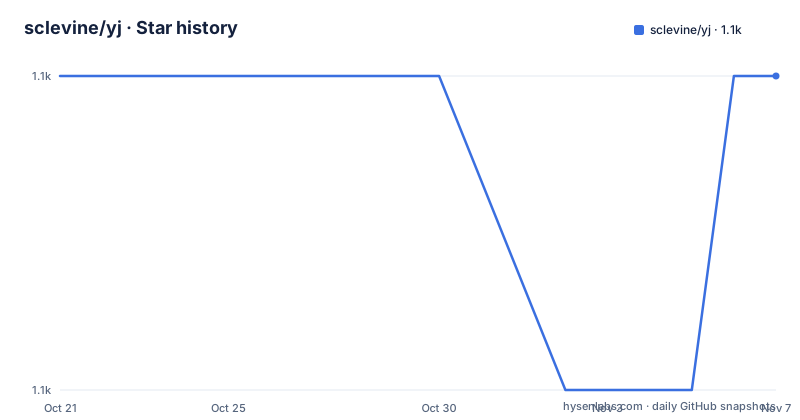
- sclevine/yj1,060 ★ · +0
| Repository | 2026-10-21 | 2026-11-07 |
|---|---|---|
| sclevine/yj | 1.1k | 1.1k |
0 Stars in the last 17 days, measured from the daily GitHub snapshot. Compare with other projects
Editorial analysis
A converter whose one real feature is order
yj converts between YAML, TOML, JSON and HCL, and the second line of the description is the one that matters. It preserves map order.
That is not a cosmetic feature. Go's `encoding/json` marshals a map with sorted keys, and the YAML and TOML libraries behave similarly, so a round trip through the standard tooling reorders the keys of your configuration. For a file that a human maintains and reviews in a diff, reordering every key on every regeneration is the kind of noise that makes people stop regenerating the file at all.
The formats are pinned to specific versions, which is the other thing that makes a converter trustworthy. YAML is version 1.2 through the `yaml.v3` package, TOML is version 1.0.0 through BurntSushi's library, JSON is RFC 7159 through `encoding/json`, and HCL is version 1 through HashiCorp's library. Knowing which specification you are converting to and from is what lets you predict what the output will look like.
The implementation is a normal Go module, `github.com/sclevine/yj/v5`, requiring Go 1.25.10 with three dependencies, the TOML library, the HCL library and the YAML library. The repository is organised by concern, with `convert/` for the conversion logic, `order/` for the ordering machinery, and separate `hcl/`, `toml/` and `yaml/` packages for the format specific pieces, plus a `testdata/` directory and a `flags.go` and `main.go` at the root.
The flag matrix is the interface
The help output is the whole interface, and it is worth reading because the naming convention is consistent to the point of being mechanical.
Usage: yj [-][ytjcrneikhv]

Convert between YAML, TOML, JSON, and HCL.
Preserves map order.

-x[x]  Convert using stdin. Valid options:
          -yj, -y = YAML to JSON (default)
          -yy     = YAML to YAML
          -yt     = YAML to TOML
          -yc     = YAML to HCL
          -tj, -t = TOML to JSON
          -ty     = TOML to YAML
          -tt     = TOML to TOML
          -tc     = TOML to HCL
          -jj     = JSON to JSON
          -jy, -r = JSON to YAML
          -jt     = JSON to TOML
          -jc     = JSON to HCL
          -cy     = HCL to YAML
          -ct     = HCL to TOML
          -cj, -c = HCL to JSON
          -cc     = HCL to HCL
The first letter is the source and the second is the target, so `-yt` is YAML to TOML and `-ct` is HCL to TOML. The single letter aliases exist for the four combinations people use most, with `-y` and `-r` for YAML to JSON and JSON to YAML, which are the pair that gives the tool its name and its reason to exist, and `-t` and `-c` for the other two defaults.
The `-x` prefix switches the tool to reading from standard input, and it combines with the conversion flags, so `yj -xy` reads YAML on standard input and writes JSON. That is the form that pipes, and the README's own examples of the pattern, a JSON document in and a JSON document out through the same binary, are the fastest way to understand it.
Four flags that change the output
Four options adjust behaviour, and each one is scoped to a particular direction, which is worth noticing because it tells you where the awkward corners of each format are.
`-n` does not convert inf, -inf and NaN to or from strings, and it applies to YAML or TOML only. That is the flag for the case where a numeric value that is not finite has to stay numeric, because the default behaviour of turning those values into strings in one direction and back again in the other is lossy in a way that only shows up when a value happens to be infinite.
`-e` escapes HTML, and it applies to JSON output only, which is the difference between a JSON document that is safe to embed in a web page and one that is not.
`-i` indents the output, for JSON or TOML only, and JSON and TOML are the two formats where indentation is a matter of presentation rather than semantics. YAML and HCL are indented by their own rules.
`-k` attempts to parse keys as objects or numeric types, and it applies to YAML output only. That one is the subtlest of the four, because YAML permits keys that are not strings, and a JSON target cannot represent them, so the tool has to decide what to do with a key that looks like a number or like a mapping. The flag makes it attempt the parse rather than stringify the key.
So the default configuration is a plain conversion, and each flag is an escape hatch for a specific place where one format can express something another cannot.
The Go package, and a stability warning you should read
The tool is not the whole repository. The packages in it may also be used to convert all the supported data formats to a normalized tree of ordered Go objects, and the documentation points at the godoc for the details.
That normalized tree is the interesting part, because it is the same abstraction the CLI is built on. Each format is parsed into the same ordered structure and then serialised into the target format, which is what makes the order preservation possible rather than a property bolted on to the output stage.
There is a warning attached to it, though. The current Go API should not be considered stable.
For a project that exposes a CLI with a stable flag set, saying the library API is unstable is a deliberate boundary. The CLI is the contract, and the Go packages are an implementation detail that may change. If you want to embed the conversion in your own program, the warning is the sentence to read twice, because a package API that can change under you is a poor foundation for a service that has to keep working.
Three ways to install, and a container with nothing in it
Installation is unusually easy to guess, which is a sign of a tool that respects the conventions of its ecosystem.
The Homebrew route is a single command:
brew install yjThe manual route is to download the binaries for macOS, Linux and Windows that are attached to each release, and the Docker route is a published image at `sclevine/yj` on Docker Hub.
The Dockerfile is worth reading because it is unusually disciplined. The build stage is `golang:alpine` with git installed, the source is copied in, and the binary is built with a version stamped in through linker flags. The final stage is `FROM scratch`, with the binary copied to `/bin/yj` and nothing else in the image. No shell, no package manager, no libc, since the Go binary is static.
The result is a container that contains one file. For a configuration converter that people are likely to run in a pipeline, that is the right shape, and it is a good illustration of what the Go static build gives you over a script that needs an interpreter in the image.
The repository also carries a `build.sh` for the release process and a `.github` directory with a Go test workflow, so the tool is tested on every change.
Where yj is the wrong tool
The first wrong case is a conversion that has to preserve semantics. yj moves values between formats and knows nothing about what they mean, so a HCL file converted to YAML is a faithful transcription of the syntax and not of the meaning, and a Terraform block that relied on interpolation or on the ordering of resource arguments will not survive the trip in a form that Terraform would read the same way. For anything configuration related to a specific tool, that tool's own converter is the one to use.
The second is a large document. The tool is designed to be fast for the everyday case, and a multi-megabyte configuration file converted through a normalised in memory tree is a memory profile you should think about before running it in a tight loop.
The third is a case where the type information matters. YAML and TOML distinguish between an integer, a float and a string in ways that JSON does not, and a conversion that has to guess will guess, and the `-k` flag is only a partial answer for the keys.
The fourth is an expectation of a maintained tool. The release history is the interesting part. The tags are v4.0.0 from 2019, v5.0.0 from 2020 and v5.1.0 from 2022-04-12, while the module is at version 5 with a Go requirement of 1.25.10 and current dependencies, and the last push to the repository was on 2026-05-15. So the module path says v5, the newest tag is from 2022, and the code has clearly been updated since then without new tags. Anyone installing with `go get` gets the current code, and anyone pinning to a release gets a four year old build, and the README does not explain the discrepancy.
The licence is Apache-2.0, the repository is not archived, and the packaging status badge points at a repology entry for the tool, which is where most distributions pick it up.
Editorial conclusion
Adopt yj when you need to move configuration between the four formats that show up in infrastructure work and you care about the order of the keys, since that is the one thing the standard Go encoders will not give you and the reason this tool exists. Do not adopt it for anything schema related, because it moves values between formats without understanding them, and a HCL to YAML conversion of a Terraform file will not preserve the semantics a Terraform parser would give it. Verify first that the format versions match your tooling, since the README pins YAML 1.2, TOML 1.0.0, JSON RFC 7159 and HCL 1, and that the inf and NaN handling is what you want, since the default converts those to and from strings and a flag turns that off.
Frequently asked questions
What is the yj command line tool?
It converts between YAML, TOML, JSON and HCL, and it preserves map order, which the standard Go encoders do not guarantee. The format versions are pinned to YAML 1.2, TOML 1.0.0, JSON RFC 7159 and HCL 1, and the conversion flags follow a source-then-target pattern such as `-yt` for YAML to TOML.
How do I install yj?
With `brew install yj` from Homebrew, by downloading the binaries attached to each release for macOS, Linux or Windows, or by using the published Docker image `sclevine/yj`. The Dockerfile builds a static binary in a golang:alpine stage and copies it into a `FROM scratch` image, so the container contains nothing but the binary.
What do the yj flags -n, -e, -i and -k do?
-n does not convert inf, -inf and NaN to or from strings and applies to YAML or TOML only, -e escapes HTML for JSON output only, -i indents the output for JSON or TOML only, and -k attempts to parse keys as objects or numeric types for YAML output only.
Can I use yj as a Go library?
The packages in the repository can convert all the supported formats to a normalized tree of ordered Go objects. The README states that the current Go API should not be considered stable, so the CLI is the contract and the library API may change.
How current is yj?
The tags are v4.0.0 from 2019, v5.0.0 from 2020 and v5.1.0 from 2022-04-12, while the module is at version 5 requiring Go 1.25.10 with current dependencies, and the last push was on 2026-05-15, so the module has been updated since the newest tag without new releases.
Official sources
Add this badge to your README
If you maintain this project, the badge below links readers to this analysis and shows its maintenance status from the daily GitHub snapshot. Paste the markdown into your README; add ?metric=license or ?metric=stars to the image URL for a different field.

[](https://hysenlabs.com/projects/sclevine-yj)Star history chart for your README
[](https://hysenlabs.com/projects/sclevine-yj)Was this useful?