Fluid .NET Liquid Engine: Setup, Rendering and Controls
Fluid is an open-source .NET template engine based on the Liquid template language.
At a glance
- What is it?
- Fluid is a C# template engine for Liquid syntax, with member allow-listing, async filters, execution limits and a command-line renderer. It fits .NET applications that need editable templates without exposing arbitrary object access.
- Who is it for?
- Adopt Fluid when a .NET application needs Liquid templates, explicit object access rules and reusable parsed templates. Do not choose it when templates must inspect arbitrary .NET instances through the CLI or when the Liquid syntax and beta-package transition are unacceptable.
- Can I use it commercially?
- Yes. MIT is a permissive licence: you can use, modify and sell software built on it, as long as you keep its copyright and licence notices.
- Is it still maintained?
- Yes. The repository received new commits within the last day.
- What is it written in?
- Mainly C#, according to GitHub's language statistics.
Answers come from the project's GitHub data, last synced on October 23, 2026, and from our analysis. They are not legal advice.
Star history
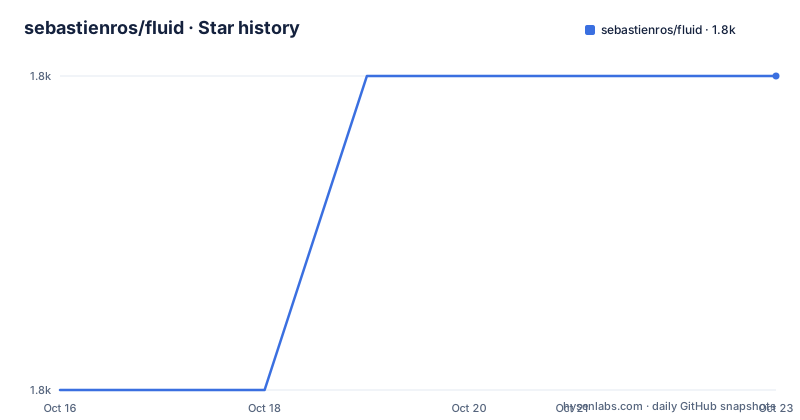
- sebastienros/fluid1,789 ★ · +1
| Repository | 2026-10-16 | 2026-10-23 |
|---|---|---|
| sebastienros/fluid | 1.8k | 1.8k |
1 Stars in the last 7 days, measured from the daily GitHub snapshot. Compare with other projects
Editorial analysis
Fluid's .NET Use Case and Liquid Boundary
Fluid addresses a specific gap between application code and user-editable presentation. A .NET application can register selected data, parse a Liquid template, and render that template without letting template authors invoke arbitrary application members. The README describes Liquid as accessible to non-programmer audiences, while the surrounding API remains in C#. This makes the project relevant to product teams that need commerce-style templates, notification layouts, HTML fragments or configuration-driven text inside an existing .NET service.
The project is based on Shopify's Liquid language, not on a general-purpose HTML or string-template system. Its examples use loops, property access and filters, such as iterating through `products` and passing `product.price` to a `price` filter. That syntax places Fluid closer to established Liquid tooling than to Razor or ordinary string interpolation. Templates can still be extended with custom filters, tags and blocks, but the core language remains recognizable as Liquid.
Fluid also serves developers who need to inspect templates before execution. According to the README, templates are parsed into a concrete syntax tree that can be cached, analyzed and altered. The repository layout reinforces that this is a full library rather than a sample application: `Fluid/` contains the core project, while separate entries cover the MVC view engine, Minimal APIs integration, source generation, tests and benchmarks.
This boundary matters because Fluid is not intended to expose a .NET process as an unrestricted scripting environment. The application defines what values and properties are available. Template authors choose among those registered values. That separation is useful when the template can be changed by users who should not be able to traverse application objects or invoke arbitrary code.
Fluid's Parse, Register and Render Pipeline
The documented C# path has three main stages. First, `FluidParser` receives source text through `TryParse` or `Parse`. A successful parse produces a template; `TryParse` reports parsing diagnostics through its error output, while `Parse` is intended for callers that need structured exception information through `ParseException`.
Second, `TemplateContext` receives the application model. This is where Fluid's security model becomes concrete. The README states that available properties are allow-listed, so a template cannot reference any CLR property merely because it is reachable through a registered model. Developers can also register .NET types and properties, or define custom handlers that intercept access to a named variable. This puts policy at the application boundary rather than asking template authors to behave safely.
Third, `Render` evaluates the parsed template against that context. Filters form part of this evaluation path. Fluid supports asynchronous filters, which the README presents as a way for templates to execute database queries more efficiently under load. It also includes built-in areas for encoding, localization, color and money formatting, and time zones. The available filters are not described as unrestricted plugins, so applications remain responsible for deciding which operations fit their execution environment.
The concrete syntax tree provides a useful boundary between parsing and rendering. A parsed template can be cached rather than reparsed for every request, analyzed before acceptance, or visited and altered according to the repository documentation. However, the README does not document cache invalidation, rollback, or a built-in deployment workflow for edited templates. Those operational details require verification in the host application.
Installing Fluid and Running the liquid Command
Stable releases are published to NuGet.org as `Fluid.Core`, and the README says projects can reference that package directly. It also provides an official global tool named `Fluid.Core.Tool`. This installation path is useful for rendering a template from a shell before integrating Fluid into a C# service:
dotnet tool install -g Fluid.Core.ToolThe installed command is `liquid`. Its simplest example reads JSON from standard input, exposes the root JSON object's properties as top-level variables, and applies the standard `upcase` filter:
echo '{"name":"World"}' | liquid -e "Hello {{ name | upcase }}!"The documented output is `Hello WORLD!`. A first file-based render can supply a template, a JSON model and an output path:
liquid page.liquid --data model.json --output page.htmlThe command writes the rendered result to `page.html`. For a template that uses `include` or `render`, the documented include-directory option is `-I/--include-path`. If it is omitted, the tool uses the template directory:
Get-Content model.json | liquid page.liquid -I ./partialsThe PowerShell form pipes `model.json` into the process and places partials under `./partials`. The README documents `--validate` for validation and provides this example:
liquid page.liquid --validateIt also documents exit code `0` for success, `1` for a template, data or render error, and `2` for a usage error. These explicit statuses make the CLI more suitable for scripts than a library call that only throws or returns a rendered string.
Preview Package Channel for Fluid 3.0
The README on `main` describes Fluid 3.0 as under development. Tagged stable releases remain on NuGet.org, while successful builds triggered by pushes to `main` publish preview packages to a separate Feedz feed. Preview package versions follow `3.0.0-preview-<run number>`, using the GitHub Actions build run number.
A project can add that feed and request a prerelease `Fluid.Core` package with the documented commands:
dotnet nuget add source https://f.feedz.io/sebastienros/fluid/nuget/index.json --name fluid-preview
dotnet add package Fluid.Core --prerelease
The first command registers `fluid-preview`. The second asks NuGet to select a prerelease. The README explicitly says to keep NuGet.org enabled because dependencies still need to resolve from it. If the project uses package source mapping, it says to map both `Fluid.*` and `MinimalApis.LiquidViews` to `fluid-preview`.
There is also a recent beta line to account for when choosing versions. The release history lists `v3.0.0-beta.8` on 2026-09-03, while `v2.41.0` was released on 2026-10-03 and `v2.40.0` on 2026-08-20. A team therefore needs to distinguish the stable 2.x stream from the 3.0 development documentation and preview feed before upgrading. The README does not provide a compatibility or migration matrix between those lines, so changing major versions without validating existing templates would be speculative.
The package and preview-feed setup also creates a supply-chain decision. Pinning an exact version can prevent an unreviewed package change, but the README does not prescribe a pinning policy. That choice belongs in the consuming repository's dependency controls.
CLI Constraints, Execution Controls and Customization
The command-line tool has a deliberate data boundary: it exposes only values derived from JSON. Reflection-based access to members of .NET types is unavailable in this mode. A template that works against a registered C# object in the library may therefore encounter missing variables when moved to the CLI unless the model is represented by JSON.
The tool also exposes controls for execution. Its options include `--strict`, `--max-steps`, and `--max-recursion`. The README lists these options but does not define their exact defaults or explain the counting rules. The safe approach is to inspect `liquid --help` and the documentation for the selected release before treating those values as a complete resource-control policy.
For application-hosted rendering, Fluid offers more extension points than the CLI suggests. Developers can define filters and tags, including constructs with complex grammar. They can register custom handlers for named variable access. The MVC view engine and Minimal APIs integration appear as separate repository projects, which indicates that web-framework integration is packaged separately from the core engine.
Several boundaries remain unstated in the README. It does not document how to undo a rendered template, how to roll back a syntax-tree transformation, or whether every built-in filter is safe in a multi-tenant deployment. It also does not give a complete list of built-in filters. Those omissions do not negate the documented controls, but an adoption decision should be based on the host application's model, tenant model and execution budget rather than the Liquid syntax alone.
Fluid Maintenance, MIT Package and Upgrade Surface
The repository is not archived. Its last push was on 2026-10-16, and recent stable releases include `v2.41.0` on 2026-10-03. Those facts indicate repository activity, but they do not provide an SLA or guarantee compatibility for every consumer.
The declared license is MIT, and the repository includes a `LICENSE` file. The operational implication is that consumers should review that file and their distribution practices for attribution and license obligations. This is not legal advice. The package structure also matters during upgrades because the repository contains the core engine, a command-line tool, MVC integration, Minimal APIs integration, a source generator and tests. An application may adopt only `Fluid.Core`, while optional integration packages can create additional compatibility work.
The README directs readers to separate documentation for Fluid v1.0, which confirms that major documentation lines exist. At the same time, the current README primarily describes Fluid 3.0 under development. Before changing from a stable 2.x package to a 3.0 preview or beta, teams need to verify template syntax, custom tags, filters, registered handlers and any view-engine integration against their own templates. The repository includes `Fluid.Tests/`, but the README does not describe its coverage as a compatibility contract.
Editorial conclusion
Adopt Fluid when a .NET application needs Liquid templates, explicit object access rules and reusable parsed templates. Do not choose it when templates must inspect arbitrary .NET instances through the CLI or when the Liquid syntax and beta-package transition are unacceptable. Verify the package channel, allow-list, undefined-variable policy, execution limits and culture or time-zone behavior before shipping.
Frequently asked questions
How do I install Fluid for a .NET project?
Add a reference to the `Fluid.Core` package from NuGet.org. For changes published from `main`, the README documents adding the `fluid-preview` Feedz source and then running `dotnet add package Fluid.Core --prerelease`.
Can Fluid access any property on a C# object?
No. Fluid uses allow-listing for template-visible properties, and developers can register allowed types and properties or define custom handlers for named variable access.
Does the Fluid command-line tool expose .NET objects through reflection?
No. The `liquid` command derives template values from JSON. The README explicitly says reflection-based member access on .NET types is unavailable in the CLI.
Official sources
Add this badge to your README
If you maintain this project, the badge below links readers to this analysis and shows its maintenance status from the daily GitHub snapshot. Paste the markdown into your README; add ?metric=license or ?metric=stars to the image URL for a different field.

[](https://hysenlabs.com/projects/sebastienros-fluid)Star history chart for your README
[](https://hysenlabs.com/projects/sebastienros-fluid)Was this useful?