natsort reads the numbers inside a string so a file list sorts the way a human expects
Simple yet flexible natural sorting in Python.
At a glance
- What is it?
- natsort is a Python library for natural sorting, the kind where file2 comes before file10. It parses the numeric runs out of each string and compares them as numbers, it offers a choice of algorithms rather than one opinion, and it deliberately does not sort in place, so the result has to be assigned back to the list.
- Who is it for?
- natsort fits anyone whose sorted output is read by people rather than by machines, because file10 belongs after file2 and version-1.10 belongs before version-1.11. It is the wrong tool when the ordering has to be defined by a standard other than the one in the data, and it is a poor fit for very large lists where a precomputed key is better.
- Can I use it commercially?
- Yes. MIT is a permissive licence: you can use, modify and sell software built on it, as long as you keep its copyright and licence notices.
- Is it still maintained?
- Yes. The repository last received commits 23 days ago.
- What is it written in?
- Mainly Python, according to GitHub's language statistics.
Answers come from the project's GitHub data, last synced on November 7, 2026, and from our analysis. They are not legal advice.
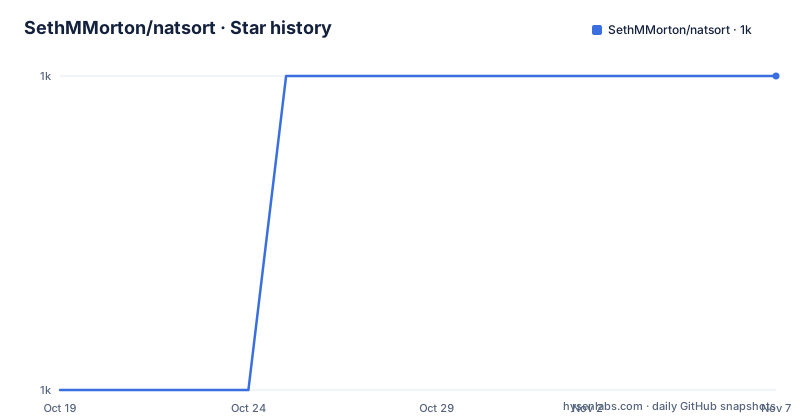
Star history
- SethMMorton/natsort1,014 ★ · +1
| Repository | 2026-10-19 | 2026-11-07 |
|---|---|---|
| SethMMorton/natsort | 1k | 1k |
1 Stars in the last 19 days, measured from the daily GitHub snapshot. Compare with other projects
Editorial analysis
The bug is that digits are compared as letters
The README opens with the problem in a few lines, and the example is the clearest statement of it. When you sort a list of strings that contain numbers, the normal Python sort algorithm sorts them lexicographically, so you might not get the results you expect.
>>> a = ['2 ft 7 in', '1 ft 5 in', '10 ft 2 in', '2 ft 11 in', '7 ft 6 in']
>>> sorted(a)
['1 ft 5 in', '10 ft 2 in', '2 ft 11 in', '2 ft 7 in', '7 ft 6 in']
The order is 1, 10, 2, because the list is being sorted in lexicographical order, which sorts numbers like you would letters. Every consumer of that output, a file listing, a version list, a set of measurements, sees 10 before 2.
natsort provides a function, natsorted, that helps sort lists naturally, and the README is careful about the definition. Naturally is rather ill-defined, but in general it means sorting based on meaning and not computer code point.
>>> from natsort import natsorted
>>> a = ['2 ft 7 in', '1 ft 5 in', '10 ft 2 in', '2 ft 11 in', '7 ft 6 in']
>>> natsorted(a)
['1 ft 5 in', '2 ft 7 in', '2 ft 11 in', '7 ft 6 in', '10 ft 2 in']
The mechanism is that natsorted identifies numbers anywhere in a string and sorts them naturally, so the digit runs become numbers and everything else stays comparable as text. That is the whole idea, and it is why the library is useful for the many cases where a string carries a number that a person is meant to read.
The package is MIT licensed, the author is Seth M. Morton, the documentation is at natsort.readthedocs.io, and the project supports Python 3.9 through 3.14.
It returns a list, it does not sort yours
There is a behaviour in the library that catches people out, and the README gives it its own note because it is a genuine trap.
natsorted is designed to be a drop-in replacement for the built-in sorted function, and like sorted, it does not sort in place. To sort a list and assign the output to the same variable, you must explicitly assign the output to a variable.
>>> a = ['2 ft 7 in', '1 ft 5 in', '10 ft 2 in', '2 ft 11 in', '7 ft 6 in']
>>> natsorted(a)
['1 ft 5 in', '2 ft 7 in', '2 ft 11 in', '7 ft 6 in', '10 ft 2 in']
>>> print(a)  # 'a' was not sorted; "natsorted" simply returned a sorted list
['2 ft 7 in', '1 ft 5 in', '10 ft 2 in', '2 ft 11 in', '7 ft 6 in']
>>> a = natsorted(a)  # Now 'a' will be sorted because the sorted list was assigned to 'a'
>>> print(a)
['1 ft 5 in', '2 ft 7 in', '2 ft 11 in', '7 ft 6 in', '10 ft 2 in']
The behaviour matches sorted on purpose, and that is the right call for a drop-in replacement, but it means the difference between a working and a broken call is one character. The alternative the README points at is a section called Generating a Reusable Sorting Key and Sorting In-Place, which is the other way to do natural sorting, by computing a sort key once and passing it to sorted as the key argument.
That difference matters for two different reasons. A key function can sort in place with list.sort, and a key computed once can be reused across several sorts, which matters when the same collection is sorted more than once or when the key is expensive to produce.
The algorithm is an argument you have to pick
The library offers a choice of sorting algorithms through the alg parameter, and the README's example of that choice is the one that trips up people upgrading.
The default behaviour treats a number in a string as unsigned, so a minus sign is just a character.
>>> from natsort import realsorted, ns
>>> a = ['position5.10.data', 'position-3.data', 'position5.3.data', 'position2.data']
>>> natsorted(a)
['position2.data', 'position5.3.data', 'position5.10.data', 'position-3.data']
>>> natsorted(a, alg=ns.REAL)
['position-3.data', 'position2.data', 'position5.10.data', 'position5.3.data']
>>> realsorted(a)  # shortcut for natsorted with alg=ns.REAL
['position-3.data', 'position2.data', 'position5.10.data', 'position5.3.data']
The README states that interpreting the numbers as signed floats was the default behaviour of natsorted for natsort version 4.0.0 and earlier, and that this is useful in scientific data analysis. So a project that relied on the old default has to change either the call or the import, and the change is a behaviour change, not a refactor.
The same section of the documentation lists the other axes you can turn. There is locale aware sorting, also called human sorting, where the non numeric characters are ordered by their meaning rather than by their ordinal value, with a locale dependent thousands separator and decimal separator accounted for. There is sorting of mixed types, handling of bytes, and the further customising that the API reference covers.
The design decision worth noticing is that the library does not try to be right about sorting. It gives you a default and a set of named alternatives, and the documentation is explicit that natural sorting is ill-defined, so choosing an algorithm is part of using it.
os_sorted matches the file browser, and PyICU decides how well
Before version 7.1.0, the README says, it was a common request to be able to sort paths like Windows Explorer. As of 7.1.0 the function os_sorted has been added to provide users the ability to sort in the order that their file browser might sort, for example Windows Explorer on Windows, Finder on macOS, and Dolphin, Nautilus or Thunar on Linux.
import os
from natsort import os_sorted
print(os_sorted(os.listdir()))
# The directory sorted like your file browser might show
The output is different depending on the operating system you are on, which is the point rather than a bug, since the purpose is to agree with the tool the user already looks at.
The catch is documented for users not on Windows, and it is a dependency rather than a preference. It is strongly recommended to also install PyICU, which helps natsort give results that match most file browsers. Without it, natsort falls back on Python's built-in locale module and will give good results for most input, but will give poor results for special characters.
That fallback is the reason the icu extra exists in the project metadata, alongside the fast extra, and it explains why a library that looks like a small utility has optional dependencies. Locale collation is a genuinely large piece of work, and the built-in module does not do it properly.
The same reasoning applies to the other optional dependency. The fast extra pulls in fastnumbers, and the name says what it does: the parsing of numbers out of strings is the expensive part of a natural sort, so replacing the parser with a faster one is the obvious lever when the list is long.
Version strings work by accident of their format
The documentation is refreshingly honest about how it handles versions. natsort does not actually comprehend version numbers. It just so happens that the most common versioning schemes are designed to work with standard natural sorting techniques, and those schemes include MAJOR.MINOR, MAJOR.MINOR.PATCH, and YEAR.MONTH.DAY.
>>> a = ['version-1.9', 'version-2.0', 'version-1.11', 'version-1.10']
>>> natsorted(a)
['version-1.9', 'version-1.10', 'version-1.11', 'version-2.0']
If your data conforms to a scheme like that, it works out of the box with natsorted, as of version 4.0.0. If you need versions that use a more complicated scheme, the README points at separate version sorting examples.
This is the sharpest limitation in the library, and it is easy to miss because the common case works. A scheme that mixes in a pre release marker, or a build number with a fixed width, or a date in a non numeric format, is a different problem, and the library will not solve it for you.
It is also why a hand written comparison function is sometimes the honest answer. The library gives you a way to order strings that contain numbers, and a version scheme that is not built out of dot separated numbers is better served by a comparison function written for that scheme, or by a dedicated version parsing library, since natsort's own documentation points you elsewhere for that case.
Packaging is plain setuptools with two extras and a console script
The project metadata in pyproject.toml is short and conventional. The build system is setuptools with setuptools-scm, and the version is dynamic, with setuptools_scm writing it to natsort/_version.py, which is how the version follows the git tags rather than being written by hand.
[project.optional-dependencies]
fast = ["fastnumbers >= 2.0.0"]
icu = ["PyICU >= 1.0.0"]
The project requires Python 3.9 or newer, and the classifiers list 3.9 through 3.14, which matches the maintenance story of a library that has been shipping for a long time. There is also a console script, natsort, pointing at natsort.__main__:main, so the library can be run from a shell as well as imported.
The repository layout is organised for a project with a real test and documentation process. There is a natsort/ package directory, tests/, docs/ for the read the docs documentation, dev/ for development scripts, and a mypy_stubs/ directory that the mypy configuration points at, so the type checking is against local stubs rather than against the package as installed. The tooling is tox.ini, a .coveragerc, a CHANGELOG.md, a RELEASING.md and a CODE_OF_CONDUCT.md.
The last push was on 2026-09-19, the project is not archived, and the README carries a note pointing at the Dropped Deprecated APIs section for changes, which is a useful thing to read before you pin a version.
Editorial conclusion
natsort fits anyone whose sorted output is read by people rather than by machines, because file10 belongs after file2 and version-1.10 belongs before version-1.11. It is the wrong tool when the ordering has to be defined by a standard other than the one in the data, and it is a poor fit for very large lists where a precomputed key is better. Verify first which algorithm your data needs, since the default is not the signed float behaviour older versions had, and install the fastnumbers extra if the list is long enough for parse time to matter.
Frequently asked questions
What does natsort do differently from Python's sorted?
natsorted identifies numbers anywhere in a string and sorts them naturally instead of lexicographically, so a list of measurements or file names sorts with 2 before 10. Like sorted it returns a new list and does not sort in place, so the result has to be assigned back to the variable.
How do I sort strings with negative numbers?
Use the REAL algorithm, either through realsorted or by passing alg=ns.REAL to natsorted. The README notes that interpreting numbers as signed floats was the default behaviour before version 4.0.0, so code written against the old default needs an explicit change.
What is os_sorted for in natsort?
Added in version 7.1.0, it sorts a directory listing in the order your file browser would show it, such as Windows Explorer, Finder, or Dolphin and Nautilus. The output depends on the operating system, and on non Windows systems the README strongly recommends installing PyICU, because without it natsort falls back on the built in locale module and gives poor results for special characters.
Does natsort understand version numbers?
Not in the sense of parsing them. The README says it does not actually comprehend version numbers, and just so happens that common schemes such as MAJOR.MINOR, MAJOR.MINOR.PATCH and YEAR.MONTH.DAY work with standard natural sorting, as of version 4.0.0. More complicated schemes need the separate version sorting examples the documentation links to.
What are the optional dependencies of natsort?
Two extras are declared. The fast extra installs fastnumbers, which speeds up the number parsing that dominates a natural sort, and the icu extra installs PyICU, which gives locale aware results that match file browsers, especially for special characters.
Official sources
Add this badge to your README
If you maintain this project, the badge below links readers to this analysis and shows its maintenance status from the daily GitHub snapshot. Paste the markdown into your README; add ?metric=license or ?metric=stars to the image URL for a different field.

[](https://hysenlabs.com/projects/sethmmorton-natsort)Star history chart for your README
[](https://hysenlabs.com/projects/sethmmorton-natsort)Was this useful?