vue-aplayer: a Vue 2 music player component, with a notice
:cake: Easy-to-use music player for Vue 2.x
At a glance
- What is it?
- Vue-APlayer is a Vue 2 implementation of the APlayer prototype, adding playlists, lyrics, HLS support and a self-adapting theme colour to the original in a dependency-free 16 KB gzipped bundle. The first line of its README points you at a discussion about the future of the project, and that notice is the first thing to read.
- Who is it for?
- Adopt vue-aplayer only for a Vue 2 application that needs a music player and accepts a component whose last release was in 2018, and read the future-of-vue-aplayer discussion linked at the top of the README before you install anything. Do not adopt it for a Vue 3 project, since the peer dependency is pinned to Vue 2.5 or newer, and do not expect the APlayer prototype's own feature set to be the whole story, because the component has its own limits.
- Can I use it commercially?
- Yes. MIT is a permissive licence: you can use, modify and sell software built on it, as long as you keep its copyright and licence notices.
- Is it still maintained?
- Yes. The repository last received commits 2 days ago.
- What is it written in?
- Mainly Vue, according to GitHub's language statistics.
Answers come from the project's GitHub data, last synced on November 6, 2026, and from our analysis. They are not legal advice.
Star history
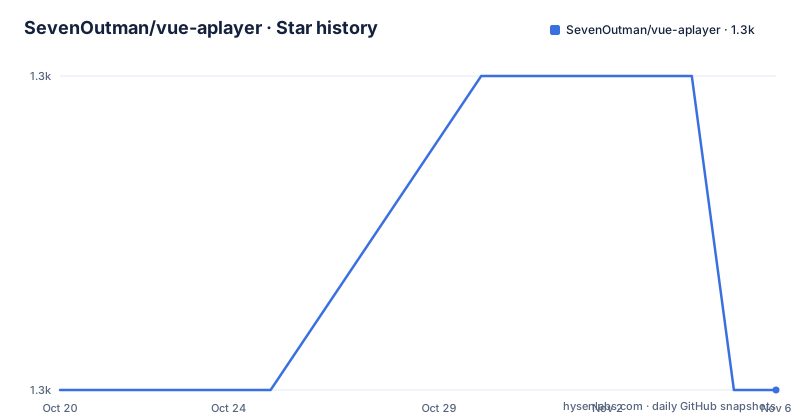
- SevenOutman/vue-aplayer1,331 ★ · +0
| Repository | 2026-10-20 | 2026-11-06 |
|---|---|---|
| SevenOutman/vue-aplayer | 1.3k | 1.3k |
0 Stars in the last 17 days, measured from the daily GitHub snapshot. Compare with other projects
Editorial analysis
A Vue implementation of an existing prototype
Vue-APlayer is a Vue implementation of the APlayer prototype, and the README is clear that APlayer is the prior art, credited in the related projects section along with another Vue implementation of APlayer by a different author.
So the shape of the project is a wrapper. APlayer is a standalone HTML5 music player, and this package exposes it as a Vue component with props and events, in the way a component library wraps a third-party widget. That framing explains both the feature list and the constraints.
The feature list is a mixture of the prototype's capabilities and the wrapper's own additions. Beautiful clean UI, lyrics scroll, playlist with repeat and shuffle controls, custom theme colour with a self-adapting theme colour, drag and place anywhere, mutex play, HLS support, easy props and API, and dependency free and light-weight at 16 KB gzipped.
Mutex play is the one that needs explaining for anyone building a site with more than one player, since it means starting one instance stops another. HLS support is the one that matters for streaming audio, and the build script installs hls.js to support it. The self-adapting theme colour is the wrapper's contribution rather than the prototype's, and it is the feature that makes the player fit a site without hand-tuning a palette.
The package is published to npm as vue-aplayer, the site is at vue-aplayer.js.org, and the demo is hosted on GitHub Pages.
The notice at the top of the README
The very first line of the README, before the title and the badges, is a request: please refer to Future of vue-aplayer before you continue.
That link points at a discussion in the repository's discussions area, number 236. The README does not summarise what the discussion says, so a reader has to go and read it, and the fact that the project puts this line above everything else tells you two things.
First, there is a decision about the project's direction that a user needs to know before choosing the package. Second, the author expects readers to reach the discussion, which means the discussion is where the detail lives.
For an evaluator, this is the most important line in the document. A component whose README opens by deferring to a discussion about its future is telling you that the package is at a decision point, and you cannot make a sensible adoption call without following the link.
The rest of the README is consistent with that. The release history in the repository is old, with v1.6.1 in June 2018 and v1.6.0 a few weeks before it, and the default branch is develop rather than main, so the tip of the tree is where the work happens while the published versions stopped some time ago. The last push is recent, on 2026-10-13, which means the repository is not abandoned, it is maintained in a way that is worth reading about before you depend on it.
Using it: one element and an object
The usage example in the README is the whole interface, which is a fair measure of how simple the component is to use.
<aplayer autoplay
  :music="{
    title: 'secret base~君がくれたもの~',
    artist: 'Silent Siren',
    src: 'https://moeplayer.b0.upaiyun.com/aplayer/secretbase.mp3',
    pic: 'https://moeplayer.b0.upaiyun.com/aplayer/secretbase.jpg'
  }"
/>
There is no import to write, no plugin to register and no configuration file. The component takes a music prop carrying the title, the artist, the source URL and the picture URL, and an autoplay attribute.
The music prop is bound as an object literal in the template, and the same mechanism is what makes a playlist work, since the prop is data rather than a fixed attribute. That is the whole point of wrapping a prototype in a component: the imperative calls of the original become a declarative prop that Vue can watch.
The documentation lives in the repository, with a full documentation page and a Chinese-language version of it, which is a small thing that says something about who the audience is.
If you are looking for the full option list, the README points to the documentation rather than repeating it, and the changelog is in the release notes, with the README's note that detailed changes for each release are documented there.
A build toolchain that shows its age
The package.json is worth reading as an artefact, because a 2018 project tells you what its constraints are.
The package name is vue-aplayer at version 1.6.0, with the main entry point at dist/vue-aplayer.min.js, and the published files are the src directory minus the demo, plus the built JavaScript. The peer dependency is the important line: vue at ^2.5.16, which means the component will not install cleanly into a Vue 3 application.
The build is webpack with Babel, and the scripts are the conventional set for that era. Development runs webpack serve with a separate demo configuration, production runs webpack with a progress flag and a build:demo variant, and prepublishOnly runs the build. The lint script is eslint over the .js and .vue files in src, and the test script is just the lint script, which is the honest minimum for a component of this size.
The dependencies show the same vintage. ESLint at 5, babel-eslint 10, eslint-plugin-vue 5, autoprefixer 9, html-webpack-plugin 3, css-loader 2, file-loader 3, and hls.js at 0.12.4, which is the HLS library the player uses for streaming sources. A renovate.json is present, so the dependency versions are being kept current by automation even though the code itself is not.
The build is not the interesting part of this repository. The interesting part is the component API and the decision about the project's future.
The naming rules, the credits and the licence
Two small sections in the README are more than housekeeping.
The name section sets out how the project should be referred to. When referring to Vue-APlayer, the name should be written in exactly the same case, and when referring to its versions, either [email protected] for GitHub or [email protected] for npm is fine. That is a maintainer's rule about consistency, and it is the kind of detail that ends up in a README because someone got it wrong once and the author wanted it to stop.
The thanks section gives the credit that a wrapper project owes. It goes to @DIYgod, for creating APlayer and for sharing cloud storage for hosting the demo page's media resources. That second half is worth noting, because the demo URLs in the usage example point at a third-party bucket, and the reason they work is that somebody provided the storage.
The licence is MIT, with the copyright line reading 2016-present and naming Shenghao, Doma, Lei. The package author field matches, and the npm package and the GitHub project share the name and the same licence.
Contributing is open in the usual way, with an issue tracker for bugs and ideas, pull requests welcome, and a link to the contributing section of the documentation.
Where vue-aplayer is the wrong choice
The first wrong-tool case is Vue 3. The peer dependency is Vue 2.5 or newer, and the component was written against the Vue 2 API. A team that has moved to Vue 3 needs a different solution, and the linked future-of-vue-aplayer discussion is the place to find out whether one is being prepared.
The second is a project that needs a full audio application. APlayer is a player for a list of tracks, with a playlist, lyrics and a theme. It is not a streaming service client with queue management, playback history, offline caching or DRM, and no amount of wrapping gives a component those features.
The third is a project that needs the upstream to keep moving. This is a wrapper, and a wrapper is only as good as the thing it wraps. If APlayer changes its API, the wrapper has to follow, and the last published release here is from 2018. The repository is still being worked on, but the version you install from npm is old, and the gap between the developed code and the published package is exactly the kind of thing that catches a team out at upgrade time.
A fourth consideration is the size of the surrounding apparatus for what it does. A single-file player for a page with one track does not need a component, a build step and a dependency graph. The library earns its place when a site has several players with playlists, a theme and lyrics, which is the case the feature list was written for.
Editorial conclusion
Adopt vue-aplayer only for a Vue 2 application that needs a music player and accepts a component whose last release was in 2018, and read the future-of-vue-aplayer discussion linked at the top of the README before you install anything. Do not adopt it for a Vue 3 project, since the peer dependency is pinned to Vue 2.5 or newer, and do not expect the APlayer prototype's own feature set to be the whole story, because the component has its own limits. Before you depend on it, check the release notes and the linked discussion, and plan for the day when the APlayer prototype moves on and this wrapper does not.
Frequently asked questions
What is vue-aplayer?
A Vue 2 implementation of the APlayer prototype, published to npm as vue-aplayer. It adds a playlist with repeat and shuffle controls, lyrics scroll, HLS support, mutex play, a self-adapting theme colour and drag and place anywhere, in a dependency-free bundle of 16 KB gzipped.
Is vue-aplayer still maintained?
The repository is not archived and the last push was on 2026-10-13 on the develop branch, but the published releases stop at v1.6.1 from 2018. The README's first line asks readers to consult the future of vue-aplayer discussion before continuing, which is where the direction of the project is explained.
Which Vue versions does vue-aplayer support?
The peer dependency is vue at ^2.5.16, so the component targets Vue 2 and will not install cleanly into a Vue 3 application. The npm package is vue-aplayer, with the main entry point at dist/vue-aplayer.min.js.
How do I use the vue-aplayer component?
Add the aplayer element and pass a music prop holding the title, artist, source and picture, for example <aplayer autoplay :music="{ title, artist, src, pic }" />. The prop is data, so the same mechanism is what drives a playlist, and there is no import, plugin registration or configuration file involved.
What licence is vue-aplayer released under?
MIT, with the copyright line reading 2016-present and naming Shenghao, Doma, Lei. The project is a wrapper around the APlayer prototype, whose creator @DIYgod is credited along with the cloud storage used for the demo media.
Official sources
Add this badge to your README
If you maintain this project, the badge below links readers to this analysis and shows its maintenance status from the daily GitHub snapshot. Paste the markdown into your README; add ?metric=license or ?metric=stars to the image URL for a different field.

[](https://hysenlabs.com/projects/sevenoutman-vue-aplayer)Star history chart for your README
[](https://hysenlabs.com/projects/sevenoutman-vue-aplayer)Was this useful?