shx portable shell commands for npm scripts
Portable Shell Commands for Node
At a glance
- What is it?
- shx puts ShellJS commands behind a cross-platform command-line interface for short npm scripts. It fits file cleanup, copying, inspection, and similar one-liners, but it does not replace longer JavaScript automation.
- Who is it for?
- Adopt shx when an npm project needs short, platform-independent file commands implemented through ShellJS. Do not choose it for long JavaScript programs, unsupported control-flow commands, or workflows that require Unix shell behavior rather than ShellJS semantics.
- Can I use it commercially?
- Yes. MIT is a permissive licence: you can use, modify and sell software built on it, as long as you keep its copyright and licence notices.
- Is it still maintained?
- Yes. The repository last received commits 36 days ago.
- What is it written in?
- Mainly JavaScript, according to GitHub's language statistics.
Answers come from the project's GitHub data, last synced on October 23, 2026, and from our analysis. They are not legal advice.
Star history
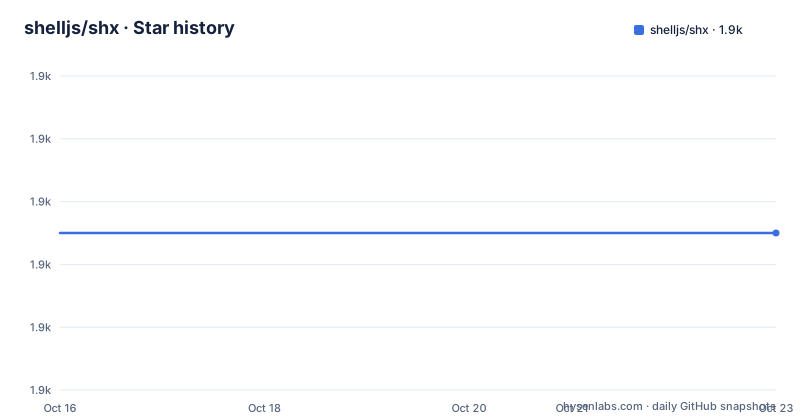
- shelljs/shx1,875 ★ · +0
| Repository | 2026-10-16 | 2026-10-23 |
|---|---|---|
| shelljs/shx | 1.9k | 1.9k |
0 Stars in the last 7 days, measured from the daily GitHub snapshot. Compare with other projects
Editorial analysis
Why shx sits inside npm scripts
shx addresses a narrow gap between JavaScript and operating-system commands. ShellJS can write substantial filesystem scripts in JavaScript, while native commands such as rm, cp, mkdir, and ls differ across operating systems. shx exposes most ShellJS commands through a command named shx, allowing an npm script to call a defined ShellJS operation without writing a complete Node.js program.
The intended users are Node.js package maintainers who need repeatable one-line build, cleanup, copy, and inspection steps on Unix and Windows. A typical case is removing generated output before a build. Another is listing files or applying a text substitution through ShellJS rather than depending on a particular system command. The README explicitly distinguishes this use from long scripts: ShellJS is presented as the better fit when the automation itself should be written in JavaScript.
This boundary matters. shx is not a general shell emulator. It does not expose cd, pushd, popd, dirs, set, exit, exec, or ShellString. It also relies on ShellJS for command behavior instead of reproducing every feature of Bash, sh, or PowerShell. Projects that assume pipelines, redirection, process control, or arbitrary shell grammar should not treat shx as a drop-in replacement for their current shell.
How shx routes commands to ShellJS
The package metadata declares src/cli.js as the shx executable. Based on that entry point and the README description, shx accepts command-line arguments, selects a ShellJS operation, and invokes the corresponding ShellJS function. The package declares dependencies on minimist and shelljs. This makes shx a thin command-line layer rather than a separate filesystem engine.
For example, shx ls delegates to ShellJS behavior and prints matching entries one per line. shx rm, shx touch, shx cp, and shx mkdir likewise map to their named ShellJS commands. Options such as --silent, --noglob, --verbose, --negate, --help, and --version change wrapper behavior. The README says shx --negate reverses a command's exit status: a failed operation produces status 0, while a successful operation produces status 1.
The division between JavaScript and the operating-system shell remains visible. Operators such as && and || are not implemented by shx. The README states that npm passes them to the operating system's shell, using sh on Unix and cmd.exe on Windows. By contrast, quoted glob operators can be left for shx to expand through its ShellJS-backed command path. This split produces workable npm scripts, but it also makes quoting an important part of understanding failures.
Installing shx and adding a first cleanup script
Install shx as a development dependency in the Node.js project that needs it. The package metadata requires Node.js 20 or later, while the README says shx is tested on every supported LTS release from v20 onward. The documented local installation command is:
npm install shx --save-devAfter installation, npm exposes the shx binary to package scripts. Add a short cleanup entry to package.json. This example deletes JavaScript files below build and the build/output directory, then prints a completion message:
{
  "scripts": {
    "clean": "shx rm -rf \"build/**/*.js\" \"build/output\" && shx echo \"Done cleaning\""
  }
}
The two glob paths are enclosed in escaped double quotes so that shx receives the glob expressions instead of having the operating-system shell process them. The && operator remains under the control of the operating-system shell. Running npm run clean should invoke the package script, but the README does not document a rollback procedure or describe what happens when only some targets exist.
For direct command-line use rather than an npm script, the README documents global installation by adding -g to the npm install command. The examples then use shx pwd, shx ls, shx rm, shx touch, shx cp, and shx mkdir on either Unix or Windows.
Cross-platform quoting and command differences
shx removes command-name portability problems, but npm still delegates script control to the host shell. The README recommends double quotes around arguments because Windows treats single quotes differently. A package.json script that needs to pass a quoted string must escape those double quotes again, as shown by the use of \"Done cleaning\" in the cleanup example.
Globs require particular care. Unquoted * and ** expressions may be interpreted by sh, cmd.exe, or another operating-system shell before shx receives them. Quoting the expressions lets shx perform its ShellJS-backed expansion. The sed command has another escaping rule. It accepts Unix-like syntax, but / remains special and must be escaped within the expression or replacement. A slash in the filename itself must not be escaped.
The documented translation from ShellJS is direct:
shx sed -i "s/original string/replacement/g" filename.txtThis corresponds to ShellJS code that supplies -i, a regular expression, a replacement, and a filename. That similarity does not make every ShellJS script suitable for shx. Serialized function results, complex JavaScript expressions, and commands unsupported by the wrapper do not have a CLI representation.
Where shx falls short as a shell replacement
The largest limitation is semantic as well as syntactic. npm scripts still run inside sh on Unix and cmd.exe on Windows. A developer who writes a command that works in one of those shells may not get equivalent behavior elsewhere. shx can make individual commands portable, but it does not standardize the surrounding shell grammar.
The unsupported-command table makes several restrictions explicit. Use the operating system's cd, pushd, popd, exit, and exec directly rather than prefixing them with shx. For pushd, the README recommends forward slashes and a quoted path, while dirs has no documented workaround and ShellString has none. These omissions rule out shx for automation that depends on maintaining and inspecting shell state through shx itself.
Another failure mode is option translation. ShellJS's fatal behavior is listed as unsupported, so shx cannot expose ShellJS's -e configuration through the documented CLI. Only the listed shx flags are documented, and using an unlisted flag should not be assumed to work. Likewise, the README's statement that most ShellJS commands are supported is not a guarantee that every API is available through CLI syntax.
ShellJS, shx, plugins, and release maintenance
ShellJS is the direct alternative for long JavaScript automation. It is presented as the better fit for long scripts written in JavaScript and run with Node.js. shx instead favors concise package-script commands such as shx rm -rf out/. The difference is authoring form: JavaScript files suit branching, reusable functions, and substantial workflows, while shx is intended for one-off commands embedded in package.json.
The repository also documents plugin support through PLUGINS.md. According to the README, shx can use ShellJS plugins and points readers to that file for instructions. The cleaned README excerpt does not reproduce the plugin procedure, so the exact compatibility and configuration steps cannot be confirmed from the excerpt alone.
The repository is not archived, and the last push was on 2026-09-17. The latest listed release is v0.4.0, dated 2025-03-17, following v0.3.4 on the same date. This indicates recent repository activity and a newer major-zero release, but the version remains below 1.0.0 and the README does not provide a compatibility policy between releases. Upgrading can therefore require checking changelog and test entries for command or argument changes.
The package uses the MIT license. That identifier permits use under the license's terms, but this review does not interpret those terms. Projects should inspect the repository's LICENSE file themselves for required notices and distribution conditions.
Editorial conclusion
Adopt shx when an npm project needs short, platform-independent file commands implemented through ShellJS. Do not choose it for long JavaScript programs, unsupported control-flow commands, or workflows that require Unix shell behavior rather than ShellJS semantics. Before adoption, verify that every required operation is supported on Windows, review quoting for package.json, and confirm the installed Node.js version meets the package requirement of Node 20 or later.
Frequently asked questions
How do I install shx in a Node.js project?
Run npm install shx --save-dev. The package requires Node.js 20 or later, and the README states that shx is tested on every supported LTS release from v20 onward.
What is the difference between ShellJS and shx?
ShellJS is presented as the option for longer scripts written entirely in JavaScript. shx is intended for short, cross-platform commands inside npm package scripts.
Which shx commands are not supported?
The README lists cd, pushd, popd, dirs, set, exit, exec, and ShellString as unsupported. It provides operating-system shell alternatives for several of them, but no workaround for dirs or ShellString.
How should I quote globs and strings in a shx npm script?
The README recommends double quotes so shx expands quoted glob operators and warns that Windows handles single quotes differently. Embedded double quotes in package.json must be escaped.
Official sources
Add this badge to your README
If you maintain this project, the badge below links readers to this analysis and shows its maintenance status from the daily GitHub snapshot. Paste the markdown into your README; add ?metric=license or ?metric=stars to the image URL for a different field.

[](https://hysenlabs.com/projects/shelljs-shx)Star history chart for your README
[](https://hysenlabs.com/projects/shelljs-shx)Was this useful?