serverless-appsync-plugin puts an AppSync API in your serverless.yml
serverless plugin for appsync
At a glance
- What is it?
- The serverless-appsync-plugin deploys AWS AppSync APIs from a Serverless Framework service, and what makes it worth reading is the surface it covers, from the choice of authentication mode through the data sources, the resolver types, the pipeline functions, caching, custom domains and a web application firewall, to a set of CLI commands that let you evaluate a resolver or flush the API cache without deploying anything.
- Who is it for?
- serverless-appsync-plugin fits a team that has standardised on the Serverless Framework and does not want to hand-write CloudFormation for a GraphQL API, since the GraphQL schema, the resolvers and the data sources all live in the service file alongside the functions.
- Can I use it commercially?
- Yes. MIT is a permissive licence: you can use, modify and sell software built on it, as long as you keep its copyright and licence notices.
- Is it still maintained?
- Yes. The repository last received commits 7 days ago.
- What is it written in?
- Mainly TypeScript, according to GitHub's language statistics.
Answers come from the project's GitHub data, last synced on November 7, 2026, and from our analysis. They are not legal advice.
Star history
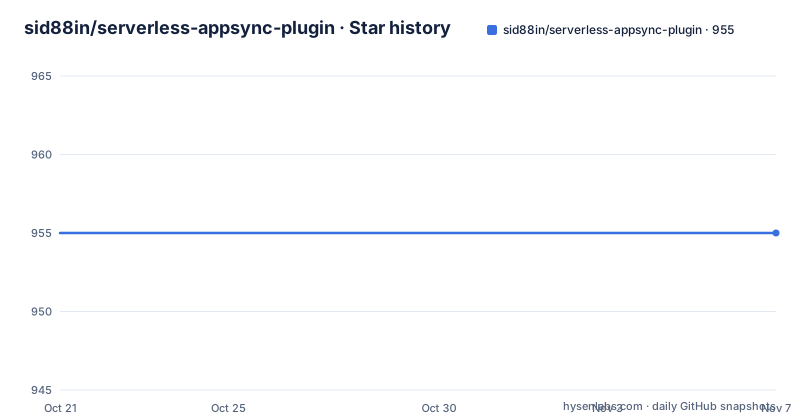
- sid88in/serverless-appsync-plugin955 ★ · +0
| Repository | 2026-10-21 | 2026-11-07 |
|---|---|---|
| sid88in/serverless-appsync-plugin | 955 | 955 |
0 Stars in the last 17 days, measured from the daily GitHub snapshot. Compare with other projects
Editorial analysis
The pitch, and where the plugin sits
The one line summary is that you can deploy AppSync APIs in minutes using this Serverless plugin, and the project topic list gives the scope, with AWS AppSync, DynamoDB, Elasticsearch, GraphQL, Lambda, serverless applications and the Serverless Framework itself. That combination matters, because AppSync is a managed GraphQL service with a number of moving parts, the API, the authentication mode, the data sources, the resolvers, the caching, the domain, and expressing all of it by hand in CloudFormation is a large amount of YAML that a plugin can generate from a schema. The project is a single maintainer's work, and the adoption section makes the case with a download count, more than nine million total downloads since January 2018, with interactive charts linked from the npm statistics sites. The minimum requirements are Node.js 20 or higher and Serverless 3.0.0 or higher, and the licence is MIT.
The install and the shape of the configuration
The package installs like any other plugin:
npm install serverless-appsync-pluginand the quick start shows what the configuration looks like in a service file, where the plugin is listed and an appSync block carries the API name, the authentication type, the resolvers and the data sources:
service: my-app

plugins:
  - serverless-appsync-plugin

provider:
  name: aws

appSync:
  name: my-api
  authentication:
    type: API_KEY

  resolvers:
    Query.user:
      dataSource: my-table

  dataSources:
    my-table:
      type: AMAZON_DYNAMODB
      config:
        tableName: ${sls:stage}-data
The table name uses a Serverless stage variable, which is the point of putting the API in the service file, since the stage then appears in the resource names without anybody writing a second configuration. The documentation is organised as a set of pages under doc/, covering the general configuration, the data sources, the resolvers, the pipeline functions, authentication, API keys, custom domains, variable substitutions, caching, the web application firewall and how to test resolvers.
The CLI is the part you will use daily
The plugin adds a set of commands under the sls appsync namespace, and they are the reason to install it even if the deployment itself is quick. You can validate the GraphQL schema, export the introspection schema as JSON or SDL, flush the API cache, open the AppSync console, open CloudWatch logs, stream the logs to stdout, and evaluate a JavaScript resolver or a VTL template without deploying, which lets you evaluate resolver behavior without deploying it. There are also commands to get and set the runtime environment variables of the deployed API, and a family of commands to manage custom domains. The evaluate command in particular changes how you work with the service, because a resolver that fails can be run against sample data and read as output rather than discovered through a deployed API.
Generated values you can refer to from the service file
The plugin exports variables so that the rest of your service file can refer to values that only exist after CloudFormation has run. The list is short. The id of the AppSync API, the URL of the API, the ARN of the API, and an API key by name. The ARN in particular is the one that tends to be needed elsewhere, since a Lambda authoriser or an IAM policy wants to name the API it is protecting, and referring to the generated value is better than hard coding a string that changes when the stack is recreated. The API key export is what makes the multiple key example work, since a service that issues more than one key needs to reference each one by name rather than by position.
The test suite is deliberately split in three
Testing is the section with the most thought in it, and the structure answers a problem that serverless plugins usually have, which is that verifying the deployment means deploying. The first layer is the unit tests, which are pure logic, schema validation and CloudFormation snapshots under the tests directory of the source, and they need no AWS credentials at all. The second layer is the end-to-end tests, which apply the plugin to the example projects, run the serverless package command, and assert on the generated CloudFormation, and the README is emphatic that they build the plugin first and do not deploy anything to AWS, so they need no credentials and are safe to run on every pull request. The third layer is the live integration suite, which exercises the real AWS code paths against a real account and therefore costs money and requires credentials, and it is gated behind an environment variable so that without it every suite resolves to a skipped describe and the run exits green, which is why it never runs as part of the normal test command or the default continuous integration. The cheapest useful run looks like this:
APPSYNC_PLUGIN_INTEGRATION=1 \
APPSYNC_PLUGIN_INTEGRATION_REGION=us-west-2 \
AWS_PROFILE=my-sandbox \
npm run test:integration
Higher cost tiers opt in on top of that master switch, with a caching tier and a custom domain tier that needs a domain and a hosted zone id, and there is a sweep command to clean up any leftover stacks afterwards.
What the examples say about the feature surface
The examples directory is effectively a feature matrix, and it is worth scanning before you commit. On the authentication side there are examples for API keys, multiple API keys, importing an existing key, Cognito user pools, OIDC authentication, IAM authentication, a multi-auth setup and a Lambda authoriser. On the data source side there are examples for DynamoDB, RDS, OpenSearch, Bedrock, EventBridge, a plain HTTP endpoint and no data source at all, which is the None resolver. On the resolver side there are JavaScript resolvers, VTL resolvers, and a pipeline resolver with code. Then there are the platform features, with caching, a custom domain in two variants, X-Ray logging, enhanced metrics, environment variables, introspection disabled and the logging configuration. The breadth of the examples is a reasonable proxy for how much of AppSync the plugin actually covers, and it is a lot more than a thin wrapper around one resource.
The project layout and the current state
The repository is a TypeScript project with the plugin source in src/, the three test layers in their own directories at src/__tests__, e2e and integration, the example services in examples/, the documentation in doc/, and a set of separate jest configurations, one for the unit tests, one for the end to end tests, one for the integration tests and their setup files. The scripts in the package file show the whole test matrix, with a test script that runs the unit tests, a watch variant, an end-to-end script that builds first, a combined script, the integration script, a typecheck for the integration code, a sweep script, the build, the lint, and a prepare script that installs the husky hooks and rebuilds. The release process uses semantic-release, and the versions are v2.13.0 from 2026-07-08, v2.12.0 from 2026-06-04 and v2.11.0 from 2026-06-01. The repository is not archived, the last push was on 2026-10-12, the package version in the manifest is a development placeholder, and the package is published to npm under the name serverless-appsync-plugin with a weekly and yearly download count in the badges.
Editorial conclusion
serverless-appsync-plugin fits a team that has standardised on the Serverless Framework and does not want to hand-write CloudFormation for a GraphQL API, since the GraphQL schema, the resolvers and the data sources all live in the service file alongside the functions. It does not fit a team that wants to own its AppSync infrastructure in a different tool, and it does not fit anyone who needs the live integration tests to run routinely, because those tests talk to a real AWS account and cost money. Before you adopt it, check the data source and authentication examples against the features you actually use, and note the release state, where v2.13.0 was published on 2026-07-08 and the last push was on 2026-10-12.
Frequently asked questions
What does serverless-appsync-plugin do?
It is a Serverless Framework plugin for deploying AWS AppSync APIs, so the API, its authentication mode, its resolvers and its data sources are declared in the service file and the plugin generates the CloudFormation for them. It supports DynamoDB, RDS, OpenSearch, Bedrock, EventBridge and HTTP data sources.
What are the requirements for the AppSync plugin?
Node.js 20 or higher and Serverless 3.0.0 or higher. The package installs with npm install serverless-appsync-plugin, and the plugin is then listed under plugins in the service file.
What CLI commands does the plugin add?
Commands under sls appsync for validating the GraphQL schema, exporting the introspection schema, flushing the API cache, opening the AppSync console and CloudWatch logs, streaming logs, evaluating a JavaScript resolver or VTL template without deploying, getting and setting the runtime environment variables, and managing custom domains.
How does the plugin's test suite work?
It is split into three layers. The unit tests are pure logic, schema validation and CloudFormation snapshots with no AWS credentials needed, the end-to-end tests package the example services and assert on the generated CloudFormation without deploying, and the live integration tests are gated behind an environment variable, cost money and require a real AWS account.
Is serverless-appsync-plugin still updated?
The repository is not archived and the last push was on 2026-10-12, with v2.13.0 published on 2026-07-08 after v2.12.0 and v2.11.0 in June 2026. The licence is MIT and the package is published on npm as serverless-appsync-plugin.
Official sources
Add this badge to your README
If you maintain this project, the badge below links readers to this analysis and shows its maintenance status from the daily GitHub snapshot. Paste the markdown into your README; add ?metric=license or ?metric=stars to the image URL for a different field.

[](https://hysenlabs.com/projects/sid88in-serverless-appsync-plugin)Star history chart for your README
[](https://hysenlabs.com/projects/sid88in-serverless-appsync-plugin)Was this useful?