tints.dev, a palette generator that turns one hex value into eleven Tailwind shades
11-color Palette Generator and API for Tailwind CSS
At a glance
- What is it?
- tints.dev is a small web tool and API that takes a single hexadecimal colour and produces the eleven-stop scale Tailwind CSS expects, from 50 to 950, with controls for hue, saturation and lightness or luminance. The colour science runs in HSLuv rather than HSL, and the whole thing runs as a React Router application on Cloudflare Workers.
- Who is it for?
- Adopt tints.dev if you build Tailwind interfaces and want a full 50 to 950 scale from one hex value instead of picking eleven shades by hand, and skip it if you need the same palette offline in a build step, because the API is a hosted service and the tool is a website.
- Can I use it commercially?
- Check first. The repository uses a licence we do not classify automatically, so read its LICENSE file before any commercial use.
- Is it still maintained?
- Yes. The repository last received commits 5 days ago.
- What is it written in?
- Mainly TypeScript, according to GitHub's language statistics.
Answers come from the project's GitHub data, last synced on November 7, 2026, and from our analysis. They are not legal advice.
Star history
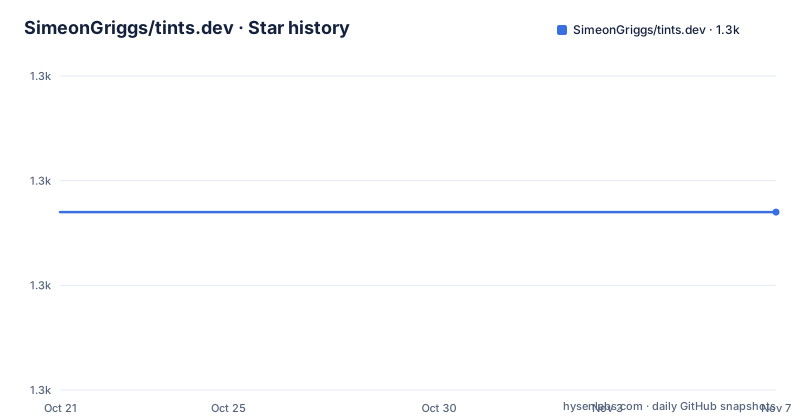
- SimeonGriggs/tints.dev1,277 ★ · +0
| Repository | 2026-10-21 | 2026-11-07 |
|---|---|---|
| SimeonGriggs/tints.dev | 1.3k | 1.3k |
0 Stars in the last 17 days, measured from the daily GitHub snapshot. Compare with other projects
Editorial analysis
One hex value in, eleven shades out
The problem the tool solves is narrow and real. Tailwind CSS expects each colour in your theme to exist at a set of stops, and getting eleven coordinated shades right by hand in a design tool is slow and inconsistent. tints.dev takes the base colour and produces the whole scale, and the palette creator is controlled with three sliders that mirror the colour model rather than the design tool. You set the initial value as a valid hexadecimal colour, which by default is stop 500 but can be changed to any stop from 50 to 950. Saturation, hue, and the lightness and luminance endpoints are then adjusted to shape the scale, and the tool exists to fast-track the creation of new palettes. The design principles behind the defaults are credited to the Refactoring UI book by Adam Wathan and Steve Schoger, and the same book recommends against automated tools, just like this one, which is a nice piece of honesty to find in a project that is itself an automated tool.
Set the initial **Value** as a valid hexadecimal colour. By default this
is stop 500, but it can be changed to any stop from 50-950.
Hue, saturation and two different kinds of spread
The controls are laid out so that each one addresses a specific way a palette goes wrong. For colours that have 100 percent saturation, the tool makes the palette more interesting by shifting the hue up or down, which is how you introduce variety into a scale that would otherwise be a single hue. For palettes starting from a base colour with little saturation, the extremes get more interesting by increasing saturation there, so the ends of the scale are not just faded versions of the middle. The lightness and luminance minimum and maximum shift the rest of the colours towards the extremes of white and black, and switching between lightness and luminance produces a different spread of the colours at those extremes. The distinction is not cosmetic: lightness and luminance are different measures, and the dependency list shows the colour library is hsluv rather than a plain HSL implementation, so the spreads are computed in a perceptually uniform space.
For colours that have 100% **Saturation**, make the Palette more
interesting by shifting the **Hue** up or down.
The API, and what it does not do yet
There is a palette API on top of the web tool, and the stated use case is design tools that need to generate a 50 to 950 palette from just a single hex value. Any set of palettes can be fetched through it. The important limitation is stated in the same paragraph: currently the API will only return a palette using the base hex value, with no options to have HSL tweaks. So the API is the base functionality of the creator, not the full interface, and a caller who wants a hue-shifted or saturation-boosted scale has to do that work themselves or use the web tool. That is a fair thing to know before you design an interface around the API, because the interesting part of the tool is exactly the part the API does not expose yet.
Any set of Palettes can be fetched via an API. You may find this useful
for design tools that need to generate a 50-950 Palette from just a
single Hex value.

Currently, the API will only return a Palette using the base hex value,
with no options to have HSL tweaks.
The stack, and where the content comes from
The package metadata describes a React Router application in TypeScript, with the build and deploy scripts named for react-router and wrangler, and the site is hosted on Cloudflare Workers. The dependency list confirms the shape of the thing: react and react-dom at 19, react-router at 7, Tailwind at version 4 with the vite plugin, Headless UI and Heroicons for the interface, chroma-js for colour manipulation and hsluv for the perceptual colour space, plus react-colorful for the pickers and clsx for class names. Two entries are worth noticing for what they imply about the project. Satori and resvg-wasm together mean the site can render images, which for a palette tool is how you get a shareable preview rather than just a swatch list. And the Sanity.io credit in the documentation says where the content lives, with portable-text/react in the dependencies to read it.
"scripts": {
    "dev": "react-router dev",
    "build": "react-router build",
    "deploy:cloudflare": "wrangler deploy",
    "typecheck": "react-router typegen && tsc"
  }
A rewrite that happened years ago, and a busy main branch
The release history shows two tags, and both are from the end of 2021: 1.0.0 and 2.0.0, the second named as a rewrite in Remix. Remix was the framework React Router absorbed, so the second release is really the story of that merger, and it explains why the current package is built on react-router rather than Remix. What the release tags do not show is how much has happened since, and the repository layout says a great deal. There is a workers/ directory, a react-router.config.ts, a worker-configuration.d.ts and a wrangler.jsonc, which is the current Cloudflare Workers setup, and the package version in the metadata is still 2.0.0 even though the dependencies are on React 19, Tailwind 4 and Vite 7. The last push was on 2026-09-10 and the repository is not archived, so the work is current even though no new tag has been cut, and there is a TODO.md at the root plus .agents/ and .cursor/ directories, which suggests the project is set up for work with AI coding assistants.
app/
workers/
public/
react-router.config.ts
worker-configuration.d.ts
wrangler.jsonc
Where it fits, and what to check first
The honest scope of this project is a small, focused tool that solves one problem well, and that is its strength. If you are building a Tailwind interface and need eleven coordinated shades from a brand colour, doing it by hand in a design tool is the slow part of the work, and this removes it. Two things limit it. The first is the API surface, since the hosted API currently returns only the unmodified base scale and not the adjustments that make the tool interesting, so a design tool built on the API will get a plainer palette than the website produces. The second is the licence, since the identifier in the repository metadata is a custom one that GitHub cannot classify, and the LICENSE file is the document to read before you embed the generated palettes in a product you sell. The third check is the practical one: since there are no releases after 2.0.0, whether the service is still up and whether the API contract still holds are things to confirm rather than assume, and the repository is where to look for current behaviour.
Editorial conclusion
Adopt tints.dev if you build Tailwind interfaces and want a full 50 to 950 scale from one hex value instead of picking eleven shades by hand, and skip it if you need the same palette offline in a build step, because the API is a hosted service and the tool is a website. Verify three things before you wire it into a design system: whether the lightness or luminance spread suits your palette, since the two produce different extremes and the tool lets you switch; the HSLuv colour model, which is perceptually uniform and therefore will not match the HSL adjustments you make by hand in a design tool; and the API's current limit, since it returns a palette from the base hex value only, with no options for HSL tweaks.
Frequently asked questions
What is tints.dev?
It is a palette generator and API for Tailwind CSS that takes a single hexadecimal colour and produces the eleven-stop scale Tailwind expects, from 50 to 950, with controls for hue, saturation and the lightness or luminance spread. The tool exists to fast-track the creation of new palettes.
What colour model does the tints.dev palette use?
The tool works in HSLuv rather than plain HSL, which is a perceptually uniform space, and the dependency list includes hsluv alongside chroma-js. The controls let you shift hue for fully saturated colours, increase saturation at the extremes for dull base colours, and switch between lightness and luminance to produce a different spread towards white and black.
What are the limits of the tints.dev palette API?
Any set of palettes can be fetched through the API, which is useful for design tools that need a 50 to 950 palette from a single hex value. Currently the API will only return a palette using the base hex value, with no options to have HSL tweaks.
How is tints.dev built and hosted?
It is a TypeScript React Router application deployed to Cloudflare Workers, with Tailwind for styling, Headless UI and Heroicons for the interface, and content held in Sanity.io. The package scripts cover dev, build, a Cloudflare deploy through wrangler, type checking, formatting and vitest for tests.
Official sources
Add this badge to your README
If you maintain this project, the badge below links readers to this analysis and shows its maintenance status from the daily GitHub snapshot. Paste the markdown into your README; add ?metric=license or ?metric=stars to the image URL for a different field.

[](https://hysenlabs.com/projects/simeongriggs-tints-dev)Star history chart for your README
[](https://hysenlabs.com/projects/simeongriggs-tints-dev)Was this useful?