MVE: a complete structure-from-motion to surface mesh pipeline in C++
The Multi-View Environment: End-to-end image-based reconstruction (SfM, MVS, surface reconstruction)
At a glance
- What is it?
- MVE, the Multi-View Environment, is a C++ implementation of an end-to-end pipeline for image-based geometry reconstruction, with structure from motion, multi-view stereo and surface reconstruction as separate command line stages, plus a Qt viewer for inspecting datasets. This looks at what it does, and at what maintenance mode means for a user.
- Who is it for?
- MVE fits a researcher or technical artist who needs a complete, inspectable pipeline from photographs to a mesh, and who wants the intermediate stages as separate tools they can run and look at rather than one black box. It does not fit a team that needs a maintained release stream or a modern graphics stack, since the project states it is in maintenance mode with new features rarely added, and the Qt viewer is on the older qmake and Qt 5 path.
- Can I use it commercially?
- Check first. The repository uses a licence we do not classify automatically, so read its LICENSE file before any commercial use.
- Is it still maintained?
- Yes. The repository last received commits 160 days ago.
- What is it written in?
- Mainly C++, according to GitHub's language statistics.
Answers come from the project's GitHub data, last synced on November 7, 2026, and from our analysis. They are not legal advice.
Star history
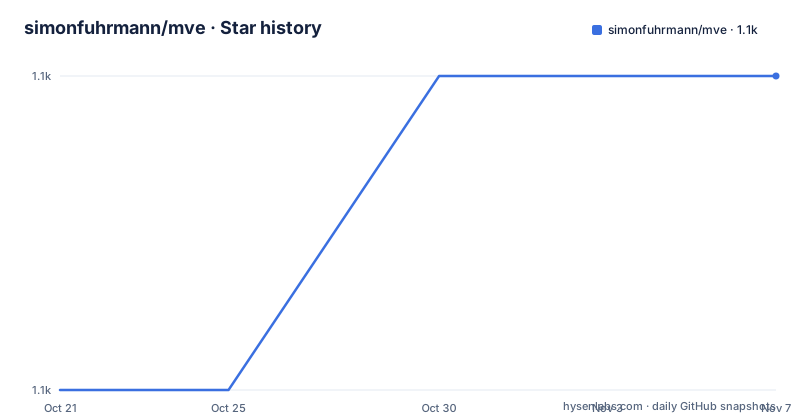
- simonfuhrmann/mve1,064 ★ · +1
| Repository | 2026-10-21 | 2026-11-07 |
|---|---|---|
| simonfuhrmann/mve | 1.1k | 1.1k |
1 Stars in the last 17 days, measured from the daily GitHub snapshot. Compare with other projects
Editorial analysis
A pipeline, and a project that says it is finished
MVE is described as an implementation of a complete end-to-end pipeline for image-based geometry reconstruction, and it is the combination of four stages that makes it interesting: Structure-from-Motion, Multi-View Stereo and Surface Reconstruction, preceded by dataset creation.
It is also, by its own account, done. The readme says MVE has been developed at the TU Darmstadt by Michael Goesele's research group and is currently in maintenance mode, i.e. new features are rarely added. The stated purpose of the effort is to ease the work with multi-view datasets and to support the development of algorithms based on multiple views, which is a research group's framing: the code exists so that students and researchers can build on it.
That framing predicts the rest of the documentation. The readme covers compilation and basic information about the pipeline, and for documentation it points to the wiki pages on GitHub, with the MVE Users Guide as the detailed reference. The paper to cite is MVE: A Multi-View Reconstruction Environment by Simon Fuhrmann, Fabian Langguth and Michael Goesele, published in the Proceedings of the Eurographics Workshop on Graphics and Cultural Heritage in Darmstadt in 2014, and the readme asks that you cite it if you use the system in publications.
The code is C++ with cross-platform libraries, it runs on Linux, MacOS X and, in the readme's phrasing, sometimes Windows, and it has minimal external dependencies: libpng, libjpeg and libtiff.
Four stages, and a viewer that only looks
The reconstruction pipeline is broken into components that each have a command line application in the `mve/apps/` directory.
Creating a dataset is the first step, converting input photos into the MVE File Format. Structure from Motion comes next, reconstructing the camera parameters. Multi-View Stereo then reconstructs dense depth maps for each photo. Surface Reconstruction closes the loop by reconstructing a surface mesh.
That division is the design decision worth understanding, because it means each stage is independently runnable and independently inspectable. You can run SfM, look at the sparse point cloud and the estimated camera poses, and decide whether the images and the intrinsics are good enough before you spend the compute on dense stereo. A pipeline that only produces a final mesh gives you no place to intervene.
The visualisation tool is UMVE, a front-end Qt application built on top of the libraries. The readme is explicit about its limits: UMVE is merely an interface for scene inspection and does not support reconstruction. That is a useful thing to know before you install a graphical application expecting it to run the pipeline.
The MVE Users Guide on the wiki is the document that explains how to use the individual tools, and the readme points there for the detailed description of how to use them.
Building the libraries and the tools
The build is a plain Makefile with no configure step, and the clone and build are two commands.
git clone https://github.com/simonfuhrmann/mve.git
cd mve
make -j8
The UMVE viewer is built separately, because it needs Qt, and it uses qmake rather than CMake:
cd apps/umve/
qmake && make -j8
./umve
The system requirements are listed as a short list: libjpeg for MVE, libpng for MVE, libtiff for MVE, OpenGL for libogl in MVE and UMVE, and Qt 5 for UMVE.
The Makefile itself shows how the project is laid out. The default `all` target builds the libraries and all the applications except UMVE, which is why the viewer has its own instructions. There is a `doc` target that builds the Doxygen documentation from the `docs/` directory, a `test` target that builds the tests in `tests/`, which the comment says you execute with `./tests/test`, a `clean` target, and a `links` target that creates symbolic links to all the apps in `$HOME/bin/`, which is a convenience for people who want the tools on their path.
For Windows and macOS the readme says to refer to the wiki pages, which is the same place the Users Guide lives.
The container build pins an old Alpine
There is a Dockerfile at the root, and it is short enough to read in full.
ARG ALPINE_VERSION=3.10
FROM alpine:${ALPINE_VERSION}

COPY . /mve

RUN apk add --no-cache \
        make \
        g++ \
        jpeg-dev \
        libpng-dev \
        tiff-dev \
        mesa-dev \
    && cd /mve \
    && mkdir bin \
    && make all
The structure is the sensible one for this project: copy the tree, install the build and image dependencies, create the output directory the Makefile expects, and build everything except the viewer.
The interesting detail is the base image version, pinned at Alpine 3.10 through a build argument. That release is old, and it means the container gives you a consistent toolchain that matches what the project was developed against, which is the point of pinning, but it also means the image inherits a decade-old package base with the security implications that carries. The `mesa-dev` package is there for the OpenGL requirement of libogl.
Because the argument is a build argument, a user can override it, and the presence of the argument rather than a hard-coded value suggests the maintainer expected that.
Where MVE is the wrong tool
Four limits are clear, and they mostly follow from the project being a decade-old research system in maintenance mode.
The first is the maintenance statement itself. New features are rarely added, the repository publishes no GitHub releases, and the last push was on 2026-05-31. There is no version stream to track and no changelog of released artefacts, so if you depend on it you are depending on a commit, and a commit in a research repository is not a release contract.
The second is the graphics stack. UMVE is built with qmake and Qt 5, and the readme lists OpenGL as a requirement for libogl. The qmake tool is not the default path in current Qt distributions, and the readme defers Windows and macOS to the wiki, so setting up the viewer on either of those platforms is a project in itself. A team that only needs the command line tools can skip UMVE entirely, since the default build target excludes it.
The third is the dataset format. The first stage of the pipeline is converting input photos into the MVE File Format, and the readme gives that step the least space of the four, deferring to the Users Guide. Everything downstream depends on it, and a pipeline whose first step is under documented is a pipeline where you will spend your time in the wiki.
The fourth is the nature of the method. This is a classical, geometric reconstruction pipeline, not a learned one, which is a feature for reproducibility and a limitation if you expected a modern reconstruction network to handle the hard photographs. It also means the quality of the result is bounded by the quality of the input photography in a way that is worth planning for before you process a large dataset.
Editorial conclusion
MVE fits a researcher or technical artist who needs a complete, inspectable pipeline from photographs to a mesh, and who wants the intermediate stages as separate tools they can run and look at rather than one black box. It does not fit a team that needs a maintained release stream or a modern graphics stack, since the project states it is in maintenance mode with new features rarely added, and the Qt viewer is on the older qmake and Qt 5 path. Before you build it, read the wiki pages for your platform, since the Windows and macOS instructions are not in the readme, and expect to supply your own way of getting photographs into the MVE File Format, because the dataset conversion step is the part with the least documentation.
Frequently asked questions
What are the stages of the MVE reconstruction pipeline?
Creating a dataset by converting input photos into the MVE File Format, Structure from Motion to reconstruct the camera parameters, Multi-View Stereo to reconstruct dense depth maps for each photo, and Surface Reconstruction to produce a surface mesh. Each stage is available as a command line application in the mve/apps/ directory.
How do I build MVE from source?
Clone the repository, change into the mve directory and run `make -j8`, which builds the libraries and all applications except the viewer. The system requirements are libjpeg, libpng, libtiff, OpenGL and, for the UMVE viewer, Qt 5.
Can the UMVE viewer run the reconstruction?
No. The documentation is explicit that UMVE is merely an interface for scene inspection and does not support reconstruction. It is built separately with qmake from the apps/umve directory.
Is MVE still being developed?
The project states it is currently in maintenance mode, with new features rarely added, and it publishes no GitHub releases. The last push to the repository was on 2026-05-31, and the documented Windows and macOS instructions are on the wiki pages.
How should I cite MVE in a publication?
The readme asks that you cite the paper MVE: A Multi-View Reconstruction Environment by Simon Fuhrmann, Fabian Langguth and Michael Goesele, from the Proceedings of the Eurographics Workshop on Graphics and Cultural Heritage, Darmstadt, 2014.
Official sources
Add this badge to your README
If you maintain this project, the badge below links readers to this analysis and shows its maintenance status from the daily GitHub snapshot. Paste the markdown into your README; add ?metric=license or ?metric=stars to the image URL for a different field.

[](https://hysenlabs.com/projects/simonfuhrmann-mve)Star history chart for your README
[](https://hysenlabs.com/projects/simonfuhrmann-mve)Was this useful?