dashblocks: a dashboard declared as an object
Enable Analytics in your Apps
At a glance
- What is it?
- A Vue library where the dashboard is data rather than markup: you declare the layout and the widgets as JSON or a JavaScript object, and the component renders it across d3, Chart.js, Dygraphs and Plotly. The package builds as a library and as web components, and its last release was in 2020.
- Who is it for?
- dashblocks fits a team embedding analytics inside an application rather than standing up a separate reporting tool, since the dashboard travels with the app and updates from the same data the app already has. Two things to know before you start.
- Can I use it commercially?
- Yes. MIT is a permissive licence: you can use, modify and sell software built on it, as long as you keep its copyright and licence notices.
- Is it still maintained?
- Probably not. The repository last received commits 41 months ago, on June 1, 2023.
- What is it written in?
- Mainly Vue, according to GitHub's language statistics.
Answers come from the project's GitHub data, last synced on October 22, 2026, and from our analysis. They are not legal advice.
Star history
- slanatech/dashblocks100 ★ · +0
| Repository | 2026-08-18 | 2026-10-22 |
|---|---|---|
| slanatech/dashblocks | 100 | 100 |
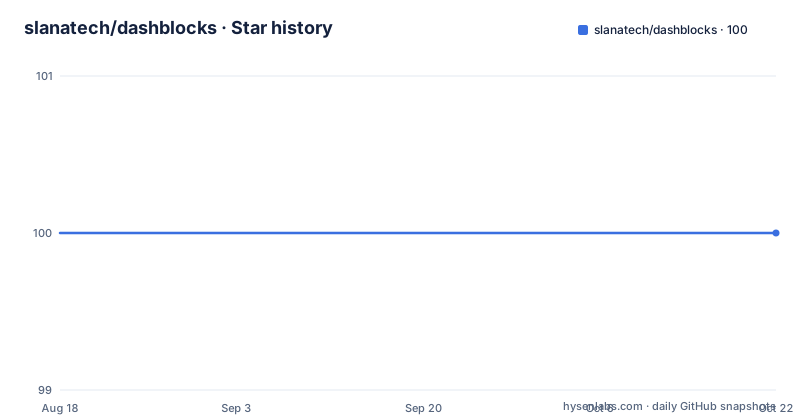
0 Stars in the last 65 days, measured from the daily GitHub snapshot. Compare with other projects
Editorial analysis
The dashboard is data, not markup
The premise is that a dashboard should be describable rather than assembled. Dashblocks creates sophisticated interactive dashboards by declaring the dashboard structure as JSON or a JavaScript object, so the layout is a value you pass in rather than a tree of chart components you write by hand. That decision shows up immediately in how you describe a layout. You add widgets to the dashboard and say how many columns and how many rows each one takes, inside a 16 column CSS Grid layout the library provides, and any widget also accepts further options to adjust its appearance. The consequence is the one the README highlights as a feature in its own right: because the layout is data, the dashboard can be generated from the data as well, rather than only being updated from it.
Four charting libraries behind one component
The rendering side is deliberately borrowed. Dashblocks uses popular charting libraries to draw the charts, naming d3, Chart.js, Dygraphs and Plotly.js, so choosing a chart type is a choice between those ecosystems rather than a choice of widget. The package manifest shows the same picture from the dependency side, with Chart.js at version 2 and d3 at version 5 in the dependency list, alongside plugins that add labels and funnel charts to Chart.js, plus D3's Sankey layout module. There is a demo linked from the README and a separate demos page, and the stated aim throughout is to simplify enabling in-app analytics. That framing matters: the target is analytics inside an application, not a standalone reporting product, which is why the library is small and opinionated about defaults rather than configurable from the ground up.
Dark mode and dashboard level events are defaults, not options
Six goals are listed, and read together they describe a library that wants to be unconfigured. A declarative approach to define the dashboard layout, first. Reasonable out of the box defaults for all chart types, colours named as the example, so a chart is legible without a style guide. Support for dark and light modes out of the box. Interactivity through event handling at the dashboard level rather than per widget, which is what makes a click on one chart visible to the whole dashboard. Streamlined dynamic updates of the dashboard data, for example based on how the user is interacting with it. And last, dynamic generation of the dashboard itself from the data. The dark mode detail is the one that bites in practice, because it is also a prop you control from your own state rather than a library preference.
Three props carry the whole thing
The usage example shows how little code a dashboard needs. You create it as a Vue component in your app, and the template is one element:
<db-dashboard v-if="ready" :dbspec="dbspec" :dbdata="dbdata" :dark="isDark"> </db-dashboard>Three props do the work. dbspec is the declared layout, the rows and columns per widget, with options for appearance. dbdata is an instance of DbData created in the component's data function, which is where the values behind the widgets are set per widget. isDark is a plain boolean in your own state that switches the mode. The component itself is imported from the package along with DbData and registered in the components option, and the v-if guard in the example implies the readiness flag matters, since a dashboard should not render before the data behind it exists. The README links a complete sample component in the template project rather than showing the whole declaration inline.
Four build targets, because it ships more than one way
The scripts explain how the library is meant to be consumed, and there are four build targets. build-lib produces a library bundle from the components index, and that is what the main and module fields point at, a common build and an ES module source. build-wc produces a web component bundle for all components, while build-wc-db builds just the dashboard component as an async web component under the db-dashboard name, and build-wc-async does the same for the whole set. So the same source can be consumed as a Vue library or dropped into a page as web components, which is a deliberate accommodation for applications that are not Vue. The package also marks CSS and SCSS files as side effects, so a bundler will not tree-shake away the stylesheets, and the published file list includes the build output, the component sources and the licence files.
Docs, demo and template are three separate artefacts
The supporting projects are built by their own scripts and deployed together, which is worth knowing if you want to reproduce any of them. Documentation is a VuePress site, with a build script and a dev script, published into the pages directory. The demo is built separately into a pages/demo directory. The template project is a different repository entirely, a Vue Material Admin template built on the Quasar framework with Vuex and Vue, which also uses this library. A pages deploy script chains the docs build and the demo build before uploading, so the site, the demos and the template demo live on the same pages deployment. The repository itself carries the usual Vue tooling around the source: a Babel config, a Vue CLI config, a Cypress configuration for end to end tests, unit and end to end test scripts, lint and prettier scripts, plus screenshots and images directories.
Three releases in 2020, a commit in 2023, and a TODO file
The version story is the part to weigh. Releases 0.5.35, 0.5.36 and 0.5.37 were published in April, July and September 2020, and 0.5.37 is the version still recorded in the package manifest. The last commit on the default branch is 1 June 2023, three years later, so the branch carries work that no release describes, and there is nothing newer on npm to install. A note near the top of the README reads under active development, which is a statement of intent rather than a record of cadence. Releases are cut with release-it, in a local and a CI variant, and the roadmap is not in the README at all: it is roughly defined in a TODO file at the repository root, which is where to look for what the maintainer intended to do next.
Editorial conclusion
dashblocks fits a team embedding analytics inside an application rather than standing up a separate reporting tool, since the dashboard travels with the app and updates from the same data the app already has. Two things to know before you start. The package's last release was 0.5.37 in September 2020 while the last commit on master is 1 June 2023, so the tags tell you little about what is actually on the branch and the dependencies are a generation behind current Vue tooling. And the library targets a specific integration shape, a Vue component receiving a spec, a data object and a dark flag, so if you are not in Vue you would be relying on the web component builds rather than the main entry point. MIT licensed, with a documentation site, a demo and a separate admin template project.
Frequently asked questions
What is dashblocks?
A Vue library for building interactive dashboards by declaring the dashboard structure as JSON or a JavaScript object rather than writing chart components by hand. It renders with d3, Chart.js, Dygraphs and Plotly.js, and is aimed at in-app analytics. The current version is 0.5.37 and the licence is MIT.
How do I install dashblocks?
Run npm install dashblocks --save, then create the dashboard as a Vue component in your app, declaring the layout for each widget and setting the data behind it.
What props does the db-dashboard component take?
A spec prop holding the declared layout, a data prop built with DbData, and a dark boolean for the mode. The layout sits on a 16 column CSS Grid, and each widget declares how many rows and columns it takes plus any display options.
Which charting libraries does dashblocks use?
d3, Chart.js, Dygraphs and Plotly.js. The dependency list also includes Chart.js plugins for labels and funnel charts, and the D3 Sankey layout module.
Can I use dashblocks outside a Vue application?
Yes, through the web component builds. Alongside the library bundle there are scripts building a web component bundle for all components and an async web component bundle for the dashboard itself under the db-dashboard name.
Official sources
Add this badge to your README
If you maintain this project, the badge below links readers to this analysis and shows its maintenance status from the daily GitHub snapshot. Paste the markdown into your README; add ?metric=license or ?metric=stars to the image URL for a different field.

[](https://hysenlabs.com/projects/slanatech-dashblocks)Star history chart for your README
[](https://hysenlabs.com/projects/slanatech-dashblocks)