db-dumper: PHP that shells out to mysqldump and pg_dump
Dump the contents of a database
At a glance
- What is it?
- spatie/db-dumper is an MIT-licensed PHP package that dumps MySQL, MariaDB, PostgreSQL, SQLite and MongoDB databases by driving the vendor's own command line dump tool, with a fluent API for table selection, credentials, compression and auto-increment handling. The judgement is that it does not implement a database dump at all, it wraps a binary, and every operational fact follows from that.
- Who is it for?
- spatie/db-dumper fits a PHP application that needs to take a database snapshot on demand, whether for a backup job, a staging refresh or a support bundle, and that already has the relevant dump binary available on the machine.
- Can I use it commercially?
- Yes. MIT is a permissive licence: you can use, modify and sell software built on it, as long as you keep its copyright and licence notices.
- Is it still maintained?
- Yes. The repository last received commits 3 days ago.
- What is it written in?
- Mainly PHP, according to GitHub's language statistics.
Answers come from the project's GitHub data, last synced on November 7, 2026, and from our analysis. They are not legal advice.
Star history
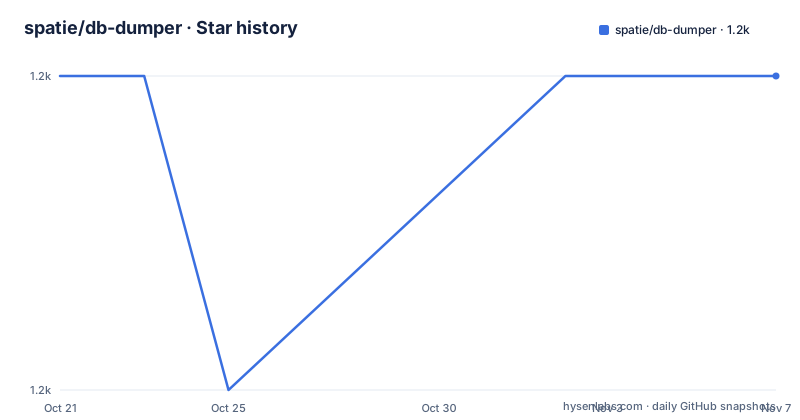
- spatie/db-dumper1,180 ★ · +0
| Repository | 2026-10-21 | 2026-11-07 |
|---|---|---|
| spatie/db-dumper | 1.2k | 1.2k |
0 Stars in the last 17 days, measured from the daily GitHub snapshot. Compare with other projects
Editorial analysis
It is a wrapper around five command line tools
spatie/db-dumper is described as an easy to use class to dump a database using PHP. The description names the supported engines, MySQL, MariaDB, PostgreSQL, SQLite and MongoDB, and then says what happens behind the scenes: `mysqldump`, `mariadb-dump`, `pg_dump`, `sqlite3` and `mongodump` are used.
That single sentence defines the project. There is no PHP implementation of the dump format, no parsing of the binary log, no pure PHP replication protocol. The package builds a command line, runs it, and hands you the file. Every property of the library follows from that: the requirements are binaries, the output format is whatever the tool produces, and the set of available options is bounded by what the tool supports.
The requirements section spells out the same thing as a checklist. For MySQL, `mysqldump` should be installed. For MariaDB, `mariadb-dump`. For PostgreSQL, `pg_dump`. For SQLite, `sqlite3`. For MongoDB, `mongodump`. And for compressing dump files, `gzip` and/or `bzip2` should be installed.
So there are two classes of external dependency here. The dump tool is mandatory, and the compression tools are optional but only relevant if you ask for a compressed dump.
This also means the security and operational model is the shell's, not PHP's. The package runs a subprocess with the credentials you give it, which is convenient for a script on a server you control and awkward for anything else. A PHP application that only has PDO access to a managed database has no way to use it.
One builder per engine, with a shared shape
The API is a static `create()` on a class per database engine, followed by a chain of setters and a terminal call. The MySQL example:
Spatie\DbDumper\Databases\MySql::create()
    ->setDbName($databaseName)
    ->setUserName($userName)
    ->setPassword($password)
    ->dumpToFile('dump.sql');
And the PostgreSQL one is identical apart from the class name:
Spatie\DbDumper\Databases\PostgreSql::create()
    ->setDbName($databaseName)
    ->setUserName($userName)
    ->setPassword($password)
    ->dumpToFile('dump.sql');
The documentation notes that if you are working with PostgreSQL you just use that dumper, and that most methods are available on both the MySQL and PostgreSQL dumper. That shared surface is the point of the design: `setDbName`, `setUserName`, `setPassword`, `setHost`, `setDumpBinaryPath`, `dumpToFile` and the table selection and auto-increment methods all work the same way, and only the engine-specific options differ.
SQLite and MongoDB show the two places the shape varies. SQLite has no username or password, since the database is a file:
Spatie\DbDumper\Databases\Sqlite::create()
    ->setDbName($pathToDatabaseFile)
    ->dumpToFile('dump.sql');
And the MongoDB example writes to `dump.gz` rather than `dump.sql`, which is the only hint in the examples that compression is available and that the extension follows the tool.
The class names follow the same pattern throughout: `MySql`, `MariaDb`, `PostgreSql`, `Sqlite` and `MongoDb`, all under the `Spatie\DbDumper\Databases` namespace.
Credentials, hosts and binary paths
Three setters handle the operational details, and each exists because of a specific way the underlying tools behave.
`setDumpBinaryPath()` is for when the binary is not where the tool expects it. The documentation says that if the `mysqldump`, or `pg_dump`, binary is installed in a non default location, you can let the package know by using the `setDumpBinaryPath()` function, with a value like `/custom/location`.
`setHost()` is for the deployment case. The documentation says that if your application is deployed and you need to change the host, where the default is 127.0.0.1, you can add the `setHost()` function.
`setDatabaseUrl()` is for the case where credentials arrive as a URL rather than as separate components, which is common in applications configured from an environment variable. The documentation says that in some applications or environments, database credentials are provided as URLs instead of individual components, and that in this case you can use the `setDatabaseUrl` method instead of the individual methods. When providing a URL the package parses it automatically and provides the individual components to the applicable dumper, so a URL of `mysql://username:password@hostname:3306/dbname` results in the dumper using the hostname host, running on port 3306, connecting to dbname with the username and password.
The setDatabaseUrl form is the one to reach for in a container or a platform-as-a-service environment, because it is how the connection string usually arrives anyway.
Note the ordering in the examples. `setDatabaseUrl` replaces the individual setters rather than complementing them, and the examples put the database-specific setters before the terminal `dumpToFile` call, which is the only place the chain has to be correct.
Table selection, auto-increment and the mysqldump 8 problem
Three of the more interesting features are about the contents of the dump rather than the mechanics of producing it.
Table selection takes either an array or a comma-separated string, and the documentation gives both forms with the same result:
->includeTables(['table1', 'table2', 'table3'])->includeTables('table1, table2, table3')The auto-increment handling is the more consequential one. By default the AUTO_INCREMENT values are included in the dump. The `skipAutoIncrement()` method omits them, and the documentation explains when that matters: to prevent conflicts when importing the dump into another database where those AUTO_INCREMENT values might already exist, or when the exact values are not relevant. And if you previously used `skipAutoIncrement` and want them back, `doNotSkipAutoIncrement()` explicitly includes them again. The two methods being separate rather than a single boolean is deliberate, so that a setting survives a refactor.
Then there is the compatibility fix. The documentation has a section warning not to use the column statistics table with some old versions of the MySQL service. To use `--column-statistics=0` as an option in the `mysqldump` command, you can use the `doNotUseColumnStatistics()` method. The reason is that if you have installed `mysqldump` 8, it queries by default the `column_statistics` table in the `information_schema` database, and in some old versions of MySQL that table does not exist, so the dump fails for a reason that has nothing to do with your data.
This last one is a good illustration of what wrapping a binary means in practice. The library exists partly to paper over version differences between a client tool and a server, and each such difference becomes a method on the builder.
What the package does not do
There are three limits that follow directly from the design, and it is worth stating them before you adopt it.
First, it needs shell access to a database tool. If your database is a managed service reached only over the network and you have no client binary on the PHP host, this package cannot dump it. The tool has to exist somewhere the PHP process can spawn it, and the process needs the credentials to connect.
Second, the output is the vendor's output. The dump format is whatever `mysqldump` or `pg_dump` produces, with the flags the package passes. If you need a dump you can restore into a different major version of the server, or a format that another tool can read, that is the tool's behaviour and its version's behaviour, not the package's. The `doNotUseColumnStatistics()` method is a good illustration of how version-specific this is.
Third, there is no scheduling, no rotation, no compression policy and no retention. The package takes a dump and writes a file. What you do with that file, whether you gzip it, whether you ship it somewhere, when you delete it, is entirely your code.
The project is MIT licensed with the licence text in `LICENSE.md` at the repository root, and the release history shows steady maintenance: 4.0.0 on 2026-02-15, 4.1.0 on 2026-03-19 and 4.1.1 on 2026-05-04, with the last push on 2026-06-26. The repository is not archived. The 4.0.0 release in February 2026 is a major version, so the API moved, and the `CHANGELOG.md` at the root is where to look before upgrading from an earlier line.
The tooling around the package is standard for a Spatie project: `phpstan.neon.dist` with a `phpstan-baseline.neon`, `phpunit.xml.dist`, `.php-cs-fixer.dist.php`, and a `tests/` directory. The homepage links to a blog post about the package.
Editorial conclusion
spatie/db-dumper fits a PHP application that needs to take a database snapshot on demand, whether for a backup job, a staging refresh or a support bundle, and that already has the relevant dump binary available on the machine. It does not fit a deployment where the database lives on a managed service with no shell access and no client tools, since the package cannot reach a database it cannot spawn a process against, and it does not fit a workflow that needs a logical dump in a format the vendor tool does not produce. Verify first that the required binary is installed and on the PATH for the account running PHP, that the credentials you pass work for a TCP connection if you set a host, since the default host is 127.0.0.1, and that the version of the dump binary matches your server, because the `mysqldump` 8 column statistics problem documented in the README is a real failure mode.
Frequently asked questions
Which databases can spatie/db-dumper dump?
MySQL, MariaDB, PostgreSQL, SQLite and MongoDB, each through its own class such as `Spatie\DbDumper\Databases\MySql` and `Spatie\DbDumper\Databases\PostgreSql`. Behind the scenes the package uses `mysqldump`, `mariadb-dump`, `pg_dump`, `sqlite3` and `mongodump`.
How do I install spatie/db-dumper?
Use Composer with `composer require spatie/db-dumper`. You also need the matching command line tool on the machine: `mysqldump` for MySQL, `mariadb-dump` for MariaDB, `pg_dump` for PostgreSQL, `sqlite3` for SQLite and `mongodump` for MongoDB, plus `gzip` and/or `bzip2` if you want compressed dump files.
How do I dump only specific tables with spatie/db-dumper?
Use the `includeTables` method, which accepts either an array such as `['table1', 'table2', 'table3']` or a comma-separated string such as `'table1, table2, table3'`. The documentation gives both forms with the same result.
How do I stop AUTO_INCREMENT values appearing in a spatie/db-dumper dump?
Call `skipAutoIncrement()` on the dumper, which is useful to prevent primary key conflicts when importing into a database where those values already exist. The values are included by default, and `doNotSkipAutoIncrement()` includes them explicitly again after a previous skip.
My mysqldump fails with a column statistics error, what do I do?
The documentation says that `mysqldump` 8 queries the `column_statistics` table in `information_schema` by default, which does not exist in some old MySQL server versions. Use the `doNotUseColumnStatistics()` method to add `--column-statistics=0` to the command.
Official sources
Add this badge to your README
If you maintain this project, the badge below links readers to this analysis and shows its maintenance status from the daily GitHub snapshot. Paste the markdown into your README; add ?metric=license or ?metric=stars to the image URL for a different field.

[](https://hysenlabs.com/projects/spatie-db-dumper)Star history chart for your README
[](https://hysenlabs.com/projects/spatie-db-dumper)Was this useful?