spatie/laravel-uptime-monitor: uptime and certificate expiry checks inside a Laravel app
A powerful and easy to configure uptime and ssl monitor
At a glance
- What is it?
- laravel-uptime-monitor is an MIT licensed Laravel package that checks whether your sites are up, tells you when one goes down and when it comes back, and warns you days before an SSL certificate expires, all through Laravel's own notification system so Slack, Telegram or anything else works. Its configuration file is the most instructive part of the project, since every default is commented with the reason it exists.
- Who is it for?
- Adopt laravel-uptime-monitor if you already run Laravel and want the uptime and certificate checks to live inside the same application as the rest of your tooling, since the notifications, the schedule and the database tables are all native Laravel and there is nothing else to deploy.
- Can I use it commercially?
- Yes. MIT is a permissive licence: you can use, modify and sell software built on it, as long as you keep its copyright and licence notices.
- Is it still maintained?
- Yes. The repository last received commits 2 days ago.
- What is it written in?
- Mainly PHP, according to GitHub's language statistics.
Answers come from the project's GitHub data, last synced on November 6, 2026, and from our analysis. They are not legal advice.
Star history
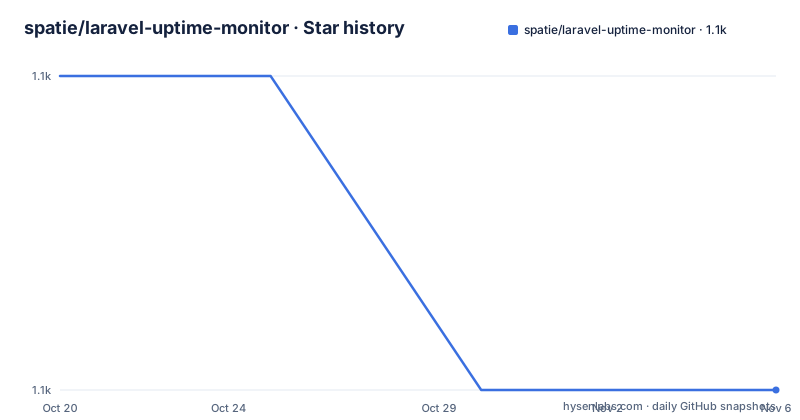
- spatie/laravel-uptime-monitor1,072 ★ · -1
| Repository | 2026-10-20 | 2026-11-06 |
|---|---|---|
| spatie/laravel-uptime-monitor | 1.1k | 1.1k |
-1 Stars in the last 17 days, measured from the daily GitHub snapshot. Compare with other projects
Editorial analysis
What the package actually does
laravel-uptime-monitor is a powerful and easy to configure uptime monitor. It will notify you when your site is down, and when it comes back up, and you can also be notified a few days before an SSL certificate on one of your sites expires.
The interesting design decision is stated plainly in the README. Under the hood, the package leverages Laravel native notifications, so it's easy to use Slack, Telegram or your preferred notification provider.
That is the whole reason to use this rather than a hosted monitoring service. A hosted monitor tells you your site is down in the same words as every other monitoring tool on the internet, and you cannot route it through your own alerting pipeline, attach it to an incident, or raise it in a chat room with context. A package that runs in your Laravel application can notify through the same channels your application already uses, can be scheduled by the same scheduler, and stores its history in your database, where it can be joined with the rest of your operational data.
The project is MIT licensed, published on Packagist, with the documentation at spatie.be/docs/laravel-uptime-monitor and a background article on the author's site. There is also a separate route for people who like the idea but do not run Laravel: the `uptime-monitor-app` repository, which contains a stand alone version of this package.
The current release is 4.7.0, published on 2026-08-07, after 4.6.0 in February 2026 and 4.5.2 at the start of that month, and the last push to the repository was on 2026-08-07 with the repository not archived.
The notification map, and the choice to stay quiet on success
The README makes an unusual recommendation, that reading the config file of the package is a good way to quickly get a feel for what it can do, and then prints the file. That is a good instinct, because the configuration is where every decision is visible.
The notifications section maps each event to a channel, and the default mapping is instructive:
'notifications' => [
    'notifications' => [
        \Spatie\UptimeMonitor\Notifications\Notifications\UptimeCheckFailed::class => ['slack'],
        \Spatie\UptimeMonitor\Notifications\Notifications\UptimeCheckRecovered::class => ['slack'],
        \Spatie\UptimeMonitor\Notifications\Notifications\UptimeCheckSucceeded::class => [],

        \Spatie\UptimeMonitor\Notifications\Notifications\CertificateCheckFailed::class => ['slack'],
        \Spatie\UptimeMonitor\Notifications\Notifications\CertificateExpiresSoon::class => ['slack'],
        \Spatie\UptimeMonitor\Notifications\Notifications\CertificateCheckSucceeded::class => [],
    ],
The success events map to an empty array. A monitor that reports its own good news every five minutes is a monitor whose alerts get muted, so the package sends failures, recoveries and expiry warnings, and stays quiet when everything is fine. The recovery event is included alongside the failure event, which is the part people often leave out and then regret at three in the morning, because the alert tells you the site is still down but not that it came back.
You can of course specify your own notification classes, and the rest of the section handles the delivery details: a `location` string that is mentioned in all notifications so you know which server saw the failure, a `resend_uptime_check_failed_notification_every_minutes` of 60 so a site that stays down does not spam you, a `mail` recipient list, a `slack` webhook URL read from an environment variable, a `notifiable` class, and a `date_format` of `d/m/Y` for the notifications.
The uptime check options, and the ones that matter
The `uptime_check` block is where the operational decisions live, and every option is commented with the reason it exists.
The response checker is the definition of up. When the check can reach the URL of a monitor it will pass the response to this class, and if the class determines the response is valid, the check is regarded as succeeded. The default is `LookForStringChecker`, and you can use any implementation of the response checker interface, so a site that returns a maintenance page with a 200 status can be handled properly rather than being reported as healthy.
The run interval is five minutes by default, and the comment carries a warning that is easy to miss. An uptime check will be performed if the last check was performed more than the given number of minutes ago, and if you change this setting you have to manually update the interval value of your existing monitors. When an uptime check fails, the uptime for that monitor is checked every time the check command runs regardless of the setting, which is the behaviour you want, since a failing site should be rechecked on every pass rather than once per interval.
Three more options shape how hard the check pushes. `concurrent_checks` is 10, and the comment says to set it lower if you are getting weird errors, which is a hint that a burst of parallel requests is what a small site or a rate limited host will object to. `timeout_per_site` is ten seconds, so a hung connection is a failure rather than a stall. And `retry_connection_after_milliseconds` is 100, because networks can be a bit unreliable, so the package can make three attempts to connect to a server in one check.
The rest are the escape hatches: `guzzle_options` for custom client behaviour, `user_agent`, `additional_headers`, `additional_status_codes` for treating codes other than 200 as successful, and `fire_monitor_failed_event_after_consecutive_failures` set to 2, so a single blip does not raise a failure event.
Events as the extension point
Two of the configuration comments describe events rather than behaviour, and events are how you would extend this beyond the default notifications.
The `fire_monitor_failed_event_after_consecutive_failures` option fires the `MonitorFailed` event only after the given number of uptime checks have consecutively failed for a monitor, which defaults to 2. The `certificate_check` block does the same for certificates, with the `SslExpiresSoon` event firing when a certificate is found whose expiration date falls within the next number of given days, and a `CertificateExpiresSoon` notification class for the same condition.
The certificate side is what makes this package more than a ping monitor. An expired certificate is one of the few outages that is entirely predictable, and a monitor that warns you a week ahead is doing something a generic uptime service does not.
Since the events are plain Laravel events, the extension is standard Laravel. A listener can page someone, open a ticket, or record a metric, and because the notification classes are listed per event in the configuration, you can route different events to different channels without touching the code that raises them.
What is in the repository
The tree is the conventional Spatie shape, and it tells you what the package does and does not do. There is `src/` for the package code, `config/` for the configuration file that the README prints, `database/` for the migrations that create the monitor and check tables, `docs/` for the documentation source, and `tests/` with a `phpunit.xml.dist` at the root and a `.php-cs-fixer.dist.php` for the code style, since the project formats with PHP CS Fixer rather than with a formatter that ships with the framework.
There is also a `composer.json`, a `CHANGELOG.md` and a `docs/` directory, and the GitHub workflows include a run-tests badge in the README.
The interesting part of the layout is what is absent. There is no HTTP server, no scheduler configuration and no queue worker in the package, because all three of those are Laravel's. The package registers its commands and events and lets the framework run them, which is the right division for something that is meant to be a small part of an application rather than a service in its own right.
Where this is the wrong choice
The first wrong case is an environment without Laravel. The package assumes a Laravel application with its scheduler, its notification system and its database, and while the standalone `uptime-monitor-app` repository exists as a way around that, it is a separate deployment and a separate thing to keep running. A team that wants monitoring and nothing else is better served by a hosted service that does nothing else.
The second is a monitoring requirement that includes things this package does not do. It checks that a URL responds and that a certificate has not expired, from wherever the application runs. It does not check the things a synthetic monitoring service checks, a full user journey, a third party API, a DNS record, or whether the site is slow rather than down.
The third is a monitoring estate that spans several applications. The checks and their history live in the database of the Laravel application that runs them, so a second application means a second set of monitors and a second dashboard, and the notification channels have to be shared.
The fourth is a team that has a monitoring stack already. If you already run a metrics and alerting pipeline, a package that stores check results in its own database tables and sends its own notifications is a second source of truth rather than a simplification.
On the state of the project, the releases are 4.5.2 on 2026-02-01, 4.6.0 on 2026-02-22 and 4.7.0 on 2026-08-07, and the last push was on 2026-08-07 with the repository not archived. The licence is MIT, the package is on Packagist, and the version numbering shows a project that has found a stable shape and is still adding to it, which is the right profile for a monitoring package you are going to depend on.
Editorial conclusion
Adopt laravel-uptime-monitor if you already run Laravel and want the uptime and certificate checks to live inside the same application as the rest of your tooling, since the notifications, the schedule and the database tables are all native Laravel and there is nothing else to deploy. Do not adopt it if you do not run Laravel, where the separate standalone application is the better route, and be careful with the notification mapping, because a check that succeeds loudly on every run is a good way to get an alert channel ignored. Verify first that the certificate expiry threshold is set to a number of days that matches your renewal process, that the response checker matches what your sites actually return when healthy, and that the run interval change is applied to the monitors that already exist, since the documentation says that changing the setting does not update them automatically.
Frequently asked questions
What does the laravel-uptime-monitor package do?
It checks whether your sites are up, notifies you when one goes down and when it comes back up, and can notify you a few days before an SSL certificate on one of your sites expires. It uses Laravel's native notification system, so Slack, Telegram or a custom notification provider all work.
How do I choose which notifications get sent?
The config file maps each notification class to a list of channels. By default the failure, recovery and certificate expiry events go to Slack, while the success events map to an empty array so a healthy site stays quiet, and you can add your own notification classes instead.
What does the response checker option do?
When the check reaches the URL it passes the response to the configured response checker class, and if that class considers the response valid the check has succeeded. The default is the string lookup checker, and you can use any implementation of the response checker interface, so a site returning a maintenance page with a 200 status can be handled correctly.
How often does the uptime check run?
Every five minutes by default, based on when the last check ran. The documentation warns that if you change the run interval setting you have to update the interval value of your existing monitors manually, and that when a check fails the monitor is rechecked every time the check command runs regardless of the interval.
Can I use the monitor without Laravel?
Yes, through the separate uptime-monitor-app repository, which contains a stand alone version of this package. The README points to it for people who are not familiar with Laravel but still want the same behaviour.
Official sources
Add this badge to your README
If you maintain this project, the badge below links readers to this analysis and shows its maintenance status from the daily GitHub snapshot. Paste the markdown into your README; add ?metric=license or ?metric=stars to the image URL for a different field.

[](https://hysenlabs.com/projects/spatie-laravel-uptime-monitor)Star history chart for your README
[](https://hysenlabs.com/projects/spatie-laravel-uptime-monitor)Was this useful?