Spatie's package-skeleton-laravel: a starting point that runs configure.php before you write a line of PHP
A skeleton repository for Spatie's Laravel Packages
At a glance
- What is it?
- The template behind dozens of popular Laravel packages, built around a placeholder replacement script, a service provider and a set of already configured quality gates.
- Who is it for?
- This skeleton is the right starting point when you are writing a Laravel package that needs to be published, configured and tested, because the parts everyone forgets are already present and the parts you must own are clearly marked. Copy it when you have a service provider and a command surface to fill in, and skip it when you need something else, because the Skeleton class it generates is a stub with a single echoPhrase method.
- Can I use it commercially?
- Yes. MIT is a permissive licence: you can use, modify and sell software built on it, as long as you keep its copyright and licence notices.
- Is it still maintained?
- Yes. The repository last received commits 1 day ago.
- What is it written in?
- Mainly PHP, according to GitHub's language statistics.
Answers come from the project's GitHub data, last synced on October 22, 2026, and from our analysis. They are not legal advice.
Star history
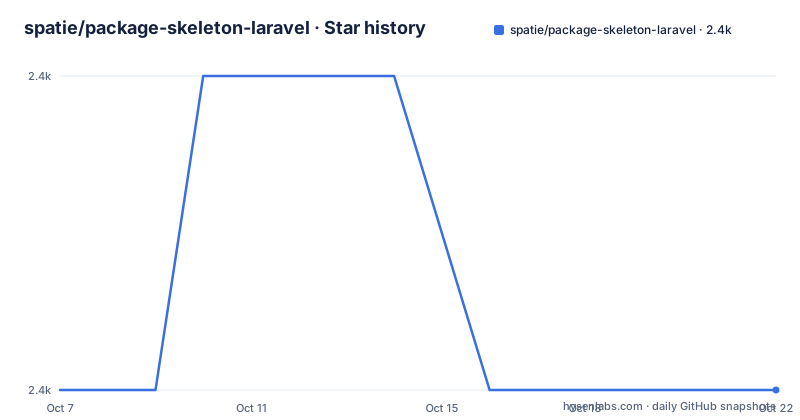
- spatie/package-skeleton-laravel2,429 ★ · +0
| Repository | 2026-10-07 | 2026-10-22 |
|---|---|---|
| spatie/package-skeleton-laravel | 2.4k | 2.4k |
0 Stars in the last 15 days, measured from the daily GitHub snapshot. Compare with other projects
Editorial analysis
What is actually in the template repository
The top level is longer than a package needs, which is the point. The tree includes `config/`, `database/`, `resources/` and `src/` for the code, `tests/` for the test suite, plus `composer.json`, `configure.php`, `phpunit.xml.dist`, `phpstan.neon.dist` with a `phpstan-baseline.neon`, `CHANGELOG.md`, `.editorconfig`, `.gitattributes`, and a `.github/` directory. The README also references `CONTRIBUTING.md`, which is not in the top level listing, so it lives inside `.github/`.
So this is not a package with a helper class. It is a package skeleton with the scaffolding decisions already made: where the service provider goes, where migrations live, how the config file is published, how tests are wired, and which static analysis runs on every change.
The GitHub topics for the repository are bootstrap, package and php, which is an honest description. The repository is MIT licensed and the last push was on 2026-08-03, with no GitHub releases at all. Since a skeleton repository never has releases, there is no version history to track: what you copy is `main` as it stands on the day you clone it.
configure.php and the unattended mode worth knowing about
The README's instructions are four steps. Press the Use this template button to create your own repository from the skeleton. Then run the placeholder replacement script:
php ./configure.php -n --vendor-name="Spatie" --package-name="laravel-ray"The flag combination in that line is the interesting part. Running the script normally prompts for each value. Passing `-n`, which the README also calls `--no-interaction`, suppresses every prompt and takes the answers as options instead, which is how you run it from a script or hand it to a coding agent. It exits non-zero with a message naming any option it still needs, so a missing value fails loudly rather than leaving a half-configured template behind.
The full option list lives behind `php ./configure.php --help`, which the README tells you to run when you want it.
The placeholders being replaced are visible throughout the README itself. The package title badge reads `:package_description`, the badge URLs contain `:vendor_slug` and `:package_slug`, the support image URL contains `:package_name`, and the usage example is written as:
$:variable = new VendorName\Skeleton();
echo $:variable->echoPhrase('Hello, VendorName!');
So the script is a find and replace across all the files, driven by the placeholders you can see in the rendered template. The class name, the namespace, the tag names used for publishing and the badge URLs are all generated from two answers.
Publishing config, migrations and views, each on its own tag
A Laravel package earns its keep by publishing things into the host application. The template sets up four publish commands, one per concern, each with its own tag so an application can publish exactly what it needs:
php artisan vendor:publish --tag=":package_slug-migrations"php artisan vendor:publish --tag=":package_slug-config"php artisan vendor:publish --tag=":package_slug-views"The migrations tag pairs with `php artisan migrate`, which the README shows in the same breath. The views publish is marked optional, and the config publish is followed by the contents of the published file, which is an empty array in the template:
return [
];
That empty array is a useful signal rather than an oversight. The template deliberately ships a config file with no keys so the publishing path is wired and testable from day one, and you fill it in. A package that forgets to publish its config is a common enough mistake that having the command present and working in the skeleton is a real convenience.
The `database/` and `resources/` directories exist in the tree to back those two publish commands. Nothing in the README describes a service provider file, but that is the piece you will write first, and the template gives you the directory for it.
The quality gates that arrive already configured
Three badges at the top of the README point at GitHub Actions workflows, and the file names in the tree show what they run: `run-tests.yml` for the test suite and `fix-php-code-style-issues.yml` for formatting, both against `main`. Alongside them sits `phpstan.neon.dist` with its own baseline file, and `phpunit.xml.dist` for the test configuration.
So the template ships static analysis configured, a test runner configured, and a formatting job that fixes style rather than failing on it. That last choice has consequences for your workflow: a style bot that commits fixes means your local hooks and the remote workflow have to agree, or you will fight the bot on every pull request.
The README also instructs contributors to look at `CONTRIBUTING.md`, and the tree includes a `CHANGELOG.md` with a link from the README's changelog section. A package on Packagist is expected to keep both, and starting with them present is easier than retrofitting.
For running the suite locally, the README gives a single command:
composer testThe trade-off in all this configuration is worth stating plainly. Every gate is a thing you did not have to design, and also a thing you now own. A baseline file that starts empty but must be regenerated as you add code is a file you will edit under time pressure, and a style workflow that rewrites your commits is a workflow you have to understand before your first pull request.
Where the boundary between this and laravel-package-tools sits
The related searches around this repository point at two things people reach for next, and it is worth being clear about which problem each one solves.
This repository is a repository template. It gives you a directory layout, a placeholder script, publish tags, tests and static analysis. It does not give you a component that reads your package's configuration and registers your classes, because that kind of behaviour lives in a separate library. Spatie publishes `laravel/laravel-package-tools` for exactly that job, and the search suggestions for this project include it by name.
The alternative to using this skeleton at all is writing the package layout yourself. For a package with a service provider and nothing else, that is ten minutes of work and you end up with a repository containing only your decisions. It becomes painful at the second concern: when the package needs migrations, a config file, views, a test suite and a static analysis baseline, each with its own convention, you are rebuilding this template anyway.
The other alternative is a general-purpose boilerplate. Several exist for Laravel packages. The reason to prefer this one is not the layout, which is close to conventional, but the fact that the maintainers behind Spatie's own open source packages use it, so the conventions match what their other packages already do.
Worth noting for anyone weighing adoption: this is MIT licensed, has zero open issues on the repository, and is described on the homepage as a video course at laravelpackage.training. The template is free; the instruction is that if you need help creating a package, the course is there.
Editorial conclusion
This skeleton is the right starting point when you are writing a Laravel package that needs to be published, configured and tested, because the parts everyone forgets are already present and the parts you must own are clearly marked. Copy it when you have a service provider and a command surface to fill in, and skip it when you need something else, because the Skeleton class it generates is a stub with a single echoPhrase method. The first thing to do after scaffolding is run `php ./configure.php --help`, and the second is to read the git hooks, since the template arrives with a Husky setup that will shape your commit workflow.
Frequently asked questions
What is the best Laravel package development starting point?
For a repository template that generates the whole package layout, this skeleton is the common choice, and the fact that Spatie's own packages are built from it is the strongest argument for it. For a runtime helper that registers service providers and configuration, a separate component such as laravel/laravel-package-tools is what you add next.
How do I rename the package after using the template?
Run `php ./configure.php` from the new repository and answer the prompts, or pass `-n` with `--vendor-name` and `--package-name` to run it unattended. The script replaces placeholders such as `:vendor_slug`, `:package_slug` and `:package_name` throughout every file in the repository.
Does the skeleton include tests and static analysis?
It includes the configuration for both. The repository has `tests/` with a `phpunit.xml.dist`, a `phpstan.neon.dist` alongside a `phpstan-baseline.neon`, and GitHub Actions workflows for running the test suite and fixing PHP code style issues on main. `composer test` runs the suite.
Is Laravel beginner friendly for package development?
The template removes the mechanical parts, so the work you start on is your service provider and your classes rather than directory layout and publish tags. It does not shorten the learning curve for Laravel itself, since publishing migrations, config and views still assumes you know how the framework resolves them.
Official sources
Add this badge to your README
If you maintain this project, the badge below links readers to this analysis and shows its maintenance status from the daily GitHub snapshot. Paste the markdown into your README; add ?metric=license or ?metric=stars to the image URL for a different field.

[](https://hysenlabs.com/projects/spatie-package-skeleton-laravel)Star history chart for your README
[](https://hysenlabs.com/projects/spatie-package-skeleton-laravel)Was this useful?