spatie/period for PHP period comparisons and date overlap calculations
Complex period comparisons
At a glance
- What is it?
- spatie/period is an MIT-licensed PHP package for comparing dates and calculating overlaps, differences, and related operations across multiple periods. Its main design constraint is explicit precision and boundary handling, which makes interval calculations more predictable than treating every date value as an identical instant.
- Who is it for?
- Adopt spatie/period when PHP application logic needs reusable comparisons, overlaps, or subtractions between date ranges and the precision and boundary rules are acceptable. Do not choose it as a replacement for timezone-aware scheduling or a full calendar system without verifying those requirements first.
- Can I use it commercially?
- Yes. MIT is a permissive licence: you can use, modify and sell software built on it, as long as you keep its copyright and licence notices.
- Is it still maintained?
- Yes. The repository last received commits 3 days ago.
- What is it written in?
- Mainly PHP, according to GitHub's language statistics.
Answers come from the project's GitHub data, last synced on November 6, 2026, and from our analysis. They are not legal advice.
Star history
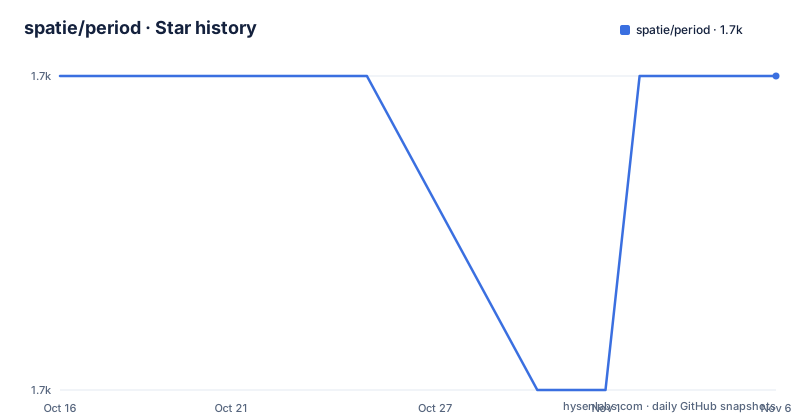
- spatie/period1,703 ★ · +0
| Repository | 2026-10-16 | 2026-11-06 |
|---|---|---|
| spatie/period | 1.7k | 1.7k |
0 Stars in the last 21 days, measured from the daily GitHub snapshot. Compare with other projects
Editorial analysis
What spatie/period solves for PHP date ranges
spatie/period addresses a specific problem in PHP code: deciding how multiple date ranges relate to one another. The package can compare two periods, find the union of overlapping periods, identify individual overlap ranges, subtract one or more periods, and find the gap between periods. That makes it relevant to reporting windows, billing cycles, availability schedules, filtered date ranges, and other application logic where a start and end date are treated as an interval.
The package is aimed at developers who need interval operations without writing each boundary and overlap rule separately. Its API is centered on the Period class and a collection of explicit comparison methods such as overlapsWith, touchesWith, contains, and equals. Operations are also available for larger sets of periods through overlap, overlapAny, and subtract.
A period is not treated as a loose pair of strings. It carries precision information, and periods can only be compared when they use the same precision. This restriction prevents a day-level range from being silently compared with an hour-level range as though both represented the same kind of calendar detail. The design is useful when date inputs come from different parts of an application, although it also means callers must establish precision deliberately.
How precision and boundaries shape comparison results
The central mechanism is a combination of precision and boundary rules. Precision determines the smallest meaningful unit used by a period. The documented options are Precision::YEAR(), Precision::MONTH(), Precision::DAY(), Precision::HOUR(), Precision::MINUTE(), and Precision::SECOND(). The default used by Period::make is Precision::DAY().
The README uses an overlap example to explain why this matters. Two date-only ranges that appear to meet on 2021-01-15 may not overlap if the first ends at 10:00:00 and the second begins at 15:00:00. Once an hour-level detail matters, a day-level calculation can produce the wrong result. Spatie therefore requires matching precision for comparisons instead of hiding that distinction.
Boundary rules control whether the start and end are included. Boundaries::EXCLUDE_NONE() is the default used by Period::make, so two ranges that meet at the same endpoint can overlap. Boundaries::EXCLUDE_END() changes the result by excluding the ending boundary from the comparison. The package also provides Boundaries::EXCLUDE_START() and Boundaries::EXCLUDE_ALL(). This makes the package suitable for ranges where an endpoint is operationally meaningful, such as a closed billing window or an open-ended schedule, provided the application chooses the rule explicitly.
Creating immutable periods from DateTime values
The package accepts DateTime implementations, including custom implementations such as Carbon. The README states that periods are always immutable, so input dates are not changed by period operations. That property matters when the same date objects are reused elsewhere in an application.
The preferred construction method is Period::make, because it supplies the default day precision and inclusive boundary behavior. The following example creates a period from two date strings. The reader should expect a Period instance representing the interval from 2021-01-01 through 2021-01-31 under the default rules.
$period = Period::make('2021-01-01', '2021-01-31');The constructor can also be used directly, but the README says that callers must then provide both precision and boundaries. Period::make is therefore the safer starting point when the default rules match the business problem. It is less suitable when the application needs to represent a period in years, months, hours, minutes, or seconds, because the default day precision would need to be replaced.
For custom precision, pass the Precision value to Period::make:
Period::make('2021-01-01', '2021-02-01', Precision::DAY());The package can therefore represent calendar ranges and time-based ranges, but the caller must keep the precision consistent when comparing them.
Installing spatie/period and checking the first overlap
The README gives a Composer installation command. After installation, the first useful check is whether two adjacent ranges overlap when their endpoints are included. The following code uses the documented static constructor twice and calls overlapsWith. The expected result shown in the README is true because both periods include the boundary at 2021-02-01.
composer require spatie/period$a = Period::make('2021-01-01', '2021-02-01');
$b = Period::make('2021-02-01', '2021-02-28');
$a->overlapsWith($b); // trueFor the next check, change both periods to exclude their end boundaries. The README documents this as a false result, which demonstrates that a one-character-looking boundary decision can change the application result.
$a = Period::make('2021-01-01', '2021-02-01', boundaries: Boundaries::EXCLUDE_END());
$b = Period::make('2021-02-01', '2021-02-28', boundaries: Boundaries::EXCLUDE_END());

$a->overlapsWith($b); // false
The README does not document a separate runtime command for this first use. After Composer installs the package, the relevant code must run inside the PHP application, using the package's PHP namespace according to the project's normal import conventions.
Operations beyond a simple overlap check
The Period class exposes comparisons against both DateTimeInterface values and other Period objects. Documented methods include startsBefore, startsAfter, startsAt, endsBefore, endsAfter, endsAt, overlapsWith, touchesWith, contains, and equals. These methods cover directional checks as well as whole-range relationships. Only periods with the same precision can be compared.
For set operations, overlap returns one period representing the union of all supplied periods. overlapAny returns a PeriodCollection containing the overlapping ranges whenever two or more periods overlap. subtract returns a PeriodCollection after removing one or more periods from the main period. gap returns the gap between two periods, or 0 when they overlap. These operations are useful when an application needs to derive reporting intervals rather than merely print a yes-or-no comparison.
The return types differ, so callers should not treat every operation as producing a single interval. overlap can return null when no common period exists according to the documented signature, while overlapAny and subtract return collections. gap also has a nullable return type in its documented signature. The README excerpt does not define all null cases or collection iteration details, so application code should verify the exact result handling for each operation it uses.
When spatie/period is the wrong tool
spatie/period is not a complete calendar or scheduling system. The repository material describes period comparison, but it does not document timezone conversion, recurring event rules, working-day calendars, holiday handling, locale-specific week definitions, or resource availability. If an application needs those features, this package alone does not establish that they are available.
The precision restriction can also be inconvenient. Two periods with different precision values cannot be compared, so code that receives mixed calendar abstractions must either convert the inputs or keep one representation throughout the domain. A developer who expects the package to infer whether a date string represents a day or a timestamp may find that the static constructor's day default does not match the requirement.
Boundary configuration is another common source of incorrect assumptions. Inclusive endpoints are the default, while excluding the end changes whether adjacent ranges overlap. Code should encode the application's period convention rather than relying on the default without checking it. The README does not document a rollback mechanism or a migration path for changing period semantics, so changes to precision or boundary rules should be treated as application logic changes.
spatie/period compared with direct CarbonPeriod conversion
The README names cmixin/enhanced-period as a related option for converting directly from and to CarbonPeriod. That is a different approach from using Period as the value object for interval arithmetic. CarbonPeriod is treated in the README as an interoperable representation, while spatie/period focuses on overlap, difference, and comparison operations.
For a PHP application already built around CarbonPeriod, the direct conversion path may reduce adapter code. For an application that needs the documented contains, overlapsWith, subtract, and gap operations with explicit precision and boundary choices, spatie/period provides the relevant abstraction. The comparison is about the representation and available interval operations, not about a claim that either package handles every calendar requirement.
The repository is licensed under MIT. That means the package can be used under the terms of the MIT License, subject to the license text and applicable legal requirements. The repository is not archived, and the last push was on 2026-08-07. The listed releases are 2.4.0 from 2023-02-20, 2.3.5 from 2022-10-03, and 2.3.4 from 2022-10-03, so adopters should inspect composer.json and CHANGELOG.md for the supported dependency and version details before selecting a release.
Editorial conclusion
Adopt spatie/period when PHP application logic needs reusable comparisons, overlaps, or subtractions between date ranges and the precision and boundary rules are acceptable. Do not choose it as a replacement for timezone-aware scheduling or a full calendar system without verifying those requirements first. Check Composer and PHP compatibility, then confirm the intended Precision and Boundaries for every comparison path.
Frequently asked questions
How do I install spatie/period in PHP?
The README documents Composer as the installation method: composer require spatie/period. It does not provide a separate application-specific installation command.
What is the default precision and boundary behavior in spatie/period?
Period::make uses Precision::DAY() and Boundaries::EXCLUDE_NONE() by default. Inclusive boundaries mean that adjacent periods can overlap when they share an endpoint.
Can periods with different precision values be compared in spatie/period?
No. The README states that only periods with the same precision can be compared. Callers must establish matching precision before using the comparison API.
Official sources
Add this badge to your README
If you maintain this project, the badge below links readers to this analysis and shows its maintenance status from the daily GitHub snapshot. Paste the markdown into your README; add ?metric=license or ?metric=stars to the image URL for a different field.

[](https://hysenlabs.com/projects/spatie-period)Star history chart for your README
[](https://hysenlabs.com/projects/spatie-period)Was this useful?