THREE.MeshLine for variable-width textured three.js lines
Mesh replacement for THREE.Line
At a glance
- What is it?
- THREE.MeshLine replaces THREE.Line with triangle geometry so a line can carry changing width, textures, partial visibility, and cheap trail updates. It remains worth considering for those effects, although the README recommends three.js Line2 for basic line use.
- Who is it for?
- Choose THREE.MeshLine when a three.js scene needs width that varies along a line, a texture mapped along it, partial visibility, or inexpensive `advance()` trail updates. Do not adopt it for ordinary fixed-width lines because the project recommends three.js Line2 for that case, and consider the maintained `meshline` fork before accepting ownership of this repository.
- Can I use it commercially?
- Yes. MIT is a permissive licence: you can use, modify and sell software built on it, as long as you keep its copyright and licence notices.
- Is it still maintained?
- Yes. The repository last received commits 2 days ago.
- What is it written in?
- Mainly JavaScript, according to GitHub's language statistics.
Answers come from the project's GitHub data, last synced on October 22, 2026, and from our analysis. They are not legal advice.
Star history
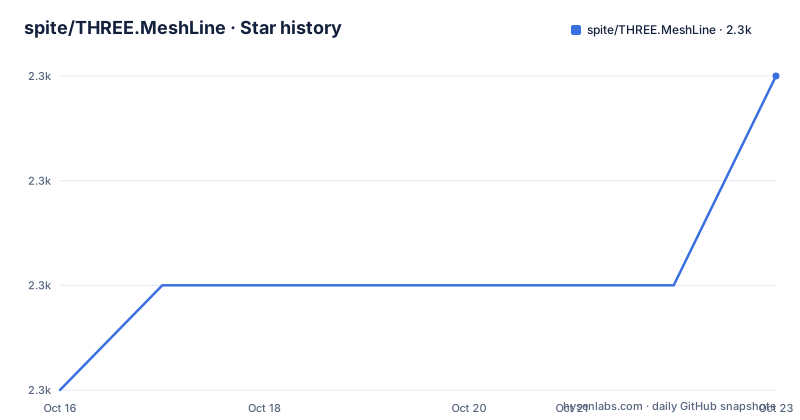
- spite/THREE.MeshLine2,342 ★ · +1
| Repository | 2026-10-16 | 2026-10-22 |
|---|---|---|
| spite/THREE.MeshLine | 2.3k | 2.3k |
1 Stars in the last 6 days, measured from the daily GitHub snapshot. Compare with other projects
Editorial analysis
Why THREE.MeshLine replaces THREE.Line
THREE.MeshLine addresses a narrow but real limitation in `THREE.Line`. A conventional WebGL line does not give this library the mesh surface needed for width that changes at individual points, textures painted along the strip, or partial line visibility. MeshLine builds a strip of triangles and billboards that geometry toward the viewer, allowing the rendered line to behave more like a mesh than a native `GL_LINE` primitive.
The intended users are three.js developers who need one of those effects rather than merely a visible line between two points. The README identifies changing width, textures along the line, `visibility` for drawing only part of it, and `advance()` for moving a trail cheaply. The package description also lists dashes and textures. These are the reasons to select it. If the requirement is a fixed pixel width, dashes, or a different color at each vertex, the project's 2026 update says to use three.js `Line2`, `LineSegments2`, and `LineMaterial` instead.
That distinction matters because replacing every `THREE.Line` with MeshLine would add a geometry-based rendering model where the standard three.js addon may already be enough. MeshLine is a specialized extension rather than a general replacement that should be applied without considering the line features an application actually needs.
How MeshLine turns point arrays into mesh geometry
MeshLine accepts several point representations: a flat numeric array, an array of `THREE.Vector3` objects, a typed array, a `BufferAttribute`, or a `BufferGeometry` whose vertices are used. This lets an application retain an existing point source instead of converting every representation into one specific container. Unsupported inputs cause `setPoints()` to throw.
Width is attached per point through the optional second argument to `setPoints()`. That callback receives a decimal position along the line, commonly expressed as a percentage of the total point count. Its return value is a multiplier for the material's `lineWidth`, and the default value is 1. The README gives constant, tapered, and sinusoidal forms, so the feature is not limited to uniform strips.
The triangle strip is billboarded rather than sent through `GL_LINE`. With `sizeAttenuation` disabled, `lineWidth` is measured in pixels. The 2026 compatibility note says version 1.x applications may need width values halved to preserve their previous appearance. `resolution` is no longer required because the material obtains the size of its current canvas or render target and follows changes to that size.
MeshLine also participates in three.js color management, tone mapping, fog, clipping planes, and logarithmic depth handling. `material.fog = false` excludes fog. Rays consider the width at each point, pixel width, dashes, and `visibility`, then return the closest hit. Gaps beyond a dash gap or `visibility` are not drawn, rather than merely being made transparent, which prevents them from obscuring scene content behind them.
Installing MeshLine and creating the first line
Install MeshLine beside three.js. The documented command installs both packages and should produce the local dependencies needed by an application that already has a `package.json`.
npm i three three.meshlineThe package is ES module only, and its `peerDependencies` require `three` `>=0.155.0`. Import the three.js namespace and the three MeshLine exports exactly as shown below. Script-tag and `require` usage are no longer supported.
import * as THREE from 'three';
import { MeshLine, MeshLineMaterial, MeshLineRaycast } from 'three.meshline';
A first line can start with coordinates generated as a flat numeric array. This documented fragment creates the points used by `setPoints()`:
const points = [];
for (let j = 0; j < Math.PI; j += (2 * Math.PI) / 100) {
  points.push(Math.cos(j), Math.sin(j), 0);
}
Create the MeshLine and assign that array. At this point, the line has geometry but still needs a material:
const line = new MeshLine();
line.setPoints(points);
Create the material with the documented constructor. The default is a white material with a width of one unit:
const material = new MeshLineMaterial(OPTIONS);The README's usage sequence then calls for using the MeshLine and MeshLineMaterial to create a `THREE.Mesh`. It does not document renderer setup, camera selection, or a complete scene bootstrap, so those application-specific steps cannot be reduced to a verified command or configuration here. For a browser page without a bundler, the README says an import map must resolve `three`.
Calling `setPoints()` again replaces the line data. If the replacement has the same number of points, the existing buffers are reused. That makes repeated updates different from a dynamic trail. A trail can call `advance()` to remove the first point and append one new point, reducing the need to rebuild the complete point sequence.
Variable width, textures, trails, and raycasting
The most distinctive API is the width callback passed to `setPoints()`. The README describes `p` as the decimal percentage of points. Returning a constant multiplies the whole material width, while returning `1 - p` tapers the line. A sinusoidal callback produces a width that changes repeatedly along its length.
line.setPoints(points, p => 2);
line.setPoints(points, p => 1 - p);
line.setPoints(points, p => 2 + Math.sin(50 * p));
These calls illustrate the available forms, but they replace the line data each time. An application should select the form appropriate to its geometry rather than apply all three to the same line. The first produces width `2 * lineWidth`, the second tapers toward zero, and the third varies the multiplier with a sine function.
Texture support is controlled by two properties: `map` supplies a `THREE.Texture`, while `useMap` must be set to `true` to use it. There is a parallel pair for transparency: `alphaMap` and `useAlphaMap`. The README excerpt ends before documenting the remaining attributes, so their defaults and further options should not be inferred.
For animated trails, `advance()` accepts one new `THREE.Vector3` and moves it to the end after dropping the first point:
line.advance(new THREE.Vector3(x, y, z));The project also exports `MeshLineRaycast`. The documented raycasting behavior accounts for point width, pixel width, dashes, and `visibility`, and returns the nearest eligible hit. The README does not show how to attach `MeshLineRaycast` to a mesh, so the import and behavior can be confirmed, but a complete wiring example cannot.
Compatibility limits and migration costs for version 1.x
MeshLine has a package-level compatibility boundary that applications should check before upgrading. `package.json` identifies the package as version `2.0.0`, while the recent-release list names `v1.3.0` from 2020-09-13. The README warns that code written for version 1.x may require changes. Consumers pinning an older release should not assume that examples written for the current ES module package are drop-in replacements.
The largest migration cost is the rendering configuration. Script-tag and `require` loading have been removed, so CommonJS and non-module browser pages need restructuring. The package also requires three.js r155 or later. Existing applications need an import map for direct browser use or a JavaScript build setup that resolves ES modules.
Width behavior also changed. When `sizeAttenuation` is off, `lineWidth` now means pixels rather than half that pixel width. Lines therefore render twice as thick compared with the earlier behavior unless their values are halved. This visual difference can affect every MeshLine instance in an application.
Some fixes remove rendering artifacts rather than requiring application changes. Points beyond 32767 no longer wrap around, and off-centre orthographic cameras receive the correct width. Fog, color management, clipping planes, logarithmic depth, `material.clone()`, and `material.copy()` also receive documented compatibility behavior. The MIT license permits use and modification under its terms, but an organization should retain the license notice and review its own distribution obligations.
MeshLine versus Line2 and pmndrs meshline
The repository identifies two alternatives, and they answer different requirements. three.js `Line2`, `LineSegments2`, and `LineMaterial` are the fit for pixel or world-unit widths, dashes, and per-vertex colors. They stay within the wider three.js material ecosystem and avoid choosing MeshLine when variable width, a texture across the line, partial visibility, or `advance()` is unnecessary.
The pmndrs `meshline` project is described as a fork of this library maintained by pmndrs. That distinction concerns maintenance ownership and project choice, not a different rendering approach described in the README. The repository does not publish a detailed architecture, version, or compatibility comparison between the two forks. It would therefore be unsafe to assume identical APIs or current three.js support without checking the fork's package metadata.
For ordinary polyline work, the built-in three.js line tools are the lower-complexity choice because their documented features match the stated requirement. For variable-width or textured strips, MeshLine's per-point callbacks and mesh geometry remain the relevant mechanism. Between this repository and the maintained fork, maintenance history is the clearest documented distinction.
THREE.MeshLine maintenance and upgrade ownership
The repository is not archived, and its last push was on 2026-10-13. The README contains a separate 2026 update describing compatibility with current three.js, while the recent-release list shows `v1.3.0` from 2020-09-13. These facts indicate recent repository activity, but they do not provide a dated release cadence or a compatibility matrix beyond the stated `three` `>=0.155.0` peer dependency.
For an application, upgrade cost comes mainly from coupling to three.js rendering changes. A package update can affect module loading, color management, fog, depth behavior, camera handling, and shader output. The repository documents compatibility work across those areas, yet applications still need to inspect visual output after changing three.js or MeshLine versions. The README excerpt does not document an automated test command or test results, so this review cannot claim that those changes are covered by a published test suite.
Upgrading from version 1.x requires code changes rather than only replacing a version number. Consumers must migrate from removed `require` or script-tag patterns, confirm the three.js peer version, and recalculate affected `lineWidth` values. The MIT license reduces permission friction for integration, but it does not remove the cost of validating rendering behavior.
Editorial conclusion
Choose THREE.MeshLine when a three.js scene needs width that varies along a line, a texture mapped along it, partial visibility, or inexpensive `advance()` trail updates. Do not adopt it for ordinary fixed-width lines because the project recommends three.js Line2 for that case, and consider the maintained `meshline` fork before accepting ownership of this repository. Verify first that your application can use an ES module and three.js r155 or later, then check the migration-sensitive width and module changes against the existing rendering code.
Frequently asked questions
How do I install THREE.MeshLine with three.js?
Install both packages with `npm i three three.meshline`. THREE.MeshLine is an ES module and requires three.js r155 or later.
How do I make a THREE.MeshLine taper along its length?
Pass a width callback as the second argument to `setPoints()`. The README gives `line.setPoints(points, p => 1 - p)` as the tapering example.
When should I use three.js Line2 instead of THREE.MeshLine?
The README recommends `Line2`, `LineSegments2`, and `LineMaterial` when you only need fixed pixel or world-unit width, dashes, or per-vertex colors. MeshLine adds changing width, line textures, partial visibility, and cheap trail advancement.
Official sources
Add this badge to your README
If you maintain this project, the badge below links readers to this analysis and shows its maintenance status from the daily GitHub snapshot. Paste the markdown into your README; add ?metric=license or ?metric=stars to the image URL for a different field.

[](https://hysenlabs.com/projects/spite-three-meshline)Star history chart for your README
[](https://hysenlabs.com/projects/spite-three-meshline)Was this useful?