The rules folder SSW.Rules.Content names in its own structure section is not at the repository root
Secret ingredients to quality software
At a glance
- What is it?
- A content-only repository holding the markdown and images behind the SSW Rules site, separated from the static site generator that renders it. Its structure section describes a rules folder that does not appear among the top-level entries, and its merge path runs through five named people rather than a check.
- Who is it for?
- Contribute to SSW.Rules.Content if you have a practice worth writing down and can tolerate a review queue, because the content is plain markdown and images under a public-domain licence, and approval is available from anyone on the named list rather than a single gatekeeper. Do not expect to run the site from here: the engine that turns this content into a static site lives in the separate SSW.Rules repository, so a fork of this one gives you data without a renderer.
- Can I use it commercially?
- Yes. CC0-1.0 is a permissive licence: you can use, modify and sell software built on it, as long as you keep its copyright and licence notices.
- Is it still maintained?
- Yes. The repository received new commits within the last day.
- What is it written in?
- Mainly MDX, according to GitHub's language statistics.
Answers come from the project's GitHub data, last synced on October 22, 2026, and from our analysis. They are not legal advice.
Star history
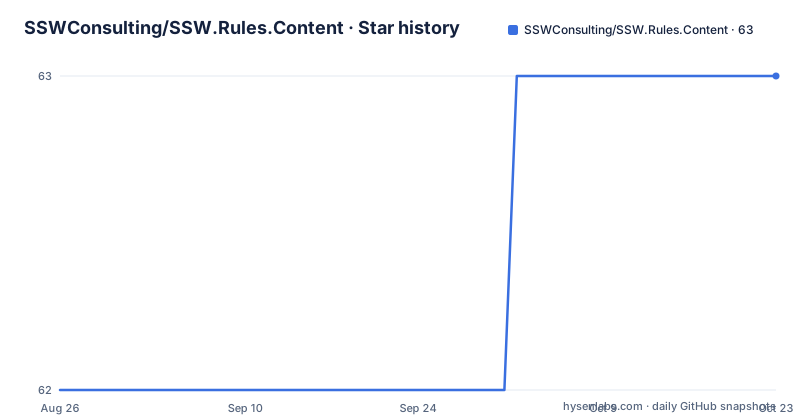
- SSWConsulting/SSW.Rules.Content63 ★ · +1
| Repository | 2026-08-26 | 2026-10-22 |
|---|---|---|
| SSWConsulting/SSW.Rules.Content | 62 | 63 |
1 Stars in the last 57 days, measured from the daily GitHub snapshot. Compare with other projects
Editorial analysis
The rules folder named in the structure section is not at the root
The structure section says rules live in a rules folder and categories live in a categories folder, one per folder alongside the other. Only one of those two is among the top-level entries. There is a categories directory, and there is no rules directory at the root; what sits alongside it are directories for assets, documentation, global content, the homepage, public files, scripts and a template. Either the rules are nested somewhere below one of those, or they were moved and the sentence was not updated. Either way, a new contributor cannot resolve the layout from the documentation alone, and the practical effect is that the first thing anyone adding a rule has to do is determine where a rule goes by looking at existing ones rather than by following the stated structure. The categories directory being present while the rules directory is not makes this look like an incomplete update rather than a deliberate nesting.
A rule can sit in several categories at once
The relationship between a rule and a category is many to many, and that single line explains most of the layout decisions. Rules are organised into categories, but a rule is explicitly allowed to belong to multiple of them, which means categories cannot be the primary storage location or the primary key. They are an index over the content rather than a tree containing it. Category pages then link to rules through frontmatter data, which puts the relationship in the file metadata: the rule declares which categories it is in, and the category page collects them. That design has a cost, which is that a rule appearing correctly on one category page tells you nothing about whether it appears on the others, and a contributor who adds a category to one rule has changed more than one page without touching any of them.
Five named people stand between an edit and production
The publication path is documented as a pull request, a merge into main, and a deployment, with the build running in GitHub Actions. What is unusual is who approves. Approval is available from anyone at the company, and five people are listed by name as the people to try first, in order: Tiago Araujo, Brady Stroud, Adam Cogan, Luke Cook and Brook Jeynes. Listing them in a sequence tells you something a single reviewer would not, namely that the list is a suggested order of who is likely to be available rather than a hierarchy. Two links close the loop for anyone watching their own contribution: one to the outstanding pull requests, and one to the build and deploy workflow once a change is merged. That second link points at the other repository's actions, because the deployment itself belongs to the engine.
The engine that renders this content lives somewhere else entirely
This repository is described as the data in markdown, and the site is built by code in a different repository. That split is the defining architectural fact here. Content and presentation are not coupled, so a rule is a markdown file plus its images and assets in a folder of its own, and everything about how it is turned into a page, including the template directory, lives with the engine. The consequence for a contributor is that changing how a rule renders is not a change to this repository, and changing what a rule says is. The separation also explains the template and homepage directories existing here as content rather than as code, and it means the visual result of your edit cannot be verified by running anything in this checkout alone.
ContentHawk is pinned by a version file in the root
Automated content maintenance is not a suggestion here; it is described as something the repository uses, via GitHub Agentic Workflows and a tool called ContentHawk, working in campaigns. The mechanism is legible in the top-level entries. A workflow directory holds the workflow definitions, a version file pins the ContentHawk release the content expects, and the documentation for creating campaigns lives in a folder under the GitHub configuration rather than in the documentation directory. Pinning the tool version in a file at the root is the part worth noting, because it means an automated change to content and a change to the automation are versioned separately and can diverge. A campaign that rewrites several rules at once is a much larger pull request than the single-file edit the publication path above assumes, and the review load is not the same.
A history file at the root versions the content a second time
Alongside the markdown there is a JSON file recording history at the repository root, which is unusual enough to be worth understanding before you rely on git alone. A content repository already has a version history in its commit log, so a second history file suggests the site needs a record that survives or is structured differently from the commit log, or that it is consumed by the engine at build time. Nothing in the documentation explains its format, so what you can safely say is that it exists, that it sits outside the rules and categories structure, and that a contributor editing content should not assume a change is only in the markdown. The rest of the root follows the same convention of configuration living beside content: a markdown lint configuration, editor and git attributes files, and two agent instruction documents alongside a Claude configuration directory.
The last paragraph of the readme contains three typos
The closing paragraph describes the automated workflow and contains three separate misspellings: the word repository is written with the letters transposed, the phrase ongoing maintenance repeats of, and the word information loses two letters. This is worth noting only because of what it signals about the repository rather than as criticism of the writing. This is a content repository whose entire output is prose quality, published under a public-domain licence, approved by named reviewers, with a markdown lint configuration in the root. A lint configuration that does not catch a misspelt repository in the readme is either not applied to that file or does not cover spelling. Anyone extending the linting here should check that scope first, because the same gap applies to every rule the site publishes.
Editorial conclusion
Contribute to SSW.Rules.Content if you have a practice worth writing down and can tolerate a review queue, because the content is plain markdown and images under a public-domain licence, and approval is available from anyone on the named list rather than a single gatekeeper. Do not expect to run the site from here: the engine that turns this content into a static site lives in the separate SSW.Rules repository, so a fork of this one gives you data without a renderer. Before you open a pull request, check where the rules directory actually sits, since the structure section names a folder that is not among the top-level entries. And if your contribution is automated, read the ContentHawk documentation first, because agentic workflows are already used here to maintain content.
Frequently asked questions
How do I get a change published in SSW.Rules.Content?
Open a pull request against the main branch. It can be approved by anyone at the company, with five people listed as the ones to try first, and once merged the build runs in GitHub Actions and deploys to production.
Where do rules and categories live in SSW.Rules.Content?
Categories live in a categories folder, and each rule has its own folder containing a markdown file and its images and assets. The structure section also refers to a rules folder, which does not appear among the top-level entries.
Can a rule appear in more than one category in SSW.Rules.Content?
Yes. A rule can belong to multiple categories, and category pages link to rules through frontmatter data rather than through the folder layout.
What is ContentHawk in SSW.Rules.Content?
The tool the repository uses with GitHub Agentic Workflows to assist ongoing content maintenance, working in campaigns. Its version is pinned in a file at the repository root and its documentation sits under the GitHub configuration.
Official sources
Add this badge to your README
If you maintain this project, the badge below links readers to this analysis and shows its maintenance status from the daily GitHub snapshot. Paste the markdown into your README; add ?metric=license or ?metric=stars to the image URL for a different field.

[](https://hysenlabs.com/projects/sswconsulting-ssw-rules-content)Star history chart for your README
[](https://hysenlabs.com/projects/sswconsulting-ssw-rules-content)