css-to-react-native: turning CSS text into React Native style objects
Convert CSS text to a React Native stylesheet object
At a glance
- What is it?
- css-to-react-native is a small TypeScript library that converts a CSS declaration into the React Native stylesheet object, expanding shorthands such as font, border and margin into their individual properties. It is a good fit for porting web styles into a native app, and a poor fit for anything expecting a full CSS parser.
- Who is it for?
- css-to-react-native fits a team that already holds CSS, from a design system or a web codebase, and needs it as React Native style objects without hand-writing every property. It does not fit a team that wants a CSS parser, a pipeline that understands media queries or cascade, or a project that would rather generate styles at build time than convert them at runtime.
- Can I use it commercially?
- Yes. MIT is a permissive licence: you can use, modify and sell software built on it, as long as you keep its copyright and licence notices.
- Is it still maintained?
- Yes. The repository last received commits 9 days ago.
- What is it written in?
- Mainly TypeScript, according to GitHub's language statistics.
Answers come from the project's GitHub data, last synced on November 7, 2026, and from our analysis. They are not legal advice.
Star history
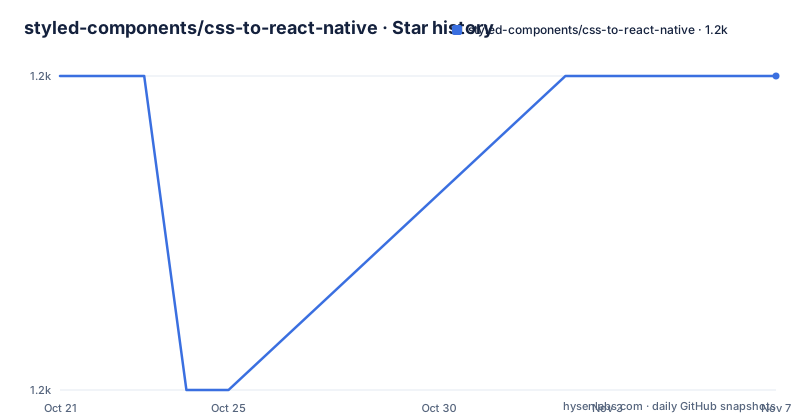
- styled-components/css-to-react-native1,177 ★ · +0
| Repository | 2026-10-21 | 2026-11-07 |
|---|---|---|
| styled-components/css-to-react-native | 1.2k | 1.2k |
0 Stars in the last 17 days, measured from the daily GitHub snapshot. Compare with other projects
Editorial analysis
What css-to-react-native actually converts
The library takes a piece of CSS text and returns a React Native stylesheet object. The README's smallest example makes the contract obvious: the CSS side is a set of declarations, the JavaScript side is a plain object of camel-cased keys with numbers and strings in the values.
The problem it solves is narrow and real. A team with an existing web design system, or a designer handing over CSS, and a React Native app to build, has to convert every rule by hand otherwise. That conversion is mechanical, which makes it a good candidate for code, and this library is that code. The audience is therefore a React Native developer working with an existing CSS asset, or a designer-to-developer handoff that arrives in CSS form.
What the library is not is a CSS engine. It does not parse stylesheets, resolve selectors, handle the cascade or evaluate media queries. The README says so directly: "We don't provide a way to get these style tuples in this library, so you'll need to do that yourself", and it expects most people to reach for postCSS or another CSS parser. It also warns against the tempting shortcut, telling readers to avoid getting the tuples with string.split because of edge cases such as colons and semicolons appearing in comments.
So the dividing line is this: the library owns the mapping from a single property and value to React Native's shape, and leaves everything before that to the caller.
The property and value mapping in detail
The bulk of the work is a naming rule, and the rule is pleasantly simple. Write the React Native property name in kebab-case and the library converts it back to the camel-cased React Native key. align-content becomes alignContent, background-color becomes backgroundColor, border-top-left-radius becomes borderTopLeftRadius, text-shadow-radius becomes textShadowRadius.
That rule is implemented with the camelize dependency, and the README states the consequence plainly: most React Native style properties work without a custom mapping table. The value side is handled by postcss-value-parser, which is what makes multi-part values parseable, and css-color-keywords is there for colour names.
Values are typed as you would expect for React Native. Number-like values become numbers and string-like values become strings, so a font-size of 18px becomes fontSize: 18 and a color of red becomes the string 'red'. There is no unit carried over, which is convenient for React Native but means the library assumes px is the unit you meant.
Indirect values are converted into their React Native equivalents rather than passed through, which is where the more interesting cases live. A text-shadow-offset of 10px 5px becomes a width and height pair, a font-variant of small-caps becomes an array, and a transform such as translate(10px, 5px) scale(5) becomes an array of transform objects.
The transform case carries an interesting detail. The README's example shows the resulting array ordered with translateY first, then translateX, then scale, with a comment noting that this fixes backwards transform order, since React Native applies transforms in the reverse of the order CSS does. Getting that right automatically is the kind of detail that a hand-rolled conversion usually misses.
Shorthand expansion, and the properties it refuses to expand
Shorthand handling is the part of the library with actual rules attached, and the rules are shaped by what React Native can express.
The README states the principle directly: shorthands will only accept values that are supported in React Native. The font shorthand is the clearest example, because CSS font is a compound value and React Native wants the pieces separately. A declaration of font: bold 14px/16px "Helvetica" produces fontFamily, fontSize, fontWeight, fontStyle, fontVariant and lineHeight, and the same applies to margin and padding, which expand into their four sides.
The same principle cuts the other way. The background shorthand accepts only a colour, so backgroundColor will not accept an image. And font will not accept font-variant values that React Native does not support. This is a sensible refusal, because silently dropping a value would produce a style that looks close to the original and is not, which is worse than an error.
The explicitly unsupported case is borders. The README's shorthand notes say that border{Top,Right,Bottom,Left} shorthands are not supported, because borderStyle cannot be applied to individual border sides. That is a React Native limitation, not an oversight in the library, and it means a design that leans on per-side border styles has to be rewritten by hand.
Two modern properties are treated differently from the rest. React Native's box-shadow and filter properties are passed through as boxShadow and filter, so whether they work depends on the React Native version you are running. The table of transforms also includes a shadow-offset entry mapping to shadowOffset, separate from the text-shadow-offset entry that produces textShadowOffset, which is worth checking against your own stylesheet since the two names are easy to confuse.
Installing the package and making your first conversion
The README does not give installation commands, but the repository's own configuration answers the question. The package.json pins packageManager to [email protected] and the lockfile in the repository is pnpm-lock.yaml, so pnpm is the tool the project is developed with. A local checkout installs and builds like this:
pnpm install
pnpm build
The build script is rollup -c with a prebuild step that runs pnpm clean and pnpm tsc, so the build produces the index.js and index.d.ts files listed in the package's files field.
Using the library is a single call. The main API takes an array of [property, value] tuples and returns the style object:
import transform from 'css-to-react-native';

transform([
  ['font', 'bold 14px/16px "Helvetica"'],
  ['margin', '5px 7px 2px'],
  ['border-left-width', '5px'],
]); // => { fontFamily: 'Helvetica', ... }
The import style matters if you are on CommonJS, and the README gives the alternative: const transform = require('css-to-react-native').default.
For implementors there are three extra exports, described as being for specific use cases that most people should ignore. getPropertyName('border-width') returns 'borderWidth', getStylesForProperty('borderWidth', '1px 0px 2px 0px') expands a single property's value, and transformRawValue('opacity', '0.5') parses one raw value without shorthand expansion.
One option is worth knowing about if a particular expansion does not suit you. Passing an array of camel-cased property names as the second argument to transform opts out of expanding those shorthands, so transform([['border-radius', '50px']], ['borderRadius']) returns a borderRadius key rather than the four corner values. The same opt-out is available by passing false as the third argument to getStylesForProperty.
Where css-to-react-native is the wrong tool
The first limit is scope. This is a value converter, not a CSS processor, so anything that depends on the cascade, on media queries, on selector matching or on a preprocessor is out of reach. The README tells you to bring your own parser, which is fine if you already use postCSS, and a real project if you do not.
The second limit is React Native's own expressiveness. The library maps what React Native accepts, so anything CSS can express and React Native cannot, whether per-side border styles, a background image in the background shorthand, or font variants the platform does not implement, has no output. A converter cannot fix that, and this one is explicit about refusing rather than guessing.
The third limit is the version gap. The published release in the repository's history is v3.0.0 from 2019-10-22, while the package.json in the current tree declares version 4.0.0. The 4.x line is therefore present in the repository but has no GitHub release attached to it. If you pin your dependency to what npm serves, check that the version you get matches the API you read about, because the README documents the 4.x-style named exports and the type definitions, and the older 3.x release is a different artefact with a different history.
The alternative approach is to not convert CSS at all. A utility-class setup, where a build-time tool turns class names into React Native style objects, avoids a runtime mapping table entirely, at the cost of rewriting the source styles into utilities and accepting that tool's conventions. The difference in approach is where the work happens: css-to-react-native converts a CSS string you already have, at runtime, in your app or in a build step, while a utility-class pipeline generates the style objects from scratch, so there is never a CSS-to-style conversion to keep in sync with React Native's property list. A team that has a fixed CSS asset from a design system will find the converter faster; a team designing its components in code may prefer the other way round.
Maintenance, tooling and what the licence allows
The repository is not archived and the last push was on 2026-09-10, so the code is being worked on. The published release list, however, ends at v3.0.0 from 2019-10-22, with the current package.json sitting at 4.0.0, which is the practical shape of this project: active source, quiet release history.
The release process is visible in the tree. A .changeset/ directory at the top level is the standard Changesets workflow, where a changeset file describes a change and the release version is generated from it, so the missing 4.0.0 tag is a publishing gap rather than a sign of an abandoned branch.
The toolchain is modern and coherent: TypeScript for the source, Rollup for bundling with a dts plugin, Biome for both formatting and linting, and Vitest for the unit tests. The test script in package.json chains them, running pnpm lint, pnpm tsc, pnpm format and pnpm unit, so a contributor gets type checking, formatting and tests in one command. The dependency list is small, three runtime dependencies against a large dev dependency set, which suits a library whose job is string manipulation and not much else.
The licence is MIT, copyright Krister Kari, Jacob Parker and Maximilian Stoiber, with the terms in LICENSE.md. That permits use, modification and redistribution in a closed-source product, including commercially, without the copyleft obligation that a GPL-style licence would attach. For a build-time or runtime utility that most teams will never fork, that is the least interesting and most convenient thing about the project.
Editorial conclusion
css-to-react-native fits a team that already holds CSS, from a design system or a web codebase, and needs it as React Native style objects without hand-writing every property. It does not fit a team that wants a CSS parser, a pipeline that understands media queries or cascade, or a project that would rather generate styles at build time than convert them at runtime. Verify first that the property you need survives the mapping, since the shorthands accept only what React Native supports, and the README is explicit that border side shorthands are not supported, then run a conversion of your real stylesheet before committing to it.
Frequently asked questions
How do I convert CSS to a React Native style object with css-to-react-native?
Pass an array of [property, value] tuples to the default export, for example transform([['font', 'bold 14px/16px "Helvetica"'], ['margin', '5px 7px 2px']]). The library returns a React Native style object with camel-cased keys, and the README notes that you need to obtain those tuples yourself with postCSS or another CSS parser.
Does css-to-react-native support every CSS property?
Most React Native style properties work because the library converts kebab-case names to camelCase for you, plus a table of shorthand and special-case transforms. Shorthands accept only values React Native supports, so background takes a colour only, and border side shorthands are not supported because borderStyle cannot be applied to individual sides.
Can I stop css-to-react-native from expanding a shorthand?
Yes. Pass an array of camel-cased property names as the second argument to transform, for example transform([['border-radius', '50px']], ['borderRadius']), and you get a borderRadius key instead of the four corner properties. The same opt-out is available by passing false as the third argument to getStylesForProperty.
What version of css-to-react-native is current and what licence applies?
The package.json in the repository declares version 4.0.0, while the published GitHub release history ends at v3.0.0 from 2019-10-22, and the last push was on 2026-09-10. The project is licensed under MIT, copyright Krister Kari, Jacob Parker and Maximilian Stoiber.
Official sources
Add this badge to your README
If you maintain this project, the badge below links readers to this analysis and shows its maintenance status from the daily GitHub snapshot. Paste the markdown into your README; add ?metric=license or ?metric=stars to the image URL for a different field.

[](https://hysenlabs.com/projects/styled-components-css-to-react-native)Star history chart for your README
[](https://hysenlabs.com/projects/styled-components-css-to-react-native)Was this useful?