react-docgen-typescript: reading component props out of TypeScript instead of propTypes
A simple parser for react properties defined in typescript instead of propTypes.
At a glance
- What is it?
- react-docgen-typescript is a parser that extracts documentation metadata for React components written in TypeScript, producing the prop tables that react-styleguidist renders, with class components, function components and styled components all supported. It is MIT licensed, the version is 2.4.0, and it has to be told about default exports because only named exports are supported.
- Who is it for?
- react-docgen-typescript suits a React codebase that has moved to TypeScript and wants generated component documentation rather than hand written prop tables, and that uses react-styleguidist or wants the same parser behind its own docs pipeline.
- Can I use it commercially?
- Yes. MIT is a permissive licence: you can use, modify and sell software built on it, as long as you keep its copyright and licence notices.
- Is it still maintained?
- Yes. The repository last received commits 4 days ago.
- What is it written in?
- Mainly TypeScript, according to GitHub's language statistics.
Answers come from the project's GitHub data, last synced on November 7, 2026, and from our analysis. They are not legal advice.
Star history
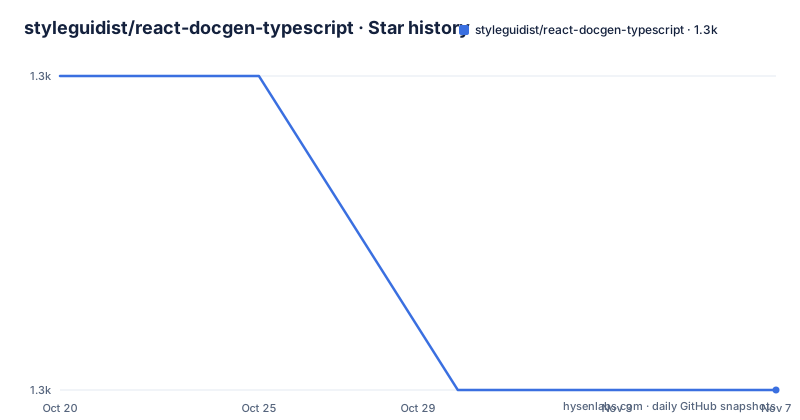
- styleguidist/react-docgen-typescript1,265 ★ · -1
| Repository | 2026-10-20 | 2026-11-07 |
|---|---|---|
| styleguidist/react-docgen-typescript | 1.3k | 1.3k |
-1 Stars in the last 18 days, measured from the daily GitHub snapshot. Compare with other projects
Editorial analysis
The problem it solves: no propTypes means no generated docs
react-docgen-typescript is described as a simple parser for React properties defined in TypeScript instead of propTypes, and it can be used with React Styleguidist. The historical context is what makes it understandable. The docgen ecosystem grew up around runtime propTypes, so a component declared with propTypes could be inspected at runtime to produce a documentation table, and the same trick with TypeScript interfaces is impossible because interfaces vanish at compile time. This package does the equivalent job statically, by reading the source and the type information and producing the same docgen shape. The consequence is that the input is your source code and a TypeScript configuration, not your runtime objects, and the whole package is about getting a parser instance that knows how to read your project.
Four ways to make a parser, and which one you want
The Usage section is where the design becomes clear. The plain parse function takes a path and options and parses a file for docgen information. If you want to customise things, the package exports a variety of ways to create custom parsers. withDefaultConfig takes docgen options and gives you a parser with the default TypeScript configuration. withCompilerOptions takes a TypeScript compiler options object plus docgen options, for a parser with custom TypeScript and custom docgen options. And withCustomConfig takes the path to a tsconfig.json plus docgen options, for a parser using your own TypeScript configuration. So the decision is whether to let the package find the TypeScript configuration, override the compiler options directly, or point it at the tsconfig.json your project already has. The last is usually the right one, since a project with path aliases or jsx settings will not parse correctly with defaults.
const docgen = require("react-docgen-typescript");

const options = {
  savePropValueAsString: true,
};

// Parse a file for docgen info
docgen.parse("./path/to/component", options);const customParser = docgen.withDefaultConfig(options);
const docs = customParser.parse("./path/to/component");
const customCompilerOptionsParser = docgen.withCompilerOptions(
{ esModuleInterop: true },
options
);
const tsConfigParser = docgen.withCustomConfig("./tsconfig.json", {
savePropValueAsString: true,
});Wiring it into react-styleguidist, which is the one integration documented
The React Styleguidist integration section is a single config entry. You set propsParser in styleguide.config.js to the parse function of a parser you have built, so withDefaultConfig with the parser options for the default case, or withCustomConfig pointing at your own tsconfig.json when you have one. The shape of the integration is worth noting because it is the pattern most projects copy, and the parse method has to be passed as a bound function rather than called, since styleguidist calls it with the file it is documenting. The example folder in the repository holds a React Styleguidist integration, and there is also a react-styleguidist-sections-example alongside it. So the parser is designed to be the documentation engine behind a styleguide, not to be used on its own for most people.
module.exports = {
  propsParser: require("react-docgen-typescript").withDefaultConfig([
    parserOptions,
  ]).parse,
};
propFilter, and the reason your generated table is full of HTML attributes
The propFilter option is the one that matters in practice, and the README explains the problem it solves. The option lets you omit certain props from documentation generation, either by providing an object with pre-configured filters or by supplying a function and doing the filtering logic yourself. The object form has two settings, skipPropsWithName, which takes an array or a string of prop names, and skipPropsWithoutDoc, a boolean. The reason you need this is spelled out with a concrete example. If a component is typed as React.FC with React.HTMLAttributes of HTMLDivElement, the generated table will list every HTML attribute the div supports, which is noise. A function filter receives a prop and a component and returns a boolean, and the example implementation looks for a declaration outside node_modules, which is a reasonable heuristic for finding a prop your own code actually declared and documented.
type PropFilter = (prop: PropItem, component: Component) => boolean;

const options = {
  propFilter: (prop: PropItem, component: Component) => {
    if (prop.declarations !== undefined && prop.declarations.length > 0) {
      const hasPropAdditionalDescription = prop.declarations.find((declaration) => {
        return !declaration.fileName.includes("node_modules");
      });

      return Boolean(hasPropAdditionalDescription);
    }

    return true;
  },
};
The option list, which is where the real configuration lives
Beyond propFilter, the README documents the rest of the surface and it is a long list of small behavioural switches. componentNameResolver takes a TypeScript symbol and a source file and returns a name, with a string meaning the component uses that name and anything else falling back to the default logic. shouldExtractLiteralValuesFromEnum converts string enums and unions to the docgen enum format, which the README says is useful with Storybook and addon-smart-knobs for generating knobs. shouldExtractValuesFromUnion does the same for every union. shouldSortUnions sorts union members in string order, which is useful for ensuring the same order every time, and it is meant to be combined with one of the two extraction options. shouldRemoveUndefinedFromOptional stops optional types displaying the union with undefined. skipChildrenPropWithoutDoc defaults to true, and setting it to false generates the docs for the children prop even without an explicit description, while the propFilter section notes that children without a doc comment will not be documented.
Default values, unions and the styled components escape hatch
savePropValueAsString changes how default values are represented, and the example is the clearest illustration of the option. A component with defaultProps of counter 123 and disabled false is reported with the defaultValue as the string '123' and 'false' rather than as the numbers and booleans, along with required and type. Separately, there is a styled components example for componentNameResolver, checking whether the expression name is StyledComponentClass and then calling getDefaultExportForFile on the source, with a note that the parser exports the getDefaultExportForFile helper through its public API. So the package expects you to tell it that a styled component is not a plain function component, and it gives you the helper to do it with rather than leaving you to write your own source scanning.
componentNameResolver: (exp, source) =>
  exp.getName() === "StyledComponentClass" && getDefaultExportForFile(source);
Only named exports, and the class and function examples side by side
The Example section shows a class component and a function component producing equivalent stylesheets, which demonstrates that the parser handles both shapes. The class component declares an IColumnProps interface with a doc comment on each member, including a union of three string literals, and the class extends Component with those props. The function component declares an IGridProps interface the same way and exports a const arrow function taking those props. The documentation comes from the JSDoc comments on the interface members, so prop1, prop2 and prop3 are described by their comments and prop4 by the comment above it. The warning attached to the examples is the limitation to plan around, that only named exports are supported, and if your project uses default exports you still need to include named exports for react-docgen-typescript. The consequence is a small but real amount of boilerplate in a codebase that has standardised on default exports.
import * as React from "react";
import { Component } from "react";

/**
 * Column properties.
 */
export interface IColumnProps {
  /** prop1 description */
  prop1?: string;
  /** prop2 description */
  prop2: number;
  /** prop3 description */
  prop3: () => void;
  /** prop4 description */
  prop4: "option1" | "option2" | "option3";
}
The package, the peer requirement and where the project stands
The package manifest is small and tells you the constraints. The name is react-docgen-typescript at version 2.4.0, the entry point is lib/index.js with type declarations alongside, and the published files are the lib directory and the README. The only peer dependency is TypeScript at 4.3.x or newer, which is the right call, since the parser is reading type information and an older compiler would not expose what it needs. The dev dependencies are the test stack, Chai with Mocha running against the compiled output in lib, and the test script compiles first with tsc and then runs mocha with a ten second timeout, with a separate debug variant that adds the inspect flag. Linting is ESLint with a separate lint.json configuration, formatting is Prettier run through a base script with a TypeScript parser and single quotes, and there is a lint-staged configuration with a precommit hook. The last push to the repository was on 2026-10-13, the repository is not archived, and the recent releases are v2.2.2 from 2021 and v2.4.0 from June 2025, with a v2.2.3-next published on the same day as v2.4.0, which suggests the release process publishes several tags in one pass.
Editorial conclusion
react-docgen-typescript suits a React codebase that has moved to TypeScript and wants generated component documentation rather than hand written prop tables, and that uses react-styleguidist or wants the same parser behind its own docs pipeline. It is the wrong choice for a codebase still using propTypes, since that is the problem it was written to avoid, and a poor fit if your components are all default exports, because only named exports are supported and the README says you still need to include named exports for the parser. Before adopting it, check the peer requirement of TypeScript 4.3 or newer, and read the propFilter option, because the default behaviour of documenting every HTML attribute a component inherits is the most common reason a generated table looks wrong.
Frequently asked questions
What does react-docgen-typescript do?
It is a simple parser for React properties defined in TypeScript instead of propTypes, and it can be used with React Styleguidist. It reads a component's source and type information and produces the docgen metadata that a documentation table is built from, since TypeScript interfaces disappear at compile time and cannot be inspected at runtime.
How do I install and use react-docgen-typescript?
Install it as a dev dependency with npm install --save-dev react-docgen-typescript, then call the parse function with a path and options. For custom configurations the package exports withDefaultConfig, withCompilerOptions and withCustomConfig, the last taking the path to your own tsconfig.json.
How do I integrate react-docgen-typescript with react-styleguidist?
Set propsParser in styleguide.config.js to the parse method of a parser you have built, for example require("react-docgen-typescript").withDefaultConfig(parserOptions).parse, or withCustomConfig pointing at your own tsconfig.json. The example folder in the repository holds a React Styleguidist integration.
Why does my generated component documentation list every HTML attribute?
Because a component typed as React.FC with React.HTMLAttributes of HTMLDivElement inherits the whole set of div attributes. The propFilter option fixes this, either with the pre-configured object using skipPropsWithName and skipPropsWithoutDoc, or with your own function that receives a prop and a component and returns a boolean.
Does react-docgen-typescript support default exports?
Only named exports are supported. The README warns that if your project uses default exports, you still need to include named exports for react-docgen-typescript to pick up, and for styled components there is a componentNameResolver example using the exported getDefaultExportForFile helper.
Official sources
Add this badge to your README
If you maintain this project, the badge below links readers to this analysis and shows its maintenance status from the daily GitHub snapshot. Paste the markdown into your README; add ?metric=license or ?metric=stars to the image URL for a different field.

[](https://hysenlabs.com/projects/styleguidist-react-docgen-typescript)Star history chart for your README
[](https://hysenlabs.com/projects/styleguidist-react-docgen-typescript)Was this useful?