jQuery contextMenu: delegated registration for pages with hundreds of targets
jQuery contextMenu plugin & polyfill
At a glance
- What is it?
- The plugin exists for the case where a context menu must appear on hundreds of elements, so it registers by CSS selector and builds DOM on demand. Its maintenance story has two halves, a busy 2.x line and an ES6 rewrite parked on a branch since.
- Who is it for?
- This plugin earns its place in an application with a large number of potential menu targets, because registration is delegated and the menu markup is created when it opens rather than upfront. Pick it when you are already on jQuery at 1.12 or above and want one consistent menu across a dense UI, not when you want a menu that matches each operating system, because a DOM menu will never look native.
- Can I use it commercially?
- Yes. MIT is a permissive licence: you can use, modify and sell software built on it, as long as you keep its copyright and licence notices.
- Is it still maintained?
- Yes. The repository last received commits 101 days ago.
- What is it written in?
- Mainly JavaScript, according to GitHub's language statistics.
Answers come from the project's GitHub data, last synced on November 7, 2026, and from our analysis. They are not legal advice.
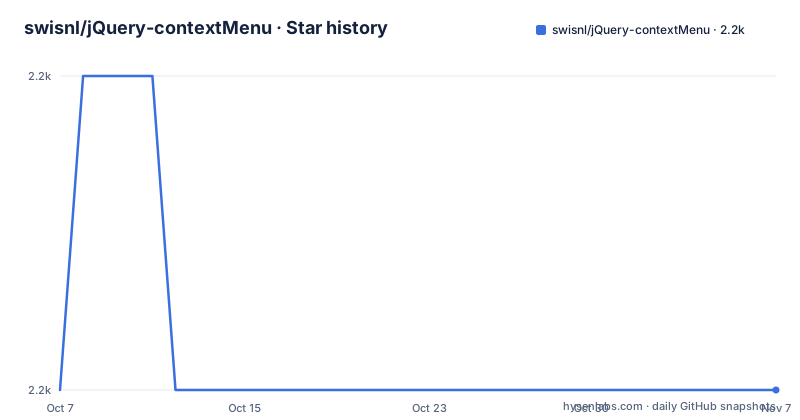
Star history
- swisnl/jQuery-contextMenu2,244 ★ · +0
| Repository | 2026-10-07 | 2026-11-07 |
|---|---|---|
| swisnl/jQuery-contextMenu | 2.2k | 2.2k |
0 Stars in the last 31 days, measured from the daily GitHub snapshot. Compare with other projects
Editorial analysis
Registration is delegated, so one call covers a whole page
The plugin is called `$.contextMenu` and it takes a single options object. The design goal, stated plainly in the README, was an application with hundreds of elements that may show a context menu, with initialization speed and memory usage kept small as a result.
$.contextMenu({
selector: ".with-cool-menu",
items: {
foo: {name: "Foo", callback: function(key, opt){ alert("Foo!"); }},
bar: {name: "Bar", callback: function(key, opt){ alert("Bar!") }}
}
});
The `selector` is a CSS selector string that is delegated the same way `$(document).on(event, selector, ...)` works, so one registration covers every element that matches now and every element created later. That is the whole performance argument: nothing is bound per element and no markup is written until a menu opens, because the plugin generates DOM elements as needed.
The `items` object is keyed by command name, and each entry carries a display `name` and a `callback` receiving the key and the options object. That shape is the reason to prefer this over hand-rolled menus when you have many targets, since the callbacks are identical everywhere and the key tells you which one fired.
Binding to a raw element bypasses delegation and needs cleanup
The `selector` option accepts more than a string. It can be a raw `Element` or a jQuery object, which the README recommends for elements created programmatically that no stable selector matches yet.
var element = document.createElement('button');
element.textContent = 'Click Me';

$.contextMenu({
    selector: element,
    items: {
        foo: {name: "Foo", callback: function(key, opt){ alert("Foo!"); }}
    }
});
The consequence of that convenience is spelled out in the README and is easy to miss. When `selector` is an `Element` or jQuery object, the menu is bound directly rather than delegated, so registering the exact same element again without destroying the previous registration binds a second, independent handler. The fix is `$.contextMenu('destroy', element)`, which also accepts the jQuery-wrapped form.
That is the single sharpest edge in the API. Delegated registrations are effectively idempotent because the selector does the matching; direct registrations are not, and the failure mode is a menu action firing twice.
Keyboard navigation and the access-key collision
Once open, the menu is fully keyboard navigable, and the README documents each key: up and down move through items and wrap around while skipping disabled entries, right descends into a submenu, left comes back out, return invokes a command, tab and shift-tab move between items and input elements, escape closes.
Three keys are captured and deliberately ignored: space, page up and page down. The stated reason is consistency with native menus, where those keys do not scroll the page while a menu is open.
Then the README admits something worth knowing before you ship this. Typing an alphanumeric character while a menu is open is handled by the browser as an access key, and the author found Firefox reloading the page on `r`, Chrome opening page info, and Safari opening the print dialog. The author's own preference, stated in the text, would have been typeahead on the first letter of item names instead, but that is not what happens.
So if your menu opens on right-click over selectable text, the keys a user presses to scroll or print may be captured by the browser. That is a browser behaviour the plugin inherits, not a bug it can fix, and it is a reasonable reason to keep command labels to single words.
The HTML5 polyfill mode and what it still does
The package describes itself as an HTML5 polyfill, and there is a mode that imports context menus from native `<menu>` markup:
$.contextMenu("html5");The README's HTML5 compatibility section is the oldest documentation in the project, written around Firefox 8, and it is worth reading as history rather than as current browser guidance. It notes that Firefox 8 implemented `contextmenu` using `menuitem` tags while the spec called for `command` tags, and that the plugin accepts both.
One documented deviation survives as a real difference in behaviour: the spec says an `option` should render as a regular command, but the plugin renders an actual `select` element instead. If you write a `<menu>` block containing form controls, expect a dropdown rather than a menu row.
The references in that section point at the W3C and WHATWG contextmenu and command specifications and at caniuse, which is a reasonable place to check whether the browser side has moved on since the plugin was written. What the plugin provides is the uniform behaviour; native menus remain inconsistent across engines.
Two release lines, one of them not on npm
The version story here is genuinely confusing, and it is worth reading the releases rather than assuming semver. GitHub shows 2.10.1 published on 2025-11-04, and the `package.json` in the repository declares version 2.10.2. So the source is ahead of the newest tagged release.
Beneath that, release 2.10.0 carries a body consisting of one sentence: a phantom release, not available on npm. Both 2.10.0 and 2.10.1 were published on the same day, roughly five minutes apart, which suggests the tag sequence and the npm sequence do not line up. If you are pinning a version, pin what npm actually resolves rather than what the tag list implies.
The 2.10.1 notes open by acknowledging the gap since the previous release and then list community fixes, which is a good sign about how patches arrive: allowing default icon colors to be overridden, fixing a menu that jumped to the top of the screen and disappeared to the right, fixing a click-through issue and rebuilding `dist`, fixing an unpropagated click on the background layer, and adding a demo for a promise-based context menu in a text input. Several fixes also touched the documentation and a Rails asset pipeline integration for the icon font.
The repository is not archived and the last push was on 2026-07-30, so maintenance is genuinely active even though the release cadence is irregular.
The 3.x rewrite and a modern toolchain
Version 3.0 is described in the README as a restructure into ES6, consolidating the APIs so callbacks are documented more concisely. The stated goal is maintainability, plus JSDoc comments so API documentation is generated from the code and editors can offer completion.
The catch is stated just as plainly: the basics still work, but every callback is structured differently, so 3.0 is a breaking change for existing code. It lives on a separate `3.x` branch and installs from the next tag:
npm install jquery-contextmenu@nextThat arrangement is the main strategic question for an adopter. The stable line is jQuery-era code, while the rewrite is where the project is heading, and the README continues to document the 2.x callback signature as the primary API.
The build tooling on the stable branch is more current than that framing suggests. Development dependencies include ESLint 10 with the flat config file `eslint.config.mjs`, Playwright for tests alongside a Karma and QUnit setup in `karma.conf.js`, Sass with PostCSS and cssnano, and Eleventy for the documentation site in `documentation/`. There is a `gulpfile.mjs` for the build, a `.stylelintrc.json` for styles, and a committed `dist/`, which explains why release notes mention rebuilding it by hand after a fix.
Editorial conclusion
This plugin earns its place in an application with a large number of potential menu targets, because registration is delegated and the menu markup is created when it opens rather than upfront. Pick it when you are already on jQuery at 1.12 or above and want one consistent menu across a dense UI, not when you want a menu that matches each operating system, because a DOM menu will never look native. Install the stable 2.10 line, register with a selector string rather than an element so delegation does the work, and read the `destroy` note before you bind a programmatically created element twice.
Frequently asked questions
How do I remove a context menu that $.contextMenu registered?
Call `$.contextMenu('destroy', element)` with the same element you registered, or the jQuery-wrapped form. The README is explicit that this matters when `selector` was an Element or jQuery object rather than a selector string, because direct binding registers a second independent handler if you re-register without destroying.
How do I change the items in an existing jQuery context menu?
Menus are registered through the `$.contextMenu` options object with a `selector` and an `items` map keyed by command name, so changing items means registering a different items map. Because the plugin keeps a registry, the practical sequence for an existing page is to destroy the current registration before registering the new one, rather than relying on delegation to replace it.
What jQuery version does jquery-contextmenu need?
The README lists jQuery 1.12.0 or above as a dependency, and the `package.json` declares it as a peer dependency at `>=1.12.0` rather than bundling it. jQuery UI's position module is listed as optional but recommended.
Is version 3.0 of jQuery contextMenu ready to use?
The README describes 3.0 as a beta ES6 restructure that consolidates the API and restructures every callback, which makes it breaking for existing code. It lives on a separate `3.x` branch and installs with `npm install jquery-contextmenu@next`, while the stable 2.10 line remains what npm resolves normally.
Official sources
Add this badge to your README
If you maintain this project, the badge below links readers to this analysis and shows its maintenance status from the daily GitHub snapshot. Paste the markdown into your README; add ?metric=license or ?metric=stars to the image URL for a different field.

[](https://hysenlabs.com/projects/swisnl-jquery-contextmenu)Star history chart for your README
[](https://hysenlabs.com/projects/swisnl-jquery-contextmenu)Was this useful?