metro-bootstrap, Twitter Bootstrap given the flat Metro look, and a project looking for a maintainer
Twitter Bootstrap with Metro style
At a glance
- What is it?
- metro-bootstrap is a Bootstrap theme with the flat, rectangular Metro styling, distributed as compiled CSS through npm, a Git clone or a CDN, and built from LESS sources with Gulp. Its structure is deliberately small: a source folder with fonts and LESS, a dist folder with the compiled stylesheet and its minified twin, and a build pipeline that cleans, compiles and copies.
- Who is it for?
- Adopt metro-bootstrap if you are building a Bootstrap interface and want the flat Metro look without writing your own theme, and take the compiled stylesheet as it is rather than forking it, since the theme is small and stable.
- Can I use it commercially?
- Yes. Apache-2.0 is a permissive licence: you can use, modify and sell software built on it, as long as you keep its copyright and licence notices.
- Is it still maintained?
- Yes. The repository last received commits 25 days ago.
- What is it written in?
- Mainly Less, according to GitHub's language statistics.
Answers come from the project's GitHub data, last synced on November 7, 2026, and from our analysis. They are not legal advice.
Star history
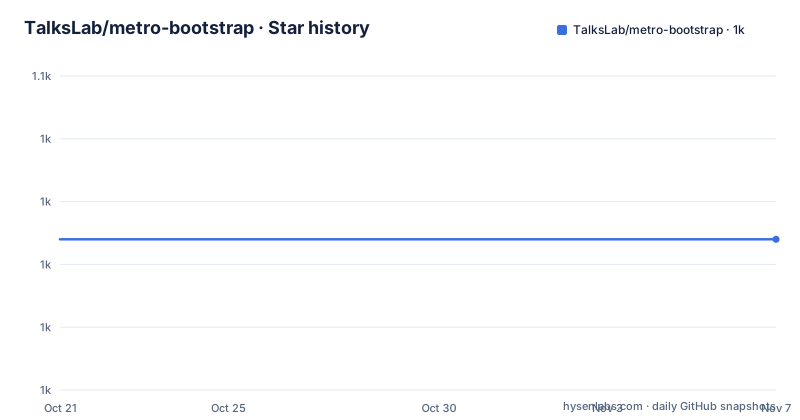
- TalksLab/metro-bootstrap1,037 ★ · +0
| Repository | 2026-10-21 | 2026-11-07 |
|---|---|---|
| TalksLab/metro-bootstrap | 1k | 1k |
0 Stars in the last 17 days, measured from the daily GitHub snapshot. Compare with other projects
Editorial analysis
What the theme actually is
The description is short and accurate: simple bootstrap from Twitter with Metro style. What that means in practice is a visual layer rather than a component library, because the markup is Bootstrap's own and the theme only changes how it looks. The flat Metro aesthetic means square corners, no gradients, no drop shadows and a restrained colour palette, which is a differentiator in a Bootstrap ecosystem where most themes add rounded corners and depth. The distribution has three shapes. The package is published to npm as a scoped package, so a project pulls it in as a dependency. A Git clone gives you the same files with the dist folder, where you link the compiled stylesheet directly. And a CDN link pulls the latest compiled and minified CSS straight from the repository, which the documentation notes will pull the current master version rather than a pinned release.
npm install @talkslab/metro-bootstrapThe repository is two folders and a build
The structure documentation lists the directories plainly, and it is a small project. The app directory holds the sources, with a fonts subdirectory containing the FontAwesome files and a less subdirectory containing the metro-bootstrap LESS files. The dist directory holds the built output, with the font-awesome files under fonts and a css directory containing metro-bootstrap.css and metro-bootstrap.min.css. The project provides the compiled CSS in the dist folder as well as the compiled and minified CSS, so the dist folder is the consumable artefact and the app folder is the source. That split is why the package main field points at the compiled stylesheet rather than at a JavaScript entry point, and it is the right arrangement for a theme, since nobody imports a theme to run code from it.
app/
├── fonts/
│   └── (FontAwesome files)
└── less/
    └── (metro-bootstrap less files)
dist/
├── fonts/
│   └── font-awesome/
│   │   └── (FontAwesome files)
└── css/
    ├── metro-bootstrap.css
    └── metro-bootstrap.min.css
Linking it, three ways
Each installation route ends in a stylesheet link, and the documentation is explicit about what to point at. With a Git clone you link the CSS files in the dist/css directory from your HTML, using a path to the checked out project. With the CDN you add a line to the head of your HTML, and the example uses the jsDelivr path with the repository and the master branch, pointing at the dist/css/minified file, and the note under it says this pulls the latest compiled and minified CSS directly from the repository. That last detail is worth pausing on. A master branch CDN URL means your production site tracks whatever is on the branch at the time of the request, which is convenient during prototyping and a supply chain question for a production deployment, so pinning a version or copying the file into your own build is the safer habit even though the documentation does not say so.
<link rel="stylesheet" href="https://cdn.jsdelivr.net/gh/TalksLab/metro-bootstrap@master/dist/css/metro-bootstrap.min.css">Building the CSS with Gulp
The source is LESS and the compilation is Gulp, and the documentation gives the two commands. If you do not have Gulp installed globally you install the command line interface with a global npm install of gulp-cli, and then running gulp in the project directory compiles the CSS into the dist folder, and the documentation spells out what the command does: it cleans the dist directory, compiles the LESS files and copies the fonts. That three-step behaviour matters for anyone with their own build, because a clean step means the dist folder is regenerated rather than merged, so a stale file from an earlier build cannot linger. The dependency list shows the pipeline is assembled from individual gulp plugins rather than one large tool, with less for the compilation, cssmin and cssnano for minification, clean, copy, concat, rename and sourcemaps among the rest, plus browser-sync and livereload for the development loop and connect for serving.
npm install -g gulp-cliA maintainers-wanted notice, stated directly
The project documentation opens with a section headed maintainers wanted, and the tone is unusually direct. The former maintainers no longer have the time and or resources to work on this project, which means that bugs will not be fixed and features will not be added unless someone else does so, and the call to action is a reply to a specific GitHub issue, number 65, if you are interested in fixing up metro-bootstrap. That is worth weighing honestly, because it changes the calculus for an adopter. The theme is small and stable, so the absence of maintenance is survivable if you take the compiled CSS and treat it as frozen. It is not survivable if you plan to keep it aligned with Bootstrap releases, since the package depends on Bootstrap 5 and a future Bootstrap version may change the class structure the theme overrides. The repository topics are hacktoberfest and maintainer-wanted, which is the project's way of flagging the situation to contributors.
Unfortunately, the former maintainers no longer have the time and/or
resources to work on this project.
What the package metadata says, and the version mismatch
The package metadata is a small file and it is where two facts live. The name is the scoped @talkslab/metro-bootstrap at version 3.3.1, which matches the single tagged release from October 2024, and the main field points at the compiled stylesheet in the dist folder. The dependencies are bootstrap at 5.3.8 or newer and font-awesome at 4.7.0, and the second of those is a detail worth noticing: Font Awesome 4 is the older major version, so a project that has moved to Font Awesome 5 or 6 will have icon class mismatches that no amount of theme CSS fixes. The dev dependencies are almost entirely gulp plugins, with prettier pinned at 3.9.5 and the prettier scripts in the package, so the LESS sources are formatted by a tool rather than by convention. There is also a metro-bootstrap.nuspec file in the repository, which is the NuGet package manifest, so the theme is published to npm and to NuGet.
{
  "name": "@talkslab/metro-bootstrap",
  "version": "3.3.1",
  "main": "./dist/css/metro-bootstrap.css",
  "dependencies": {
    "bootstrap": "^5.3.8",
    "font-awesome": "^4.7.0"
  }
}
Where it fits, and what to check before you adopt it
The honest assessment is that this is a completed artefact with an open maintenance question, not a live project. For a team that wanted the Metro look in 2014 and is still running it, the compiled stylesheet in the dist folder is exactly as useful as it was, and the project is MIT-shaped in the sense that the Apache 2.0 licence lets you do what you like with it. For a team starting today, the checks are concrete. Confirm the Bootstrap major version your project uses, because the package depends on Bootstrap 5 while the project name still carries the Twitter Bootstrap wording. Confirm the Font Awesome version, because the theme pins 4.7 and the icon class names changed in the later majors. And decide whether you want the CDN link at all, since a master branch URL is not a pinned version. If you want to own it, the issue thread is where that conversation already is.
Editorial conclusion
Adopt metro-bootstrap if you are building a Bootstrap interface and want the flat Metro look without writing your own theme, and take the compiled stylesheet as it is rather than forking it, since the theme is small and stable. Skip it if you need a maintained theme with new Bootstrap features, because the project states plainly that the former maintainers no longer have the time or resources, that bugs will not be fixed and features will not be added unless someone else takes it on, and there is an open issue asking for exactly that help. Verify three things before you commit to it: which Bootstrap version your project uses, since the package depends on Bootstrap 5 while the project name still echoes the older Twitter Bootstrap; that the compiled CSS in the dist folder is what you link, since the LESS sources expect you to run Gulp; and that the Font Awesome version in the theme matches the one your project already uses.
Frequently asked questions
What is metro-bootstrap?
It is a Bootstrap theme with the flat Metro style, described as simple bootstrap from Twitter with Metro style. It changes the look of Bootstrap's own markup rather than replacing the components, and it ships as compiled CSS plus LESS sources.
How do I install metro-bootstrap?
Three ways. Install it from npm with `npm install @talkslab/metro-bootstrap`, clone the repository and link the CSS from the dist/css directory, or add a CDN stylesheet link to the head of your HTML, which the documentation notes pulls the latest compiled CSS from the master branch.
How do I compile the CSS for metro-bootstrap?
With Gulp. Install gulp-cli globally if you do not have it, run `npm install` to install the project dependencies, then run `gulp`, which cleans the dist directory, compiles the LESS files and copies the fonts.
Is metro-bootstrap still maintained?
Not by its former maintainers. The project documentation states that they no longer have the time or resources, that bugs will not be fixed and features will not be added unless someone else does so, and invites replies to GitHub issue number 65. The last tagged release is 3.3.1 from 2024-10-26.
Official sources
Add this badge to your README
If you maintain this project, the badge below links readers to this analysis and shows its maintenance status from the daily GitHub snapshot. Paste the markdown into your README; add ?metric=license or ?metric=stars to the image URL for a different field.

[](https://hysenlabs.com/projects/talkslab-metro-bootstrap)Star history chart for your README
[](https://hysenlabs.com/projects/talkslab-metro-bootstrap)Was this useful?