cppimport: a C++ file that compiles itself the first time Python imports it
Import C++ files directly from Python!
At a glance
- What is it?
- cppimport removes the edit-compile-test loop by making a C++ file importable from Python, with Mako configuration blocks inside the source and a build command for production images. The opt-in marker, the checksum rebuild and the release mode are the three details that decide how it behaves in your project.
- Who is it for?
- Adopt cppimport if you write Python and need a hot inner loop in C or C++ without maintaining a separate extension build step, and you are willing to keep pybind11 in the loop. Do not adopt it if your production images must not contain a compiler, unless you also adopt the pre-compile step and the release mode, since a missing binary in release mode raises an exception at import time.
- Can I use it commercially?
- Yes. MIT is a permissive licence: you can use, modify and sell software built on it, as long as you keep its copyright and licence notices.
- Is it still maintained?
- Activity is slowing. The repository last received commits 6 months ago.
- What is it written in?
- Mainly Python, according to GitHub's language statistics.
Answers come from the project's GitHub data, last synced on November 7, 2026, and from our analysis. They are not legal advice.
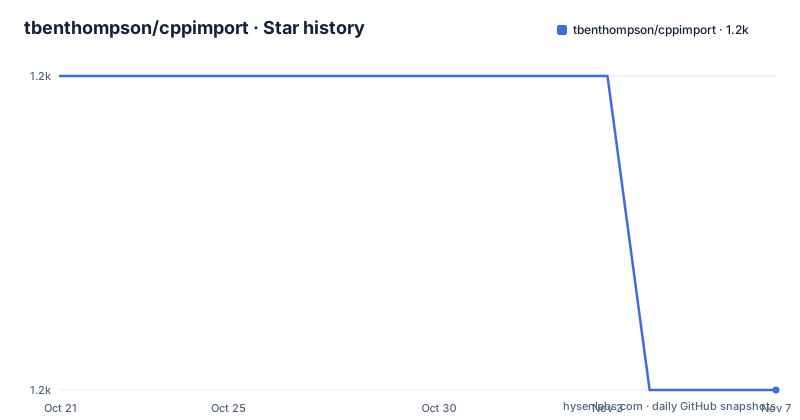
Star history
- tbenthompson/cppimport1,228 ★ · -1
| Repository | 2026-10-21 | 2026-11-07 |
|---|---|---|
| tbenthompson/cppimport | 1.2k | 1.2k |
-1 Stars in the last 17 days, measured from the daily GitHub snapshot. Compare with other projects
Editorial analysis
The first line of the file decides whether it is ever compiled
cppimport works by hiding an entire build step inside a normal import statement. The mechanism is a Python import hook: after `import cppimport.import_hook` runs, a subsequent `import somecode` triggers the machinery that finds `somecode.cpp`, compiles it and loads it as an extension module.
Two things have to be true for that to happen. The file has to be a genuine pybind11 extension, which is the ordinary C++ pattern of including the pybind11 headers, defining a function and exporting it with `PYBIND11_MODULE`. And the file has to opt in, with a comment on the first line:
// cppimportThe README calls this comment essential, and explains the reason in the FAQ section: without it, any `.cpp` file in your import path would be swept into the mechanism. The opt-in is what keeps the tool from hijacking a source tree it does not own. Later, the build command applies the same rule, building only files that contain the comment in the first line, with one exception noted for explicitly listed files.
That single line is also the most common reason a new user sees nothing happen. The import quietly returns nothing special because the file was never eligible.
Mako lives inside the C++ file, which is why line numbers matter
The unusual part of cppimport is that configuration is written in the source file rather than in a separate build script. The configuration region is delimited by `<%` and `%>` and contains Python code that is evaluated during the build:
<%
setup_pybind11(cfg)
%>
The README describes this as a Mako code block, evaluated as Python code during the build process, and says it provides configuration info such as compiler and linker flags to the cppimport build system. `setup_pybind11(cfg)` is the standard entry point that sets up the pybind11 include paths and compile flags for you.
Because the region is pre-processed away, the README warns that comments around the configuration block may be omitted, and it gives a practical rule: putting the configuration block at the end of the file, while optional, ensures that line numbers remain correct in compilation error messages. That is a small piece of advice with real consequences. A compiler error reported at line 42 of your C++ file has to point at line 42 of the file you are editing, and a template region sitting in the middle of the file shifts everything after it.
The `setup.py` in the repository confirms the dependency set: `install_requires=["mako", "pybind11", "filelock", "setuptools"]`. Mako for the templating, pybind11 for the bindings, filelock for coordinating concurrent builds, and setuptools for the build machinery.
The quick example: a square function, imported and called
The README's example is small enough to read in one go, which is the point of the tool. The C++ file contains the pybind11 header include, a namespace alias, a plain C++ function, the module macro that exports it, and the configuration block at the end:
// cppimport
#include <pybind11/pybind11.h>

namespace py = pybind11;

int square(int x) {
    return x * x;
}

PYBIND11_MODULE(somecode, m) {
    m.def("square", &square);
}
From Python, the flow is two imports and a call:
>>> import cppimport.import_hook
>>> import somecode #This will pause for a moment to compile the module
>>> somecode.square(9)
81
The comment in the README states what the pause is, and that the compilation happens the first time the module is imported. The stated motivation is a workflow where you can edit both the C++ and the Python and have recompilation happen transparently, and it also calls the approach handy for quickly producing an optimized version of a slow Python function.
Installation is a single command, `pip install cppimport`, and the README badge states Python 3.7 or above. The package declares itself as production stable and operating system independent in its classifiers, with POSIX listed among the platforms.
Recompilation is keyed on a checksum, and headers are opt-in dependencies
The FAQ section answers the obvious question directly: no, cppimport does not recompile every time a module is imported. Compilation should only happen the first time, and on each import the C++ source is compared with a checksum to determine whether any relevant file has changed.
The mechanism has a detail that will bite you if you miss it. The checksum is computed by appending the contents of the extension C++ file together with the files listed in `cfg['sources']` and `cfg['dependencies']`. A header file is not a source file, so changing a header does not trigger a rebuild unless you name it:
cfg['dependencies'] = ['file1.h', 'file2.h']Without that line, a change in a header can leave a stale extension module in place, and the symptom is a bug that you have already fixed. The same key handles multi-file extensions:
cfg['sources'] = ['extra_source1.cpp', 'extra_source2.cpp']Note that `sources` and `dependencies` play different roles in the checksum. The README describes `sources` as the way to split an extension across multiple source files, and both lists are appended to the checksum computation, so declaring a file in either place makes the build sensitive to it.
A build command for images that must not ship a compiler
The README is direct about the problem: in production deployments you usually do not want to include a C or C++ compiler, all the sources, and compile at runtime. To solve that, a simple command line utility for pre-compiling all source files is provided, and the README suggests it may be used in CI/CD pipelines.
The bare form builds everything eligible in the current directory and its subdirectories:
python -m cppimport buildThe longer form takes root directories or individual source files:
python -m cppimport build ./my/directory/ ./my/single/file.cppThe README notes that when a path to a file is given, the header check is skipped for that file, so an explicitly named file is built even without the `// cppimport` comment. That exception is useful for a one-off file that should not carry the marker, and it is also a way to build something the normal scan would skip.
The important operational point is that this has to run before the image is finalised, and it has to cover every directory the application imports from. A build that misses a directory leaves the runtime to compile it, which is exactly what the production deployment was meant to avoid.
Release mode trades the safety checks for startup speed
For production, the README describes an opt-in that skips the checksum and compiled binary existence checks during importing. It can be turned on with an environment variable, `CPPIMPORT_RELEASE_MODE` set to `true`, or from within Python:
cppimport.settings['release_mode'] = TrueThe README attaches a warning to it: make sure to have all binaries pre-compiled when in release mode, as importing any missing ones will cause exceptions. That is a deliberate trade, not a side effect. The two checks cost work on every import, and the goal is to improve startup performance for production builds. Removing them also removes the mechanism that would have told you a binary was missing, which is why the failure mode becomes an exception at import time rather than a silent rebuild.
For diagnosing problems, cppimport uses the standard Python logging tools, and the README says to add logging handlers to either the root logger or the `cppimport` logger, giving an example that sets the root logger to debug level. Since the logger is named `cppimport`, a project that wants these messages and nothing else can attach a handler to that logger and leave the root alone.
Compiler flags, version numbering by date, and an MIT licence
Compiler and linker arguments are set through the standard distutils configuration options, and the README lists the four you are most likely to need: `extra_link_args`, `extra_compile_args`, `libraries` and `include_dirs`. The worked example is enabling C++11 through `cfg['extra_compile_args'] = ['-std=c++11']`.
The version scheme is unusual and worth knowing before you write a requirement file. The `pyproject.toml` configures setuptools_scm with the `post-release` version scheme and writes the version into `cppimport/_version.py`, which means the version comes from the git tag rather than from a number typed in a file. The published versions follow that: 26.04.17, dated 2026-04-17, and before that 22.08.02 and 22.07.17 from 2022. A four-year gap in the tag list is the first thing to notice, because it tells you how often releases are actually cut. The last push was on 2026-04-17, the same day as the 26.04.17 tag.
The licence is MIT, and the repository carries a `LICENSE` file, a `CONTRIBUTING.md` that documents the internals, a `tests/` directory, an `environment.yml` for the development environment, a `.pre-commit-config.yaml` and a `release` script at the root. The `setup.py` also reads the README as the long description, which is a small sign that the README is treated as package metadata as well as documentation.
Editorial conclusion
Adopt cppimport if you write Python and need a hot inner loop in C or C++ without maintaining a separate extension build step, and you are willing to keep pybind11 in the loop. Do not adopt it if your production images must not contain a compiler, unless you also adopt the pre-compile step and the release mode, since a missing binary in release mode raises an exception at import time. Before you install, confirm that the C++ file you want to import starts with the `// cppimport` comment on the first line, and check that the build command you run in CI covers every directory your application imports from.
Frequently asked questions
How do I install cppimport and import a C++ file from Python?
Install it with `pip install cppimport`, put `import cppimport.import_hook` at the top of your session or module, and make sure the C++ file starts with the `// cppimport` comment. The first import of the module compiles it, and later imports reuse the build.
Does cppimport recompile the extension every time it is imported?
No. The README says compilation should only happen the first time, and that the source is compared with a checksum on each import to decide whether a rebuild is needed. The checksum covers the extension file plus the files listed in cfg['sources'] and cfg['dependencies'].
How do I set compiler flags in a cppimport configuration block?
The configuration region in the C++ file is a Mako block delimited by `<%` and `%>`, and it accepts the standard distutils options, including `cfg['extra_compile_args']`, `cfg['extra_link_args']`, `cfg['libraries']` and `cfg['include_dirs']`.
How do I build the C++ extensions ahead of a production deployment?
Run `python -m cppimport build` to build every eligible file in the current directory and its subdirectories, or pass specific directories and files. The README suggests using it in CI/CD pipelines so the image does not need to carry a compiler.
Official sources
Add this badge to your README
If you maintain this project, the badge below links readers to this analysis and shows its maintenance status from the daily GitHub snapshot. Paste the markdown into your README; add ?metric=license or ?metric=stars to the image URL for a different field.

[](https://hysenlabs.com/projects/tbenthompson-cppimport)Star history chart for your README
[](https://hysenlabs.com/projects/tbenthompson-cppimport)Was this useful?