cos-js-sdk-v4: a browser SDK for Tencent COS that tells you to move to v5
Tencent Cloud COS JS SDK (JSON API).
At a glance
- What is it?
- The JavaScript SDK for Tencent Cloud Object Storage, built around the deprecated JSON API, where initialization demands an appid, bucket, region and a signature callback, one upload call handles multipart transparently, and the whole thing is superseded by the XML-API based cos-js-sdk-v5.
- Who is it for?
- Use cos-js-sdk-v5 for anything new, since this SDK is declared deprecated and depends on a JSON API that no longer is the supported path. Reading v4 is still worth it if you maintain an existing integration, because the migration notes explain what changed from v3 and because the signature callback pattern, the region argument and the path rules for copy and move carry over conceptually.
- Can I use it commercially?
- Yes. MIT is a permissive licence: you can use, modify and sell software built on it, as long as you keep its copyright and licence notices.
- Is it still maintained?
- Probably not. The repository last received commits 69 months ago, on February 4, 2021.
- What is it written in?
- Mainly JavaScript, according to GitHub's language statistics.
Answers come from the project's GitHub data, last synced on October 22, 2026, and from our analysis. They are not legal advice.
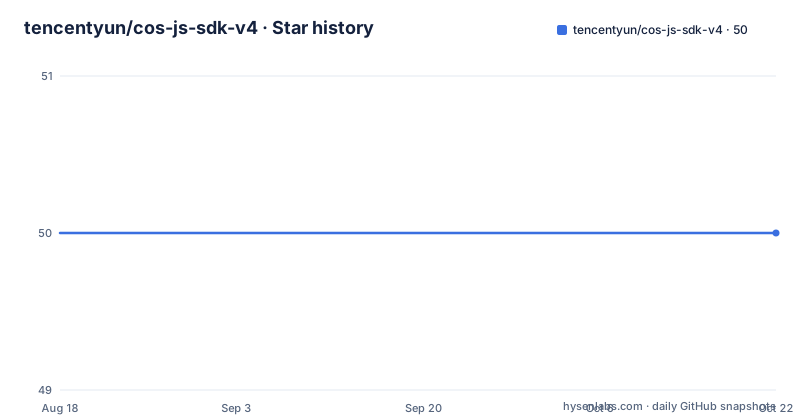
Star history
- tencentyun/cos-js-sdk-v450 ★ · +0
| Repository | 2026-08-18 | 2026-10-22 |
|---|---|---|
| tencentyun/cos-js-sdk-v4 | 50 | 50 |
0 Stars in the last 65 days, measured from the daily GitHub snapshot. Compare with other projects
Editorial analysis
The first thing the README says is that you should not use it
The document opens with a deprecation notice rather than an introduction. The SDK depends on a JSON API that has been deprecated, and the instruction is to move directly to cos-js-sdk-v5, which is built on the XML API instead. Links are given for the releases, for the detailed documentation, and for the JSON API reference this version speaks. That framing matters for anything you plan to build here: v4 is a maintenance artefact for existing pages rather than a foundation. Repository metadata lists an MIT licence while package.json declares ISC, and the product homepage points at the COS product page rather than at versioned documentation for this SDK.
Three prerequisites: HTML5, four credentials, and a CORS rule per bucket
The preparation section names three things. The browser must support HTML5. You need to collect your project id, called the appid, plus the bucket, secret_id and secret_key from the COS console. And you must configure cross-origin settings on each bucket you intend to operate, following the sample that adjusts the Origin, with an image of the console panel sitting in the repository root as cors.png. That last step is the one people skip: the initialization snippet carries its own reminder that CORS has to be set on the bucket before the SDK is used, because a browser request without it fails before any of your code runs.
Region became mandatory in v4, and it is a short code
The first difference from v3 listed is region. v3 carried no region information, while v4 initialization requires it, and the codes given are gz for South China, sh for East China and tj for North China. That argument appears in the constructor alongside appid, bucket and the signature callback, all of which are marked required. The same list answers a question the documentation clearly gets asked: how do you know whether to use the v4 SDK or the v3 one. Log into the COS console and read the banner in the top left. If it says the cloud object storage v4, use v4, otherwise you are on v3.
The signature callback is the integration point, and it needs one encode
The second difference from v3 is the biggest structural one. In v3 the auth.php side was tightly coupled and computed its sha1 value with Flash; v4 separates the authentication logic so you can implement getAppSign and getAppSignOnce yourself, and the SDK ships complete examples of browser-side signing. The documented production pattern is to stand up a signing server, fetch the signature from it and call the callback, because that keeps the private key off the client; the alternative, computing the signature directly in the browser, is presented as the option that does not. One detail is easy to get wrong: the signature you hand to the SDK must be URL-encoded once.
One upload call does multipart, and the progress is total progress
The third difference collapses two APIs into one. v3 had separate interfaces for ordinary upload and for multipart upload, while v4 calls one method and switches to the multipart logic automatically for large files, with manual multipart still available if you want it. The upload example wires three callbacks plus the bucket and the key:
cos.uploadFile(successCallBack, errorCallBack, progressCallBack, bucket, myFolder+file.name, file, 0);The progress callback is new in v4, and the multipart example carries a comment explaining what it reports: total progress rather than the progress of a single request. The arithmetic is spelled out too, a 100M file sent in 1M chunks that has transferred 500K reports 0.05. Driving a progress bar from that number means it moves in jumps rather than smoothly.
Every folder and file call takes the same three callbacks
The remaining examples are variations on one shape, with successCallBack, errorCallBack, the bucket and a path. Folders can be created and deleted with createFolder and deleteFolder, listed with getFolderList, which returns twenty entries per request by default, and inspected with getFolderStat. Folder attributes are writable through updateFolder, which takes the folder and a new attribute string. Files follow the same pattern with deleteFile, getFileStat and updateFile, the last again taking an attribute string. The error callback in every sample falls back to responseText when the result object is empty, which is the only error-shape guidance the documentation offers.
Copy and move share one path rule and a 0 or 1 overwrite flag
The two calls worth reading twice are copyFile and moveFile, because the destination path has a rule that is easy to misread. A relative destination nests under the source directory, so 333/2.txt against a source of 111/2.txt means 111/333/2.txt, while a destination with a leading slash is measured from the bucket root, so /333/2.txt lands at 333/2.txt in the root. Move adds one more case: moving within the same directory under a different name is a rename. Both calls take an overwrite flag where 0 means do not overwrite and 1 means overwrite, and both use the same callback pair as everything else.
Gulp builds it, and the last push was in 2021
The package is small and dated. package.json names it cos-js-sdk-v4 at version 1.2.1, points main at dist/cos-js-sdk-v4.js, and defines a single dev script that runs gulp. Its devDependencies are seven gulp plugins: gulp itself, gulp-concat, gulp-footer, gulp-header, gulp-load-plugins, gulp-replace and gulp-uglify, which is the modular build the README mentions you can run yourself. Installation is either including the built file from dist/ in your page with a script tag, or installing through npm with a dev dependency. The tree carries src/, dist/, demo/, a bower.json and a gulpfile.js, with sample implementations in sample/index.html. The default branch is master, the last push was February 4, 2021, and the newest tagged releases are v1.1.2 and v1.1.0 from July and May 2017.
Editorial conclusion
Use cos-js-sdk-v5 for anything new, since this SDK is declared deprecated and depends on a JSON API that no longer is the supported path. Reading v4 is still worth it if you maintain an existing integration, because the migration notes explain what changed from v3 and because the signature callback pattern, the region argument and the path rules for copy and move carry over conceptually. Before touching either, decide where signing happens, since the recommended pattern puts it on a server, and confirm the console banner that tells you which SDK version your bucket expects.
Frequently asked questions
What does JS SDK mean in the cos-js-sdk-v4 repository?
It is a JavaScript SDK that runs in the browser. Here it means cos-js-sdk-v4, the Tencent Cloud COS browser SDK that speaks the deprecated JSON API, and the documentation tells you to move to the XML-API based cos-js-sdk-v5 instead.
How do I add cos-js-sdk-v4 to a page?
Either download the source and include dist/cos-js-sdk-v4.js with a script tag, or install it with npm as a dev dependency using `npm i cos-js-sdk-v4 --save-dev`. Worked examples for every call live in sample/index.html.
What does initializing cos-js-sdk-v4 require?
A browser with HTML5 support, an appid, a bucket, a region code of gz, sh or tj, and a getAppSign callback. The bucket must also have CORS configured, and the signature passed to the SDK must be URL-encoded once.
Should I use cos-js-sdk-v4 or cos-js-sdk-v3?
Log into the COS console and read the banner in the top left: if it says the cloud object storage v4, use the v4 SDK, otherwise use v3. For new work the README points at cos-js-sdk-v5, which replaces both by using the XML API.
Official sources
Add this badge to your README
If you maintain this project, the badge below links readers to this analysis and shows its maintenance status from the daily GitHub snapshot. Paste the markdown into your README; add ?metric=license or ?metric=stars to the image URL for a different field.

[](https://hysenlabs.com/projects/tencentyun-cos-js-sdk-v4)Star history chart for your README
[](https://hysenlabs.com/projects/tencentyun-cos-js-sdk-v4)