puppet-php gives you seven resources, with defaults written for Red Hat
Puppet module to manage PHP
At a glance
- What is it?
- A configuration management module for installing PHP packages and writing ini files, split by how PHP is actually being run: the command line interface, the Apache module, the FastCGI process manager, or separately packaged extensions. The readme is candid that the defaults assume Red Hat, and the example pinning version 5.3.3 dates the module better than any changelog would.
- Who is it for?
- Adopt this if you already run Puppet and want PHP declared rather than installed by hand, and if your hosts are Red Hat derived, since that is the platform the defaults are written for and every path, package name and config location assumes it. Two things to check before you use it.
- Can I use it commercially?
- Check first. The repository uses a licence we do not classify automatically, so read its LICENSE file before any commercial use.
- Is it still maintained?
- Probably not. The repository last received commits 18 months ago, on April 2, 2025.
- What is it written in?
- Mainly HTML, according to GitHub's language statistics.
Answers come from the project's GitHub data, last synced on October 22, 2026, and from our analysis. They are not legal advice.
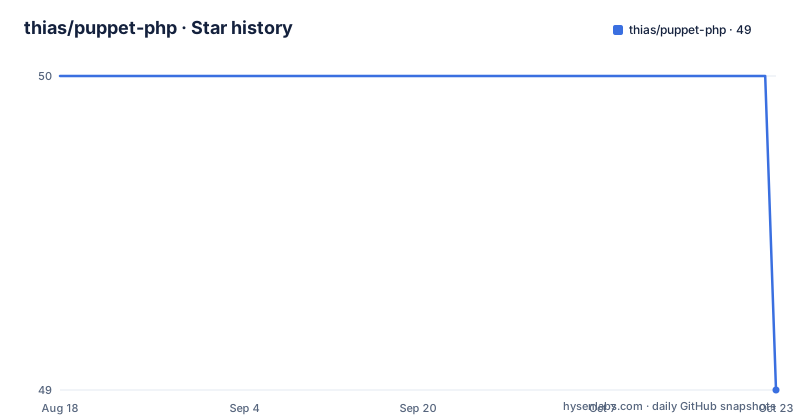
Star history
- thias/puppet-php50 ★ · +0
| Repository | 2026-08-18 | 2026-10-22 |
|---|---|---|
| thias/puppet-php | 50 | 50 |
0 Stars in the last 65 days, measured from the daily GitHub snapshot. Compare with other projects
Editorial analysis
Seven resources, split by how PHP is being run
The public surface is seven names and the split between them is the design. Two install something from the operating system package manager: the command line interface and the FastCGI process manager daemon. Two create configuration: one for ini files generally, and one for FastCGI pool configuration. One installs the Apache httpd module. The remaining two handle extensions that ship as separate packages: one to manage the package, and one to manage that package's ini settings. Note what is absent. There is no resource for deploying application code, for a web root, for a service to run a queue worker, or for a composer project. The module's scope is the interpreter itself, which is why it composes cleanly with whatever else your catalogue already manages.
The defaults assume Red Hat, and the page admits it
The overview says the module is very focused on one enterprise Linux family, and gives the reason: the defaults try to change everything in ways that are typical for that distribution. Then it concedes the important part, which is that it also works on Debian based distributions such as Ubuntu, and that support for others should be easy to add. That last clause is aspirational rather than tested. Every path in the examples is a Red Hat path, from the main configuration file to the Apache configuration directory, and the FastCGI example runs the worker as the user that the other web server expects on that platform. So the Debian claim is credible and unillustrated. If your catalogue is Debian only, you are reading the documentation for a configuration you will not get, which is a normal state for cross-platform modules and worth planning for.
One template produces several ini files, and ordering is explicit
The first example shows the ini resource doing two things at once. Two paths are declared against the same template: one at the system level with error display turned on and a memory limit set, and one inside the Apache configuration directory with a mail header setting turned off. What makes the second one interesting is the ordering comment and the explicit dependency on the package that owns the parent directory. That is a small lesson the example teaches by showing rather than explaining: the module will not create the directory a file lives in, so you declare the dependency and the catalogue resolves it. It also shows the same pattern reused for the FastCGI pool later, where the worker is declared to depend on the web server package so the user exists before the pool references it.
php::ini { '/etc/php.ini':
  display_errors => 'On',
  memory_limit   => '256M',
}
php::ini { '/etc/httpd/conf/php.ini':
  mail_add_x_header => 'Off',
  # For the parent directory
  require           => Package['httpd'],
}
A version pin of 5.3.3 dates the module
The examples give two ways to install the command line interface. One includes the class and takes whatever version your package manager offers. The other declares the class with an explicit version, and the version in the example is not a typo. Pinning to a release from the previous decade tells you two things about this module: it was written when that release was current, and it has kept the interface stable since. Which is a double-edged fact. Stability is what you want from a module whose defaults encode distribution conventions, because a maintained module that churns its resource names is worse than an old one that does not. But a resource name mentioning a major version of the interpreter is a warning about what era of interpreter this was shaped for, and it is worth checking which interpreter versions the underlying packages are expected to install before you rely on the defaults.
include '::php::cli'class { 'php::cli': ensure => '5.3.3' }Extension ini files have three cases, including removal
The module examples cover three states for a separately packaged extension, and the third is the one that shows the design has thought about removal. First, extensions with no configuration at all are declared by listing their names in a single resource with no attributes. Second, an extension with settings declares those settings as a hash on the ini resource, shown with a user cache extension carrying three values. Third, two edge cases appear in the same example. One extension declares that its package name differs from its own name, which is how a package whose name is not the extension name is handled without inventing a second resource. The other declares itself absent, which is how you remove a package you used to manage. Having a removal case at all is unusual and is the reason to read this example rather than skim it.
php::module { [ 'pecl-apc', 'xml' ]: }
php::module::ini { 'pecl-apc':
  settings => {
    'apc.enabled'      => '1',
    'apc.shm_segments' => '1',
    'apc.shm_size'     => '64',
  }
}
php::module::ini { 'xmlreader': pkgname => 'xml' }
php::module::ini { 'xmlwriter': ensure => 'absent' }
The FastCGI pool reuses the name www to overwrite the shipped example
The process manager example does two things worth noticing. It declares a single pool for use behind nginx, and it does so by reusing the pool name that the shipped example configuration already uses, which is how the declaration overwrites the file that came with the package rather than sitting alongside it. That is a deliberate choice and it cuts both ways: you get a clean single pool rather than the default one plus yours, and you get no record in your catalogue of the original default. The pool itself listens on a loopback address and a port, runs as the user the front-end server expects, and declares a dependency on the package that provides that user. Nothing is exposed to the network from the pool's own configuration, which is correct, because the front-end is supposed to be the only thing reaching it.
include '::php::fpm::daemon'
php::fpm::conf { 'www':
  listen  => '127.0.0.1:9001',
  user    => 'nginx',
  # For the user to exist
  require => Package['nginx'],
}
The front-end block exists to avoid a FastCGI error page
The final example is an nginx configuration rather than a catalogue declaration, and the comment in it explains the reason for most of it. The location block that matches requests ending in the script extension checks whether the target file actually exists on disk and returns a plain not found if it does not, and the comment states plainly that this avoids the built-in error page about no input file being specified. That is a real operational annoyance rather than a stylistic one, because the alternative is handing users a FastCGI error instead of a 404. The block also defines the upstream pointing at the loopback pool and a named location that rewrites everything to a front controller, for the case where a framework needs it. The example is cut off before its final directive, so treat it as a starting point rather than a complete file.
# PHP FastCGI backend
upstream wwwbackend {
  server 127.0.0.1:9001;
}
# Proxy PHP requests to the FastCGI backend
location ~ \\.php$ {
  # Don't bother PHP if the file doesn't exist, return the built in
  # 404 page (this also avoids "No input file specified" error pages)
  if (!-f $request_filename) { return 404; }
  include /etc/nginx/fastcgi.conf;
  fastcgi_pass wwwbackend;
}
A standard module layout, and a push from April 2025
The repository is laid out the way a Puppet module is supposed to be, which means you can navigate it without the readme. A directory of manifests holds the resource definitions, a library directory holds Ruby, a templates directory holds the files those definitions render, a metadata file declares the module to the Puppet server, and a tests directory holds the catalogue tests. A change log sits at the root next to the licence and the readme. One oddity in the recorded metadata is worth a note: the primary language is detected as HTML, which is an artefact of the embedded nginx block in the readme rather than a statement about the code, since the module itself is written in the configuration language with ERB templates and Ruby helpers.
Editorial conclusion
Adopt this if you already run Puppet and want PHP declared rather than installed by hand, and if your hosts are Red Hat derived, since that is the platform the defaults are written for and every path, package name and config location assumes it. Two things to check before you use it. Whether your distribution is Debian derived, which the page says works but does not demonstrate with examples. And what the module does not cover, because the visible surface is installation and ini files only: there is nothing here about deploying application code, and the newest recorded push is from April 2025, so check the change log before pinning a version.
Frequently asked questions
What coding language is Puppet used in?
The configuration language itself, which is a declarative DSL rather than a general purpose language, plus ERB for templates and Ruby for library code. This repository is built that way: resource definitions in a manifests directory, rendered files in a templates directory, and Ruby in a library directory. The primary language recorded for the repository is HTML only because the readme embeds an nginx configuration block.
What is Puppet software used for?
Configuration management, which in this module means installing PHP from the operating system package manager and rendering PHP configuration files from templates. The scope stops at the interpreter: there is nothing here for deploying application code or managing a web root, so it composes with whatever else your catalogue already manages.
What is a PHP file extension?
The repository does not discuss PHP source files. What it manages are ini files, created from a shared template, along with the configuration of separately packaged extensions. Two of those cases are handled explicitly: one where the package name differs from the extension name, and one where the extension is declared absent in order to remove it.
Can Puppet be used in Linux?
Yes, and this module targets Linux specifically. Its defaults are written for one enterprise distribution family, which the overview says explains its path and package naming choices, and it states that it also works on Debian based distributions such as Ubuntu, with support for others described as easy to add.
Official sources
Add this badge to your README
If you maintain this project, the badge below links readers to this analysis and shows its maintenance status from the daily GitHub snapshot. Paste the markdown into your README; add ?metric=license or ?metric=stars to the image URL for a different field.

[](https://hysenlabs.com/projects/thias-puppet-php)Star history chart for your README
[](https://hysenlabs.com/projects/thias-puppet-php)