manypkg: the linter that keeps a monorepo's package.json files honest
☔️ An umbrella for your monorepo
At a glance
- What is it?
- manypkg is a linter for package.json files in Yarn, npm, pnpm, Bun or Lerna monorepos, and it enforces the rules that stop a monorepo's dependency graph from drifting, such as requiring every internal dependency to use the same version range and forbidding mismatched external ranges. It is MIT licensed and the CLI is published as @manypkg/cli.
- Who is it for?
- manypkg fits a team whose monorepo has grown past the point where a person can hold the whole dependency graph in their head, since it turns a class of mistakes that only show up at install time into a lint error. It does not fit a repository with a single package, or a team that has already standardised on another monorepo linter with overlapping rules.
- Can I use it commercially?
- Yes. MIT is a permissive licence: you can use, modify and sell software built on it, as long as you keep its copyright and licence notices.
- Is it still maintained?
- Yes. The repository last received commits 16 days ago.
- What is it written in?
- Mainly TypeScript, according to GitHub's language statistics.
Answers come from the project's GitHub data, last synced on November 7, 2026, and from our analysis. They are not legal advice.
Star history
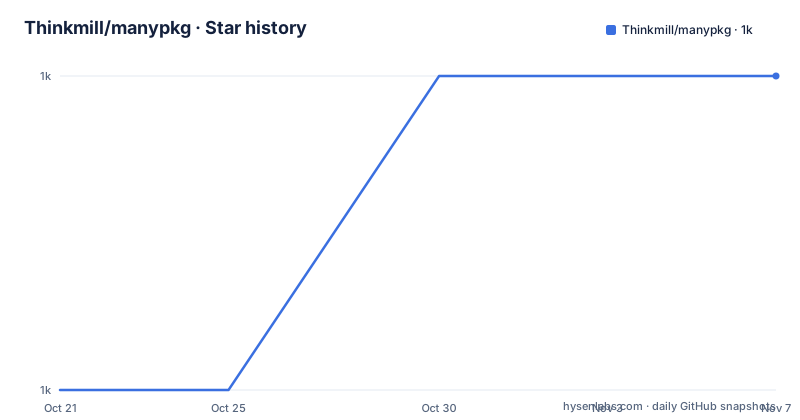
- Thinkmill/manypkg1,047 ★ · +1
| Repository | 2026-10-21 | 2026-11-07 |
|---|---|---|
| Thinkmill/manypkg | 1k | 1k |
1 Stars in the last 17 days, measured from the daily GitHub snapshot. Compare with other projects
Editorial analysis
A linter for the file everybody forgets to lint
Manypkg is a linter for `package.json` files in Yarn, npm, pnpm, Bun or Lerna monorepos, and the scope statement itself is the pitch.
A monorepo has many package.json files, and each of them declares dependencies, and the rules that keep those declarations consistent with each other are not checked by anything in the toolchain by default. A library that depends on `react` with `^18.0.0` in one package and `^18.2.0` in another is not an error, it is a situation, and the situation resolves at install time in a way that depends on the package manager and the hoisting rules.
The install is one command:
yarn add @manypkg/cliThe command surface is small and the three verbs are worth reading together. `manypkg check` runs all of the checks against your repo, logs any errors and exits with a code, so it drops into a CI pipeline as a gate. `manypkg fix` runs the same checks and fixes any of the problems that can be fixed, which is what makes adopting it cheap, because most of the findings are mechanical. And `manypkg run` and `manypkg exec` are the two commands that make it more than a linter.
The project is a Thinkmill project, and the release history shows it is split into several published packages rather than being one. `@manypkg/cli` at 0.25.1 from 2025-08-28, `@manypkg/tools` at 2.1.0 from 2025-07-25, and `@manypkg/get-packages` at 3.1.0 from the same day. The tools and the package discovery layer are separate packages because they are the reusable parts, and the CLI is the thin layer on top.
Partial names for run, and the ambiguity that forces you to be exact
`manypkg run` executes scripts for packages within a monorepo, and the interesting part is how it resolves which package you meant.
The example assumes two packages, `@project/package-a` at `packages/pkg-a` and `@project/package-b` at `packages/pkg-b`, both with a `start` script, and the same script can be reached several ways:
yarn manypkg run pkg-a start
yarn manypkg run a start
yarn manypkg run package-a start
yarn manypkg run @project/package-a start
yarn manypkg run packages/pkg-a start
yarn manypkg run package-b start
yarn manypkg run b start
So the matcher accepts the package name, a fragment of it, or the directory path, and it is happy with any of them as long as the result is unique.
The failure case is documented just as precisely. These would not work, because the `package` and `pkg` are not unique among the package names or directories:
yarn manypkg run package start
yarn manypkg run pkg start
And the escape from a substring collision is to be exact. If you have `@project/package-a` at `packages/pkg-a` and `@project/package-a-1` at `packages/pkg-a-1`, use the exact package or directory name:
yarn manypkg run @project/package-a start
yarn manypkg run packages/pkg-a start
This is a small design decision that says something about the tool. A monorepo of fifty packages has a lot of repeated name fragments, and a command that resolves `pkg` to exactly one package when it can and refuses when it cannot is much easier to live with than one that picks the first match. It also means the same command works across monorepos with different directory conventions, which matters when the tool is used on more than one repository.
`manypkg exec` is the sibling command and is simpler: it executes a command for all packages within a monorepo, for example `yarn manypkg exec rm -rf dist` to clear the build output of every package in one go.
Configuration is three keys in the root package.json
Manypkg supports a number of options, provided using the `manypkg` key in the root `package.json` file.
{
  "name": "monorepo-root",
  "private": true,
  "manypkg": {}
}
There are three documented options and each of them corresponds to a rule.
`defaultBranch` is used by the Incorrect `repository` field rule to determine the correct name for repositories, and the default value is `main`. This is the one that bites people migrating from a `master` default, because a rule that checks the repository URL will flag every package whose `repository` field points at a branch that does not match.
`ignoredRules` determines which checks and fixes should be ignored by the CLI, defaulting to `[]` so that all checks and fixes are enabled. You add the rule's Key value to the array to disable it, for example `{"manypkg": {"ignoredRules": ["EXTERNAL_MISMATCH"]}}` to turn off the external mismatch rule. Keying the configuration on the rule key rather than on a human-readable name is what lets a rule be renamed in the documentation without breaking anyone's config.
`workspaceProtocol` determines whether the `workspace:` protocol for internal packages is required or allowed, defaulting to `allow`. This is a forward-looking option, because the `workspace:` protocol is how a package manager is told to link a local package rather than fetch it from a registry, and requiring it in a monorepo is the stricter and more correct setting if your package manager supports it.
The external mismatch rule and the vocabulary around it
The checks section opens with the rule that most directly addresses the problem monorepos have, and the rule is stated precisely enough to be worth quoting.
The key is `EXTERNAL_MISMATCH`, and the ranges for all dependencies, excluding `peerDependencies`, on external packages should exactly match. The rule is careful about what it does not enforce: it does not enforce that only a single version of an external package is installed, only that two versions of an external package will never be installed because they are specified as dependencies of internal packages.
The reason given is the one every React monorepo has learned. So that only a single version of an external package will be installed, because having multiple versions of the same package can cause confusion and bundle size problems, especially with libraries like React that require there to be only a single copy of the library.
The fix is described as setting the most commonly used range of the dependency as the range at every non-peer dependency place it is depended on, with a fallback when every range is unique.
The dictionary in the readme defines the vocabulary the rules are written in, and it is short enough to be worth reading because the distinctions are real. A private package is one with `private: true` or that is not published, and it explicitly does not refer to a package published to a private registry. An internal package is one that is local, in the repo. An external package is one from a registry like npm. A range is a node-semver range, and a highest range is the range with the highest lower bound, and where there are multiple ranges with the same highest lower bound, the one with the highest upper bound is the highest range.
That last definition is doing real work in the fix algorithm, because choosing the highest range rather than the most common one is a deliberate tie-break, and the private versus internal distinction is the one that trips people up when a package is published to a private registry.
A monorepo that lints itself on install
The repository's own `package.json` is worth reading, because a tool that enforces monorepo discipline applies it to itself.
The root package is `@manypkg/repo`, private, with `packages/*` as its workspaces, and the scripts are revealing. The `postinstall` script is `preconstruct dev && NODE_OPTIONS=--experimental-strip-types packages/cli/bin.js check`, which means that installing the repository's dependencies runs manypkg's own check against the repository. The tool that lints monorepos lints the monorepo that builds it, on every install, before you have run a single command.
The rest of the setup is the current standard for a TypeScript monorepo. `preconstruct` builds the packages, with an `exports` map and a set of experimental flags marked `___experimentalFlags_WILL_CHANGE_IN_PATCH` covering `distInRoot`, `importsConditions` and `typeModule`. Changesets handles the versioning and the changelog. `vitest` is the test runner, `knip` finds unused files and dependencies, and `prettier` with `prettier-plugin-packagejson` formats the manifests, which is a detail that matters in a project whose subject is package.json files.
The package manager is pinned by hash, `[email protected]+sha512...`, which is the way to make the package manager itself reproducible rather than merely versioned. The `.node-version` file pins Node, and there is a `__fixtures__/` directory at the root, which is where the fixtures for the lint rules live.
The release history shows the versioning convention. The published packages carry independent versions, `@manypkg/cli` at 0.25.1 while `@manypkg/tools` is at 2.1.0 and `@manypkg/get-packages` at 3.1.0. The CLI is the youngest, and the tools and package discovery are the mature layers underneath it.
Where manypkg is the wrong tool
The first case is a repository with one package. The rules are about consistency across packages, and with one package there is nothing to be inconsistent with. Installing a linter to check a single package.json is a net loss of setup.
The second case is a team that has already standardised on another monorepo linter. Several tools in this space check overlapping things, and running two of them produces rules that conflict, and the resolution is usually to disable one of them, in which case you have the setup cost of both and the benefit of one.
The third case is a monorepo where the packages genuinely need different versions of the same external dependency. The external mismatch rule is opinionated, and a monorepo with a legacy package on an old version of a library and a modern package on a new one is a real and legitimate situation. The `ignoredRules` option exists for it, but ignoring the rule is a policy decision that a team has to make deliberately rather than something the tool can infer.
The fourth is a repository that does not use a supported package manager. The linter covers Yarn, npm, pnpm, Bun and Lerna monorepos, and while a monorepo built with something else might still have package.json files, the tool's model of what a workspace is comes from those package managers. `manypkg run` and `manypkg exec` in particular depend on the workspace layout being one the tool recognises.
The practical advice that falls out of all of this is about the order of operations. `manypkg fix` rewrites your manifests, and it rewrites them to a consistent range, which is a change to every package that depends on the affected package. That is a large diff to land at once, and the diff is easier to review if the repository was already consistent everywhere else. Running `manypkg check` first, without fixing, tells you the size of the problem before you start.
Editorial conclusion
manypkg fits a team whose monorepo has grown past the point where a person can hold the whole dependency graph in their head, since it turns a class of mistakes that only show up at install time into a lint error. It does not fit a repository with a single package, or a team that has already standardised on another monorepo linter with overlapping rules. Before you add it, run `manypkg check` on your existing repository without fixing anything, because the point of the tool is that it will find inconsistencies you have been living with, and you need to see how many there are before you commit to a policy.
Frequently asked questions
What does manypkg check?
It lints the package.json files in your monorepo for consistency across packages. The main rule, EXTERNAL_MISMATCH, requires the ranges for all dependencies except peerDependencies on external packages to exactly match, so that two versions of an external package are never installed.
How do I run a script in one package of a monorepo with manypkg?
Use `manypkg run` with a partial package name, the full package name or the directory path, for example `yarn manypkg run pkg-a start`. If the fragment is not unique it fails rather than guessing, and if one package name is a substring of another, use the exact package or directory name.
How do I configure manypkg?
Options go in a `manypkg` key in the root package.json. The three documented options are `defaultBranch`, used by the incorrect repository field rule and defaulting to `main`, `ignoredRules`, a list of rule keys to disable that defaults to an empty array, and `workspaceProtocol`, which can be `require` or `allow` and defaults to `allow`.
Does manypkg work with any package manager?
It supports Yarn, npm, pnpm, Bun and Lerna monorepos. The repository itself pins yarn 1.22.22 by hash, uses preconstruct to build the packages, vitest for tests and changesets for versioning.
Official sources
Add this badge to your README
If you maintain this project, the badge below links readers to this analysis and shows its maintenance status from the daily GitHub snapshot. Paste the markdown into your README; add ?metric=license or ?metric=stars to the image URL for a different field.

[](https://hysenlabs.com/projects/thinkmill-manypkg)Star history chart for your README
[](https://hysenlabs.com/projects/thinkmill-manypkg)Was this useful?