golem and the case for an opinionated Shiny app project layout
A Framework for Building Robust Shiny Apps
At a glance
- What is it?
- golem scaffolds a Shiny application into a fixed directory structure with separate start, development and deployment scripts, and it ships helpers that add Dockerfiles, CI files and module files. Its own coverage report shows the bootstrap functions are the least exercised part of the package.
- Who is it for?
- golem fits R teams shipping Shiny applications to real users who want one agreed project structure and who have hit the usual failure modes of a Shiny app that grew organically. It does not fit a team that wants a free-form Shiny project, a small internal tool that will never be deployed, or a team unwilling to accept the opinions it encodes.
- Can I use it commercially?
- Check first. The repository uses a licence we do not classify automatically, so read its LICENSE file before any commercial use.
- Is it still maintained?
- Yes. The repository last received commits 54 days ago.
- What is it written in?
- Mainly R, according to GitHub's language statistics.
Answers come from the project's GitHub data, last synced on November 7, 2026, and from our analysis. They are not legal advice.
Star history
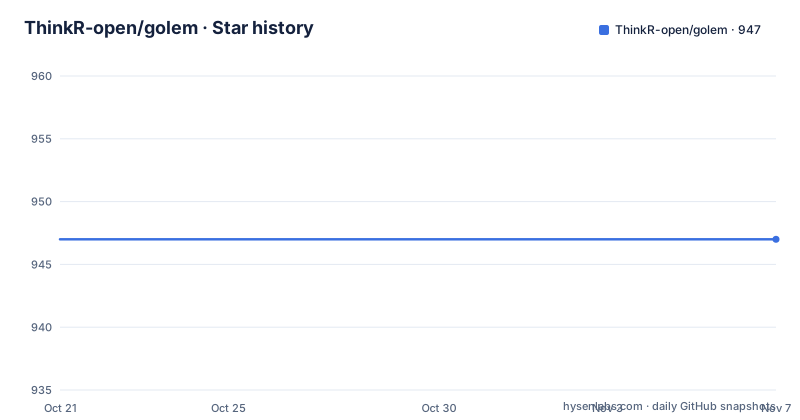
- ThinkR-open/golem947 ★ · +0
| Repository | 2026-10-21 | 2026-11-07 |
|---|---|---|
| ThinkR-open/golem | 947 | 947 |
0 Stars in the last 17 days, measured from the daily GitHub snapshot. Compare with other projects
Editorial analysis
One agreed directory layout instead of a convention you argue about
golem is an opinionated framework for building production-grade Shiny applications, from creation to deployment, and the word opinionated is the important part of that description.
A Shiny app is, at its smallest, a single app.R file. It works. Then it grows, and the growth is where teams diverge. One developer keeps the logic in app.R, another splits it into R/ files, a third adds a module directory, a fourth writes the deployment by hand, and the fifth has a Dockerfile nobody else understands. Nothing about Shiny forces a structure, so the structure is decided by whoever wrote the code first, and it is never revisited.
golem's answer is to decide once, mechanically, and to make that decision a package rather than a wiki page. The framework provides a structured environment that enforces practices, supports maintainability, and produces an application that is ready for deployment. The developers it is for are R developers who already know Shiny and want the plumbing handled, not beginners learning Shiny, and teams rather than individuals, since the value of a fixed layout is that everyone in the team knows where things live.
The primary language is R, the homepage is thinkr-open.github.io/golem, and the repository is not archived. The last push was on 2026-09-15.
Three dev scripts, one per phase of the project
The mechanism that makes golem more than a file generator is the dev/ directory, and it holds three scripts that map onto the three phases an application goes through.
The first is dev/01_start.R, which configures the project at launch. The second is dev/02_dev.R, for day to day development. The third is dev/03_deploy.R, which builds the deployment enabler for the app.
Splitting these is a small design decision with a large effect on how a project ages. In the usual single-file arrangement, the development convenience code and the production launch code live together, because there is nowhere else to put them, and the consequence is that the thing you run on a laptop and the thing you deploy to a server are hard to tell apart. golem makes the distinction structural: a script that starts the app for a developer, a script for the working loop, and a script that produces the artefacts you hand to a deployment target.
The day to day loop has its own entry point as well, the golem::run_dev() function, and the README tells you to see your app in action by running it. The three scripts and run_dev() together mean that launching the app locally is a defined operation rather than whatever the current app.R happens to do.
There is a fourth file outside the dev directory that matters for anything beyond a toy. The dev/03_deploy.R script is the one that produces the deployment enabler, and the package also carries helper functions for adding Dockerfiles, CI configuration and resource files, so the deployment story is generated rather than assembled by hand.
create_golem, or the RStudio project template
There are two documented ways to start, and they produce the same thing.
The first is the function.
golem::create_golem("myapp")The second is the project template, which the README describes as available from RStudio, and the project ships that template in inst/rstudio/templates/project/, which is where the template image the README points to lives.
Choosing the function over the template matters mostly for automation. A template is a thing a person picks in a dialog, while create_golem() is a call you can put in a script, which is what you want if a new application is one step in a larger process, such as generating a project per customer or per environment. Nothing else about the output differs, and the README presents them as alternatives rather than as different levels of support.
The naming is also a hint about the philosophy. You do not create an app, you create a golem, and the result is a project directory with the dev scripts, a package-style structure and the R/ directory that the coverage report later shows. The scaffolding is a real R package skeleton rather than a loose folder of scripts, which is why helpers such as the ones for adding a favicon, a README or a resource path make sense as package operations.
The project also ships an is_golem() check, and a maintenance_page() function, and a set of files_internal and files_external helpers that place assets on the right side of the application boundary. Those exist because in a Shiny app the boundary between what is served to the browser and what stays on the server is a real security consideration, and a framework that pre-decides where files go removes a class of mistakes.
Installing from CRAN or from the GitHub dev branch
Two installation paths are documented, and the distinction between them is a versioning one.
The stable version comes from CRAN.
install.packages("golem")The development version comes from GitHub through remotes, with two further commented variants in the README's own snippet.
# install.packages("remotes")
remotes::install_github("ThinkR-open/golem") # Stable development version
# remotes::install_github("ThinkR-open/golem@dev") # Bleeding edge development version
So there are effectively three sources: CRAN, the GitHub default branch, and the dev branch on GitHub. The comments in the snippet are the documentation of which is which, and choosing between them is a matter of whether you want a CRAN release or the newest code, and if the newest code, whether you want the default branch or the bleeding edge one.
The versioning story is slightly confusing and worth pinning down before you standardise a team on this. The README opens by saying you are reading the doc about version 1.0.1 and notes that golem follows the semantic versioning scheme, and the check output compiled into the README also refers to golem 1.0.1. But the most recent tagged releases listed for the repository are v0.5.1 on 2024-08-28, v0.5.0 on 2024-08-21 and v0.4.1 on 2023-06-05. The badges at the top of the README point at a CRAN status, so the CRAN version is the one to read the 1.0.1 against.
That gap between the 1.x line and the 0.5.x tags is the kind of thing that trips up a team writing a deployment script, so read the version you actually get rather than the version number you remember.
The coverage report shows which helpers are barely tested
The README embeds its own test and coverage output, which is unusual and unusually useful, because it lets a reader see the shape of the package rather than a claim about it.
The check output is clean: zero errors, zero warnings and zero notes across a run of 42.6 seconds, on golem 1.0.1. The coverage figure is 88.91 percent overall.
The per-file breakdown is where the information is. A group of files sits at 0.00 percent: boostrap_base.R, bootstrap_attachment.R, bootstrap_pkgload.R, bootstrap_roxygen2.R, bootstrap_rstudio_api.R, bootstrap_testthat.R, and bootstrap_dockerfiler.R at 23.33 percent. Note the file names, and the fact that several are spelled boostrap rather than bootstrap, which is the kind of detail that makes the list look like it was written by hand.
What the numbers mean is worth stating carefully. The bootstrap files are the ones that generate the project skeleton, add the RStudio files, attach packages, wire up testthat and roxygen2, and produce the Dockerfiles. They are the entry points a new user touches first, and they are the least covered part of the package by the package's own report. The high coverage end of the list is the opposite: utility and file placement helpers sit at 96 to 100 percent, and add_resource_path.R, config.R, maintenance_page.R, set_golem_options.R and others are fully covered.
The pattern is coherent rather than alarming. Pure functions get tested, and code that writes files into a project directory and then asserts on the result needs a more elaborate test harness than a unit test. But a team that relies on the generated Dockerfile should not assume the generation path is exercised by the package's own suite. The README does not explain the gap, and the coverage output it publishes is the honest source on the question.
golemverse, and the parts of the framework that are ecosystem rather than core
golem is one package in a family. The README states that the golem package is part of golemverse, a series of tools for building production Shiny apps, and that tutorials, videos and blog posts are collected at golemverse.org/resources/ along with links to the other packages in the series.
This matters for evaluating scope. The core golem package does a specific job: it creates a project and gives you the layout and the scripts. The broader ambition of production Shiny, things like deployment, monitoring, modularity and testing at scale, is spread across the golemverse packages, and the README points to them rather than bundling them. Anyone writing a business case for adopting golem is really evaluating a family of packages, and should check which members of that family they will actually use.
The repository layout supports that reading. Alongside the usual R package directories, there is a dev/ directory, a pkgdown/ directory for the documentation site, a vignettes/ directory, an inst/ directory holding the RStudio project template and images, a CRAN-SUBMISSION directory and a cran-comments.md file, which together say that the package is published to CRAN through the usual submission process. There is also a tests/ directory, a NEWS.md, a CLAUDE.md and a .claude/ directory, and a .lintr configuration file for linting.
The formatting tooling is worth a line of its own, because it is a sign of where the project is. Contributors are asked to format files with air before submitting, using the command below, and the repository ships a pre-commit hook that runs air automatically through .pre-commit-config.yaml.
air format .The project also carries a Contributor Code of Conduct, released under version 1.0 of the Contributor Covenant, with participation conditioned on abiding by its terms.
Licence and maintenance considerations
The package DESCRIPTION declares `MIT + file LICENSE`. The repository also contains licence files; review them for the version you use rather than inferring a custom licence from GitHub’s classification.
The maintenance picture is the other thing to check. The last push was on 2026-09-15, which is recent, but the most recent tagged releases in the repository are from 2024, with v0.5.1 on 2024-08-28, v0.5.0 on 2024-08-21 and v0.4.1 on 2023-06-05. The README's own embedded check output was compiled on 2026-07-07 and refers to version 1.0.1, so the 1.x line exists and is being exercised, and the older tags are simply the ones the release history records.
The practical upgrade question for a team is therefore not whether golem is being worked on, but which artifact you install and how you pin it. A CRAN install gives you a version CRAN has reviewed, the GitHub route gives you the current default branch, and the dev branch gives you the newest code with the least stability guarantee. Whichever you choose, pin it explicitly, because the helpers that generate Dockerfiles, CI files and package metadata change shape between versions, and a silent upgrade changes the contents of a project skeleton that other developers are expected to understand.
Editorial conclusion
golem fits R teams shipping Shiny applications to real users who want one agreed project structure and who have hit the usual failure modes of a Shiny app that grew organically. It does not fit a team that wants a free-form Shiny project, a small internal tool that will never be deployed, or a team unwilling to accept the opinions it encodes. Verify first that the version you install matches what your team standardises on, since the documentation refers to version 1.0.1 while the most recent tagged GitHub release is v0.5.1 from 2024-08-28, and that the helpers you rely on, particularly the Docker and CI file generators, are covered by your own tests.
Frequently asked questions
How do I install golem?
Install the stable version from CRAN with `install.packages("golem")`. For the development version use `remotes::install_github("ThinkR-open/golem")`, and add `@dev` to that call for the bleeding edge branch.
How do I create a new Shiny project with golem?
Run `golem::create_golem("myapp")`, or pick the golem project template in RStudio. Both produce the same project structure, with dev scripts for launch, day to day development and deployment.
What are the dev scripts in a golem project for?
dev/01_start.R configures the project at launch, dev/02_dev.R handles day to day development, and dev/03_deploy.R builds the deployment enabler for the app. The day to day loop is run with the golem::run_dev() function.
Is golem a good fit for a small internal Shiny tool?
Probably not. golem is built for production-grade applications that get deployed, and it adds a package-style structure, dev scripts and generated deployment artefacts. A tool that only runs on one team's laptop may carry that overhead without getting anything from it.
What licence does golem use?
The repository's licence field says Other, because the project uses a custom licence that GitHub cannot classify. The repository contains both a LICENSE file and a LICENSE.md, and those files hold the actual terms.
Official sources
Add this badge to your README
If you maintain this project, the badge below links readers to this analysis and shows its maintenance status from the daily GitHub snapshot. Paste the markdown into your README; add ?metric=license or ?metric=stars to the image URL for a different field.

[](https://hysenlabs.com/projects/thinkr-open-golem)Star history chart for your README
[](https://hysenlabs.com/projects/thinkr-open-golem)Was this useful?