readr: reading delimited files into R with column types you can see
Read flat files (csv, tsv, fwf) into R
At a glance
- What is it?
- readr is the tidyverse package for reading flat files such as CSV, TSV and fixed-width data into R, and its distinguishing feature is that it prints the column types it guessed so you can correct them. The judgement is that the two-edition parsing model and the guess-then-specify workflow are the parts to understand before you rely on it in a pipeline.
- Who is it for?
- readr fits an R team that wants fast delimited-file parsing with an explicit column specification and a visible report of what the parser inferred. It does not fit a pipeline that must treat every file identically without human review, because the default behaviour is to guess, and a wrong guess is silent until someone reads the message.
- Can I use it commercially?
- Check first. The repository uses a licence we do not classify automatically, so read its LICENSE file before any commercial use.
- Is it still maintained?
- Activity is slowing. The repository last received commits 7 months ago.
- What is it written in?
- Mainly R, according to GitHub's language statistics.
Answers come from the project's GitHub data, last synced on November 7, 2026, and from our analysis. They are not legal advice.
Star history
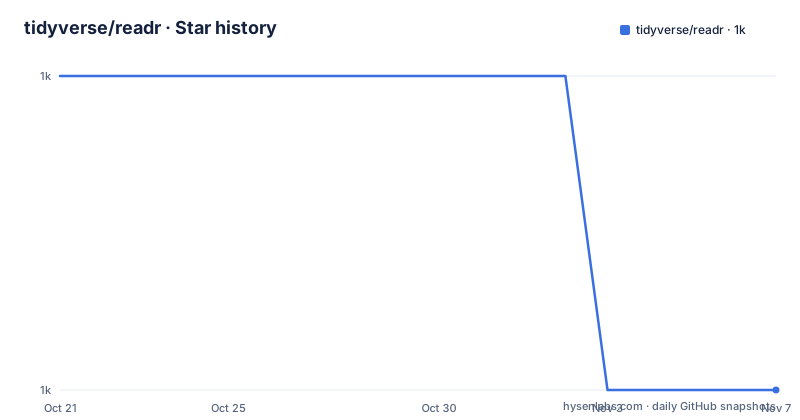
- tidyverse/readr1,041 ★ · -1
| Repository | 2026-10-21 | 2026-11-07 |
|---|---|---|
| tidyverse/readr | 1k | 1k |
-1 Stars in the last 17 days, measured from the daily GitHub snapshot. Compare with other projects
Editorial analysis
The guess, then the spec, then the explicit call
readr's goal is to provide a fast and friendly way to read rectangular data from delimited files, such as comma-separated values and tab-separated values. It is designed to parse many types of data found in the wild, while providing an informative problem report when parsing leads to unexpected results.
The workflow the documentation teaches is a three-step loop, and the middle step is the one people miss.
First you read the file and let readr guess. The example loads a sample file bundled with readr and prints what it inferred:
(chickens <- read_csv(readr_example("chickens.csv")))
#> Rows: 5 Columns: 4
#> ── Column specification ────────────────────────────────────────────────────────
#> Delimiter: ","
#> chr (3): chicken, sex, motto
#> dbl (1): eggs_laid
Then you ask for the specification with `spec()`:
spec(chickens)
#> cols(
#>   chicken = col_character(),
#>   sex = col_character(),
#>   eggs_laid = col_double(),
#>   motto = col_character()
#> )
Then you copy that, tweak it, and pass it back explicitly. The example turns `sex` into a factor with levels `rooster` and `hen` in that order, and `eggs_laid` into an integer:
chickens <- read_csv(
  readr_example("chickens.csv"),
  col_types = cols(
    chicken   = col_character(),
    sex       = col_factor(levels = c("rooster", "hen")),
    eggs_laid = col_integer(),
    motto     = col_character()
  )
)
The point of printing the guessed types is stated plainly. It allows you to check that the columns have been read in as you expect, and if they have not, that means you need to provide the column specification.
The documentation is also clear about the limits of guessing. Column type guessing is very handy, especially during data exploration, but it is important to remember these are just guesses. As any data analysis project matures past the exploratory phase, the best strategy is to provide explicit column types.
That sentence is the whole adoption decision. Guessing is the right default for exploration and the wrong default for a scheduled job.
Seven readers, and no general-purpose one
readr supports a fixed set of file formats, each with its own function, and the list is the API surface.
`read_csv()` handles comma-separated values. `read_tsv()` handles tab-separated values. `read_csv2()` handles semicolon-separated values with a comma as the decimal mark, which is the European convention. `read_delim()` handles delimited files generally, with CSV and TSV as important special cases. `read_fwf()` handles fixed-width files. `read_table()` handles whitespace-separated files. `read_log()` handles web log files.
There is no catch-all reader, and there is no Excel reader and no JSON reader in this list. That is not an oversight, it is the scope: readr is for rectangular delimited data, and the fixed-width reader in particular is the one that is hard to do well because you have to tell it where the columns are.
For the fixed-width case the column specification is not a type declaration but a layout declaration, which is a different problem and the reason `read_fwf()` takes a specification argument that names the field widths rather than the column types.
The installation is the standard R package install. The easiest way to get readr is to install the whole tidyverse with `install.packages("tidyverse")`, or alternatively install just readr with `install.packages("readr")`. There is also a development version route through `pak`, with the `pak::pak("tidyverse/readr")` call for the GitHub source, and the `install.packages("pak")` line shown commented out because it is a one-time step.
The package is part of the core tidyverse, so `library(tidyverse)` brings it in, and it can equally be loaded on its own with `library(readr)`. The startup message in the documentation shows the tidyverse 2.0.0 banner with readr at a development version, and the conflicts note is the standard tidyverse one about `dplyr::filter()` and `dplyr::lag()` masking their base equivalents.
Two editions of the parser, and the switch between them
readr 2.0.0, released in July 2021, brought a new parsing engine, and the package keeps both.
In this so-called second edition, readr calls `vroom::vroom()` by default. The parsing engine in readr versions prior to 2.0.0 is now called the first edition, and if you are using readr 2.0.0 or later you can still access first edition parsing via the functions `with_edition(1, ...)` and `local_edition(1)`.
That is an unusual and useful arrangement. Rather than deleting the old engine when the new one landed, the package kept it addressable. That matters in practice because the two engines do not behave identically, and a project that was written against first edition semantics can be migrated deliberately rather than by surprise.
The `local_edition()` variant sets the edition for the scope of a function, and `with_edition()` evaluates its argument under a given edition. Between them they cover the two cases you actually hit: a whole function that needs the old engine, and a single expression that needs it.
The design point underneath is that a parsing library for messy real-world data is never finished, and the escape hatch is part of the API rather than an apology. A new engine is a performance and correctness bet, and keeping the old one available means a user whose file parsed correctly under the old rules can find out whether the new ones changed the answer before committing.
The repository structure supports the same kind of care. There is a `src/` directory for the compiled code, `R/` for the R sources, `man/` for the documentation, `vignettes/` for the longer guides, `tests/`, `data-raw/` for the scripts that build the bundled data, `revdep/` for reverse dependency checks, `notes/`, an `inst/` directory, a `readr.Rproj` file for RStudio, an `air.toml` formatter configuration, and both `README.Rmd` and `README.md`, with a comment at the top of the README saying it is generated from `README.Rmd` and that the Rmd file is the one to edit. There is also a `MAINTENANCE.md` and a `CODE_OF_CONDUCT.md` in the tidyverse style, and a `.claude/` directory.
Where the guess-then-specify loop breaks down
There are three practical limits, and they are all consequences of the same design choice.
The first is that a guess is a guess. readr infers column types from the data it sees, and a column that looks numeric in the first thousand rows and contains a stray thousands separator in row four thousand will parse cleanly until it does not. The documentation's own advice, provide explicit column types once the project matures past exploration, is the answer, and it is the answer a team has to actually implement.
The second is that the message is easy to miss. The column specification is printed as a message, and the documentation mentions `show_col_types = FALSE` to quiet it. Quieting the message is exactly what many pipelines do to keep the logs readable, and that removes the one signal that would have told you the types were inferred rather than specified.
The third is that the fixed-width reader needs a layout you have to describe. `read_fwf()` is the format where the guess-then-specify loop is most valuable, because the column positions are not derivable from the content, and where a wrong specification produces a table full of nonsense columns rather than an error.
There is a broader point about the two editions. Keeping the first edition available is a genuine kindness, but it also means the behaviour of your script depends on which edition is active, which is a property of the calling code rather than of the data. A codebase that mixes `with_edition(1, ...)` and default calls has two different parsing behaviours in one project, and that is a thing to audit rather than to forget about.
For a comparison, the honest alternative is the base R `read.csv()` family, which does not print a type report and does not guess as carefully, and the `data.table::fread()` function, which is fast and has its own type inference. The difference in approach is that readr's inference is designed to be inspected and then corrected, while the others are designed to be trusted.
Editorial conclusion
readr fits an R team that wants fast delimited-file parsing with an explicit column specification and a visible report of what the parser inferred. It does not fit a pipeline that must treat every file identically without human review, because the default behaviour is to guess, and a wrong guess is silent until someone reads the message. Verify first that you pass an explicit `col_types` in any code that runs unattended, that the file format you have is one of the supported `read_*()` functions, since there is no general-purpose reader, and that the edition you are on matches your expectations, because version 2.0.0 switched the default engine to `vroom::vroom()` while the pre-2.0.0 engine is still reachable through `with_edition(1, ...)` and `local_edition(1)`.
Frequently asked questions
How do I install readr in R?
Install the whole tidyverse with `install.packages("tidyverse")`, or just readr with `install.packages("readr")`. A development version can be installed from GitHub using pak with `pak::pak("tidyverse/readr")`.
What file formats can readr read?
There is a function per format: `read_csv()` for comma-separated, `read_tsv()` for tab-separated, `read_csv2()` for semicolon-separated with a comma decimal mark, `read_delim()` for general delimited files, `read_fwf()` for fixed-width, `read_table()` for whitespace-separated and `read_log()` for web log files.
How do I stop readr from guessing my column types?
Pass an explicit `col_types` argument built with `cols()`, as in the documentation's example where `sex` is given `col_factor(levels = c("rooster", "hen"))` and `eggs_laid` gets `col_integer()`. You can obtain the guessed specification first with `spec()` and edit it.
What is the difference between readr's first and second edition?
Version 2.0.0, released in July 2021, introduced a new parsing engine in which readr calls `vroom::vroom()` by default. The pre-2.0.0 engine is the first edition and is still reachable through `with_edition(1, ...)` and `local_edition(1)`.
What is the licence of the readr package?
The repository's licence is reported as a custom one that GitHub cannot classify, and the root contains both a `LICENSE` file and a `LICENSE.md`. The `LICENSE.md` file is the one to read for the exact terms, and the `MAINTENANCE.md` file describes the project's maintenance policy.
Official sources
Add this badge to your README
If you maintain this project, the badge below links readers to this analysis and shows its maintenance status from the daily GitHub snapshot. Paste the markdown into your README; add ?metric=license or ?metric=stars to the image URL for a different field.

[](https://hysenlabs.com/projects/tidyverse-readr)Star history chart for your README
[](https://hysenlabs.com/projects/tidyverse-readr)Was this useful?