rvest for R: HTML extraction, selectors, and table scraping
Simple web scraping for R
At a glance
- What is it?
- rvest is an R package for reading HTML pages and extracting elements, attributes, text, and tables through CSS selectors or XPath expressions. It suits R users who need repeatable web-scraping code, while page access, robots.txt handling, and responsible request pacing remain separate concerns.
- Who is it for?
- Adopt rvest when the source is HTML, the needed data can be selected from the parsed page, and the work belongs in an R workflow. Do not treat it as a complete crawler, request scheduler, or replacement for the polite package.
- Can I use it commercially?
- Check first. The repository uses a licence we do not classify automatically, so read its LICENSE file before any commercial use.
- Is it still maintained?
- Yes. The repository last received commits 11 days ago.
- What is it written in?
- Mainly R, according to GitHub's language statistics.
Answers come from the project's GitHub data, last synced on November 7, 2026, and from our analysis. They are not legal advice.
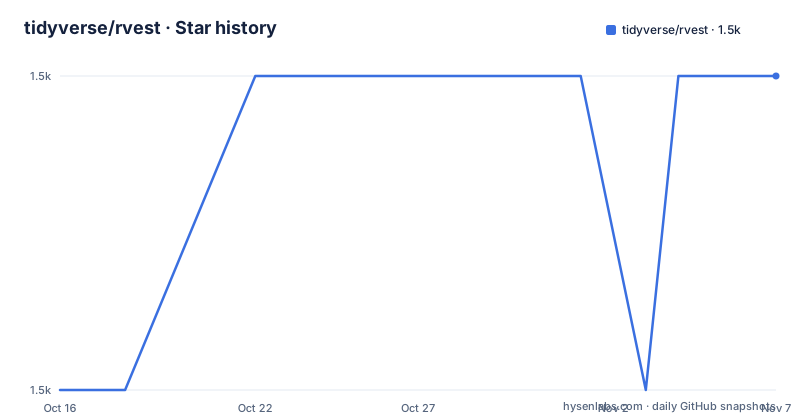
Star history
- tidyverse/rvest1,526 ★ · +1
| Repository | 2026-10-16 | 2026-11-07 |
|---|---|---|
| tidyverse/rvest | 1.5k | 1.5k |
1 Stars in the last 22 days, measured from the daily GitHub snapshot. Compare with other projects
Editorial analysis
Why rvest targets HTML extraction in R
rvest solves a specific part of web scraping: turning an HTML document into R values that can be selected, cleaned, and used in later analysis. Its intended users are R developers who already work in the tidyverse ecosystem and need to collect text, attributes, node sets, or tables without treating every page as raw character data. The package is designed to work with magrittr, so scraping tasks can be expressed as connected operations rather than as a long sequence of low-level parsing calls.
The package is not a general-purpose browser automation tool in the README. The examples operate on HTML that has been read into R, and selection depends on the structure of that document. This boundary matters. A page that requires interaction, authentication, or browser-specific execution is outside the mechanism documented here. Likewise, rvest does not itself define a policy for crawling many pages. The README specifically points users who are scraping multiple pages toward the separate polite package.
How rvest turns page structure into R data
The documented flow begins with `read_html()`, which reads an HTML page into an rvest document object. The page is then queried with `html_elements()` using either a CSS selector or an XPath expression. That function can return multiple matching elements as an `xml_nodeset`, preserving the order and structure represented by the page.
Extraction happens after selection. `html_element()` selects one element from each selected node, which is useful when the target page repeats a structure such as one section per film. `html_text2()` extracts text and normalizes the result for the kind of whitespace commonly found in HTML. The README's example uses these operations together to obtain titles from repeated `<h2>` elements. For values stored in attributes, `html_attr()` returns strings. The README then uses `readr::parse_integer()` to convert the `data-id` values into integers.
Tables follow a separate convenience path. `html_table()` converts a selected HTML table into a data frame, and the README shows a 29-row, four-column result from Wikipedia's Lego Movie page. This is useful when the desired records are already represented as a table. It does not imply that arbitrary pages can be converted without cleanup. The README does not document automatic handling of pagination, JavaScript-rendered content, or changing page layouts.
Installing rvest and extracting the first film data
The README offers two installation paths. Installing the complete tidyverse is convenient when the broader collection is already part of the intended workflow. Installing only rvest keeps the R environment narrower. The commands below are copied from the README.
# The easiest way to get rvest is to install the whole tidyverse:
install.packages("tidyverse")

# Alternatively, install just rvest:
install.packages("rvest")
For a first use, load rvest and read the example page. The expected result is an `xml_nodeset` with seven sections, one for each film in the example document.
library(rvest)
starwars <- read_html("https://rvest.tidyverse.org/articles/starwars.html")
films <- starwars |> html_elements("section")
films
The next operation selects the first heading within each section and extracts its text. The documented output contains the seven film titles.
title <- films |>
  html_element("h2") |>
  html_text2()
title
Attribute extraction uses `html_attr()`. Since the function returns strings, the README converts the result with a readr parser.
episode <- films |>
  html_element("h2") |>
  html_attr("data-id") |>
  readr::parse_integer()
episode
The documented values are integers from 1 through 7. This example demonstrates the central pattern: read once, select a repeated structure, extract text or attributes, and convert values when their type needs to change.
Using html_table() for tabular web data
`html_table()` is the most direct route when the source already contains a recognizable HTML table. The README reads a Wikipedia page, selects the `.tracklist` element, and converts it into a tibble.
html <- read_html("https://en.wikipedia.org/w/index.php?title=The_Lego_Movie&oldid=998422565")

html |>
  html_element(".tracklist") |>
  html_table()
According to the README, the result is a 29 by 4 tibble with columns named `No.`, `Title`, `Performer(s)`, and `Length`. The values remain character data in the shown output, including duration strings such as `2:43` and `2:28`. The example therefore demonstrates extraction and table recognition, not automatic interpretation of every column as a date, number, or categorical value. A real project may need explicit type conversion and further selection after this step.
The selector is also part of the dependency surface. `.tracklist` is specific to the page shown in the documentation. If the site changes its class names, the selector can fail even though the page still contains a table. The README does not describe selector fallback, retries, or schema validation. Those concerns must be handled in application code or verified separately before production use.
Limitations for sites that render data dynamically
The main limitation visible in the documented workflow is its dependence on HTML structure. rvest selects nodes after `read_html()` has parsed the response. The README does not say that the package executes JavaScript, waits for a browser to render content, or interacts with page controls. As a result, it is a poor fit when the required values appear only after client-side execution, or when the server returns a shell page without the target nodes.
The example also uses fixed URLs and fixed selectors. Neither the README nor the repository layout documents a mechanism for discovering when a site changes its markup, validating the number of extracted rows, or recovering from a missing element. The example's seven-section result is an expected output for that page, not a guarantee about arbitrary websites.
There is a separate request-management boundary. The README says that the polite package helps respect `robots.txt` and avoid sending too many requests when scraping multiple pages. That recommendation should not be read as an rvest setting or as an automatic default. A project scraping many pages needs an explicit access policy and a request workflow outside the four extraction functions demonstrated here.
Licensing, maintenance, and alternative approaches
The repository identifies its license as a custom license that GitHub cannot classify. The project directs readers to the `LICENSE` file for the applicable terms. This article does not interpret those terms or give legal advice. Before incorporating rvest into a commercial or redistributed application, the actual `LICENSE` file should be reviewed for obligations that may differ from a standard open source license.
The repository is not archived. Its last push was on 2026-10-09, and the recent releases listed include v1.0.5 on 2025-08-29, v1.0.4 on 2024-02-12, and v1.0.3 on 2022-08-20. Those dates describe repository activity and release history, but the README does not provide a compatibility policy, migration guide, or detailed upgrade-cost analysis for each version.
A real alternative is to use a browser-oriented scraping stack that renders JavaScript and can interact with page controls. The difference is architectural: rvest is centered on parsing fetched HTML and selecting nodes, while a browser-oriented approach represents a rendered page and its runtime state. That broader model can help with dynamic sites, but it introduces a different runtime and dependency set. For static HTML pages that are already expressed as tables or repeated elements, rvest's documented selector and extraction workflow is the more direct choice.
Editorial conclusion
Adopt rvest when the source is HTML, the needed data can be selected from the parsed page, and the work belongs in an R workflow. Do not treat it as a complete crawler, request scheduler, or replacement for the polite package. Before committing to it, verify that your target pages expose the required CSS selectors or XPath expressions, and check the project's custom LICENSE terms against your intended use.
Frequently asked questions
How do I install rvest in R?
The README provides `install.packages("rvest")` for installing only rvest, or `install.packages("tidyverse")` for installing the complete tidyverse. Load it in an R session with `library(rvest)` before using the documented functions.
How do I extract text and attributes from an HTML page with rvest?
Read the page with `read_html()`, select nodes with `html_elements()` or `html_element()`, extract text with `html_text2()`, and extract attributes with `html_attr()`. The README converts the example's `data-id` strings with `readr::parse_integer()`.
Can rvest scrape a JavaScript-rendered website?
The README does not document JavaScript execution, browser rendering, or interaction with page controls in rvest. It documents parsing fetched HTML, so pages that expose data only after client-side execution need verification or a browser-oriented alternative.
Official sources
Add this badge to your README
If you maintain this project, the badge below links readers to this analysis and shows its maintenance status from the daily GitHub snapshot. Paste the markdown into your README; add ?metric=license or ?metric=stars to the image URL for a different field.

[](https://hysenlabs.com/projects/tidyverse-rvest)Star history chart for your README
[](https://hysenlabs.com/projects/tidyverse-rvest)Was this useful?