Git Extras installs every bin/git-* script as a git subcommand, and main replaced master as the assumed branch in 6.4
GIT utilities -- repo summary, repl, changelog population, author commit percentages and more
At a glance
- What is it?
- tj/git-extras is a Shell collection of git subcommands installed by a Makefile. Its main trap for existing users is the default branch change in 6.4, which affects seven commands.
- Who is it for?
- Install Git Extras if you want repo summaries, changelog generation and branch cleanup as plain git subcommands and you can live with a Makefile install under /usr/local. Skip it on repositories that still use master unless you set git-extras.default-branch first, and check which of the seven branch-sensitive commands you rely on before running any of them.
- Can I use it commercially?
- Yes. MIT is a permissive licence: you can use, modify and sell software built on it, as long as you keep its copyright and licence notices.
- Is it still maintained?
- Yes. The repository last received commits 1 day ago.
- What is it written in?
- Mainly Shell, according to GitHub's language statistics.
Answers come from the project's GitHub data, last synced on November 25, 2026, and from our analysis. They are not legal advice.
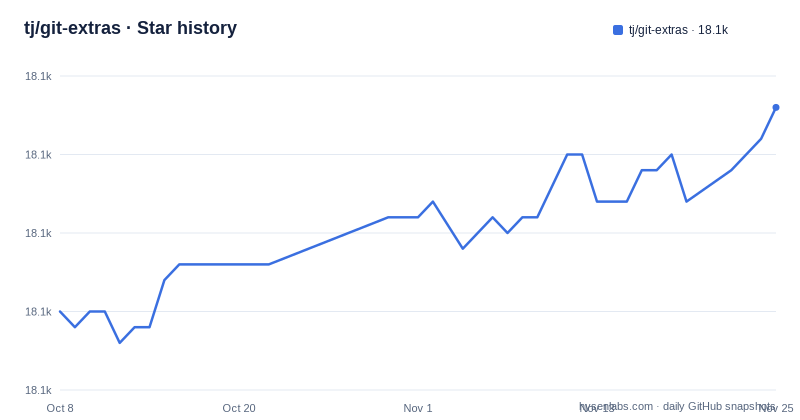
Star history
- tj/git-extras18,133 ★ · +13
| Repository | 2026-10-08 | 2026-11-25 |
|---|---|---|
| tj/git-extras | 18.1k | 18.1k |
13 Stars in the last 48 days, measured from the daily GitHub snapshot. Compare with other projects
Editorial analysis
Each executable named bin/git-* becomes a git subcommand
Git runs any executable called git-something on the PATH when you type git something. Git Extras relies on exactly that. The repository keeps its commands as files under bin/, all matching bin/git-*, and the Makefile builds its list with $(wildcard bin/git-*). Install copies each of them into the binary directory, so git-changelog becomes git changelog and git-effort becomes git effort.
The description names the range: repo summary, repl, changelog population, author commit percentages and more. The introductory screencast covers git-ignore, git-setup, git-changelog, git-release and git-effort. The project is written in Shell, licensed MIT, and the default branch is main.
Nothing here is a daemon or a library. Every command is a separate script that you can run, read and delete on its own, which also means there is no single binary to update. Upgrading means rerunning the install so the new copies replace the old ones.
The Makefile picks the man and completion directories by operating system
The install paths all derive from PREFIX, which defaults to /usr/local. BINPREFIX is $(PREFIX)/bin and SYSCONFDIR is $(PREFIX)/etc, and each can be overridden because they are assigned with ?=. A DESTDIR prefix is honoured on the man page, binary and completion directories, which is what a packager staging into a build root needs.
The Makefile runs uname and branches on the result. On FreeBSD the man pages go to $(PREFIX)/man/man1, with a special case when MANPREFIX equals /usr/local. Everywhere else they go to $(PREFIX)/share/man/man1. Bash completion lands in bash_completion.d under SYSCONFDIR on Darwin and FreeBSD, and in bash-completion/completions on other systems.
The consequence: a Linux user who installs by hand and expects completion in the Homebrew-style location will not find it there. The two layouts are not interchangeable, so the completion directory has to match what your shell actually loads.
make install first runs check_dependencies.sh and stops on failure
The default target is install, and install depends on check. The check target prints "Check dependencies before installation" and runs ./check_dependencies.sh. If that script fails, nothing is copied.
Once the check passes, the install target creates the man and binary directories with mkdir -p, then echoes where it is installing bins and man pages. It also creates a temporary file with mktemp and chmods it to 775, with a comment explaining that the default rw------- mode would stop users from executing the scripts.
Before it loops over the commands, the install target collects your existing git aliases with git config --get-regexp 'alias\..*' and turns each into a git-prefixed name. The loop then tests each command against that list. If you keep aliases named after Git Extras commands, read the Makefile before installing.
INSTALL_VIA=brew applies brew-release.patch to the working tree
INSTALL_VIA defaults to source. When it is set to brew, the install target runs git apply brew-release.patch, and if that fails it prints "Can't apply brew release patch" and exits with status 1. The patch file sits at the top level of the repository next to Makefile, so the Homebrew path edits the checked-out files in place.
This matters if you run the Makefile from a clone and set INSTALL_VIA=brew out of curiosity. The patch modifies your working tree, and a second run can fail because the patch no longer applies cleanly. The variable exists for the formula that builds from a release, not as a user-facing switch.
The Readme.md does not paste an install command. It sends you to Installation.md, so the exact package-manager commands per platform live in that file rather than the Readme. Besides the Makefile, the repository root also carries install.sh and install.cmd.
Seven commands switched from master to main in 6.4
As of Git Extras 6.4 the assumed default branch name changed from master to main. Seven commands are affected: git archive-file, git delete-merged-branches, git delta, git pull-request, git show-merged-branches, git show-unmerged-branches and git squash.
On a repository whose trunk is still master, these commands look for a branch that does not exist. The delete-merged-branches and show-merged-branches pair is the sharpest case, because both compare other branches against the assumed default. Check what each of them compares against before running any cleanup.
The fix is a single config key. Two settings decide the branch name: git-extras.default-branch and init.defaultBranch. Setting either to master restores the old behaviour, and git-extras.default-branch takes precedence when both are set. For a repository-local override:
git config git-extras.default-branch masterSetting init.defaultBranch instead also changes what git init names new branches, so the Git Extras key is the narrower choice when you only want these seven commands to behave.
helper/reset-env and helper/git-extra-utility are shared by every command
The Makefile defines LIB as "helper/reset-env" "helper/git-extra-utility" and describes them in a comment as libraries used by all commands. Two files in helper/ are therefore a shared dependency of everything in bin/.
That shared layer is a reason to install the whole set together. Copying a single git-* script into a PATH directory without the helpers is not what the Makefile does, and the scripts are written against that layout. Extracting one command means taking the helper files with it.
The repository also holds man/ pages in Markdown as man/git-*.md; MAN_BINS filters out man/git-extras.md. The docs target converts them to HTML and to .1 man pages. Alongside sit tests/, a .pytest.ini, check_integrity.sh, etc/ and vendor/, so the project carries its own test setup.
Releases arrive roughly once a year and the last push was 2026-10-08
The most recent releases are 7.5.0 (Labradorite) on 2026-05-10, 7.4.0 (Kyanite) on 2025-06-20 and 7.3.0 (Joanneumite) on 2024-10-20. Releases are named after minerals, and the gaps between them run from about eight months to about a year. The repository is not archived, and the last push was 2026-10-08.
A slow release rhythm has a practical effect. A fix merged to main waits for the next tag, so a package manager that follows releases will lag behind the repository. History.md at the top level is where the changelog for those releases is kept, and CONTRIBUTING.md must be read before opening a pull request.
The change that matters most for upgrades is already in the past: 6.4 moved the assumed branch to main. If you are coming from a release older than 6.4, set git-extras.default-branch before your first cleanup command.
Editorial conclusion
Install Git Extras if you want repo summaries, changelog generation and branch cleanup as plain git subcommands and you can live with a Makefile install under /usr/local. Skip it on repositories that still use master unless you set git-extras.default-branch first, and check which of the seven branch-sensitive commands you rely on before running any of them.
Frequently asked questions
How to install git extras?
The Readme points to Installation.md for the per-platform steps. The repository also ships a Makefile whose default target is install, which runs check_dependencies.sh first and copies the bin/git-* scripts under /usr/local unless PREFIX is overridden.
Which Git Extras commands assume the main branch?
Since 6.4: git archive-file, git delete-merged-branches, git delta, git pull-request, git show-merged-branches, git show-unmerged-branches and git squash.
How do I make Git Extras use master instead of main?
Run git config git-extras.default-branch master. Setting init.defaultBranch to master also works, but git-extras.default-branch takes precedence when both are set.
Is Git Extras still maintained?
The repository is not archived and the last push was 2026-10-08. The latest release is 7.5.0 (Labradorite) from 2026-05-10.
Official sources
Add this badge to your README
If you maintain this project, the badge below links readers to this analysis and shows its maintenance status from the daily GitHub snapshot. Paste the markdown into your README; add ?metric=license or ?metric=stars to the image URL for a different field.

[](https://hysenlabs.com/projects/tj-git-extras)Star history chart for your README
[](https://hysenlabs.com/projects/tj-git-extras)Was this useful?