tj/terminal-table: Ruby ASCII and Unicode Tables
Ruby ASCII Table Generator, simple and feature rich.
At a glance
- What is it?
- tj/terminal-table is a Ruby library for rendering ASCII and Unicode tables in terminal output. It supports rows, headings, separators, multiline cells, alignment, configurable borders, and width settings for command-line reports.
- Who is it for?
- Adopt tj/terminal-table for Ruby command-line reports, diagnostics, and other row-oriented terminal output when predictable ASCII or Unicode formatting is required. Do not select it solely for HTML generation, interactive terminal widgets, or automatic responsive layout, since the README does not document those capabilities.
- Can I use it commercially?
- Yes. MIT is a permissive licence: you can use, modify and sell software built on it, as long as you keep its copyright and licence notices.
- Is it still maintained?
- Yes. The repository last received commits 138 days ago.
- What is it written in?
- Mainly Ruby, according to GitHub's language statistics.
Answers come from the project's GitHub data, last synced on November 7, 2026, and from our analysis. They are not legal advice.
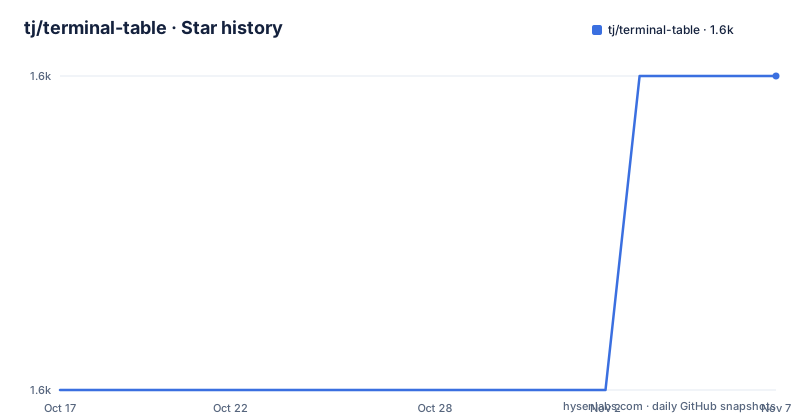
Star history
- tj/terminal-table1,579 ★ · +1
| Repository | 2026-10-17 | 2026-11-07 |
|---|---|---|
| tj/terminal-table | 1.6k | 1.6k |
1 Stars in the last 21 days, measured from the daily GitHub snapshot. Compare with other projects
Editorial analysis
Why tj/terminal-table belongs in Ruby CLI output
tj/terminal-table solves a focused problem: converting rows of Ruby values into readable tables for terminal output. It is aimed at developers building command-line utilities, scripts, diagnostic reports, and small applications whose results are easier to understand when related values are aligned in columns. The basic input is an array of arrays interpreted as rows, while headings, a title, styles, alignment settings, and separators control presentation.
The project is not described as a general document conversion package. Its documented output is terminal text with borders, not HTML, JSON, CSV, or a graphical interface. That makes it appropriate when a program needs compact records for a person reading a terminal. It also avoids requiring a separate rendering stack for a layout operation over strings.
The library does not query databases, infer application types, or apply business rules. It operates after application logic has assembled the records. The caller decides what each column represents, which values belong in a row, and whether the output should use plain ASCII or Unicode box-drawing characters. terminal-table handles the repetitive work of arranging those values with padding, borders, and consistent column widths.
How terminal-table constructs and renders a table
A table begins with `Terminal::Table.new`. Rows can be supplied at construction through `:rows`, assigned later with a setter, or appended incrementally. The README shows both a block that receives the table object and an instance-evaluation form that assigns `self.rows` directly. For larger data sets, incremental construction may fit the surrounding code better, although the library does not document streaming behavior or very large-table limits.
Each nested array is treated as a row. Individual elements are cell values. When the object is printed, terminal-table combines the row data with the selected style, borders, padding, and alignment. The rendered result is therefore derived from the object state rather than from a separate formatting template supplied by the caller.
Multiline values are part of normal cell handling. The README uses `"Two\nDouble"` as one cell and shows it occupying two physical lines. The surrounding row borders continue across the expanded height. This is useful for reports containing descriptions or text that needs explicit line breaks, but the documentation does not explain handling of wide Unicode characters, ANSI escape sequences, embedded tabs, or other values whose terminal display width differs from their Ruby string length.
Alignment can be set for an entire column with `align_column(1, :right)`. A cell hash containing `:value` and `:alignment` supports individual alignment. The column method is easier for uniform data. The cell form is useful for a column whose values need different treatment, but it requires callers to package the displayed value in a hash instead of passing it directly.
Installing terminal-table and printing a first table
gem install terminal-tableLoading the library and creating terminal output
require 'terminal-table'

rows = []
rows << ['One', 1]
rows << ['Two', 2]
rows << ['Three', 3]
table = Terminal::Table.new :rows => rows

puts table
Headings, titles, separators, and grouped rows
Headings are passed through the `:headings` constructor option or assigned with a setter. A title can be supplied through `:title` and appears above the headings in the README example. Both options affect the table structure rather than adding rows to the data model.
Separators allow a report to divide related records. Passing `:separator` to `<<` inserts a separator through its documented alias, while `add_separator` is the explicit form. The examples place separators between logical groups, including groups that contain multiline cells. Setting `:all_separators => true` adds a separator after every row.
This distinction matters. A separator is a visual boundary. The README does not describe it as a typed grouping object with a name, metadata, or independently addressable section. Programs that need group headings, collapsible output, or section-level formatting should keep that information in their own data structure and use terminal-table for rendering. The library can draw the boundary, but the application still owns the meaning of the group.
ASCII borders, Unicode box art, and style controls
ASCII output uses familiar `+`, `-`, and `|` border characters. Styles can change the width, padding, horizontal and intersection characters, and whether top, bottom, left, or right borders appear. The README demonstrates removing outer borders when a more compact report is preferable.
Unicode support requires more detail than the original interface provided. The README says the earlier implementation handled horizontal, vertical, and intersection types, while proper box-art borders need distinct corners and edges for different intersection positions. New border classes and character definitions address that requirement. The older interface remains supported for compatibility, but the README states that complex or Unicode styles use the newer interface.
The API also allows default styles to be changed with `Terminal::Table::Style.defaults`. Tables created afterward inherit those defaults. This is convenient for an application with one consistent presentation, but it is process-wide configuration. A library that builds tables for other code should avoid changing defaults unless that global effect is intentional.
The README does not document automatic terminal capability detection, color output, or fallback from Unicode to ASCII. A program should therefore test its chosen style in the terminals it supports. Unicode borders can look broken in environments with limited character support even when the Ruby string itself is valid.
Limitations, upgrades, and the MIT license
The main limitation is the boundary between fixed table layout and responsive terminal layout. The style accepts `:width`, but the README does not say that terminal-table measures the current terminal. Callers that need predictable output must choose a width appropriate for their target environment and account for long values themselves.
The README does not state a supported Ruby matrix, terminal compatibility policy, rollback procedure, or behavior for ANSI escape sequences and wide characters. The repository contains `History.rdoc`, `spec/`, and a `Rakefile`, but the README does not document a local test command. A production adopter should inspect the gemspec and release history before selecting a version.
The repository is not archived. Its last push was on 2026-06-22. The listed releases are `v4.0.0` from 2025-01-27, `v3.0.1` from 2021-05-10, and `v3.0.0` from 2021-05-10. A later repository push and an older listed release are different facts, so applications that depend on exact output should pin their gem version and review `History.rdoc` when upgrading.
The repository identifies the project under the MIT License through `LICENSE.txt`. That is the license designation to review when incorporating the library into another project. This article does not interpret the license or provide legal advice.
Choosing between terminal-table and manual text formatting
Manual Ruby string formatting is a real alternative for a small, fixed report. It avoids a dependency and gives exact control over every character. The cost is duplication: the program must calculate column widths, add padding, draw borders, handle alignment, and decide how multiline values affect row height. That work becomes substantial once a report grows beyond one or two columns.
terminal-table centralizes that layout logic. Callers pass rows and configure a table object, while the library handles borders, alignment, separators, and multiline expansion. It also supports Unicode border styles without requiring each application to reconstruct every box-drawing intersection.
A key-value or line-oriented format is another alternative when precise alignment is not valuable. It is usually less sensitive to wide characters and narrow terminals because values do not need to share columns. terminal-table is the better choice when a human reader benefits from consistent visual alignment and the program is intentionally producing a table. The trade-off is that output depends on the library's layout rules and version, so exact rendering should be checked across supported environments.
Editorial conclusion
Adopt tj/terminal-table for Ruby command-line reports, diagnostics, and other row-oriented terminal output when predictable ASCII or Unicode formatting is required. Do not select it solely for HTML generation, interactive terminal widgets, or automatic responsive layout, since the README does not document those capabilities. Check first that the configured width, padding, and border characters render correctly in every target terminal, then review `History.rdoc` before changing the gem version.
Frequently asked questions
How do I install terminal-table in Ruby?
The README gives `gem install terminal-table`. After installation, load the library with `require 'terminal-table'`.
How do I create a terminal-table from rows?
Pass an array of arrays to `Terminal::Table.new :rows => rows`, or append rows with `<<` and `add_row`. Printing the table object produces the terminal representation shown in the README.
Does terminal-table support Unicode borders and multiline cells?
Yes. The README documents Unicode box-art borders through the newer border interface and shows a cell containing a newline rendered across multiple lines.
Official sources
Add this badge to your README
If you maintain this project, the badge below links readers to this analysis and shows its maintenance status from the daily GitHub snapshot. Paste the markdown into your README; add ?metric=license or ?metric=stars to the image URL for a different field.

[](https://hysenlabs.com/projects/tj-terminal-table)Star history chart for your README
[](https://hysenlabs.com/projects/tj-terminal-table)Was this useful?