boring-days: a Nuxt 4 calendar where every plan has one of five colors
A tool to record every boring day.
At a glance
- What is it?
- A single purpose scheduling app built on Nuxt 4 and PostgreSQL, packaged as one Docker Compose file. The interesting parts are the schema that appears on first request and the admin account that is rewritten from an environment variable on every boot.
- Who is it for?
- Use boring-days when one person needs a private calendar with hard states and a single login, and skip it if you need per user accounts or schema you can migrate. Set NUXT_AUTH_SECRET and NUXT_USER_PASSWORD before the first start, and remember that the tables only exist after the first schedule request.
- Can I use it commercially?
- Not without permission. GitHub finds no licence file in the repository, and without a licence all rights are reserved by default: you may read the code but not reuse it. Check the README, or ask the authors, before using it.
- Is it still maintained?
- Yes. The repository last received commits 58 days ago.
- What is it written in?
- Mainly Vue, according to GitHub's language statistics.
Answers come from the project's GitHub data, last synced on October 21, 2026, and from our analysis. They are not legal advice.
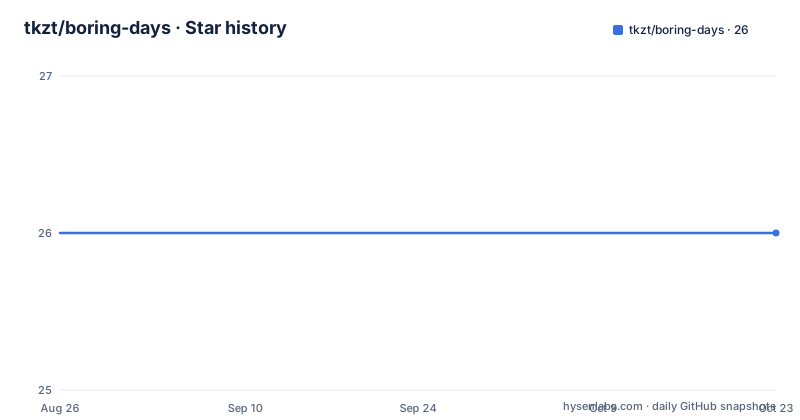
Star history
- tkzt/boring-days26 ★ · +0
| Repository | 2026-08-26 | 2026-10-21 |
|---|---|---|
| tkzt/boring-days | 26 | 26 |
0 Stars in the last 56 days, measured from the daily GitHub snapshot. Compare with other projects
Editorial analysis
Five states, five colors in the month view
The whole product is a calendar with an opinion about status. Every schedule entry can be marked as not started yet, in progress, done, overdue, or decided not to do it. Those five states map to five colors in the month grid: yellow, blue, green, red and gray respectively. That is the entire visual vocabulary, which means a glance at a month answers the only question the app asks, namely where each thing stands. There is no project hierarchy, no tagging scheme and no recurrence described anywhere in the setup notes. The repository description gives the scope in five words: a tool to record every boring day. Local work uses pnpm and a database container:
pnpm install
docker compose up -d db
pnpm dev
Note that only the database runs in Docker there, while the Nuxt server runs in your shell.
No migration step, the first API request builds the schema
The database has no migration tooling at all, and that is a deliberate simplification rather than an oversight. Tables are created automatically the first time the schedule API is requested, so a fresh database plus a fresh container produces a working app without any setup step between the two. The dependency list backs this up: `nuxt`, `pg`, `vue` and `vue-router`, with `@types/pg` for the type stubs, and nothing that would run a schema diff or a migration. The practical cost is that the shape of the data is decided in application code rather than in versioned SQL files, so there is no recorded history of how the tables evolved.
One admin account, rewritten from an environment variable
There is exactly one account, and it is created or updated every time the application starts. The username is `admin`, and the password is whatever `NUXT_USER_PASSWORD` holds, so rotating the password means changing that variable and restarting the app. Access control is binary: a request that is not logged in can neither read nor modify schedules. Session cookies are signed with `NUXT_AUTH_SECRET`, which the notes single out as the value that must be long and random in production, giving a sample value of a long random secret at least 32 characters. Set both variables before the first run, because there is no user creation screen to fall back on.
Compose refuses to boot without the two secrets
The Compose file encodes the requirements in its syntax. Both secrets use an inline required value with an explanatory message, so a missing variable stops the stack instead of producing a container that fails later:
export NUXT_AUTH_SECRET="a-long-random-secret-at-least-32-characters"
export NUXT_USER_PASSWORD="a-strong-admin-password"
docker compose up --build
The app service publishes `3000:3000`, loads `env_file: .env`, and overrides the database URL to `postgresql://calendar:calendar@db:5432/boring_days`. That override matters: the example environment file points at `localhost:5432` for local work, while inside Compose the host must be the `db` service. The database is `postgres:16-alpine` with a healthcheck running `pg_isready` every 5 seconds, up to 10 retries, and the app waits for that health condition before starting.
Two build stages, with pnpm pinned through corepack
The image is assembled in two stages on `node:22-alpine`. The build stage enables corepack and activates a fixed pnpm version with `corepack prepare [email protected] --activate`, then copies only `package.json` and `pnpm-lock.yaml` before running `pnpm install --frozen-lockfile`. Copying the manifest pair first means dependency layers survive changes to the source, and the frozen lockfile makes the install fail rather than silently resolve new versions. Only after `COPY . .` does `pnpm build` run. The runtime stage is a fresh `node:22-alpine` with `NODE_ENV=production`, copies `.output` across, exposes port 3000 and starts `node .output/server/index.mjs`. Nothing from the build stage survives except that directory, so the runtime image carries no sources and no lockfile.
A private package, so nuxt build is the whole ship path
The manifest marks the package private and names it `boring_days`, which means it is never published to a registry and there is no consumer to design a public API for. Six scripts cover the surface: `dev`, `build`, `preview`, `generate` and `postinstall`, which runs `nuxt prepare`. That last one means every install regenerates the Nuxt types before you run anything. The root layout is the standard Nuxt split, with `app/` for the interface, `server/` for the API side, `public/` for static assets, `nuxt.config.ts` and `tsconfig.json`. There is no test script, no linter configuration and no end to end setup in the root entries.
The only tagged release is v2.0.0 from 2023
Version history here is thin and out of step with the code. Exactly one GitHub release exists, tagged v2.0.0 and published on 2023-02-03, while the manifest now depends on `nuxt ^4.5.2`, `pg ^8.23.0`, `vue ^3.5.41` and `vue-router ^5.2.0`. Nothing in the repository ties those tags to the current dependency set, so the tag tells you when the project crossed a major boundary but not what shipped after it. The default branch is `main` and the last push landed on 2026-08-26, so work has continued well past that tag. No license file and no project homepage appear in the repository root, so reuse terms are unstated.
Editorial conclusion
Use boring-days when one person needs a private calendar with hard states and a single login, and skip it if you need per user accounts or schema you can migrate. Set NUXT_AUTH_SECRET and NUXT_USER_PASSWORD before the first start, and remember that the tables only exist after the first schedule request.
Frequently asked questions
What is a boring day?
In this repository a boring day is something you schedule. The app is a Nuxt 4 and PostgreSQL calendar where every entry is marked not started, in progress, done, overdue or decided not to do it, shown in yellow, blue, green, red or gray.
How do you say a boring day?
The repository does not discuss the phrase at all. Its scope is a tool to record every boring day, meaning schedule entries tracked in a month calendar with five status colors, served at http://localhost:3000.
What can I do on a boring day at home?
That question is not answered here. What the project offers is the bookkeeping side: mark a plan as in progress, done, overdue or decided not to do it, and read the month view where those states appear as colors.
Official sources
Add this badge to your README
If you maintain this project, the badge below links readers to this analysis and shows its maintenance status from the daily GitHub snapshot. Paste the markdown into your README; add ?metric=license or ?metric=stars to the image URL for a different field.

[](https://hysenlabs.com/projects/tkzt-boring-days)Star history chart for your README
[](https://hysenlabs.com/projects/tkzt-boring-days)Was this useful?