beginners-typescript-tutorial: each exercise is a problem file and a solution file
An interactive TypeScript tutorial for beginners
At a glance
- What is it?
- This repository is the exercise half of the Total TypeScript beginners course: a CLI runner, a problem file and a solution file per exercise, and passing tests as the signal. The explanations, transcripts and hosted editor all live on the website. The manifest declares GPL-3.0 while the repository carries no licence file at all.
- Who is it for?
- Use this repository if you want the exercises from the Total TypeScript beginners course and none of the course, because the problem and solution files and the test runner are all here while the explanations are not. Do not expect a self-contained curriculum: the video, transcripts, written explanations and hosted editor all live on totaltypescript.com, and the acknowledgements ask you to sign up for the paid course.
- Can I use it commercially?
- Not without permission. GitHub finds no licence file in the repository, and without a licence all rights are reserved by default: you may read the code but not reuse it. Check the README, or ask the authors, before using it.
- Is it still maintained?
- Yes. The repository last received commits 107 days ago.
- What is it written in?
- Mainly TypeScript, according to GitHub's language statistics.
Answers come from the project's GitHub data, last synced on November 22, 2026, and from our analysis. They are not legal advice.
Star history
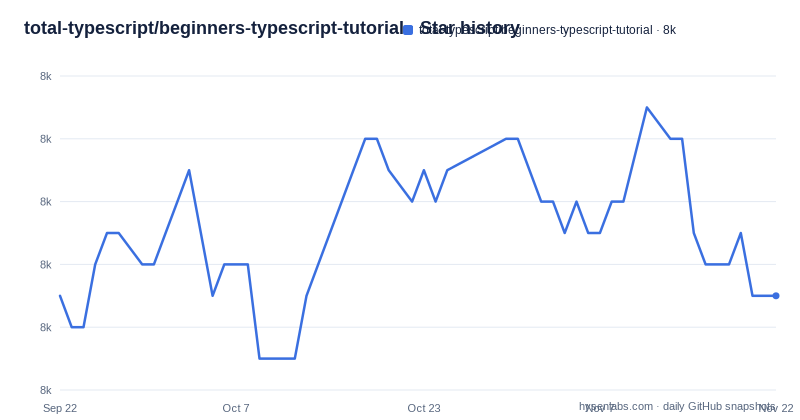
- total-typescript/beginners-typescript-tutorial7,967 ★ · +0
| Repository | 2026-09-22 | 2026-11-22 |
|---|---|---|
| total-typescript/beginners-typescript-tutorial | 8k | 8k |
0 Stars in the last 61 days, measured from the daily GitHub snapshot. Compare with other projects
Editorial analysis
The unit of the course is a pair of files
The README states the structure in one line, and it is the whole design. The course is split into exercises, and each exercise is split into a problem file and a solution file, distinguished by their extensions.
So the repository stores both the broken state and the fix, side by side, for every exercise. That is why the workflow can tell you to try first and only then look at the solution, and it is why the answer is always one unpause away rather than something you have to find in a separate branch or a video.
The entry point is a prompt.
# Installs all dependencies
npm install

# Asks you which exercise you'd like to run, and runs it
npm run exercise
And the README is explicit that the repository is not where you read. It directs you to the course on Total TypeScript, where the four things you get are video explanations for each problem and solution, transcripts, text explanations, and a built-in Stackblitz editor.
The consequence is that cloning this gives you an exercise runner and its tests. The teaching is on the website, and the README's job is to route you there.
The tests grade you, not the video
The pedagogical claim is stated unusually plainly for a README.
The course encourages active, exploratory learning: in the video a problem is explained and you are asked to try to find a solution. The suggested method is to check TypeScript's own documentation, try to find something that looks relevant, and give it a go to see if it solves the problem.
Then the line that defines the loop: you will know if you have succeeded because the tests will pass.
That is a different shape from most tutorials, where reading is the primary activity and an exercise confirms it. Here the tests are the feedback channel and the video is a prompt rather than a lecture.
The README also gives permission to skip ahead. If you succeed, or if you get stuck, unpause the video and check out the solution file, and the invitation to compare is that you can see whether your solution is better or worse than the author's.
The consequence is that this works badly as passive reading and well as a workshop driver, because every exercise has an objective pass condition that a facilitator can watch a room attempt.
Every exercise has two numbered npm scripts
The scripts section is where the course inventory lives, and it is mechanical.
  "scripts": {
    "exercise": "tt-cli run",
    "e": "npm run exercise",
    "solution": "tt-cli run --solution",
    "s": "npm run solution",
    "prepare": "tt-cli prepare-stackblitz",
    "e-01": "tt-cli run 01",
    "s-01": "tt-cli run 01 --solution",
The CLI is `tt-cli`, from a package scoped to the same organisation. The top-level commands take no argument and prompt for a choice, and they get single-letter aliases: `e` for the problem and `s` for the solution.
Then every exercise number gets its own pair, zero-padded to two digits, running the same CLI with the number as an argument. The pattern runs through at least exercise 17.
The consequence is that you can jump straight to exercise twelve without scrolling a menu, which is the difference between a tutorial you work through alone and one you run in a workshop where everybody is on a different exercise.
There are no runtime dependencies, only devDependencies
The manifest is worth reading as a whole, because what it does not contain is as informative as what it does.
  "devDependencies": {
    "@total-typescript/exercise-cli": "^0.11.0",
    "@total-typescript/tsconfig": "^1.0.3",
    "@types/node": "^18.6.5",
    "cross-fetch": "^3.1.5",
    "jsdom": "^25.0.0",
    "typescript": "^5.4.5",
    "vite-tsconfig-paths": "^5.0.0",
    "vitest": "^2.0.0"
  },
There is no dependencies field at all. Eight packages, every one of them a development dependency, which is the correct shape for something you clone and run rather than something you add to a project.
The set tells you the stack. Vitest is the test runner, and the passing tests that grade you are its output. A shared tsconfig package supplies the compiler configuration. A Vite path plugin handles module resolution for the exercises. jsdom is a DOM implementation, so at least some exercises run in a simulated browser rather than plain Node, and cross-fetch is a fetch polyfill for the Node side.
One detail to note: `@types/node` is on 18 while `typescript` is on 5.4. So the type definitions target Node 18 and the compiler is recent, and there is no `engines` field declaring a Node floor.
The consequence is that nothing here is consumable as a package, which is consistent with the manifest's other oddities below.
GPL-3.0 is declared, and there is no licence file
The manifest's identity block is four lines.
  "author": "Matt Pocock <[email protected]>",
  "license": "GPL-3.0",
Three lines earlier it declares a name, a version and a module type.
  "name": "beginners-typescript",
  "version": "1.0.0",
  "type": "module",
  "main": "index.js",
The `main` field points at `index.js`, which is not among the repository's top-level entries, so the field describes a file that is not there. And `main` is the older CommonJS entry field on a package that declares itself as an ES module, where an `exports` map would be the modern equivalent.
None of that breaks anything, because nobody installs this. The interesting part is the licence. The top level of the repository contains no LICENSE file, and GitHub's own licence detection for the repository comes back empty, while the manifest asserts GPL-3.0.
So a copyleft obligation is stated in a metadata field with none of the licence text alongside it. If you fork this to run your own internal workshop, that combination is the thing to raise with the author, because you cannot read the terms you are agreeing to from the repository itself.
npm install also rebuilds the hosted editor project
The quickstart is two commands, and the first one does more than the comment above it says.
That comment says it installs all dependencies. But `npm install` runs the `prepare` lifecycle script, and this repository defines one.
"prepare": "tt-cli prepare-stackblitz",So installing also invokes the exercise CLI to prepare a StackBlitz project, which is the hosted editor the README lists as one of the four things available on the course site.
That is a sensible arrangement and it is also invisible if you only read the README's comments. Nothing in the quickstart mentions that the install regenerates the browser-based version of the exercises, and the connection between a script named `prepare-stackblitz` and the hosted editor is something you have to infer from the README's feature list.
The consequence is practical. If you fork this, your install step now depends on the CLI succeeding at preparing a StackBlitz project for a repository that may no longer exist. In a classroom or CI image that is an extra moving part on the command you would expect to be inert, and the failure will look like an install failure rather than a documentation build failure.
No releases, and the version has not moved since the first commit
The repository publishes no GitHub releases, and the manifest version is `1.0.0`.
Those two facts together mean there is no version to pin and no changelog to diff. What you get is whatever the main branch holds when you clone it.
The tooling is current, which is worth separating from the versioning. TypeScript is on 5.4.5, Vitest on 2.0.0, jsdom on 25. The last commit was on 2026-08-07. None of that is stale, and a renovate configuration at the repository root suggests dependency updates are automated.
So the practical picture is a repository whose dependencies move continuously and whose own version does not. There is no way to say, from the outside, which set of exercises you have.
The consequence is that if you teach from this, capture the commit. For a tutorial that grades work by passing tests, a dependency range moving underneath you is a worse failure than a stale exercise, because the tests change without the problems changing. And for anyone who wants to fork it, the absence of a release means there is no obvious point to branch from.
What this tutorial cannot do, and what it leaves you holding
Five limits, and they all come from the same decision about where the course lives.
It cannot teach you by itself. Every explanation the README mentions lives on totaltypescript.com: the videos, the transcripts, the text explanations and the editor. Cloning gives you problems and tests.
It cannot be consumed as a library. There is no dependencies field, the `main` field points at a file that is not in the repository, and the whole design is a command-line runner over files in `src/`.
It cannot be pinned. No releases, a static version of 1.0.0, and the exercise CLI itself on a caret range, so a fresh clone can legitimately behave differently from last month's.
It cannot declare its platform requirements. There is no `engines` field, and the only hint is that the Node type definitions are on version 18.
And it is not a neutral tutorial. The acknowledgements thank the author and then ask readers to sign up to his Total TypeScript course. That is a reasonable arrangement for an open repository attached to paid teaching, and it is also the fact to be clear about if you were planning to point a whole team at it as a free internal curriculum: you get the exercises, and the explanation is the thing being sold.
Editorial conclusion
Use this repository if you want the exercises from the Total TypeScript beginners course and none of the course, because the problem and solution files and the test runner are all here while the explanations are not. Do not expect a self-contained curriculum: the video, transcripts, written explanations and hosted editor all live on totaltypescript.com, and the acknowledgements ask you to sign up for the paid course. Before you fork it for your own internal teaching, check two things. The manifest declares GPL-3.0 while the repository carries no licence file and GitHub detects none, so a copyleft obligation is asserted without the text being present. And there are no published releases, so there is nothing to pin: the manifest version is a static 1.0.0 and the exercise CLI floats on a caret range.
Frequently asked questions
What is the best way to start learning TypeScript, per this tutorial?
By writing code against failing tests rather than by reading explanations. The README describes active, exploratory learning: watch the problem, try to find a solution, check TypeScript's documentation, run it, and know you have succeeded because the tests pass.
What is the best TypeScript tutorial?
The README does not compare tutorials or rank itself. It directs you to the course at totaltypescript.com, which carries the video explanations, transcripts, text explanations and a built-in Stackblitz editor, and the acknowledgements ask readers to sign up to the paid course.
Is TypeScript easy to learn?
The repository makes no claim about difficulty. What it describes is a format where each exercise is a problem file and a solution file, run through a CLI, with passing tests as the signal of success, so the feedback channel is the test suite rather than a tutorial's own assessment.
Is TypeScript still relevant in 2026?
The README does not address that. The repository records a manifest built on TypeScript 5.4.5, Vitest 2.0.0 and jsdom 25, with the last commit on 2026-08-07 and no published releases, so the tooling is current while the manifest version is still 1.0.0.
Official sources
Add this badge to your README
If you maintain this project, the badge below links readers to this analysis and shows its maintenance status from the daily GitHub snapshot. Paste the markdown into your README; add ?metric=license or ?metric=stars to the image URL for a different field.

[](https://hysenlabs.com/projects/total-typescript-beginners-typescript-tutorial)Star history chart for your README
[](https://hysenlabs.com/projects/total-typescript-beginners-typescript-tutorial)Was this useful?