tablesort: a table sorter small enough to read in one sitting
:arrow_up_down: A small tablesorter in plain JavaScript
At a glance
- What is it?
- tablesort is a plain JavaScript sorting component for HTML tables that you point at a table element and that works out the sort by reading the table headers, with sort types shipped as separate optional files for numbers and dates, and an extend function for anything else. It has no runtime dependencies, the main entry in package.json is the source file rather than a bundle, and the build is a single Grunt task.
- Who is it for?
- tablesort fits a project that needs sortable tables and would rather not take a charting or grid dependency to get them, and that is comfortable with a component which reorders rows in the DOM rather than re-rendering a virtualised list.
- Can I use it commercially?
- Yes. MIT is a permissive licence: you can use, modify and sell software built on it, as long as you keep its copyright and licence notices.
- Is it still maintained?
- Activity is slowing. The repository last received commits 6 months ago.
- What is it written in?
- Mainly JavaScript, according to GitHub's language statistics.
Answers come from the project's GitHub data, last synced on November 7, 2026, and from our analysis. They are not legal advice.
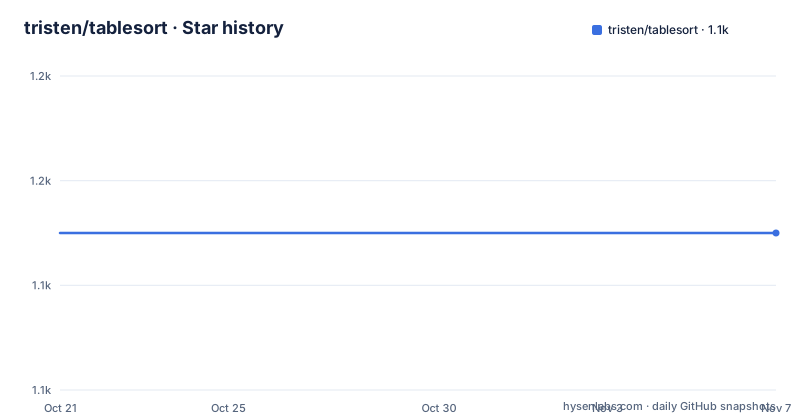
Star history
- tristen/tablesort1,145 ★ · +0
| Repository | 2026-10-21 | 2026-11-07 |
|---|---|---|
| tristen/tablesort | 1.1k | 1.1k |
0 Stars in the last 17 days, measured from the daily GitHub snapshot. Compare with other projects
Editorial analysis
The whole integration, which is three script tags
tablesort is a small and simple sorting component for tables written in JavaScript, and the quick start shows the entire integration:
<script src='tablesort.min.js'></script>

<!-- Include sort types you need -->
<script src='tablesort.number.js'></script>
<script src='tablesort.date.js'></script>

<script>
  new Tablesort(document.getElementById('table-id'));
The script block ends there, but the shape of it is the point. There is no configuration object, no options, no markup to annotate. You include the library, optionally include the sort type implementations you need, construct a Tablesort with the table element, and the headers become clickable sort controls.
That last part is worth understanding, because it is the design decision. The sorter works out what to sort by reading the table headers, so there is nothing for you to declare. The cost is that the header cell content has to be the sort key, and the library infers the rest.
The separate sort type files are the other design decision, and it is a good one. Only the base library is included by default, and the number and date comparators are opt-in files you pull in if you need them. A table of plain strings needs nothing extra, and a table with a price column and a date column needs two extra script tags and no configuration. The cost of a table sorter in a project is usually measured in kilobytes, and this is the approach that keeps it near zero.
The Node usage path is the same idea in a bundler world:
import tablesort from 'tablesort';

tablesort(el, options);
Note that the import name is the package name and the main field in package.json points at ./src/tablesort.js rather than at a built bundle. So a bundler consumes the source directly, and there is no build step in your project, which is why the package has no runtime dependencies at all.
Styling is handled the same way. You add the styling from the tablesort.css file to your CSS or roll with your own. The CSS is a separate artefact, not baked into the JavaScript, so a project with its own design system overrides the indicators rather than fighting them.
The primary language is JavaScript, the licence is MIT, and the homepage is tristen.ca/tablesort/demo. The recent releases are 5.7.1 on 2026-04-15, 5.7.0 on 2025-12-26 and 5.6.0 on 2025-04-21, and the repository is not archived with the last push on 2026-04-15.
Extending it, and the two function shape of a custom sort
The extension API is where tablesort handles the case it does not cover, and its shape explains how the library keeps its default footprint small.
If you require a sort operation that does not exist in the sorts directory, you can add your own:
Tablesort.extend('name', item => {

  // Regular expression to test against.
  // `item` is a table value to evaluate.
  return /foo/.test(item);
}, (a, b) => {

  // Custom sort functionality goes here.
  // e.g var n = (a > b) ? -1 : 1;
  return n;
});
The two callbacks are a detection function and a comparator, and they are separate for a good reason. The first asks whether a value belongs to this sort at all, and the second decides the order of two values that do. That split is what lets a single table have a column of mixed content where some values are of one type and others are not.
The detection function receives a single table value to evaluate, and the regular expression is tested against it. The comparator receives two values and returns a number, with the example given being the familiar a > b ? -1 : 1 shape. So a custom sort is about fifteen lines and no knowledge of the library internals.
The name argument registers the sort under a label, and the sorts directory is where the built in ones live, which means the number and date comparators you loaded with those extra script tags are the same kind of thing you would write yourself. That symmetry is what makes the API feel like a feature rather than a hook: you are not extending a private interface, you are adding to the same catalogue.
The project also asks for contributions, and says that if you have made an extend function that others would benefit from, pull requests are gladly accepted. For a library this small, that request makes sense: the set of sort types people need is long and varied, and the cheapest way to grow it is to let users contribute the one they wrote for themselves.
The sort types are also separate files in the built output, which is the same pattern as the separate CSS. The library ships as a set of small pieces rather than one bundle with everything in it, and the browser decides which pieces it pays for.
What client side sorting means for a large table
There is a limitation that the documentation does not spell out but that follows directly from the design, and it is worth stating before anyone adopts it.
tablesort sorts the rows that are in the document. It reorders them, presumably by manipulating the table body, and that is the whole mechanism. So the cost of sorting is proportional to the number of rows you have already loaded into the page, and the cost of rendering them afterwards is also proportional to the number of rows.
For the table this library is aimed at, which is a page of results with a few dozen rows, that is invisible. The click is instant and nothing needs to be re-rendered by the server. For a table with thousands of rows, the behaviour changes qualitatively: the browser has to reorder thousands of DOM nodes, the layout is recalculated, and the page becomes slow in a way that feels like the application has hung rather than like it is working.
The usual answer to that problem is virtualisation, and a component that reorders DOM rows is not a good fit with it, because the whole model is that the rows are all present.
The other common answer is server side sorting, where the click sends a request with a sort parameter and the server returns a new page or a new set of rows. That model is a different one from what tablesort does, and a project that needs it should not be reaching for a client side sorter at all.
So the question to ask is whether the table is bounded. If a page shows a fixed number of rows, because it is paginated, because it shows the top twenty, because it is a small reference table in a settings page, then tablesort is a good fit and the entire feature costs three script tags. If the table is unbounded, or if the number of rows is data dependent and could be large, then the sorting mechanism is the wrong place to solve the problem.
There is a middle case worth mentioning, which is a table that is already paginated in the UI but whose page size could be large. A hundred rows sorts instantly. Ten thousand rows does not. The number where it stops being pleasant depends on the browser and the rest of the page, and it is worth testing with real data rather than with the demo, which is what the demo cannot tell you.
What the client side sorting can and cannot do for accessibility
There is a category of expectation that a client side table sorter invites and that is worth being clear about.
Sorting a table by clicking a header is a visual interaction, and the header has to be a control for it to work at all. The library turns the header into a clickable target, which means the accessibility of the result depends on what the library does with the header cell beyond making it clickable. If the header remains a plain th element with a click handler attached, then a keyboard user cannot reach it and a screen reader will not announce it as a button.
That is not a criticism of the library, which describes itself as small and simple. It is a statement about where the work is if you need an accessible table. The sort indicator has to be visible and not colour only, the header has to be focusable and operable by keyboard, and the current sort has to be announced, for example through an aria-sort attribute on the header. The library's own CSS provides the indicator, and the demo shows what it looks like, so the visual half is covered. The keyboard and announcement halves are the sort of thing a project adds itself, and the fact that this library does not add them is worth knowing before you ship it into a product that has an accessibility requirement.
The broader point is that tablesort is a sorting mechanism, not a table component. It does not manage pagination, it does not manage filtering, it does not manage selection, and it does not manage a data source. It takes the table you already have and reorders the rows in it. Any of the surrounding behaviour your application needs is yours to build, and the library's contribution is the sort order.
That is a perfectly good division for the kind of project this library serves, which is a static site or a small application that needed clickable column headers and did not want a grid dependency. The risk is only in expecting more, and the scope of the README, which is a quick start, an extend example and a contributing section, is honest about what it is.
The build and test setup, which is older than it looks
The contributing section is short, and it is dated in a way that tells you what the project is.
Dependencies: Node.js 22. Tablesort relies on Grunt as its build tool. Simply run npm run build to package code from any contributions you make to src/tablesort.js before submitting pull requests. Tests are run via npm test. And running the demo locally means jekyll serve, then you open http://localhost:4000/demo/ or whatever port it uses.
So the toolchain is Grunt for the build, a Jekyll site for the demo, and the test script is node test/test.dom.js piped to tap-spec. The dev dependencies in package.json confirm it: grunt and grunt-cli, grunt-contrib-uglify for the minified build, jsdom, and tap-spec as the test reporter.
The jsdom plus tap combination is worth understanding, because it tells you what kind of test suite this is. The test file is named test.dom.js, so the tests run the library against a simulated DOM rather than a real browser, and jsdom is what provides it. tap-spec is a reporter that turns TAP output into something readable, and the test script is node test/test.dom.js, which is a plain node invocation rather than a test runner framework. So there is no mocha, no jest and no karma: the suite is a script that exercises the library and prints TAP.
That is consistent with a library that is a single file of plain JavaScript, and with the stated goal of being small and simple. The cost is that the test environment is not a browser, so anything that depends on real layout or real event semantics is not covered by it.
The browser support table is explicit about the floor, and it is the most important compatibility fact in the document. Chrome 8 and above, Firefox 3.6 and above, Internet Explorer 10 and above, Opera 11.50 and above, and Safari 5.1 and above.
IE 10 as a floor is the notable number, and it dates the library's compatibility target. It also constrains the JavaScript you can use inside the library, because a script that has to run on IE 10 cannot use the modern syntax that would otherwise be natural, which is a real constraint on a codebase that is otherwise very small.
The repository layout is consistent with all of this. There is src/ with the source, dist/ with the built output, a GruntFile.js at the root, tablesort.css as the stylesheet, a test/ directory, a demo/ directory with the Jekyll site including an _includes/ and _layouts/ subdirectory, a _config.yml for Jekyll, bower.json for the old package manager, package-lock.json, an.eslintrc, an.nvmrc and a.travis.yml for CI. The bower.json and Travis files are both legacy, which is the clearest evidence of the project's age.
Editorial conclusion
tablesort fits a project that needs sortable tables and would rather not take a charting or grid dependency to get them, and that is comfortable with a component which reorders rows in the DOM rather than re-rendering a virtualised list. It is the wrong tool if your table is large enough that you need windowing, since it sorts the rows it has, and it is the wrong choice if you need server side sorting with pagination, since the client side sort only covers the rows currently in the document. Before adopting, check the browser support table against your own audience, since Internet Explorer 10 is the floor, and read the sort types you need from the sorts directory, because the number and date comparators are separate files you have to include explicitly.
Frequently asked questions
How do I add sorting to a table with tablesort?
Include tablesort.min.js, then include the sort type files you need, such as tablesort.number.js and tablesort.date.js, and construct a Tablesort with the table element, for example new Tablesort(document.getElementById('table-id')). There is no configuration object and no markup to annotate, since the sorter reads the table headers.
How do I add a custom sort type to tablesort?
Call Tablesort.extend with a name, a detection function that tests a single table value against a regular expression, and a comparator that takes two values and returns a number such as a > b ? -1 : 1. Custom sorts that others would benefit from are accepted as pull requests.
Which browsers does tablesort support?
The documentation gives Chrome 8 and above, Firefox 3.6 and above, Internet Explorer 10 and above, Opera 11.50 and above, and Safari 5.1 and above. The IE 10 floor is the constraint that shapes what syntax the library itself can use.
How do I build and test tablesort?
The build tool is Grunt, so run npm run build to package the code from src/tablesort.js, and run npm test for the suite, which is node test/test.dom.js piped to tap-spec and runs against a jsdom simulated DOM. The demo is a Jekyll site, so jekyll serve runs it locally on port 4000.
Official sources
Add this badge to your README
If you maintain this project, the badge below links readers to this analysis and shows its maintenance status from the daily GitHub snapshot. Paste the markdown into your README; add ?metric=license or ?metric=stars to the image URL for a different field.

[](https://hysenlabs.com/projects/tristen-tablesort)Star history chart for your README
[](https://hysenlabs.com/projects/tristen-tablesort)Was this useful?