Tocbot for heading-based tables of contents in HTML
Build a table of contents from headings in an HTML document.
At a glance
- What is it?
- Tocbot is a dependency-free JavaScript library that builds an interactive table of contents from headings in a rendered HTML document. It suits documentation sites and long pages, but requires stable heading IDs and explicit handling of fixed headers and dynamic content.
- Who is it for?
- Adopt Tocbot for a documentation page whose navigation can be derived from rendered heading elements and heading IDs. Do not choose it when the required content lacks stable IDs or when its native-DOM assumptions do not fit the page.
- Can I use it commercially?
- Yes. MIT is a permissive licence: you can use, modify and sell software built on it, as long as you keep its copyright and licence notices.
- Is it still maintained?
- Yes. The repository last received commits 177 days ago.
- What is it written in?
- Mainly JavaScript, according to GitHub's language statistics.
Answers come from the project's GitHub data, last synced on November 7, 2026, and from our analysis. They are not legal advice.
Star history
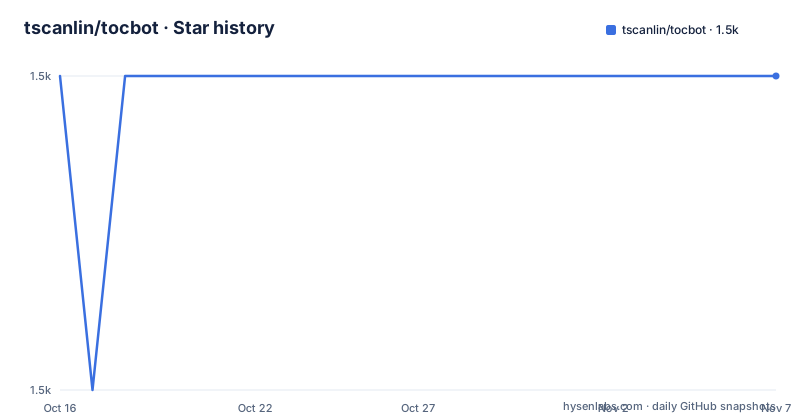
- tscanlin/tocbot1,501 ★ · +0
| Repository | 2026-10-16 | 2026-11-07 |
|---|---|---|
| tscanlin/tocbot | 1.5k | 1.5k |
0 Stars in the last 22 days, measured from the daily GitHub snapshot. Compare with other projects
Editorial analysis
Tocbot's heading-driven navigation model
Tocbot solves a specific browser-side problem: turning the heading structure of an existing HTML document into a navigable table of contents. It is intended for documentation websites and long rendered Markdown pages where readers need to move between sections. The library does not parse source Markdown or decide which content should appear in a document. Instead, it inspects headings inside a designated content element and generates the navigation inside another element.
The README says the project is inspired by Tocify, with Tocbot using native DOM methods and avoiding jQuery and jQuery UI dependencies. Its documented footprint is less than 350 bytes of CSS and about 3.6 KB of JavaScript when minified and gzipped. The package has no dependencies, uses vanilla JavaScript, and is documented as working in modern browsers and IE 9+.
That narrow responsibility is useful. A documentation renderer can preserve normal heading elements, assign IDs, give Tocbot a container selector, and let the script construct links and nested lists. The resulting table of contents follows the document's actual heading hierarchy rather than a separate navigation data structure. The trade-off is that Tocbot depends on a predictable DOM. If headings are missing IDs, nested under unsuitable containers, or replaced after initialization, its links and hash navigation cannot be expected to work as documented.
Tocbot's selector, hierarchy, and scroll architecture
The core initialization configuration defines two boundaries. `contentSelector` identifies the part of the document whose headings will be collected, while `tocSelector` identifies the element where the generated table of contents will be rendered. The API also allows a DOM node to be supplied through `contentElement` or `tocElement`. The default heading selection shown in the README is `h1, h2, h3`, so a page that needs deeper levels must configure its own selector.
Tocbot builds list items and anchor links with configurable class names. The options include `linkClass`, `listClass`, `listItemClass`, `isCollapsedClass`, `collapsibleClass`, `activeLinkClass`, and `activeListItemClass`. This makes it possible to fit the generated markup into an existing stylesheet, although the README also requires Tocbot CSS for expanding and collapsing groups and for basic presentation. The `collapseDepth` setting controls how many heading levels remain visible. A value of `0` collapses all levels, while the documented example says a value of `6` shows all levels because HTML headings stop at `h6`.
Navigation is linked to browser scrolling and URL hashes. Headings must have `id` attributes, and the body must be scrollable for hash jumps to reach the correct heading. Tocbot can mark the link associated with the topmost visible heading as active. It can also update the URL hash during scrolling when `enableUrlHashUpdateOnScroll` is enabled. The README warns that `scrollSmooth` does not work well when global CSS already sets smooth scrolling. That is a concrete interaction between Tocbot and page-level CSS, not merely a cosmetic option.
Installing Tocbot and generating a first table of contents
The package can be installed through npm. The README's installation command is:
npm install --save tocbotFor a browser page using the npm package, the README shows CommonJS or ESM import syntax followed by initialization. The package manifest separately identifies the CommonJS entry as `./dist/tocbot.cjs` and the import entry as `./index.js`.
const tocbot = require('tocbot/dist/tocbot.js')
// OR
import tocbot from 'tocbot'

tocbot.init()
For the first useful configuration, give Tocbot separate source and destination containers. The source container should wrap the document content, and the destination should be the location reserved for the generated list.
tocbot.init({
  tocSelector: '.js-toc',
  contentSelector: '.js-toc-content',
  headingSelector: 'h1, h2, h3',
  hasInnerContainers: true,
});
The document must also provide headings with IDs. Without those IDs, the generated links cannot provide the documented hash navigation. For a page that changes after initialization, call `tocbot.refresh()` to rebuild the table of contents. TypeScript users can import the package and call `init`, `refresh`, and `destroy`, as shown in the README.
A direct browser inclusion is also documented. The following example pins the asset to version `4.32.2`, while the current package metadata lists version `4.36.8`, so the version should be checked before copying the URL into production.
<script src="https://cdnjs.cloudflare.com/ajax/libs/tocbot/4.32.2/tocbot.min.js"></script>The associated stylesheet is documented separately:
<link rel="stylesheet" href="https://cdnjs.cloudflare.com/ajax/libs/tocbot/4.32.2/tocbot.css">Users of Sass or PostCSS can import the source stylesheet from `node_modules`:
@import 'tocbot/src/scss/tocbot';Refresh, TypeScript, and lifecycle controls for changing pages
Tocbot is designed for pages whose content can change after the first render. The README explicitly provides `tocbot.refresh()` for that case, with the option of passing new options. This matters for single-page interfaces or documentation views that replace content without reloading the entire document. A page that calls `refresh()` after replacing headings can keep the generated navigation aligned with the current DOM, provided the new headings meet the same ID and selector requirements.
The documented TypeScript surface includes `init`, `refresh`, and `destroy`:
import * as tocbot from 'tocbot';

tocbot.init({
  // Options
});

tocbot.refresh();
tocbot.destroy();
`destroy()` provides lifecycle control, but the README excerpt does not specify its exact cleanup semantics. It would be inappropriate to assume more than the API name without checking the full API documentation or source. The library's documented lifecycle is explicit initialization and manual refresh.
This design is a reasonable fit for static documentation, but it places responsibility on the application for deciding when content has changed. A framework that updates content asynchronously should trigger a refresh at the point where the new headings and IDs exist. Applications that need a continuously synchronized TOC must verify that their update flow invokes `refresh()` and that it does not repeatedly rebuild the list unnecessarily.
Fixed headers and Tocbot's scroll boundary
A fixed site header can obscure the heading reached through a table-of-contents link. Tocbot exposes two separate offsets for this case. The README gives `headingsOffset` as an adjustment between headings and the top of the document, while `scrollSmoothOffset` changes the smooth-scroll destination. For a `40px` fixed header, the documented configuration is:
tocbot.init({
  headingsOffset: 40,
  scrollSmoothOffset: -40
})
These values address different calculations. Using only one of them can leave active-heading detection, scrolling, or both misaligned. The README also documents `scrollSmooth`, `scrollSmoothDuration`, and `scrollEndCallback`, but warns against combining Tocbot smooth scrolling with a global CSS `scroll-behavior: smooth` setting because the behavior does not work well together.
For a site with a sticky sidebar, nested scroll areas, or positioned containers, `hasInnerContainers: true` is documented for headings inside relative or absolutely positioned containers. That option is not a substitute for designing the page's scroll model. It tells Tocbot to account for that DOM arrangement, but the application still needs a scrollable body and stable heading IDs. Teams should test the combination of offsets, active-link state, URL hash updates, and browser history rather than assuming the default settings cover a custom layout.
Tocbot's package scope, maintenance, and license
The package metadata describes Tocbot as a JavaScript library for generating a table of contents from the heading structure of an HTML document. Version `4.36.8` is listed as the current package version. The manifest exposes the main import, CommonJS build, TypeScript declarations, browser distribution files, CSS files, and selected source paths through `exports`. It also defines build scripts for JavaScript, CSS, documentation, and the CommonJS distribution.
The repository was not archived, and its last push was on 2026-05-15. Recent release entries include `v4.36.8` on 2026-05-15, `v4.36.7` on 2026-05-15, and `v4.36.6` on 2026-05-01. Those dates indicate recent repository activity at that point, but they do not by themselves document compatibility guarantees for every browser or site configuration. Consumers still need to review the release notes or package changes when upgrading.
The repository uses the MIT license. That identifier indicates the project's declared licensing model, but it does not answer implementation questions about a site's own content, third-party Markdown renderers, or CDN policy. The package's no-dependency status reduces installation surface, while the requirement for CSS and DOM preparation keeps deployment responsibilities with the consuming page.
Tocbot versus server-generated or framework-owned navigation
Tocbot's alternative is to generate navigation on the server or inside the documentation framework instead of scanning headings in the browser. For example, a static site generator could derive the table of contents while it renders the document, and a component-based documentation system could receive headings as structured data. That approach avoids relying on a client-side scan after the page loads, but it requires the source content pipeline to expose heading hierarchy and IDs in a form the application can reuse.
Tocbot takes the opposite approach. It works from the rendered HTML that is already in the browser, using `contentSelector`, `headingSelector`, and generated DOM classes. That makes it convenient when the document is already available as HTML and the application does not want to maintain a second representation of its outline. It also makes page updates possible through `refresh()` after content changes.
The limitation is equally specific. Tocbot is the wrong choice when the HTML contains no usable IDs, when headings are rendered in a way the configured selectors cannot identify, or when navigation must exist before JavaScript runs. It is also a poor fit for a workflow that requires the TOC to be embedded in static output for search indexing or non-JavaScript access, because the README documents browser initialization rather than server-side extraction.
Editorial conclusion
Adopt Tocbot for a documentation page whose navigation can be derived from rendered heading elements and heading IDs. Do not choose it when the required content lacks stable IDs or when its native-DOM assumptions do not fit the page. Verify selector isolation, scroll behavior, fixed-header offsets, and refresh handling in the target browser before adoption.
Frequently asked questions
How do I install Tocbot?
Install it with `npm install --save tocbot`, then import it and call `tocbot.init()`. The README also documents direct inclusion of the browser script and CSS from cdnjs.
Why does my Tocbot navigation not link to headings?
The README says rendered headings need `id` attributes for hash jumps to work. Also check that `contentSelector` points to the container holding the headings and that `headingSelector` includes the heading levels you want.
What should I do when the page content changes?
Call `tocbot.refresh()` after the content changes. The documentation presents this as the way to regenerate the table of contents, optionally with new options.
Does Tocbot handle fixed headers?
The README documents `headingsOffset` and `scrollSmoothOffset`. For a fixed header that is `40px` tall, it gives values of `40` and `-40`, respectively.
Official sources
Add this badge to your README
If you maintain this project, the badge below links readers to this analysis and shows its maintenance status from the daily GitHub snapshot. Paste the markdown into your README; add ?metric=license or ?metric=stars to the image URL for a different field.

[](https://hysenlabs.com/projects/tscanlin-tocbot)Star history chart for your README
[](https://hysenlabs.com/projects/tscanlin-tocbot)Was this useful?