twilio-python: four credential paths, one region trap and TwiML
A Python module for communicating with the Twilio API and generating TwiML.
At a glance
- What is it?
- twilio-python bundles a client for the Twilio REST API with a TwiML generator, and the parts that decide how your traffic behaves are its credential and region defaults rather than its send-a-message example.
- Who is it for?
- Adopt twilio-python when a Python service must call the Twilio REST API or emit TwiML, because the Client resolves credentials from the environment, applies region and edge to the `hostname`, and ships at 9.11.2. Leave it out for a TwiML-only project, which still installs requests, PyJWT, aiohttp and aiohttp-retry.
- Can I use it commercially?
- Yes. MIT is a permissive licence: you can use, modify and sell software built on it, as long as you keep its copyright and licence notices.
- Is it still maintained?
- Yes. The repository last received commits 2 days ago.
- What is it written in?
- Mainly Python, according to GitHub's language statistics.
Answers come from the project's GitHub data, last synced on October 23, 2026, and from our analysis. They are not legal advice.
Star history
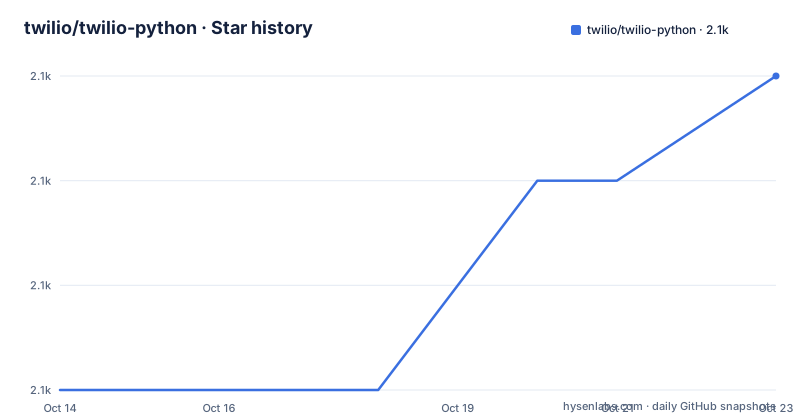
- twilio/twilio-python2,086 ★ · +3
| Repository | 2026-10-14 | 2026-10-23 |
|---|---|---|
| twilio/twilio-python | 2.1k | 2.1k |
3 Stars in the last 9 days, measured from the daily GitHub snapshot. Compare with other projects
Editorial analysis
Two jobs in one package: REST calls and TwiML
twilio-python puts two things behind one import name `twilio`: a client for the Twilio REST API and a generator for TwiML, the XML markup Twilio acts on when a call or message arrives. setup.py describes the package in six words, "Twilio API client and TwiML generator", and PyPI installs it as `twilio`.
What a caller touches is a `Client` whose named sub-resources follow Twilio's product lines. `client.messages.create` sends a text message and `client.calls.create` places a call, each taking its arguments as keyword values instead of a hand-built request. Credentials, region and edge live on the client object, so authentication and routing are decided once and reused by every call.
The plain alternative is to drop the package and use `requests`, already one of its four declared requirements, speaking HTTP to the API yourself. What the Client buys in exchange is credential resolution from environment variables, region and edge routing, and call sites named after API resources rather than URL strings you assemble by hand.
Credentials enter the Client through four different doors
Authentication offers four entry points, and they are not interchangeable. An account SID with an auth token goes straight into the constructor. An API key changes the argument order: key and secret come first, and the account SID moves to the end.
from twilio.rest import Client

api_key = "XXXXXXXXXXXXXXXXX"
api_secret = "YYYYYYYYYYYYYYYYYY"
account_sid = "ACXXXXXXXXXXXXXXXXXXXXXXXXXXXXXXXX"
client = Client(api_key, api_secret, account_sid)
Call `Client()` with nothing at all and the library reads `TWILIO_ACCOUNT_SID` and `TWILIO_AUTH_TOKEN` from the current environment, which is how one script runs from a shell, a container or a CI job without edits. The fourth door is the Client Credentials Flow-based OAuth 2.0 authentication the README announces, with sample code parked in `examples/public_oauth.py` and `examples/organization_api.py`.
One habit is worth breaking early, according to the README: hardcoding `account_sid` and `auth_token` is acceptable for a local test and wrong the moment code is committed or deployed.
A region without an edge quietly routes to US1
Twilio runs in regions and edges, and the client takes both. Pass them at construction:
from twilio.rest import Client

client = Client(region='au1', edge='sydney')
Or build the client first and assign afterwards:
from twilio.rest import Client

client = Client()
client.region = 'au1'
client.edge = 'sydney'
Either route ends with the `hostname` moving from `api.twilio.com` to `api.sydney.au1.twilio.com`. Setting `TWILIO_REGION` and `TWILIO_EDGE` in the environment does the same work.
The trap sits in a note rather than in the code. For backward compatibility, a `region` given without an `edge` sends every request to US1, so a value that reads like Australian routing lands in the United States. Check both keys together in any deployment meant to reach a non-US edge.
pip3 install twilio and one message you can verify
Installation is a single pip command, taken from PyPI:
pip3 install twilioVerifying it takes one real request. Save the snippet below as `send_sms.py`, replace `account_sid`, `auth_token` and `from_` with values from your Twilio account, and leave `to` pointing at your own phone:
from twilio.rest import Client

# Your Account SID and Auth Token from console.twilio.com
account_sid = "ACXXXXXXXXXXXXXXXXXXXXXXXXXXXXXXXX"
auth_token  = "your_auth_token"

client = Client(account_sid, auth_token)

message = client.messages.create(
    to="+15558675309",
    from_="+15017250604",
    body="Hello from Python!")

print(message.sid)
Then run it from the directory holding the file:
python3 send_sms.pyThe printed `message.sid` is your handle on the message, and the text lands on the handset after a brief delay. Nothing shorter is offered as a check, and that live send needs working credentials, an account and two real phone numbers.
Windows path limits, sudo and the legacy setup.py route
Three install routes cover three different failures. If pip is missing, the README bootstraps it with `curl https://bootstrap.pypa.io/get-pip.py | python`. If the install is refused for permissions, `sudo pip3 install twilio` is the documented retry. If you prefer the source ZIP, `python3 setup.py install` builds it, which is legacy packaging that PyPI no longer needs from you.
The Windows case is the one worth reading twice. A pip failure there is blamed on the length of the directory path: past 260 characters, enable Long Paths or move the project somewhere shorter. Nothing in the failure message points at the path.
Consumers get no constraint set from the repository root. `requirements.txt` there is a `pip-compile` output generated with Python 3.14 for development work, and `install_requires` in `setup.py` is what a resolver actually reads, with lower bounds and almost no upper bounds.
Python 3.7 in setup.py, 3.10 in the README
The supported-version story disagrees with itself. The README names Python 3.10, 3.11, 3.12 and 3.13. `setup.py` sets `python_requires` to a floor of `>=3.7.0` and keeps classifiers for 3.7, 3.8 and 3.9 beside the newer ones, which leaves the enforced floor below every version the README names. The `Dockerfile` starts `FROM python:3.7`, and the `Makefile` venv target prints "Python is not installed, Python 3.7+" when the interpreter is missing. A fourth signal points the other way: `requirements.txt` was compiled with Python 3.14.
Dependency resolution is tidier. Four requirements ship with the package: `requests >= 2.0.0`, `PyJWT >= 2.0.0, < 3.0.0`, `aiohttp>=3.8.4` and `aiohttp-retry>=2.8.3`. Three of the four carry no upper bound, and the async pair installs whether or not your code ever awaits anything.
The test target builds Docker and drops tests/cluster
Development runs through the `Makefile`, which drives flake8, prettier and pytest in sequence. The `test` target depends on analysis, which passes a long ignore list for `tests` and allows a 300 character line inside `twilio`, and on prettier-check before it reaches pytest.
Container runs exist too. `test-docker` builds the image and reruns the same suite inside it:
docker build -t twilio/twilio-python .
docker run twilio/twilio-python pytest tests --ignore=tests/cluster
The skipped directory has its own target, `cluster-test`, coverage is a separate invocation with `--cov=twilio`, and documentation comes from `sphinx-apidoc` and `sphinx-build`. Files such as `tox.ini`, `setup.cfg` and `sonar-project.properties` sit at the root without a line of explanation in the README.
Two facts frame how this ages. The last push landed on 2026-10-06, and the licence is MIT, which adds no copyleft obligation when the package is vendored into a closed-source service.
OAuth arrives as two example files, not a walkthrough
The newest authentication option gets the thinnest treatment. The OAuth section is one sentence announcing Client Credentials Flow-based OAuth 2.0 authentication, followed by links to `examples/public_oauth.py` and `examples/organization_api.py`. The only other trace of token handling anywhere in the repository is the `PyJWT >= 2.0.0, < 3.0.0` pin in `setup.py`. How a token is fetched, cached and handed to a `Client` is never shown.
That gap matters to anyone weighing this against plain HTTP. `examples/` holds four files, `basic_usage.py`, `client_validation.py`, `organization_api.py` and `public_oauth.py`, and an `advanced-examples/` directory sits at the root without being named in the README. `VERSIONS.md` is where the modified Semantic Versioning scheme is spelled out, an `UPGRADE.md` sits beside `CHANGES.md`, and the README documents no rollback procedure for a bad upgrade.
Version 9.11.2 is the newest tag, dated 2026-09-28, after 9.11.1 on 2026-09-10 and 9.11.0 on 2026-08-11. Three recent tags between those dates make pinning a normal decision rather than an edge case.
Editorial conclusion
Adopt twilio-python when a Python service must call the Twilio REST API or emit TwiML, because the Client resolves credentials from the environment, applies region and edge to the `hostname`, and ships at 9.11.2. Leave it out for a TwiML-only project, which still installs requests, PyJWT, aiohttp and aiohttp-retry. Before pinning a version, check `python_requires` against your runtime: setup.py sets a floor of `>=3.7.0` while the README supports 3.10 to 3.13. Start with `Client()` plus the two environment variables, and set `region` and `edge` together before the first send.
Frequently asked questions
Which Python versions does twilio-python support?
The README names Python 3.10, 3.11, 3.12 and 3.13 as supported, while `setup.py` sets a floor of `>=3.7.0` and keeps classifiers for 3.7 through 3.9. The `Dockerfile` in the repository root still starts `FROM python:3.7`.
How do I keep twilio-python credentials out of my source code?
Construct `Client()` with no arguments and the library reads `TWILIO_ACCOUNT_SID` and `TWILIO_AUTH_TOKEN` from the current environment. `TWILIO_REGION` and `TWILIO_EDGE` are read the same way, and the README calls hardcoded credentials acceptable only for local testing.
What happens if I set only a region in twilio-python?
For backward compatibility, requests are routed to US1 whenever a `region` is given without an `edge`. Pass both, as in `Client(region='au1', edge='sydney')`, which moves the `hostname` from `api.twilio.com` to `api.sydney.au1.twilio.com`.
Does twilio-python support OAuth?
The README announces Client Credentials Flow-based OAuth 2.0 authentication and points at `examples/public_oauth.py` and `examples/organization_api.py`. The `PyJWT >= 2.0.0, < 3.0.0` requirement in `setup.py` is the only other sign of token handling, and the flow itself is not shown inline.
How do I run the twilio-python test suite?
The `test-docker` target builds the image and runs `pytest tests --ignore=tests/cluster`, while `cluster-test` runs the excluded directory on its own. Coverage uses `--cov=twilio` and documentation is built with `sphinx-build`.
Official sources
Add this badge to your README
If you maintain this project, the badge below links readers to this analysis and shows its maintenance status from the daily GitHub snapshot. Paste the markdown into your README; add ?metric=license or ?metric=stars to the image URL for a different field.

[](https://hysenlabs.com/projects/twilio-twilio-python)Star history chart for your README
[](https://hysenlabs.com/projects/twilio-twilio-python)Was this useful?