Confluo: Real-Time Analysis for Concurrent Data Streams
Real-time Monitoring and Analysis of Data Streams
At a glance
- What is it?
- Confluo is a C++ system for monitoring and analyzing continuously updated data streams with concurrent writes and online queries. It targets Unix-based deployments and offers Python and Java clients, but its documented setup requires older platform and client prerequisites.
- Who is it for?
- Engineers can adopt Confluo when a stream-monitoring workload needs online filters, aggregates, alerts, and concurrent ingestion rather than a conventional database workflow. They should not treat it as a portable desktop or general-purpose query system, because the documentation excludes Windows and specifies older language and client prerequisites.
- Can I use it commercially?
- Yes. Apache-2.0 is a permissive licence: you can use, modify and sell software built on it, as long as you keep its copyright and licence notices.
- Is it still maintained?
- Yes. The repository last received commits 51 days ago.
- What is it written in?
- Mainly C++, according to GitHub's language statistics.
Answers come from the project's GitHub data, last synced on October 23, 2026, and from our analysis. They are not legal advice.
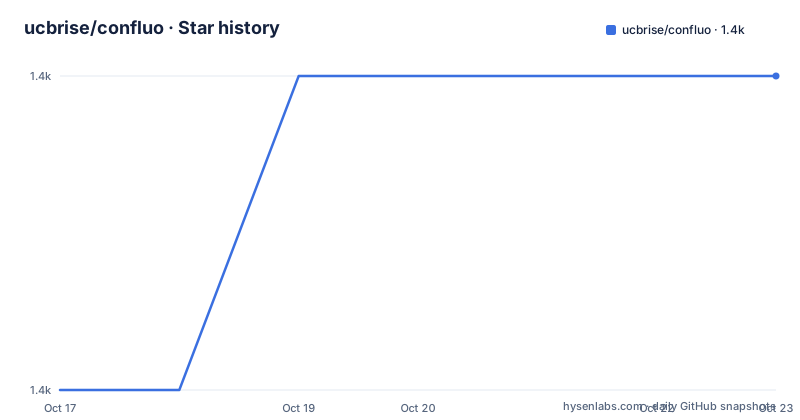
Star history
- ucbrise/confluo1,433 ★ · +1
| Repository | 2026-10-17 | 2026-10-23 |
|---|---|---|
| ucbrise/confluo | 1.4k | 1.4k |
1 Stars in the last 6 days, measured from the daily GitHub snapshot. Compare with other projects
Editorial analysis
Confluo's Stream Monitoring Boundary
Confluo addresses a specific class of problem: data arrives continuously from multiple streams while the system must still be queried while ingestion continues. The README describes support for high-throughput concurrent writes of millions of data points, online queries at millisecond timescale, and ad-hoc queries with minimal CPU resources. Those claims define Confluo's intended workload, but the documentation does not provide workload sizing, latency distributions, or a benchmark result that an engineer could use to predict capacity for a particular deployment.
The system is therefore aimed at engineers building operational monitoring or analysis services around stream data. The examples use a performance log containing latency, CPU utilization, available memory, timestamp, and a short log message. The documented features go beyond storage and retrieval. A schema can receive an index, a filter, an aggregate, and a trigger. The example then queries records through those definitions and retrieves alerts generated by a trigger.
This is different from treating Confluo as a general-purpose transactional database interface. The README does not describe relational joins, arbitrary SQL, or a conventional record-oriented application model. It presents a stream-oriented design in which a client defines processing steps and later asks for filtered records, aggregates, or alerts. The documentation also uses the term "Atomic MultiLog," which indicates that the central object is not simply a flat file or a passive queue.
Confluo is a poor fit when Windows support is required. The installation requirements list MacOS X or a Unix-based operating system and explicitly state that Windows is not yet supported. It is also a poor fit when the surrounding environment cannot accommodate C++11, CMake, and Boost.
Confluo's Index, Filter, Aggregate, and Trigger Model
The visible API defines the processing pipeline through a sequence of client operations. First, a client connects to the Confluo daemon with `RpcClient`. It creates an Atomic MultiLog with a schema and a `StorageMode`, adds an index for a field, defines a named filter, and registers an aggregate over that filter. A trigger is then installed over the aggregate result. Data is appended afterward, and the client reads offsets returned by `append` before querying the configured views.
The schema in the README assigns types to fields:
schema = """{
  timestamp: ULONG,
  op_latency_ms: DOUBLE,
  cpu_util: DOUBLE,
  mem_avail: DOUBLE,
  log_msg: STRING(100)
}"""
storage_mode = StorageMode.IN_MEMORY
client.create_atomic_multilog("perf_log", schema, storage_mode)
The filter uses an expression over fields:
client.add_filter("low_resources", "cpu_util>0.8 || mem_avail<0.1")
client.add_aggregate("max_latency_ms", "low_resources", "MAX(op_latency_ms)")
client.install_trigger("high_latency_trigger", "max_latency_ms > 1000")
The README calls the index, filter, aggregate, and trigger a progression of additions. It does not state whether these operations can be changed after data has been appended, whether indexes are persisted across restarts, or what consistency guarantees apply when readers and writers operate concurrently. Those omissions matter for an adoption decision. The source layout includes `librpc`, `libconfluo`, and client directories, but the available documentation does not describe their internal coordination protocol in enough detail to infer those semantics.
Building Confluo and Starting the Daemon
The documented source build starts by cloning the repository and configuring a separate build directory. Before running it, install a C++ compiler supporting C++11, such as GCC 5.3 or later, CMake 3.2 or later, and Boost 1.58 or later. The client requirements differ: the Python client additionally requires Python 2.7 or later with `setuptools` and `six` 1.7.2 or later, while the Java client requires Java JDK 1.7 or later and `ant` 1.6.2 or later.
The source build is documented as follows:
git clone https://github.com/ucbrise/confluo.git
cd confluo
mkdir build
cd build
cmake ..
make -j && make test && make install
The `make test` step is part of the documented install command. The README does not describe test output, failure conditions, or the install destination. After installation, the simplest documented operating mode is a server daemon queried through a client API. Start it on the local address and port used by the example:
confluod --address=127.0.0.1 --port=9090The daemon command is separate from the build command, so a successful install must place `confluod` on the executable path before it can be started. The repository also contains a `docker` directory and an `install.sh` script, but the README does not document a Docker-based installation procedure or explain whether those entries provide a supported first-use path. A new user should follow the documented source build rather than infer container steps from the directory listing.
First Python Client Query
The Python example provides a complete path through Confluo's main concepts. It connects to `127.0.0.1:9090`, creates the `perf_log` Atomic MultiLog with `StorageMode.IN_MEMORY`, adds an index, filter, aggregate, and trigger, appends three records, reads them by offset, and queries several views. The example uses Python 2 syntax such as `print r`, which should be considered when using a newer Python interpreter.
The connection and data-loading portion is:
client = RpcClient("127.0.0.1", 9090)
off1 = client.append([100.0, 0.5, 0.9,  "INFO: Launched 1 tasks"])
off2 = client.append([500.0, 0.9, 0.05, "WARN: Server {2} down"])
off3 = client.append([1001.0, 0.9, 0.03, "WARN: Server {2, 4, 5} down"])
The returned offsets are then used for direct reads. The example also demonstrates three query forms:
record_stream = client.execute_filter("cpu_util>0.5 || mem_avail<0.5")
for r in record_stream:
  print r

record_stream = client.query_filter("low_resources", 0, sys.maxsize)
for r in record_stream:
  print r

print client.get_aggregate("max_latency_ms", 0, sys.maxsize)
The alert query uses the installed trigger name:
alert_stream = client.get_alerts(0, sys.maxsize, "high_latency_trigger")
for a in alert_stream:
  print a
The example establishes the intended data flow, but it does not explain whether `IN_MEMORY` is suitable for production, how offsets are represented beyond the returned values, or how the server handles unavailable storage. The repository includes `examples/libstreaming` and `examples/libtimeseries`, but their contents are not described in the README, so they cannot be treated as verified alternatives to this tutorial.
Confluo's Platform and Operational Limits
The clearest operational limitation is platform support. The project requires MacOS X or a Unix-based operating system and states that Windows is not yet supported. The documented C++ baseline is C++11, with GCC 5.3 given as an example. CMake 3.2 or later and Boost 1.58 or later are also required. These are explicit compatibility boundaries, not incidental details.
The client story is similarly constrained. Python users need Python 2.7 or later plus `setuptools` and `six` 1.7.2 or later. Java users need Java JDK 1.7 or later and `ant` 1.6.2 or later. The README does not say whether newer Python 3 releases are supported. Because its sample uses `print r`, the documented example is directly aligned with Python 2 syntax. An engineer should verify client compatibility before building an application around it.
The repository has no GitHub releases listed. It is not archived, and its last push was on 2026-09-02. That indicates recent repository activity according to the available maintenance facts, but it does not establish a release cadence, compatibility policy, or support commitment. The README also does not document rollback, production configuration, authentication, authorization, backup, or recovery. Those topics should not be inferred from the presence of daemon, RPC, or installation code.
Confluo Compared with Batch Stream Processing
A real alternative is a batch-oriented stream processing pipeline that stores incoming records first and computes filters, aggregates, and alerts in scheduled jobs. Its central difference is timing and read path. Confluo's documented design lets a client install a filter, aggregate, and trigger, then query results while records are being appended. A conventional batch pipeline commonly delays computation until a processing interval or job boundary, so its result freshness depends on that schedule.
Confluo is also different from a hand-built application that stores raw records in a file, database, or message queue and implements monitoring logic in application code. Confluo exposes these monitoring definitions through `RpcClient` methods such as `add_index`, `add_filter`, `add_aggregate`, and `install_trigger`. That gives the system a more explicit analysis model, although the README does not explain how much processing is pushed into the server or how operators manage those definitions.
The tradeoff is operational clarity. Confluo's documented path requires compiling C++ dependencies and running a daemon before using a client. A batch alternative may be easier to integrate with an existing scheduled processing environment, while Confluo is more relevant when online querying is part of the requirement. The alternative should be chosen based on freshness and query requirements, not on an assumption that either approach guarantees a particular throughput or latency.
Licensing and Adoption Checks for Confluo
Confluo is identified by the repository as licensed under `Apache-2.0`, and the README displays a corresponding Apache 2 license badge. This identifies the stated license, but it does not answer legal questions about a particular deployment, dependency compatibility, patent exposure, or obligations in a distribution. Those questions require review of the actual `LICENSE` file and the relevant dependency licenses.
The adoption decision should begin with the documented prerequisites. Confirm MacOS X or Unix support for the target environment, then verify the compiler, CMake, and Boost versions. If Python is the chosen interface, verify `setuptools`, `six`, and interpreter compatibility. If Java is the chosen interface, verify the JDK and `ant`. After that, determine whether the intended workload needs the Atomic MultiLog schema, index, filter, aggregate, and trigger model.
The repository layout shows implementation areas for the core library, RPC layer, Python client, Java client, configuration, examples, and Docker-related files. The README does not document the supported deployment topology beyond starting a server daemon, nor does it explain production storage settings. The recent push date confirms repository activity, but the absence of GitHub releases means engineers should not assume versioned upgrades or a documented upgrade path. The concrete first check is therefore the build and client compatibility chain, followed by validating the daemon mode against the required query behavior.
Editorial conclusion
Engineers can adopt Confluo when a stream-monitoring workload needs online filters, aggregates, alerts, and concurrent ingestion rather than a conventional database workflow. They should not treat it as a portable desktop or general-purpose query system, because the documentation excludes Windows and specifies older language and client prerequisites. Before adoption, verify the target operating system, compiler, CMake, Boost, and client versions, then confirm whether the documented daemon and schema model fit the required workload. The repository is not archived and its last push was on 2026-09-02, but no GitHub releases are listed, so upgrade planning must not assume a regular release schedule.
Frequently asked questions
What operating systems does Confluo support?
The README lists MacOS X and Unix-based operating systems as supported prerequisites and states that Windows is not yet supported.
How do I install and build Confluo from source?
Clone the repository, create a build directory, run `cmake ..`, and then run `make -j && make test && make install`. The build requires a C++11-capable compiler, CMake 3.2 or later, and Boost 1.58 or later.
How does the Confluo Python API query stream data?
The example connects with `RpcClient`, appends records, and queries them with `execute_filter`, `query_filter`, `get_aggregate`, and `get_alerts`. It also demonstrates creating an Atomic MultiLog, adding a filter and aggregate, and installing a trigger.
Official sources
Add this badge to your README
If you maintain this project, the badge below links readers to this analysis and shows its maintenance status from the daily GitHub snapshot. Paste the markdown into your README; add ?metric=license or ?metric=stars to the image URL for a different field.

[](https://hysenlabs.com/projects/ucbrise-confluo)Star history chart for your README
[](https://hysenlabs.com/projects/ucbrise-confluo)Was this useful?