uFrame.ECS installs through Koinonia, and the last commit is from 2017
uFrame ECS Framework
At a glance
- What is it?
- uFrame ECS is an Entity Component System framework for the uFrame visual coding engine in Unity, installed by typing into a terminal that the editor opens. The install path depends on a GitHub token, a third-party package manager and an optional CSharp 6.0 step triggered by a specific error.
- Who is it for?
- uFrame.ECS suits a Unity project that already uses the uFrame visual coding engine and has accepted Koinonia as its package manager, since the install is three lines in a terminal the editor opens for you. It does not suit a fresh Unity project that only wants a standalone ECS, because nothing here runs without uFrame and a third-party manager.
- Can I use it commercially?
- Not without permission. GitHub finds no licence file in the repository, and without a licence all rights are reserved by default: you may read the code but not reuse it. Check the README, or ask the authors, before using it.
- Is it still maintained?
- Probably not. The repository last received commits 109 months ago, on November 8, 2017.
- What is it written in?
- Mainly C#, according to GitHub's language statistics.
Answers come from the project's GitHub data, last synced on October 22, 2026, and from our analysis. They are not legal advice.
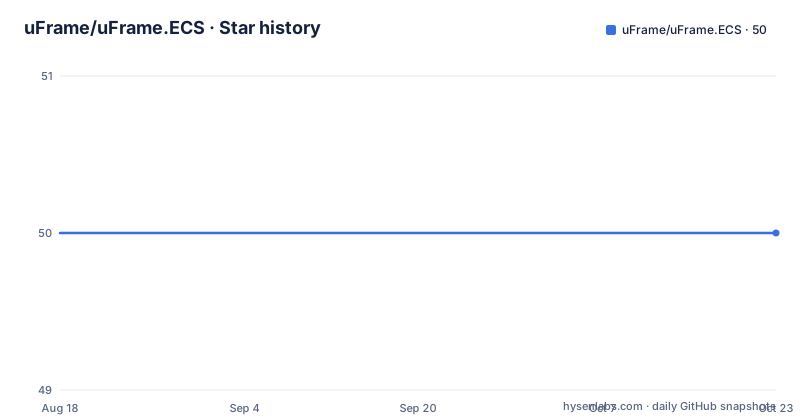
Star history
- uFrame/uFrame.ECS50 ★ · +0
| Repository | 2026-08-18 | 2026-10-22 |
|---|---|---|
| uFrame/uFrame.ECS | 50 | 50 |
0 Stars in the last 65 days, measured from the daily GitHub snapshot. Compare with other projects
Editorial analysis
The install is three lines typed into a terminal the editor opens
There is no package file to download and no import button. The Unity editor does the work: you go to `Packages`, then `Manager...` in the top menu, and a terminal opens inside the editor.
That terminal is the installer. Everything from there is three commands:
ghtoken (Your github personal access token)
install nitreo/csharp60
install uFrame/ECS
You type each one and press enter. The second line is optional and is covered separately, because it exists to fix one specific error rather than to be part of the normal path.
The implication is worth being explicit about. Installing this package means giving a plugin in your editor standing access to your GitHub credentials, because the manager resolves `uFrame/ECS` as a repository reference. Anyone who finds a terminal-opening package manager inside an editor should read what that token can reach before typing a token into it.
Koinonia has to land under Assets/Editor, not merely under Assets
The prerequisite is not uFrame, it is the package manager. Koinonia is required first, and it is installed by hand rather than by command.
You download the zip or clone Koinonia from its repository, then place it in your Unity project's `Assets` folder. The README adds a constraint that is easy to get wrong: Koinonia must be located under the `Editor` folder.
So the destination is `Assets/Editor/Koinonia`, not `Assets/Koinonia`. Unity treats anything inside an `Editor` folder differently from the rest of the project, and a package manager that depends on editor-only behaviour will not work if it lands outside one.
That ordering is also why the terminal command comes after the manual step. The `Packages`, then `Manager...` menu does nothing until Koinonia is present, so a fresh project has to have the plugin on disk before any of the commands below mean anything.
A GitHub token is a prerequisite, not an optional step
The first command in the sequence registers a GitHub personal access token with the manager:
ghtoken (Your github personal access token)The README lists it as prerequisite number one and links to GitHub's own guide for creating a personal access token. There is no fallback path described for installing without one, which tells you the token is what the manager uses to fetch package contents rather than something it merely reports.
That is also the step where the trust decision lives. The token is entered into a plugin-driven terminal inside the editor, and the plugin is then able to resolve and fetch `uFrame/ECS` on your behalf. Nothing in the documentation describes the scopes the token needs, so the safe reading is to grant the narrowest scope that works and to be aware that you are handing a package manager the ability to fetch code into your project.
The prerequisite list is short by design: one token, one plugin. Everything else in the install is a command.
The optional CSharp 6.0 step exists only because of a UWeave error
One instruction in the sequence is marked optional and has a trigger condition attached: install CSharp 6.0 support if you get a UWeave error.
install nitreo/csharp60The package name shows the origin, `nitreo`, the same organisation behind Koinonia, so this is a sibling plugin rather than part of uFrame. The documentation does not explain what UWeave is or what state it is in when the error appears, only that seeing the error means you need this line.
Ordering matters here too. The instruction appears as step three, before the ECS package itself, so the intended reading is: hit the error, install CSharp 6.0 support, then install uFrame ECS.
What you should not do is treat this as a routine setup step on every project. It is a remedy with a named symptom, and installing it unconditionally adds a second moving part to a stack that already has three.
One tagged release, one commit after it, and no license on record
The repository is small and its contents match that. The top level holds `.gitignore`, `README.md`, `koinonia.config.json` and the `uFrame.ECS/` directory, which is the package payload the manager installs.
There is exactly one tagged release, `1.0.0`, published on 2016-07-23. The last push to the repository landed on 2017-11-08, and there has been nothing after it.
That dating is the most important fact for anyone considering the package, and it is a fact rather than a judgement. A Unity editor integration is unusually sensitive to version drift, because the editor's package pipeline, the C# language level and the underlying uFrame engine all move. A package last touched in 2017 is being installed into a much newer editor than the one it was written for, which is precisely why the optional CSharp 6.0 step exists at all.
No license appears in the repository metadata, and there is no license file in the tree, so the terms are not stated anywhere in the project. That is worth resolving directly with the authors before the code goes into a product.
The ECS framework is an implementation detail of a visual coding engine
What the package actually provides is narrow, and the README is narrow about it. uFrame ECS is an Entity Component System framework implemented by the uFrame visual coding engine.
The dependency runs one way. This repository is not a general-purpose ECS library that happens to have a Unity integration; it is the ECS layer of a visual coding tool, and it is installed through that tool's ecosystem rather than through Unity's own package manager.
The documentation reflects that scope. There is no API reference, no list of systems, no code samples, and no migration notes between versions, because the entity and component model being exposed is the one uFrame already defines. Anyone arriving from a hand-written ECS in C# should expect to learn uFrame's vocabulary rather than to find a familiar one, and anyone arriving from uFrame should expect ECS to be one feature among the engine's features.
Community conversation happens on Gitter, linked from the README header, and the documentation itself is the README. There is no separate docs site to reconcile with.
Editorial conclusion
uFrame.ECS suits a Unity project that already uses the uFrame visual coding engine and has accepted Koinonia as its package manager, since the install is three lines in a terminal the editor opens for you. It does not suit a fresh Unity project that only wants a standalone ECS, because nothing here runs without uFrame and a third-party manager. Before adopting it, check whether your uFrame version still produces the UWeave error the optional CSharp 6.0 step addresses, and ask the authors for licensing terms, since the repository records none.
Frequently asked questions
What is uFrame ECS?
It is an Entity Component System framework for Unity, implemented by the uFrame visual coding engine. The repository holds the package payload under uFrame.ECS/ and the Koinonia configuration used to install it.
How do I install uFrame ECS in the Unity editor?
Open Packages, then Manager, which opens a terminal inside the editor, then type install uFrame/ECS and press enter. Koinonia has to be installed first and a GitHub personal access token registered with the ghtoken command.
Why does the uFrame ECS install mention CSharp 6.0 support?
It is an optional step for a specific symptom. If you get a UWeave error, type install nitreo/csharp60 in the same terminal, press enter, and then install the ECS package. The README does not describe what UWeave is or what causes the error.
Where does Koinonia have to be placed in a Unity project?
Download the zip or clone Koinonia into the project's Assets folder, and make sure Koinonia sits under the Editor folder inside it, so the package manager is loaded as editor-only content.
Official sources
Add this badge to your README
If you maintain this project, the badge below links readers to this analysis and shows its maintenance status from the daily GitHub snapshot. Paste the markdown into your README; add ?metric=license or ?metric=stars to the image URL for a different field.

[](https://hysenlabs.com/projects/uframe-uframe-ecs)Star history chart for your README
[](https://hysenlabs.com/projects/uframe-uframe-ecs)