facebook-wda: driving an iPhone from Python over WebDriverAgent
Facebook WebDriverAgent Python Client Library (not official)
At a glance
- What is it?
- facebook-wda is a Python client for Facebook's WebDriverAgent, the automation server that exposes an iOS device's UI as a WebDriver-style API, and it covers the queries described in the original WDA wiki. The upstream WDA project is archived, so the maintained path is the Appium fork, and the client offers a USB transport through usbmuxd as well as plain HTTP.
- Who is it for?
- Adopt facebook-wda if you are automating iOS applications from Python and want a thin client over WebDriverAgent rather than a full Appium client, and if you can run the Appium fork of WDA on the device. Do not adopt it expecting the original Facebook WDA project to be maintained, since that repository is archived and this client is tested against the Appium fork instead.
- Can I use it commercially?
- Yes. MIT is a permissive licence: you can use, modify and sell software built on it, as long as you keep its copyright and licence notices.
- Is it still maintained?
- Yes. The repository last received commits 114 days ago.
- What is it written in?
- Mainly Python, according to GitHub's language statistics.
Answers come from the project's GitHub data, last synced on October 23, 2026, and from our analysis. They are not legal advice.
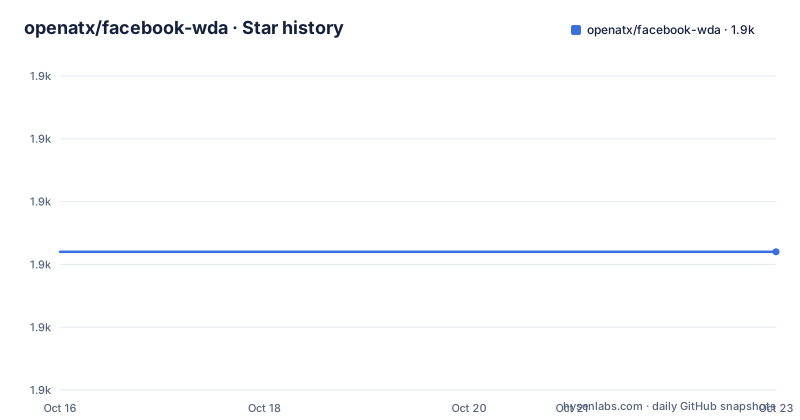
Star history
- openatx/facebook-wda1,882 ★ · +0
| Repository | 2026-10-16 | 2026-10-23 |
|---|---|---|
| openatx/facebook-wda | 1.9k | 1.9k |
0 Stars in the last 7 days, measured from the daily GitHub snapshot. Compare with other projects
Editorial analysis
A client for a server that is not the one it is named after
The package is the facebook-wda Python client library, and the description is explicit that it is not official. It implements the APIs described in the WebDriverAgent queries wiki, and the README states that most functions are finished. The naming is the first thing to sort out, because the server side has moved. The README says that facebook/WebDriverAgent has been archived and recommends the forked WDA at appium/WebDriverAgent, and it was tested against version 2.16.1 of that fork. So the current arrangement is a community client for a community server, both maintained outside the original Facebook repositories, and the client is what most people actually depend on. What the client gives you is the WebDriver vocabulary for an iOS device: query the view hierarchy, find elements, tap, type, read the screen, and manage application lifecycle, without a full browser automation stack in the way.
You have to start WebDriverAgent yourself
The install section is honest about the first requirement: you need to start WebDriverAgent by yourself. There are three documented ways. The first is a newer tool, alibaba/tidevice, which can start WDA without xcodebuild, and can run on Linux and Windows as well. The second is to follow the instructions in the appium/WebDriverAgent repository, and the documentation says it is better to start with Xcode to prevent CodeSign issues, while also noting it is fine to start WDA from the command line:
xcodebuild -project WebDriverAgent.xcodeproj -scheme WebDriverAgentRunner -destination 'platform=iOS Simulator,name=iPhone 6' testThe third path is a real device rather than a simulator, and it needs two extra steps on macOS, unlocking the keychain so the application can be signed and reading the device UDID:
# Unlock keychain so the app can be signed properly
security unlock-keychain -p $your-mac-password-here ~/Library/Keychains/login.keychain

# Get the device UDID
UDID=$(idevice_id -l | head -n1)

xcodebuild -project WebDriverAgent.xcodeproj -scheme WebDriverAgentRunner -destination "id=$UDID" test
The library itself is then a one-liner:
pip3 install -U facebook-wdaThe requirements file gives a sense of the vintage and the dependencies: six, retry, Pillow, cached-property around 1.5.1, Deprecated and construct, and the package still builds with pbr through setup.py, which is the older, declarative packaging style.
HTTP or USB, and the iproxy trick in between
The transport is the interesting part of the design. The default is plain HTTP, and the client reads the device URL from the environment variable $DEVICE_URL, defaulting to http://localhost:8100 when it is empty. You can pass the URL directly or rely on the environment, and a wda.WDAError is raised if communication with WDA goes wrong. The optional section on TCP connection over USB explains the practical problem: you can use a WiFi network, which is very convenient but not very stable enough, and the recommended fix is a tool called iproxy, from the libimobiledevice and libusbmuxd project, which forwards a device port to localhost:
iproxy <local port> <remote port> [udid]The experimental feature goes further and removes the port forwarding altogether. A USBClient class, added in version 0.9.0, inherits from Client and connects to the WDA server through the unix socket at /var/run/usbmuxd, and it accepts a udid and a port, or a usbmux:// style URL, and a wda_bundle_id parameter introduced in 1.2.0. The documentation notes a limit on that path, that it only works on computers with the required tooling installed and that this is currently not open to everyone. In practice the choice is: HTTP for simplicity, iproxy for a stable local port, USBClient for the few setups that can use it.
The size mismatch that will waste your afternoon
There is a section titled something you need to know, and it is about a size. The function window_size() returns the UIKit size, while the screenshot() image size is the native resolution. The illustration in the README is a table of iOS display sizes, and the explanation is that when you use screenshot the image size is the pixel size, for example 1080 by 1920, which is different from what c.window_size() returns, and the UIKit scale factor is available through session.scale. This is the single most common source of confusion in any iOS automation work, because the coordinate system you pass to a tap and the dimensions of the image you saved are in different units, and a script that gets one of them wrong fails in a way that looks like a bug in the element lookup. The other configuration knobs are simple by comparison, with wda.DEBUG to turn on request and response logging and wda.HTTP_TIMEOUT defaulting to 60.0 seconds, which matters when a device is slow to respond and a default timeout would produce a flake rather than a real failure.
Sessions, app lifecycle and the small set of device actions
The API is organised around a Client and a Session, and the history is visible in the documentation. From version 0.7.0 all Session methods moved to the Client class, and Session is now an alias of Client, so a session object and a client object are the same thing with a different entry point. A session is opened with an application identifier, for example com.apple.Health, and can be used as a context manager. Some applications take launch arguments, and for a browser like Safari the arguments open a page, which is how you can point a session at a URL. A session also carries the alert policy, with an alert_action of accept or dismiss, and the comment in the documentation is honest that the automatic alert handling has never been tested before. Application lifecycle is explicit, with app_activate and app_launch, app_terminate, and app_state returning a value where 1 means died, 2 background and 4 running. The device-level actions cover the home button, lock, unlock and a locked check, battery_info, device_info, and activating Siri. The clipboard is readable and writable, which is how you get a value into a field that resists typing, and a screenshot returns a PIL image, so saving it as a JPEG needs the Pillow dependency rather than a different call.
The repository, and the tests that exercise a real device
The tree shows a mature client rather than a thin wrapper. The wda/ directory holds the package, tests/ and e2etests/ hold two layers of testing, and e2e_benchmarks/ holds performance measurements, which is what you would expect from a project that is used on a critical path in CI. There is a runtest.sh script, a DESIGN.md, a DEVELOP.md, an ABOUT.rst, a CHANGELOG and a .developer/ directory. The examples directory is worth a look, with a full_example.py and a pytest example built around a real application, com.netease.cloudmusic, which is the kind of end-to-end test that exposes the difference between an API that works and an API that works on your device. The library also carries a small set of utilities you will not find in most clients, such as appium_settings() to read and then modify the Appium configuration such as the MJPEG server framerate, and open_url for deep links, which the documentation marks as not working very well. The alternative named in the README is gwda, a Go implementation from ElectricBubble, which is a different language choice rather than a different approach.
Where facebook-wda is the wrong tool
Four limits are clear. The first is that it is a client, so the hard half of the work is still ahead of you: you need a Mac, an Xcode, a signed build and a device or simulator running the WDA server, and on a physical device that includes unlocking the keychain with your Mac password on every rebuild. This is a test-lab tool, not something that runs on a Linux CI box without the tidevice route. The second is the archived upstream. The library is maintained and tested against the Appium fork, and if you follow a tutorial that starts from facebook/WebDriverAgent you will be following instructions for a repository that no longer changes, and the two servers have not stayed identical. The third is the state of the package itself. The version numbering is in the 1.5 range with a release from 2025-09-03 and a last push on 2026-07-01, and it still builds with pbr and still depends on cached-property, so it is a project that has been stable rather than modern, and a team that prefers a typed, actively maintained client with async support should look before committing. The fourth is scope. This is for iOS, specifically for applications, and it has no equivalent for Android, so a test suite that has to run on both platforms needs a different tool for one of them.
Editorial conclusion
Adopt facebook-wda if you are automating iOS applications from Python and want a thin client over WebDriverAgent rather than a full Appium client, and if you can run the Appium fork of WDA on the device. Do not adopt it expecting the original Facebook WDA project to be maintained, since that repository is archived and this client is tested against the Appium fork instead. Before you build on it, note that you have to start WDA yourself, that a physical device needs the Xcode signing and keychain steps, and that the current release is 1.5.4 from 2025-09-03 with the last push on 2026-07-01.
Frequently asked questions
What is facebook-wda?
It is a Python client library for Facebook WebDriverAgent, implementing the APIs described in the WDA queries wiki, and the description states clearly that it is not official. Most functions are finished.
Has Facebook WebDriverAgent been archived, and what should I use instead?
The README states that facebook/WebDriverAgent has been archived and recommends the forked WDA at appium/WebDriverAgent, against which this client was tested, at version 2.16.1. The new tool alibaba/tidevice can also start WDA without xcodebuild, on Linux and Windows.
How do I install the python-wda client?
With `pip3 install -U facebook-wda`, after starting WebDriverAgent yourself. On a physical device you also need to unlock the keychain and pass the device UDID to xcodebuild, and on a simulator the documented command uses the WebDriverAgentRunner scheme with an iOS Simulator destination.
What is the difference between window_size() and screenshot() in facebook-wda?
window_size() returns the UIKit size, while the screenshot image size is the native resolution in pixels, for example 1080 by 1920. The UIKit scale factor is available through session.scale, and the README shows a table of iOS display sizes for the comparison.
Can facebook-wda talk to a device over USB?
Yes. You can forward a device port to localhost with iproxy from the libimobiledevice project, and there is an experimental USBClient class that connects through the usbmuxd socket at /var/run/usbmuxd, accepting a udid, a port and a wda_bundle_id parameter. The documentation notes that the USB route only works on computers with the required tooling installed.
Official sources
Add this badge to your README
If you maintain this project, the badge below links readers to this analysis and shows its maintenance status from the daily GitHub snapshot. Paste the markdown into your README; add ?metric=license or ?metric=stars to the image URL for a different field.

[](https://hysenlabs.com/projects/openatx-facebook-wda)Star history chart for your README
[](https://hysenlabs.com/projects/openatx-facebook-wda)Was this useful?