DeRF: replay attacks as a service for detection testing
DeRF (Detection Replay Framework) is an "Attacks As A Service" framework, allowing the emulation of offensive techniques and generation of repeatable detection samples in the cloud. Built on Google Workflows
At a glance
- What is it?
- A framework that emulates offensive techniques and generates repeatable detection samples from a UI, so the person clicking the button needs neither software installed nor credentials in the target environment. Each attack is a Google Cloud Workflow, and the infrastructure lands in an AWS account and a GCP project through Terraform.
- Who is it for?
- DeRF fits a detection engineer who needs repeatable attack samples against their own cloud accounts without handing production credentials to everyone who runs a test, and it fits a security team that already thinks in terms of detections, since the whole design is about producing the same attack repeatedly rather than exploring a new one. Three things to know first.
- Can I use it commercially?
- Yes, with conditions. GPL-3.0 is a copyleft licence: if you distribute software that includes it, you must release that software's source code under the same licence. Running it internally without distributing it does not trigger that obligation.
- Is it still maintained?
- Probably not. The repository last received commits 33 months ago, on January 12, 2024.
- What is it written in?
- Mainly HCL, according to GitHub's language statistics.
Answers come from the project's GitHub data, last synced on October 19, 2026, and from our analysis. They are not legal advice.
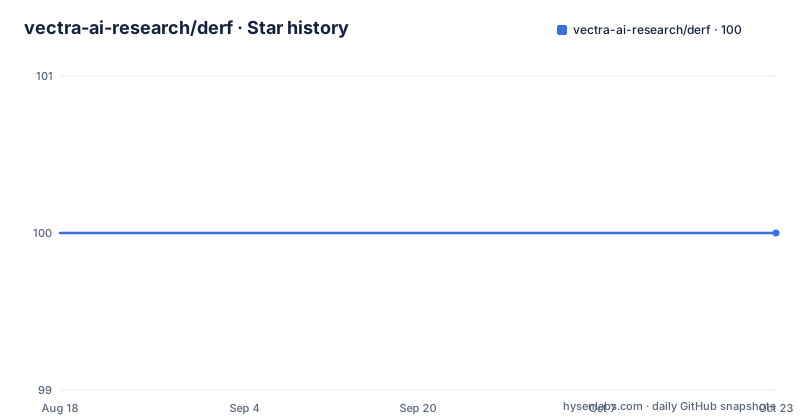
Star history
- vectra-ai-research/derf100 ★ · +0
| Repository | 2026-08-18 | 2026-10-19 |
|---|---|---|
| vectra-ai-research/derf | 100 | 100 |
0 Stars in the last 62 days, measured from the daily GitHub snapshot. Compare with other projects
Editorial analysis
The credentials stay on the server, not with the tester
DeRF, the Detection Replay Framework, is described as an attacks-as-a-service framework that emulates offensive techniques and generates repeatable detection samples from a user interface. The framing that matters is the second half of that sentence. End users do not need to install software, use the command line, or hold credentials in the target environment. That is the whole design brief: a detection engineer can hand someone a button that produces a known attack against infrastructure they are allowed to test, and the person pressing it never sees a key. The word replay is doing similar work, since the goal is to repeat an attack that has already been written rather than to explore new ground. The framework is built on Google Workflows, and the primary language recorded for the repository is HCL, the language Terraform is written in.
Terraform puts the framework in your account and project
Deployment is not a script you run locally against someone else's infrastructure. DeRF is deployed across a targeted AWS account and a GCP project with Terraform, and the deployment documentation is a separate set of pages rather than a section of the README. The order it asks for is deliberate: complete the prerequisites, complete the system requirements, then clone the repository and deploy from the env-prod directory. The commands are Terraform with two files named throughout, a backend configuration called derf.conf and a variable file called derf.tfvars:
git clone https://github.com/vectra-ai-research/derf.gitexport AWS_PROFILE=PROFILE
terraform init -backend-config=derf.conf
terraform plan -var-file=derf.tfvars
terraform apply -var-file=derf.tfvarsThe AWS profile is exported by hand rather than read from a default, which tells you the account it lands in is an explicit choice.
Every attack is a Google Cloud Workflow
Execution has one mechanism behind it: an attack against either AWS or GCP is run by invoking a Google Cloud Workflow. There are two ways to invoke one, and both are documented. The first is the Google Cloud Console, where the workflows page lists the available attacks. The second is the gcloud command line tool, programmatically. That design is what makes the framework shareable, because a workflow is an addressable, versioned object in the GCP project rather than a script on someone's laptop, and the same invocation works from a console click or from a pipeline. It also explains the split of responsibilities: the workflows orchestrate the attack, while the Terraform-managed AWS side is what they attack.
On the console you pick which user the attack runs as
The console path is six steps and one of them is worth reading twice. You log into the Google Cloud Console and open the workflows page, click the workflow whose name matches the attack you want, and click EXECUTE. Then you look at the Code panel on the right hand side, where the workflow lists its possible inputs, and copy the one for the user you want the attack to run as. That selected JSON goes into the Input panel on the left, and the EXECUTE button at the bottom of the screen starts it. Results appear on the right hand side. So the identity the attack assumes is a parameter of the run rather than a property of your session, which is what makes the same attack reproducible as different users and therefore useful for testing detections that depend on who is acting.
The same run from the command line takes three commands
The programmatic path is shorter. You install the Google command line tool locally, authenticate against the GCP project where DeRF is deployed, and then invoke the workflow for the attack technique you want with the same data you would have pasted into the console:
gcloud auth login --project PROJECT_IDgcloud workflows run aws-ec2-get-user-data `--data={"user": "user01"}`That example names the workflow for reading EC2 user data and passes a single user field, which is the whole input schema for that technique. The README points at Google's own documentation for the workflows service for anything more complete. Between the two paths, the console is for a human exploring which techniques exist and the command line is for repeating a known run, and both end at the same workflow.
Documentation is mkdocs, served on port 8000
The documentation is built with mkdocs using the material theme and the awesome pages plugin, and it can be run from the repository root in two ways. Running mkdocs renders the docs locally at localhost:8000, or there is a shortcut, make docs-serve. Two commands set it up:
pip install mkdocs-material mkdocs-awesome-pages-pluginmkdocs serve --livereloadThen you open 127.0.0.1:8000 in a browser, and the livereload flag picks up documentation edits as you make them. The mkdocs.yaml file at the repository root is what wires the pages together, with the awesome pages plugin handling the navigation structure rather than an ordered list in the config. The rendered documentation is published at thederf.cloud, and the README links a release announcement on the Vectra blog alongside it.
Techniques are separated from internals, and the alternatives are named
The top level of the repository explains the structure. attack-techniques/ is where the attacks themselves live, attacks-internal/ holds the machinery behind them, derf-deployment/ and env-prod/ carry the Terraform, aws-proxy-app/ and gcloud-app/ are the two application sides, mgmt-tools/ holds management utilities, docs/ the documentation sources, images/ the screenshots, plus mkdocs.yaml, SECURITY.md, LICENSE.md and a PDF introducing the project. The README also does something rarer than most: it names its similar projects. Stratus Red Team from Datadog, CNAPPGoat from Ermetic, Atomic Red Team from Red Canary, Leonidas from F-Secure, pacu and CloudGoat from Rhino Security Labs, and Amazon GuardDuty Tester from the AWS labs. It credits a maintainer and gives a contact address. The licence is GPL-3.0, the default branch is main, and the last recorded push is 12 January 2024 with no published releases.
Editorial conclusion
DeRF fits a detection engineer who needs repeatable attack samples against their own cloud accounts without handing production credentials to everyone who runs a test, and it fits a security team that already thinks in terms of detections, since the whole design is about producing the same attack repeatedly rather than exploring a new one. Three things to know first. This is infrastructure you deploy into your own account and project, so the deployment page, the prerequisites and the system requirements are the real entry point, not the README. Every attack is a Google Cloud Workflow, which means execution needs a GCP project and authentication against it, and the UI path asks you to pick which user the attack runs as. And nothing has been pushed since 12 January 2024 with no published releases, so plan to read the documentation rather than expect a maintained release cadence. GPL-3.0, published by Vectra AI.
Frequently asked questions
What is DeRF?
DeRF, the Detection Replay Framework, is an attacks-as-a-service framework that emulates offensive techniques and generates repeatable detection samples from a UI. End users do not need to install software, use the CLI or hold credentials in the target environment. It is built on Google Workflows and licensed GPL-3.0.
How do I deploy DeRF?
Complete the documented prerequisites and system requirements, clone the repository, then deploy from the ./env-prod directory: export AWS_PROFILE, terraform init -backend-config=derf.conf, terraform plan -var-file=derf.tfvars and terraform apply -var-file=derf.tfvars. It is deployed across a targeted AWS account and a GCP project.
How do I run a DeRF attack from the command line?
Install the gcloud command line tool, authenticate to the project where DeRF is deployed with gcloud auth login --project PROJECT_ID, then invoke the workflow with gcloud workflows run and a --data payload, for example gcloud workflows run aws-ec2-get-user-data with a user value.
Who does a DeRF attack run as?
You choose. On the console the Code panel lists the workflow's possible inputs and you copy the one for the user you want the attack to run as, then paste that JSON into the Input panel. The identity is a parameter of the run, which is what lets the same technique be replayed as different users.
What projects is DeRF similar to?
The README lists Stratus Red Team by Datadog, CNAPPGoat by Ermetic, Atomic Red Team by Red Canary, Leonidas by F-Secure, pacu and CloudGoat by Rhino Security Labs, and Amazon GuardDuty Tester from the AWS labs.
Official sources
Add this badge to your README
If you maintain this project, the badge below links readers to this analysis and shows its maintenance status from the daily GitHub snapshot. Paste the markdown into your README; add ?metric=license or ?metric=stars to the image URL for a different field.

[](https://hysenlabs.com/projects/vectra-ai-research-derf)Star history chart for your README
[](https://hysenlabs.com/projects/vectra-ai-research-derf)