yeahdongcn/RSTransitionEffect: the frames you hand a pushed detail controller
Re-implement mayuur's MJTransitionEffect(https://github.com/mayuur/MJTransitionEffect) and provide default data binding for UITableViewCell and detail view controller and solve the white screen problem. All images, data source are taken from mayuur's MJTransitionEffect.
At a glance
- What is it?
- An Objective-C re-implementation of a table-to-detail transition, whose actual contribution is not the animation but the plumbing: a data item, a category that converts table cell subview frames into screen coordinates, and a view controller that takes both as inputs. Pushing with animation disabled on both sides is what lets the library draw its own.
- Who is it for?
- Take this repository if you are working in Objective-C, you already have a storyboard-driven table screen, and you want the transition without hand-computing frames for every subview. The integration cost is low and the shape is fixed: subclass the view controller, connect its outlets, then assign sourceFrames and item in the delegate method.
- Can I use it commercially?
- Yes. MIT is a permissive licence: you can use, modify and sell software built on it, as long as you keep its copyright and licence notices.
- Is it still maintained?
- Probably not. The repository last received commits 156 months ago, on December 26, 2013.
- What is it written in?
- Mainly Objective-C, according to GitHub's language statistics.
Answers come from the project's GitHub data, last synced on October 23, 2026, and from our analysis. They are not legal advice.
Star history
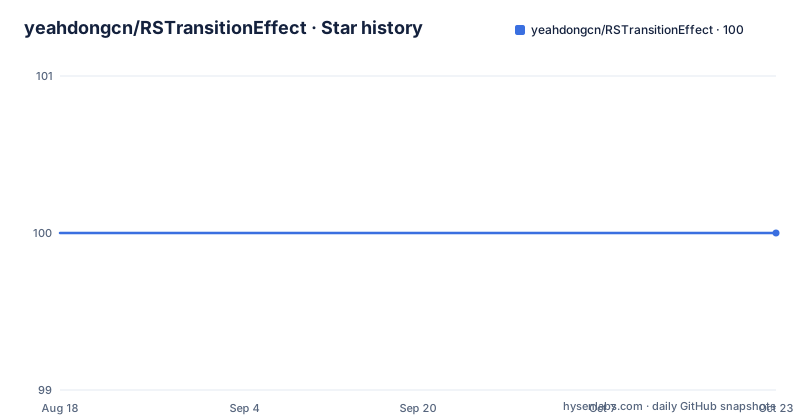
- yeahdongcn/RSTransitionEffect100 ★ · +0
| Repository | 2026-08-18 | 2026-10-23 |
|---|---|---|
| yeahdongcn/RSTransitionEffect | 100 | 100 |
0 Stars in the last 66 days, measured from the daily GitHub snapshot. Compare with other projects
Editorial analysis
It says up front that it is a re-implementation
The README is unusually direct about provenance, which is worth reading before anything else. This is a re-implementation of mayuur's MJTransitionEffect, and it adds default data binding for a table view cell and for a detail view controller, and it addresses what it calls the white screen problem. It also states that all images and the data source are taken from mayuur's project. An MIT license file sits at the root of the repository. So the artistic assets and the sample content belong to the original author's work, the transition behaviour is a rewrite, and the framing is that this is one author's second take on an effect rather than a new component. The README closes with a badge from Bitdeli, a defunct analytics service, which dates the project as firmly as the commit history does.
The contribution is frame conversion, not the animation
The author describes what the implementation introduces in one sentence, and it is not the animation itself. The additions are source frames and target frames for the transition view controller, a basic data item, a binding from that item to views, and frame calculations. Read together with the rest of the description, the division of labour is clear: the visual effect is the re-implemented part inherited from the original project, while everything this repository adds is the machinery that gets information from a table row to a detail screen. That is why the interesting API surface is a category on the table view and a plain object, rather than anything inside the controller.
Three pieces do all the work
The library is described as three components. The first is `RSBasicItem`, the data item for a table cell, and it holds three things: text, a detail text, and an image. The second is a category on `UITableView`, and its job is to convert the frames of the cell itself and of its text label, detail text label and image view into absolute screen coordinates. The third is `RSTransitionEffectViewController`, which provides the data binding and the animations. So the item describes what is in a row, the category answers where on screen each part of that row currently sits, and the controller consumes both. The sample demonstrates the chain the author calls list, then item, then detail.
The delegate method is four assignments and no animation flags
Integration is one delegate method, and it is short enough to read in full.
    - (void)tableView:(UITableView *)tableView didSelectRowAtIndexPath:(NSIndexPath *)indexPath
    {
        [tableView deselectRowAtIndexPath:indexPath animated:NO];

        RSDetailViewController *viewController = [self.storyboard instantiateViewControllerWithIdentifier:@"detail"];
        viewController.sourceFrames = [tableView framesForRowAtIndexPath:indexPath];
        viewController.item = [self.items objectAtIndex:[indexPath row]];
        [self.navigationController pushViewController:viewController animated:NO];
    }
The detail is in the two `animated:NO` arguments. The row is deselected without animation, and the push is done without animation as well, which is what leaves the screen free for the library to draw its own transition. The controller itself comes from the storyboard by identifier rather than being allocated, so its outlets are already connected by the time the two properties are assigned.
Predefined outlets make the storyboard part of the contract
The README is specific that you create a detail view controller which subclasses `RSTransitionEffectViewController`, then link predefined IBOutlets to the current views. That word predefined is doing real work. It means the base controller declares the outlets, so the storyboard has bindings available to connect, and it means the controller is expected to be instantiated by the storyboard so those connections exist before you touch it. There is consequently no initialisation, no frame of reference conversion and no setup call in the delegate method shown above, because the storyboard has already done that work. If you try to allocate the subclass directly with alloc and init, you lose the connections the design depends on, which is the one constraint worth remembering when adapting this to a code-only screen.
A test target exists that the README never mentions
The repository contains an Xcode project, a sample application directory, a library directory, a test directory named for the sample, a license file and a sample animation as a GIF. The presence of the sample test target suggests the project was set up for tests from the start, but the README describes none of them, so there is nothing to say about what they cover or how to run them. There is also no package manifest at the top level, no podspec and no Swift Package description, which places integration outside any package manager: you would add the source files or reference the Xcode project directly. For a project of this vintage that was a normal arrangement, and it is the reason adopting it means copying files rather than running an installer.
The last commit is from 2013
Maintenance is the fact that most affects a decision here. The repository is not archived, but the last push to master is dated 2013-12-26 and no releases are published, so there is no version to depend on and nothing that has been updated in over a decade. The language is Objective-C, and the sample is built from a checked-in Xcode project rather than anything generated by a modern toolchain. The README also describes the project as solving a white screen problem, which suggests it was written to fill a gap in the original effect at the time, and a gap that was real then may not be the gap you have. Read the source before adopting it rather than treating the description as a current assessment.
Editorial conclusion
Take this repository if you are working in Objective-C, you already have a storyboard-driven table screen, and you want the transition without hand-computing frames for every subview. The integration cost is low and the shape is fixed: subclass the view controller, connect its outlets, then assign sourceFrames and item in the delegate method. Two limits to weigh first. It is dated 2013-12-26 with no releases, so you are adopting archived-era iOS code with no version to track, and there is no package manifest at the top level, so integration means adding the Xcode project or the source files yourself. The attribution is clear, since it states it re-implements mayuur's MJTransitionEffect and reuses that project's images and data.
Frequently asked questions
What does RSTransitionEffect add to MJTransitionEffect?
The README calls it a re-implementation of mayuur's MJTransitionEffect that adds default data binding for a table view cell and a detail view controller, and solves what it describes as a white screen problem. All images and the data source are taken from mayuur's project.
What are the three components of RSTransitionEffect?
RSBasicItem, the data item for a cell holding text, detail text and image; a category on UITableView that converts the frames of the cell, its text label, detail text label and image view into absolute screen coordinates; and RSTransitionEffectViewController, which provides the data binding and the animations.
How do I push a detail screen with RSTransitionEffect?
In the table view delegate, deselect the row without animation, instantiate the detail controller from the storyboard by identifier, assign sourceFrames from the category's frames for that row and item from your data array, then push with animated:NO so the library draws the transition itself.
What setup does the detail view controller need?
Subclass RSTransitionEffectViewController in a storyboard and connect its predefined IBOutlets to the current views. Instantiating it from the storyboard is what connects those outlets, which is why the delegate method assigns two properties rather than configuring anything.
Is RSTransitionEffect still maintained?
The repository is not archived, but the last push to master is dated 2013-12-26 and no GitHub releases are published. The project is Objective-C and is consumed as source or through the checked-in Xcode project, since there is no package manifest at the top level.
Official sources
Add this badge to your README
If you maintain this project, the badge below links readers to this analysis and shows its maintenance status from the daily GitHub snapshot. Paste the markdown into your README; add ?metric=license or ?metric=stars to the image URL for a different field.

[](https://hysenlabs.com/projects/yeahdongcn-rstransitioneffect)Star history chart for your README
[](https://hysenlabs.com/projects/yeahdongcn-rstransitioneffect)Was this useful?