XSwitch: a Chrome extension that rewrites request URLs, with an MCP server for AI-driven rules
A Chrome Extension for redirecting/forwarding request urls
At a glance
- What is it?
- XSwitch is a Chrome extension that redirects or forwards request URLs through declarative rules, using the browser's own networking APIs rather than a separate proxy. Version 2.1.0 adds a local stdio MCP server so an AI client with terminal access can read and edit the rule set over Chrome Native Messaging.
- Who is it for?
- Adopt XSwitch if you need to point browser requests at a local development server without a system-wide proxy, since the extension uses the browser native API and keeps the rules in the extension itself. Do not adopt it as a general purpose proxy or for Firefox or Safari, because the project is a Chrome extension and the README only mentions Edge or Chromium as extra browser targets for the MCP bridge installer.
- Can I use it commercially?
- Yes. MIT is a permissive licence: you can use, modify and sell software built on it, as long as you keep its copyright and licence notices.
- Is it still maintained?
- Yes. The repository last received commits 108 days ago.
- What is it written in?
- Mainly TypeScript, according to GitHub's language statistics.
Answers come from the project's GitHub data, last synced on November 7, 2026, and from our analysis. They are not legal advice.
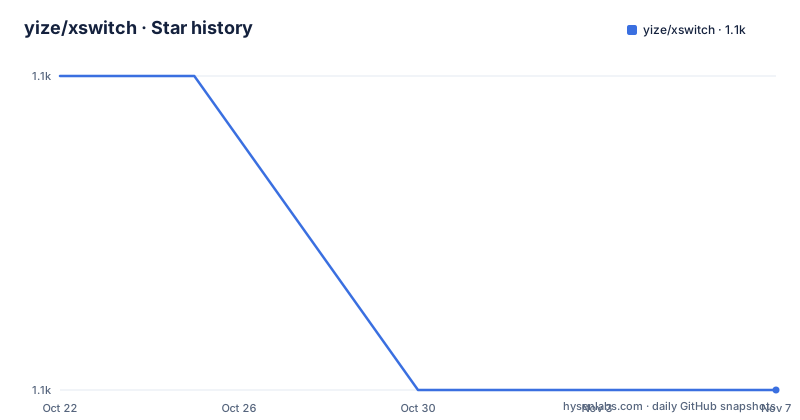
Star history
- yize/xswitch1,077 ★ · -1
| Repository | 2026-10-22 | 2026-11-07 |
|---|---|---|
| yize/xswitch | 1.1k | 1.1k |
-1 Stars in the last 16 days, measured from the daily GitHub snapshot. Compare with other projects
Editorial analysis
What the extension actually intercepts
XSwitch is described as a Chrome browser extension for forwarding request links, and the README notes that because it uses the browser native API, safety and performance are assured by the browser itself rather than by a separate process.
That distinction is the whole design. The usual way to redirect browser traffic is a local proxy, which requires a certificate, a system-wide setting and a background daemon. An extension that works through the browser's own request handling needs none of that, and it also inherits the browser's own connection pooling and cache behaviour, which is where the performance claim comes from.
The feature list covers request address forwarding, a global switch to enable or disable all rules, the option to disable the browser cache, CORS support including withCredentials, and separate cross-origin and cache-disabling toggles reachable by right-clicking the extension icon in the browser toolbar and opening settings. Rules can be organised into groups.
The rule file uses jsonc rather than plain JSON, which is a small but meaningful choice. jsonc supports comments inside the rule file, so a rule set with a dozen URL rewrites can carry a note explaining why each one exists. The editor is Monaco Editor, the same component as in VS Code, and it supports a subset of the VS Code shortcuts, including formatting JSON with the command and F combination. There is also autocompletion.
The primary language is TypeScript, and the package.json describes the project as a compact proxy tool based on Chrome extensions built with Vue 3 and Vite. The dependencies back that up, with vue, ant-design-vue, monaco-editor, jsonc-parser and the @modelcontextprotocol/sdk alongside the Ant Design icon set.
Rule order, matching types and the localhost trick
The behaviour that most affects daily use is the ordering rule, and the README states it in one sentence: all rules execute in the order they are defined, from front to back, and even when a rule matches, matching continues down the list until the last enabled rule.
So this is a rewriting pipeline, not a first-match-wins table. A URL that matches three rules is rewritten three times, in sequence. That makes chained rewrites possible, where one rule turns a host into another and a later rule changes the path, and it also means the order of your rules is the semantics of your rules.
The rule file format uses an array of two-element pairs.
{
  // 转发规则
  "proxy": [
    [
      "//alinw.alicdn.com/platform/daily-test/isDaily.js", // 匹配 URL
      "//alinw.alicdn.com/platform/daily-test/isDaily.json" // 替换成这个 URL
    ],
    // 字符串替换,会全局匹配
    [
      "alinw",
      "g"
    ]
  ],
  // 希望开启 CORS 跨域的链接
  "cors": [
    "cors.a.com",
    "(.*).b.com"
  ]
}
Four matching styles are demonstrated in the commented-out examples. A pair of two exact strings is a literal match and replacement. A two-string pair where both sides are plain text is a global string substitution, with the .min to empty example given for stripping the min suffix from URLs. A pair whose first element is a regular expression, with capture groups referenced in the replacement as $1, is the pattern form, and the example rewrites a path to a local server on port 3000. And a replacement that starts with data:text/javascript turns the request into an inline script rather than a network fetch.
The CORS array is separate and uses both exact hosts and regular expressions, as in the two entries shown.
There is one practical tip in the README worth passing on. Forwarding an HTTPS link to http://127.0.0.1 avoids the browser's security warning, so if you normally work with localhost, the 127.0.0.1 form will not trip the certificate prompt.
The MCP server and its seven tools
The most substantial addition in version 2.1.0 is a built-in local stdio MCP server that talks to the extension over Chrome Native Messaging.
The README makes the trust boundary explicit. The rules and the communication both stay on the local machine, and ordinary web pages cannot call the rules read and write interfaces. That is the important property here, because an MCP tool that can rewrite network routing rules is a high-value target, and the fact that the transport is Native Messaging means a page cannot reach it.
The tool list is short and specific. get_xswitch_state reads the switch, the options and all rule groups. upsert_xswitch_rule_group adds or modifies groups, forwarding rules and CORS matchers. delete_xswitch_rule_group deletes a non-default group. set_xswitch_enabled enables or disables all XSwitch rules. set_xswitch_options changes the cache clearing and global CORS options. list_xswitch_backups shows recent local rollback snapshots. restore_xswitch_backup restores a snapshot, and with no backup ID it undoes the last MCP change.
Every MCP write operation saves a complete snapshot locally first. A write or validation failure triggers an automatic restore, and on success the last ten history entries are kept. Backup contents are not returned through the listing tool and do not leave the machine.
The undo behaviour is the part to notice. Restoring without a backup ID undoes the most recent MCP modification, so the recovery path does not require the caller to have tracked identifiers.
MCP is on by default and can be disconnected at any time from the settings page.
Getting started without a terminal, and the manual installer
The README's onboarding flow for the MCP feature avoids asking anyone to clone a repository.
You open the XSwitch settings page, copy the configuration prompt, and send it to an AI client that has local terminal permissions, such as Codex or Claude Code. The prompt already contains the current extension ID, and it asks the AI to complete the local bridge installation, the client MCP configuration and a connectivity check. Only if the client must be restarted to load the new MCP does the AI prompt you for that one action.
Developers can still install or uninstall the bridge by hand.
npm install
npm run mcp:install-host -- --extension-id <扩展ID>
npm run mcp:install-host -- --uninstall
The requirements are macOS or Linux and Node.js 20 or newer, and the package.json confirms the script wiring, with mcp:install-host running the mcp package build and then node mcp/install-host.js, and mcp:start running node mcp/server.js directly. Edge and Chromium users can pass --browser edge or --browser chromium to the installer.
The macOS and Linux restriction is worth noting against the extension itself, which is Chrome-based and runs anywhere Chrome does. The restriction is on the native bridge, not on the extension, so the two halves of the project have different platform coverage.
The repository also carries a pub.sh script for publishing the extension, a manifest.config.ts, a vitest.config.ts and an __tests__ directory, with the test script running vitest and the lint script running eslint over TypeScript, TSX and Vue files.
Release history, packaging and where XSwitch is the wrong tool
The version history has a long gap in the middle, and it is informative. The recent releases are v2.1.0 on 2026-07-20, v1.17.0 on 2019-09-30 with a note that it added dark mode support, and v1.16.0 on 2019-09-10. So the project went from 1.16 to 1.17 in September 2019, and then did not ship a tagged release for roughly seven years until 2.1.0 in July 2026. The last push was on 2026-07-23, and the repository is not archived.
That is worth weighing. A seven year gap followed by a 2.0 version implies substantial internal change during the quiet period, and a reader of the current README is looking at a project that changed shape while it was not publishing tags. The good news is that the last push is recent relative to the tag, so the 2.1.0 line is the maintained one.
Where XSwitch is the wrong tool: it is a browser extension, so it does not affect curl, mobile clients, native apps or anything else that talks to the network, and a shared team needs every member to install it. It is not a VPN, and while the rule mechanism could express a proxy-like redirect, the README positions it as a development and testing tool rather than a traffic tunnel.
It is also Chrome only in practice. The extension is built on the Chrome extension manifest, the Chrome Web Store listing is the distribution channel, and the only other browsers mentioned are Edge and Chromium as targets for the MCP installer. There is no Firefox or Safari support in the repository.
The licence is MIT, with the notice in LICENCE.md and the README crediting yize.shc.
Editorial conclusion
Adopt XSwitch if you need to point browser requests at a local development server without a system-wide proxy, since the extension uses the browser native API and keeps the rules in the extension itself. Do not adopt it as a general purpose proxy or for Firefox or Safari, because the project is a Chrome extension and the README only mentions Edge or Chromium as extra browser targets for the MCP bridge installer. Verify first how the rule ordering behaves, because the README states that all rules execute in defined order from front to back and matching does not stop the chain, and review the MCP tool list carefully before letting an agent write to it.
Frequently asked questions
What does the XSwitch Chrome extension do?
It forwards or redirects request URLs using rules kept inside the extension, working through the browser native API rather than a separate local proxy. It also offers a global enable switch, a browser cache disable option, CORS support including withCredentials, and grouped rules.
How do XSwitch rules match and rewrite URLs?
Each rule is a two element pair, and the README shows four styles: an exact string pair, a global string substitution, a regular expression with capture groups referenced as $1 in the replacement, and a data:text/javascript replacement that turns the request into an inline script. Rules are applied in the order they are defined and matching continues to the last enabled rule.
What can the XSwitch MCP server do?
It exposes tools to read the extension state, add or modify rule groups, delete a non-default group, enable or disable all rules, change the cache and CORS options, list local rollback snapshots and restore one. It is on by default, communicates over Chrome Native Messaging, and every write saves a local snapshot first so a failed write can be rolled back automatically.
How do I install the XSwitch MCP host bridge manually?
Run npm install, then npm run mcp:install-host -- --extension-id <extension ID>, and uninstall with npm run mcp:install-host -- --uninstall. The requirements are macOS or Linux and Node.js 20 or newer, with optional --browser edge or --browser chromium flags.
Official sources
Add this badge to your README
If you maintain this project, the badge below links readers to this analysis and shows its maintenance status from the daily GitHub snapshot. Paste the markdown into your README; add ?metric=license or ?metric=stars to the image URL for a different field.

[](https://hysenlabs.com/projects/yize-xswitch)Star history chart for your README
[](https://hysenlabs.com/projects/yize-xswitch)Was this useful?