AppRun: an Elm-style event and update architecture in plain JavaScript
AppRun is a JavaScript library for developing high-performance and reliable web applications using the elm inspired architecture, events and components.
At a glance
- What is it?
- AppRun is a small TypeScript framework where a view is a function of state and an update object maps event names to state transitions, with state management and routing built in rather than bolted on. Version 6.0 makes pretty-link routing an explicit opt-in, and the project is now partly maintained through a spec-driven flow with AI assistance and a published set of agent skills.
- Who is it for?
- Adopt AppRun if you want a small, explicit state architecture without learning a framework's own syntax, since the model is a view function plus an update object and it runs in the browser with no build step for prototypes. Do not adopt it if your team expects an ecosystem, a large plugin surface or a well-trodden hiring pool, since AppRun is a single small library with no GitHub releases despite its long history.
- Can I use it commercially?
- Yes. MIT is a permissive licence: you can use, modify and sell software built on it, as long as you keep its copyright and licence notices.
- Is it still maintained?
- Yes. The repository last received commits 116 days ago.
- What is it written in?
- Mainly TypeScript, according to GitHub's language statistics.
Answers come from the project's GitHub data, last synced on November 7, 2026, and from our analysis. They are not legal advice.
Star history
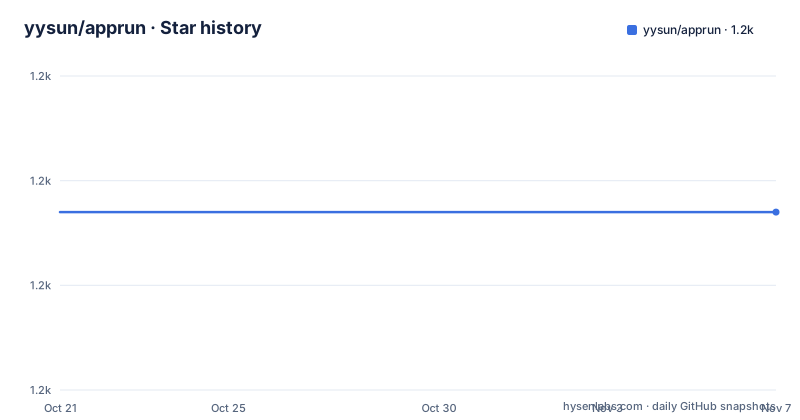
- yysun/apprun1,177 ★ · +0
| Repository | 2026-10-21 | 2026-11-07 |
|---|---|---|
| yysun/apprun | 1.2k | 1.2k |
0 Stars in the last 17 days, measured from the daily GitHub snapshot. Compare with other projects
Editorial analysis
The three pieces: state, view, update
AppRun is described as a lightweight framework for building web apps, with a unique architecture inspired by the Elm architecture that helps manage state, routing and other essential aspects of a web application, using the event publish-subscribe pattern.
The counter example in the README shows the whole model in a handful of lines.
// define the initial state
const state = 0;

// view is a function to display the state (JSX)
const view = state => <div>
  <h1>{state}</h1>
  <button onclick="app.run('-1')">-1</button>
  <button onclick="app.run('+1')">+1</button>
</div>;

// update is a collection of event handlers
const update = {
  '+1': state => state + 1,
  '-1': state => state - 1
};

// start the app
app.start(document.body, state, view, update);
The state is a plain value, the view is a function from state to markup, and the update object is a map from event name to a function that takes the current state and returns the next one. app.start wires them to a DOM element and begins.
The list of benefits in the README makes the pitch in a way that is worth reading as a design statement rather than a marketing line. Clean architecture that needs minimal setup and boilerplate code, and a decoupled architecture that is test friendly. The most telling entry is that there is no proprietary syntax to learn, with no hooks, no reducers and no signals. State management and routing are included rather than added, and it can be used directly in the browser or with a compiler or bundler. Advanced features include JSX, Web Components, Dev Tools and SSR.
Directives, and calling state functions without events
The same counter can be written two more ways, and each one shows a different level of AppRun's ergonomics.
The first uses directives, which the README calls syntax sugar.
const view = state => <div>
  <h1>{state}</h1>
  <button $onclick="-1">-1</button>
  <button $onclick="+1">+1</button>
</div>;
The $onclick attribute names the event directly, so the handler is looked up in the update object by that string. The onclick form in the earlier example went through app.run explicitly, and the directive form removes that ceremony by convention.
The second form drops events entirely for local state updates, and the README says you can invoke state update functions without events.
// state update function
const add = (state, value) => state + value;

const view = state => <div>
  <h1>{state}</h1>
  <button $onclick={[add, -1]}>-1</button>
  <button $onclick={[add, 1]}>+1</button>
</div>;

app.start(document.body, state, view);
The handler is now a tuple of function and argument, and note that app.start takes no update object at all in this form. A component can therefore have local state transitions that never go through the global event bus, which is a reasonable escape hatch for a widget inside a larger app.
The directive and array syntaxes are the two ways the framework shortens the common cases, and both are compile-time-ish conveniences over the same underlying mechanism.
Async generators as event handlers
The feature the README is most pleased about is that you can use async generator functions for event handlers to return multiple values, and that AppRun will render each value in the order they are generated.
The example is a fetch that shows a loading state and then the result.
const state = {};
const view = state => html`
  <div><button @click=${run(getComic)}>fetch ...</button></div>
  ${state.loading && html`<div>loading ... </div>`}
  ${state.comic && html`<img src=${state.comic.img} />`}
`;
async function* getComic() {
  yield { loading: true };
  const response = await fetch('https://xkcd-api.netlify.app');
  const comic = await response.json();
  yield { comic };
}

app.start(document.body, state, view);
Each yield is a partial state object, so the first yield puts the application into a loading state and the second delivers the payload.
This is a genuinely different model from a promise that resolves once. It removes the need for a separate loading flag, a separate error flag and a separate data flag in the store, since each intermediate state is just another yield. The template literal tagged html function is used here rather than JSX, and the @click attribute with a function reference is the third syntax variant in the README, so the project supports JSX and tagged templates as peers.
Components, routing mode and the 6.0 change
Components exist to encapsulate logic blocks, for example SPA pages, and each component can have its own state, view and update functions, and its own handlers to handle routing events. Hierarchical routing is supported as well, with a requirements document linked in the repository at docs/requirements/req-hierarchical-routing.md.
The routing story has changed in version 6.0 and it is the detail most likely to break an existing application. AppRun 6.0 preserves hash routing and native browser links by default, matching the behaviour of 3.38.1, and making no call or calling app.use_prettyLink(false) keeps that mode.
To get clean path navigation, you call app.use_prettyLink() or app.use_prettyLink(true) when the application owns pretty-link /path navigation. AppRun then initializes from location.pathname, handles popstate, and intercepts eligible same-origin links for SPA navigation.
The timing rule is precise and unforgiving. You must choose the mode before DOMContentLoaded, typically immediately after loading or importing AppRun, and the last call before DOMContentLoaded wins, because later calls do not rewire listeners. One behaviour was also removed: registering a # or #/ handler no longer selects hash mode automatically, so hash routing is now something you get by default rather than something you trigger.
The example that follows shows components with their own update objects keyed by route, and a top-level app.render call.
app.use_prettyLink(true);

class Home extends Component {
  view = () => <div>Home</div>;
  update = {'/, /home': state => state };
}

app.render(document.body, <App />);
[About, Contact, Home].map(C => new C().start('pages'));
Installing, the browser build, and where AppRun fits
AppRun is distributed on npm, and the install is the usual one.
npm install apprunFor rapid prototyping or a demo, the README says you can use AppRun directly in the browser without JSX and without any build step, with the app, Component, on, customElement, trustedHTML, safeHTML, html, run and svg APIs available globally in the script-tag build. That list is a good summary of the surface, since it includes both the core app object and the escaping-related helpers trustedHTML and safeHTML.
The project also supports swapping the renderer. The app.use_react function lets you use React for rendering the view, with React and ReactDOM imported and passed in, and the app.use_render function does the same for another render library, with the example using preact's render.
There is also an agent-facing angle that is new. The README announces a set of AI Agent Skills for AppRun, covering component design, state management, routing and testing, installable with a single command.
npx skills add yysun/apprunAnd in July 2025 the maintainer started improving the codebase using AI with a spec-driven flow, where the requirements, implementation plan and final results are stored in the docs folder. The repository reflects that: there are docs/requirements files, an IMPROVEMENT_PLAN.md, a MIGRATION.md, WHATSNEW.md, a .docs directory, a skills/ directory, an ai/ directory, .clinerules, and a CHANGELOG.md.
Where AppRun is the wrong tool: there are no GitHub releases, so versioning is whatever npm carries, and the project has been around long enough that the version numbering spans from 3.x to 6.x with a documented migration between them. The scope is also a whole-application framework rather than a component library, so it competes with React and Vue rather than complementing them, though the use_react and use_render hooks are a partial bridge. The last push was on 2026-07-15, and the licence is MIT.
Editorial conclusion
Adopt AppRun if you want a small, explicit state architecture without learning a framework's own syntax, since the model is a view function plus an update object and it runs in the browser with no build step for prototypes. Do not adopt it if your team expects an ecosystem, a large plugin surface or a well-trodden hiring pool, since AppRun is a single small library with no GitHub releases despite its long history. Verify first the routing mode, because AppRun 6.0 keeps hash routing and native browser links by default and requires an explicit app.use_prettyLink(true) call before DOMContentLoaded for clean path navigation.
Frequently asked questions
How do I install AppRun and start a counter?
Run npm install apprun, then define an initial state, a view function of that state, an update object mapping event names to state transitions, and call app.start(document.body, state, view, update). For prototyping you can also load the script-tag build in the browser and use the global app, Component, html and run APIs with no build step.
What changed about routing in AppRun 6.0?
AppRun 6.0 preserves hash routing and native browser links by default, matching 3.38.1. To use clean path navigation you call app.use_prettyLink(true) before DOMContentLoaded, at which point AppRun initializes from location.pathname, handles popstate and intercepts same-origin links. Registering a # or #/ handler no longer selects hash mode automatically.
Can an AppRun event handler return more than one value?
Yes. The README shows async generator functions used as event handlers, where each yield is rendered in order. The example yields a loading state first and then the fetched comic, so intermediate states need no separate loading or error flags in the store.
Can AppRun use React or another renderer?
Yes. The app.use_react function lets you render the view with React by passing React and ReactDOM in, and app.use_render accepts another render library, with the README using preact's render as the example.
Official sources
Add this badge to your README
If you maintain this project, the badge below links readers to this analysis and shows its maintenance status from the daily GitHub snapshot. Paste the markdown into your README; add ?metric=license or ?metric=stars to the image URL for a different field.

[](https://hysenlabs.com/projects/yysun-apprun)Star history chart for your README
[](https://hysenlabs.com/projects/yysun-apprun)Was this useful?