openapi-tui: Browse and Call OpenAPI APIs from the Terminal
Terminal UI to list, browse and run APIs defined with openapi spec.
At a glance
- What is it?
- openapi-tui is a Rust terminal interface for loading OpenAPI v3.0 and v3.1 specifications, browsing their operations, and sending requests. It suits developers who want a keyboard-driven alternative to a separate API client, though schema support for OpenAPI 3.1 remains incomplete.
- Who is it for?
- openapi-tui is appropriate for developers who work primarily in a terminal and need to explore an OpenAPI document and execute its requests from the keyboard. It is less suitable for users who need a browser-based client, complete OpenAPI 3.1 schema handling, or a request workflow outside the documented command set.
- Can I use it commercially?
- Yes. MIT is a permissive licence: you can use, modify and sell software built on it, as long as you keep its copyright and licence notices.
- Is it still maintained?
- Yes. The repository last received commits 162 days ago.
- What is it written in?
- Mainly Rust, according to GitHub's language statistics.
Answers come from the project's GitHub data, last synced on October 23, 2026, and from our analysis. They are not legal advice.
Star history
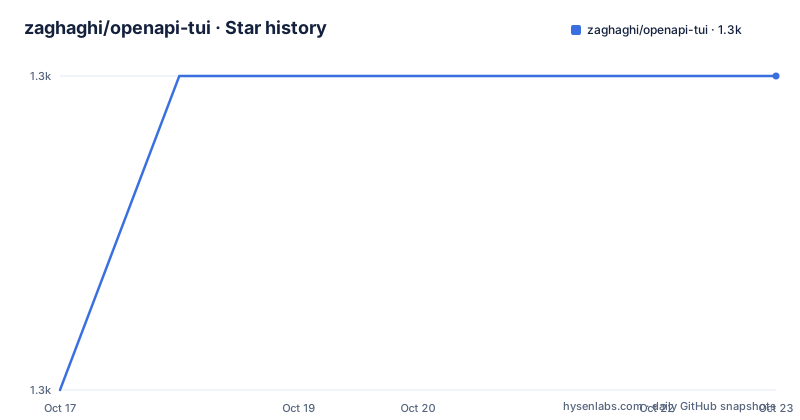
- zaghaghi/openapi-tui1,345 ★ · +1
| Repository | 2026-10-17 | 2026-10-23 |
|---|---|---|
| zaghaghi/openapi-tui | 1.3k | 1.3k |
1 Stars in the last 6 days, measured from the daily GitHub snapshot. Compare with other projects
Editorial analysis
Why openapi-tui exists
openapi-tui addresses a specific gap between reading an API definition and using that API. An OpenAPI document contains operations, servers, parameters, request bodies, responses, webhooks, components, and security schemes. A developer may have that document locally or at a remote URL but still need an efficient way to inspect it and send a request without copying values between several tools. The project presents the specification as a terminal interface with panes, lists, nested items, and keyboard commands.
The target user is a developer or operator who is comfortable with OpenAPI documents, command-line tools, and terminal workflows. It can serve as an API explorer for an unfamiliar service, a quick client for reproducing endpoint behavior, or a local inspection surface for a specification that is already available as JSON or YAML. The README explicitly advertises listing and browsing APIs, and its feature list includes authentication, request history, request sending, response viewing, and request export.
The project does not try to be a general-purpose HTTP IDE. Its scope is tied to APIs represented by OpenAPI v3.0 and v3.1. It also depends on the quality and completeness of that document. If an operation is missing, poorly described, or not represented by supported fields, the terminal interface cannot add information that the specification does not contain.
OpenAPI parsing and terminal rendering
The repository uses Rust and builds the interface around `ratatui`, with `crossterm` providing terminal event handling and terminal-related features. The documented interface uses panes, tabs, lists, a request page, a history page, and popup dialogs. The main page includes commands for entering the request page, viewing request history, configuring authentication, and displaying help.
The dependency list shows support for both document formats and both OpenAPI generations. `serde_json` and `serde_yaml` handle JSON and YAML data, while the `openapi-31` crate is present for OpenAPI 3.1 support. The README also states that nested components, webhooks, multiple servers, parameter merging, and API information are implemented. These features indicate that the application does more than render raw text. It organizes the specification into navigable sections and lets the user move between related items.
Request execution uses Rust networking dependencies including `reqwest` and `tokio`. The response viewer includes status and headers, plain response content, syntax highlighting, line numbers, scrolling, JSON formatting by content type, text search, and `jq` filtering for JSON responses. The README does not document the complete internal parsing or event-handling architecture, so the exact module boundaries should be read from the `src/` directory if that level of detail matters.
Installing openapi-tui and opening a specification
The README offers three installation paths: install the published crate with Cargo, download a pre-built artifact from the release page, or run the Docker image. The Cargo installation is the shortest documented route for a Rust developer:
❯ cargo install openapi-tuiAfter installation, pass a local or remote specification with `--input`, or `-i`. The following opens the bundled Petstore JSON example from the repository's example directory:
❯ openapi-tui -i examples/petstore.jsonThe input can also be a YAML file or a remote URL. For example, the README shows loading the GitHub API description from a raw URL:
❯ openapi-tui -i https://raw.githubusercontent.com/github/rest-api-description/main/descriptions-next/api.github.com/api.github.com.yamlThe CLI help shown in the README defines `-i, --input <PATH>` as a required option and accepts JSON or YAML. It also supports repeatable global headers in `Name: Value` form. A first use can therefore start with a local example, inspect the panes, move with the documented arrow and Vim-style keys, and enter the request page with `request` or `r`.
Sending authenticated requests from the TUI
Global headers can be supplied at startup and are attached to every request. The README gives the following syntax:
❯ openapi-tui -i examples/petstore.json -H 'Authorization: Bearer xyz' -H 'X-Env: dev'For security schemes declared under `components.securitySchemes`, the `auth` command opens an authentication popup. The request page then accepts `send` or `s` to execute the current request. The documentation does not explain the complete authentication UI flow or how a particular scheme is serialized into an outgoing request, so teams should verify this behavior against the target specification before relying on it.
The request page also provides commands for changing the request rather than sending it immediately. `query add` and `query rm` manage query strings, while `header add` and `header rm` manage headers. A payload can be loaded with `request open /home/hamed/payload.json`. Responses can be saved with `response save /home/hamed/result.json`. The project also supports copying the current request as `curl` or `httpie`, with `curl` as the documented default.
These commands make the interface more than a read-only specification browser. They also create a boundary. The documentation gives no indication that openapi-tui supports arbitrary scripting, response assertions, batch execution, or a plugin system. It is best understood as an interactive API client driven by a specification.
Filtering, inspecting, and retaining response data
The request page provides several response-oriented commands. `jq <expr>` filters a JSON response, such as selecting the first item, while a bare `jq` command clears the filter. `search <term>` performs a case-insensitive search in the response body, and a bare `search` clears that search. These are useful for inspecting large JSON responses without leaving the terminal.
The README lists a response viewer with status and headers, body content, JSON pretty-printing based on content type, syntax highlighting, line numbers, scrolling, and a progress bar during requests. It also documents saving response payloads. The separate feature list says that response bodies and headers can be saved, although the command table only gives the `response save <path>` form. The precise flag or subcommand for saving headers is not documented there.
Request history is available from the main page through `history`, and command history can be traversed with the up and down arrows. The project also supports fullscreen panes with `f`, filtering APIs with `/`, and a help popup with `?`. These controls are documented as keyboard mappings rather than a mouse-first design. That makes the interface suitable for remote shells and keyboard-oriented development, but it may be less convenient for users who expect a conventional API client with side-by-side request builders.
Docker, packaging, and upgrade considerations
Docker is documented as a direct way to run the application. The image entrypoint is `/bin/openapi-tui`, and the README shows both local-file and remote-specification invocations:
❯ docker run --rm -ti -v$(pwd)/examples:/opt zaghaghi/openapi-tui -i /opt/petstore.jsonFor a remote specification, the Docker command does not need the examples volume:
❯ docker run --rm -it zaghaghi/openapi-tui -i https://raw.githubusercontent.com/github/rest-api-description/main/descriptions-next/api.github.com/api.github.com.yamlThe README also lists Arch Linux and NixOS package routes. For Arch Linux, the documented command is:
❯ pacman -S openapi-tuiFor NixOS, the project documents:
❯ nix profile install github:zaghaghi/openapi-tuiThe crate is licensed under MIT. That permits use and modification under the license's terms, but organizations still need to review the complete license text and any dependencies separately. The repository is not archived. Its last push was on 2026-05-14, and the listed latest release is `0.10.2` from 2025-03-07. The gap between the release and the last repository push means upgrade behavior and current compatibility should be checked before adopting a release-sensitive workflow.
OpenAPI 3.1 gaps and alternative workflows
The clearest limitation is in the backlog: `Schema Types (openapi-31)` remains unchecked. The project claims OpenAPI v3.1 support, but that claim should not be read as complete coverage of every OpenAPI 3.1 schema feature. The README also does not document support for reading a specification from standard input. Both points matter when selecting the tool for a pipeline. A developer who needs complete schema validation, advanced schema transformations, or stdin-based automation should not assume that the terminal client covers those requirements.
A real alternative is a browser-based OpenAPI interface such as Swagger UI, when the requirement is interactive documentation in a web browser. Swagger UI uses the OpenAPI document as rendered documentation and provides a familiar request console. openapi-tui instead stays inside a terminal, supports keyboard navigation and filtering, can open remote specifications directly, and exposes commands for copying a request as `curl` or `httpie`. The difference is the interface and workflow, not a documented difference in OpenAPI parsing support.
Another alternative is writing requests with `curl` from a shell script. That approach is less dependent on an OpenAPI UI and can be automated, but it does not provide the specification navigation, nested component exploration, authentication popup, request history, or response viewer described for openapi-tui. The choice depends on whether interactive exploration matters more than scriptable control.
Editorial conclusion
openapi-tui is appropriate for developers who work primarily in a terminal and need to explore an OpenAPI document and execute its requests from the keyboard. It is less suitable for users who need a browser-based client, complete OpenAPI 3.1 schema handling, or a request workflow outside the documented command set. Verify first that the target specification is supported by the current release, then confirm how authentication, request payloads, and response inspection fit the operation you need.
Frequently asked questions
How do I install and start openapi-tui?
The README documents `cargo install openapi-tui`, followed by a command such as `openapi-tui -i examples/petstore.json`. Docker and pre-built release artifacts are also listed as installation options.
Can openapi-tui open a remote OpenAPI specification?
Yes. The `--input` option accepts an input file or URL, and the README includes an example that opens a remote GitHub API description.
Does openapi-tui support OpenAPI 3.1?
The README lists OpenAPI v3.1 as an implemented feature, but its backlog still includes `Schema Types (openapi-31)`. Complete schema coverage therefore remains unclear from the documentation.
Official sources
Add this badge to your README
If you maintain this project, the badge below links readers to this analysis and shows its maintenance status from the daily GitHub snapshot. Paste the markdown into your README; add ?metric=license or ?metric=stars to the image URL for a different field.

[](https://hysenlabs.com/projects/zaghaghi-openapi-tui)Star history chart for your README
[](https://hysenlabs.com/projects/zaghaghi-openapi-tui)Was this useful?