Unblink runs a camera node on your LAN and a relay you host
Camera monitoring with VLM
At a glance
- What is it?
- Unblink splits camera access into a node that sits beside your cameras and a server you have to expose, then feeds sampled frames to an OpenAI-compatible vision model. The Go codebase wires a frame timer, a frame index and two chat models together, and the shipped defaults contradict each other in two separate places.
- Who is it for?
- Pick Unblink when you own the cameras, can keep one Go binary beside them, and accept that frames go to an endpoint you choose; the node holds camera access on your LAN and the model binding is configuration rather than code. Walk away if you need a hardened recorder, offline operation by default, or recent upstream fixes, because the README documents no rollback, no retention policy, and no answer on where recorded frames land once ENABLE_RECORDING is on.
- Can I use it commercially?
- Yes, with strict conditions. AGPL-3.0 is a network copyleft licence: if people use a modified version over a network, for example as a hosted service, you must offer them its source code under the same licence.
- Is it still maintained?
- Activity is slowing. The repository last received commits 7 months ago.
- What is it written in?
- Mainly Go, according to GitHub's language statistics.
Answers come from the project's GitHub data, last synced on October 22, 2026, and from our analysis. They are not legal advice.
Star history
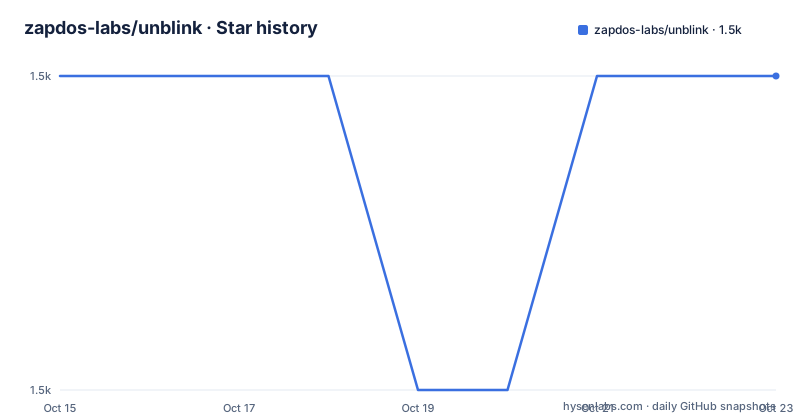
- zapdos-labs/unblink1,517 ★ · +0
| Repository | 2026-10-15 | 2026-10-22 |
|---|---|---|
| zapdos-labs/unblink | 1.5k | 1.5k |
0 Stars in the last 7 days, measured from the daily GitHub snapshot. Compare with other projects
Editorial analysis
Camera access splits into a LAN node and a public relay
Unblink V2 targets a narrow setup: cameras on a home LAN or in a back office, and an operator who wants a dashboard plus natural language search instead of a wall of NVR timestamps. The architecture note divides the system into four parts, a publicly reachable server that manages nodes, handles authentication and stores configuration; a private proxy that runs inside your network and forwards traffic to local cameras over `RTSP` or `MJPEG`; a `SolidJS` frontend built with TypeScript, Vite and Ark UI components; and `PostgreSQL` with `pgx` for storage. go2rtc handles RTSP and WebRTC. That division is the real design decision, and it cuts both ways. Camera addresses and credentials never leave the node you control, yet frame pixels do, because the vision model is reached through an HTTP API rather than executed inside the binary. Any promise of on-premises video analysis has to answer for that second half, and this repository does not.
The alternative reading of the same architecture is a hub. One publicly reachable server holds every node identity and every configuration record, so a node in a private home network dials outward rather than accepting inbound RTSP. The README does not document the transport used between node and server, the authentication scheme for that link, or whether traffic is encrypted end to end; `JWT_SECRET` in the shipped env file is the only hint about session signing.
Frames are sampled on a timer and pushed out in batches
A camera streaming at full frame rate is not what this node forwards. The frame processing block in the env example sets `FRAME_INTERVAL_SECONDS=5.0` and `FRAME_BATCH_SIZE=3`, so one analysis round takes three frames sampled five seconds apart and offers them to the model together.
CONTENT_TRIM_SAFETY_MARGIN=10
FRAME_INTERVAL_SECONDS=5.0
FRAME_BATCH_SIZE=3
Those two numbers set your cost directly, and both can be raised without touching code. A third knob, `CONTENT_TRIM_SAFETY_MARGIN=10`, has no description anywhere in the README. The name points at trimming, but the trim target, its unit and its interaction with the batch size are all undocumented, so treat it as an unexplained constant until you read the source.
What leaves the node next is gated by two booleans that both ship enabled:
BRIDGE_IDLE_TIMEOUT_SEC=300
BRIDGE_MAX_RETRIES=3
ENABLE_INDEXING=true
ENABLE_RECORDING=true
Flip either switch to false and that half of the pipeline stops, with no rebuild of the node binary. Downstream of the bridge sit two more limits: an idle bridge is dropped after `BRIDGE_IDLE_TIMEOUT_SEC=300`, and reconnection attempts are capped by `BRIDGE_MAX_RETRIES=3`, so a node that loses its uplink retries briefly and then falls silent until something restarts it.
A Qwen3-VL bullet beside a gpt-4-vision-preview default
The headline feature says Qwen3-VL performs frame analysis and summarization. The shipped configuration says something else entirely, and this is the first contradiction a careful reading turns up. `.env.example` sets `VLM_OPENAI_MODEL=gpt-4-vision-preview` with `VLM_OPENAI_BASE_URL=https://api.openai.com/v1`, and no Qwen model name appears in any file supplied here.
VLM_OPENAI_MODEL=gpt-4-vision-preview
VLM_OPENAI_BASE_URL=https://api.openai.com/v1
VLM_OPENAI_API_KEY=sk-your-key-here
VLM_TIMEOUT_SEC=120
The Go dependency list explains how both names can stay true. `go.mod` pins `github.com/openai/openai-go/v3 v3.16.0`, an OpenAI-compatible client, so the model string is whatever your endpoint accepts rather than a hardcoded backend baked into the binary. Point `VLM_OPENAI_BASE_URL` at a server on your own hardware and the node stops depending on a hosted vendor, which is the only documented route to keeping frame data inside the building. The README does not give a Qwen base URL, a served model path, or a hardware requirement, so anyone assuming Qwen3-VL ships preconfigured will find an OpenAI model name and a placeholder key in `.env` instead.
Text models follow the same pattern and carry the same ambiguity:
CHAT_OPENAI_MODEL=gpt-4o
FAST_OPENAI_MODEL=gpt-4o
A comment above the fast entry says it defaults to the chat model when unset, and then assigns a value anyway, so the default path is never exercised by the shipped file.
Installing a node from an archive or from source
The node is the part you run, and it is the part you install. Without a Go toolchain, four prebuilt archives are named, one per platform pair:
unblink-node_linux_amd64.tar.gz
unblink-node_linux_arm64.tar.gz
unblink-node_windows_amd64.zip
unblink-node_windows_arm64.zip
Extract the archive and start the `unblink-node` binary; on Windows the documented invocation is:
.\unblink-node.exeWith a toolchain present, the install is one line, and `go 1.25.4` in `go.mod` sets the compiler floor:
go install github.com/zapdos-labs/unblink/cmd/unblink-node@mainThen run the binary and expect a browser round trip: on first run the node prints a URL you open in your browser to authorize it, so nothing works until that step completes, and no headless or token-based alternative is described. Removal is explicit rather than assumed.
rm -f "$(go env GOBIN)/unblink-node"
# if GOBIN is empty, use:
rm -f "$(go env GOPATH)/bin/unblink-node"
Two details deserve attention. The install line tracks `@main`, so a Go install pulls whatever sits on the branch tip rather than a pinned build. The download path disagrees with the record as well: those four archives belong under the project's GitHub Releases page, while the published release list holds a single entry named `main-build` dated 2026-03-02, and nothing in the repository states which archive that entry carries.
The health check probes a port the shipped config never sets
The compose file defines one service, `unblink-app`, built from the local `Dockerfile` with `network_mode: host`, a named volume at `/data/unblink` and `CONFIG_DIR` pointed there. Its health check is where the configuration disagrees with itself:
test: ["CMD-SHELL", "wget -qO- http://127.0.0.1:${VITE_SERVER_API_PORT:-8090}/health >/dev/null || exit 1"]
interval: 30s
timeout: 5s
retries: 3
The shell fallback inside that check is 8090. `.env.example` sets `VITE_SERVER_API_PORT=8080`, and the image bakes `PORT=8080`, exposes 8080, and passes 8080 into the frontend build as an argument. With a `.env` present the compose file substitutes 8080 and probe agrees with process; without one, the fallback stays 8090 while the server still binds 8080, and after three tries spaced 30 seconds apart the container is reported unhealthy even though the application is fine. Copying `.env.example` to `.env` before the first container start is what keeps that probe honest.
Elsewhere the image is careful. The runtime stage installs `wget` and ffmpeg, creates an `appuser`, and downloads gosu 1.19 from a GitHub URL during the build, which means a builder without outbound network access fails before the Go compile even begins. `DIST_PATH` gets a similar treatment: the env example points at `./app/dist`, a path that does not exist inside the image, while the Dockerfile overrides it with `DIST_PATH=/usr/src/app/dist` where the frontend actually lands.
Recorded frame search sits behind two boolean switches
Video search in natural language is the feature people will try first, and it hangs off two switches that both default to on: `ENABLE_INDEXING=true` builds the searchable text, and `ENABLE_RECORDING=true` keeps the frames themselves. Disable recording and search has nothing to walk; disable indexing and frames may sit on disk with no description attached. The README does not say which of the two performs the lookup, and it never explains what happens to a recording when indexing is off.
Three model slots back the feature set. `CHAT_OPENAI_MODEL=gpt-4o` handles the chat interface, `FAST_OPENAI_MODEL=gpt-4o` handles the cheaper path, and the vision model carries its own `VLM_TIMEOUT_SEC=120` allowance. That timeout sits far above the five second sampling interval, which tells you one slow request can leave several frames queued behind it, and no file supplied here explains how the queue drains or whether frames are dropped.
Storage is the real gap. `DATABASE_URL` points at a `PostgreSQL` instance and `JWT_SECRET` signs sessions, but no file shown here maps recorded frames, their captions or their embeddings onto a table, a bucket or a volume. There is no retention window, no disk budget, and no API example for issuing a search query, so sizing a disk for this deployment requires reading code that is not included.
When go2rtc alone is the honest answer
The transport half of Unblink is a dependency, not an achievement. `go.mod` requires `github.com/AlexxIT/go2rtc v1.9.14`, and the architecture note credits go2rtc with RTSP and WebRTC handling and nothing more. Running that library on its own is the smaller tool: it handles the RTSP and WebRTC leg and stops there. Unblink adds a sampling timer, one model call per batch, a frame index, a chat interface and a login, which is the entire value proposition and also the entire cost.
So choose the bare library when you want live video and nothing else, or when your network cannot reach any OpenAI-compatible endpoint at all. Choose Unblink when a question about what happened an hour ago is worth more than watching the feed in real time.
The failure mode is quiet. If your endpoint rejects the model string, or the bridge hits `BRIDGE_MAX_RETRIES=3` and stops retrying, the node keeps running and simply stops describing anything. `make dev` shows no failing step, and the compose health check only tests that `/health` answers, so nothing surfaces the cause without reading node logs.
Three processes under tmux in a repository that stopped
Development is a three process exercise, and the Makefile names all of it: `make install` pulls dependencies, `make dev` starts a tmux session described as server plus node plus app, `make typecheck` checks the Go sources, and `make proto` regenerates protobuf code. That last target points at the `proto/` directory and at the `connectrpc.com/connect v1.19.1` dependency, the RPC layer the node and server share. Three tmux scripts, `tmux.dev.sh`, `tmux.prod.sh` and `tmux.lib.sh`, plus `node.dev.json` and `.air.toml`, are how the same layout runs in two environments, and `flake.nix` with `flake.lock` sit beside them at the top of the tree.
The top level is crowded for a Go service: `cmd/`, `server/`, `node/`, `app/`, `database/`, `shared/`, `docs/`, `plans/`, `assets/`, `render.yaml`, `entrypoint.sh` and `AGENTS.md` all sit beside `go.mod`, `go.sum` and `Makefile`. Most of it is explained. `render.yaml` matches the one-click deploy button in the README, `Dockerfile` and `docker-compose.yml` cover the container path, and a `plans/` directory sits in the tree next to `AGENTS.md` with no file supplied here saying what either holds.
The upgrade cost is the simple part to state and the easiest to underestimate. The repository license is AGPL-3.0, and the last push was on 2026-03-09, so anyone modifying it and serving the result over a network inherits the AGPL terms, and nobody upstream is refreshing the dependency pins behind `go.sum` for you. Fork it knowing both facts.
Editorial conclusion
Pick Unblink when you own the cameras, can keep one Go binary beside them, and accept that frames go to an endpoint you choose; the node holds camera access on your LAN and the model binding is configuration rather than code. Walk away if you need a hardened recorder, offline operation by default, or recent upstream fixes, because the README documents no rollback, no retention policy, and no answer on where recorded frames land once ENABLE_RECORDING is on. Read FRAME_INTERVAL_SECONDS and the VLM base URL before trusting the word private.
Frequently asked questions
Does Unblink send my camera frames to OpenAI?
With the shipped defaults, yes: `.env.example` sets `VLM_OPENAI_BASE_URL=https://api.openai.com/v1` alongside `CHAT_OPENAI_BASE_URL` and `FAST_OPENAI_BASE_URL` on the same host, so frames and chat traffic go to api.openai.com. Changing those base URLs is the documented way to route them elsewhere, including a server on your own hardware.
What does the Unblink node need before it works?
On first run the node displays a URL that you must open in a browser to authorize it, and no headless alternative is described. The source install path needs a toolchain matching `go 1.25.4`, while the archive path avoids Go entirely.
Can I point Unblink at a local vision model instead of OpenAI?
Yes, through the same OpenAI-compatible interface: set `VLM_OPENAI_BASE_URL` and `VLM_OPENAI_MODEL` to your own server. No Qwen-specific configuration is documented, even though the feature list names Qwen3-VL as the analysis model.
Where does Unblink store recorded camera frames?
No documentation here says where they land. `ENABLE_RECORDING=true` ships enabled and `CONFIG_DIR` with the `unblink-data` volume cover configuration under `/data/unblink`, but no file maps recorded frames onto a table, bucket or path, and no retention policy is documented.
How do I remove the Unblink node after testing it?
The documented removal deletes the installed binary with `rm -f "$(go env GOBIN)/unblink-node"`, falling back to `rm -f "$(go env GOPATH)/bin/unblink-node"` when `GOBIN` is empty. Node configuration and any recorded data left in `CONFIG_DIR` are not covered by that command.
Official sources
Add this badge to your README
If you maintain this project, the badge below links readers to this analysis and shows its maintenance status from the daily GitHub snapshot. Paste the markdown into your README; add ?metric=license or ?metric=stars to the image URL for a different field.

[](https://hysenlabs.com/projects/zapdos-labs-unblink)Star history chart for your README
[](https://hysenlabs.com/projects/zapdos-labs-unblink)Was this useful?