react-native-localize: a Latin American phone reports its country as UN
🌍 A toolbox for your React Native app localization
At a glance
- What is it?
- A localization toolbox that asks the operating system what the user's locale, calendar, currency, clock format and measurement system are, and hands the answers to your app. Two of its methods exist only on Android and say so in their return type, one country code comes back as a pseudo-country on Latin American devices, and the exports map publishes four entry points including two separate mocks.
- Who is it for?
- This library is worth using if your app needs to format for the user's actual settings rather than guess from a language code, because it exposes the operating system's answers directly instead of inferring them. Three things to know before you depend on it.
- Can I use it commercially?
- Yes. MIT is a permissive licence: you can use, modify and sell software built on it, as long as you keep its copyright and licence notices.
- Is it still maintained?
- Yes. The repository last received commits 2 days ago.
- What is it written in?
- Mainly TypeScript, according to GitHub's language statistics.
Answers come from the project's GitHub data, last synced on November 25, 2026, and from our analysis. They are not legal advice.
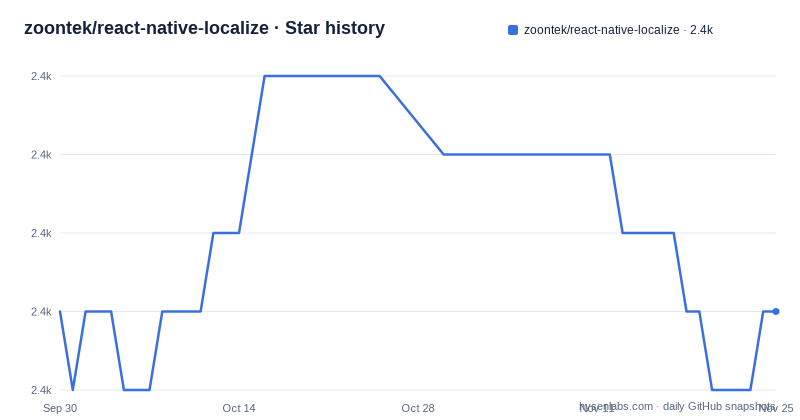
Star history
- zoontek/react-native-localize2,440 ★ · +0
| Repository | 2026-09-30 | 2026-11-25 |
|---|---|---|
| zoontek/react-native-localize | 2.4k | 2.4k |
0 Stars in the last 56 days, measured from the daily GitHub snapshot. Compare with other projects
Editorial analysis
The support promise is the latest release plus two minor series
The first substantive paragraph after the badges is a support statement, and it is borrowed rather than invented. The library says it follows the React Native releases support policy published by the framework's own working group, and that it supports the latest version and the two previous minor series. That is a narrow window by the standards of a library people keep installed for years, and it is worth noticing that the policy is someone else's. The release history is consistent with a library that follows the framework's cadence rather than its own: two patch releases one day apart after a gap of about seven months. The practical consequence for a team on an older framework is not that the library will break, but that it is no longer tested against the version they are pinned to.
Three platforms, three different mechanisms for declaring locales
Setup is the part of the documentation that is genuinely per-platform, and each platform needs something structurally different. On iPhone the supported locales go into the bundle localisation key in the application property list as an array of language codes. On Android it takes two steps: an attribute on the application element pointing at a resource file, and then a separate XML file listing one element per locale:
<application android:localeConfig="@xml/locale_config" />On Expo both platforms are configured through a config plugin rather than through native files, and the plugin ships two forms, one for a dynamic configuration file where the plugin is imported from the package and passed an options object, and one for a static configuration file where the package name is listed with the same options. The options accept either a flat array of language codes or an object keyed by platform, so a build can support different locales per platform.
A Latin American phone reports its country as UN
One method carries a note that is worth more than the rest of the country documentation combined. The country query returns the user's current country code, derived from the device locale and not from their position, and the example returns a two-letter code. The note underneath says that devices using Latin American regional settings return UN instead of 419, because 419 is not a standard country code. So on a large set of real devices this method returns a value that is not a country at all, and code that switches on it will fall through to a default. There is no replacement value offered, no second field to disambiguate, and no error. If your app maps country codes to currency, phone formats or a legal entity, that branch is where it will quietly do the wrong thing.
Two Android-only methods encode the platform gap in their return type
Most cross-platform libraries hide platform differences behind a runtime check. This one puts the difference in the type signature. Two methods report whether the phone's automatic date and time setting and its automatic time zone setting are enabled. Both are marked as Android only in bold, and both are typed as returning a boolean that might also be undefined. The undefined is not sloppiness; it is the signal that the question has no answer on the other platform. Everything else in the API is a concrete type with no optional case, which makes these two the only functions where a caller has to handle absence rather than a value. That is a defensible design, and it is also the kind of thing a generated type file makes easy to miss when you read only the signature.
Country and time zone come from settings, never from position
Two descriptions carry the same parenthetical emphasis, and both are worth reading as deliberate choices rather than incidental ones. The country query is described as based on the device's locale and explicitly not on its position, and the time zone query is described the same way, based on the device's settings and explicitly not on its position. Nothing in the library requests location permission, and nothing in the documented API returns coordinates or anything derived from them. For an app that needs to know a user's region for formatting, that is the right answer. For an app that needs to know where the user physically is, for instance to pick a nearby store or to apply a local law, this library is the wrong tool and will appear to work until it quietly returns the region the phone was set to rather than the region the user is in.
Four entry points and three type declaration trees
The package manifest is small but unusually explicit about what it publishes. There is the main entry, an entry for the Expo plugin, an entry for a mock, and a separate entry for a Jest-specific mock, which is two mocks rather than one, presumably so a Jest consumer does not have to pull in a broader mock. Two further conditions expose the package metadata and the Expo plugin file directly. Each of those four entries declares both an import condition and a require condition, and each of those points at a different declaration file, one for the module build and one for the CommonJS build, so the same package ships three separate type trees for consumers using different module systems. The files list restricts what is published to the native directories and the build output rather than shipping the sources or the example application.
The hardest function's documentation is a link into an old issue comment
Most of the API is documented in a consistent shape: what it returns, its type, and an example with a comment showing the output. One function breaks the pattern. The function that picks the best matching language tag from the available translations is described in a single sentence, and its documentation is a note that it respects the user's preferred language list order, with the word explanations pointing at a comment on an issue from several years ago. That is the entire answer to the hardest question this library gets asked, which is how to choose between an exact match, a language-only match and a script-level match. A reader who does not follow the link gets a one-line description, and a reader who does lands in a conversation rather than in documentation.
The example application carries a Ruby lockfile and a committed build directory
The example directory is where the practical cost of the project becomes visible. It is a full application rather than a snippet, with native folders for all three platforms, its own package manifest, its own bundle and compiler configurations, and its own lockfile. Two entries in it are unusual for a JavaScript example: a Ruby gem manifest together with a locked gem versions file, which belongs to the native build tooling rather than to the app, and a directory named dist that is checked in rather than generated. There is also a bundle configuration directory. So the example carries its own dependency lock at the layer below the JavaScript one, which means reproducing it needs a Ruby toolchain installed as well. The library itself ships its native sources and its podspec, and the repository uses one package manager while the example uses the same one, both with a committed lockfile and no alternative lockfile present.
Editorial conclusion
This library is worth using if your app needs to format for the user's actual settings rather than guess from a language code, because it exposes the operating system's answers directly instead of inferring them. Three things to know before you depend on it. Plan for one platform gap, since two of the settings queries are Android only and their return type says so, which means your calling code has to handle an absent answer on iOS rather than a wrong one. Do not treat the country code as a real country everywhere, because Latin American regional settings produce a pseudo-country the page documents explicitly. And keep to the stated support window, which is the latest React Native release plus the two minor series before it, because that is the only compatibility promise on the page and it is tied to the framework's own schedule rather than to this library's.
Frequently asked questions
Is React Native still relevant in 2026?
This repository does not address that. It is a localization toolbox for React Native applications, and the only commitment it makes is a support policy: it follows the React Native releases support policy and supports the latest version plus the two previous minor series.
What is React Native used for?
The page does not say. What this library does is report the device's locales, preferred calendar, country code, currencies, number separators, temperature unit, clock format, time zone and measurement system, and pick the best matching language tag from the translations an app has available.
Is Netflix or WhatsApp written in React Native?
Nothing in this repository names either company. It is a per-application library with no consumer applications of its own, published to the package registry with a mock entry point and a separate Jest mock entry point for testing.
How do I set up react-native-localize for Expo?
Use the config plugin. From a dynamic configuration file you import the plugin from the package's Expo entry point and call it with a locales option; from a static configuration file you list the package name with the same option. The option takes either a flat array of language codes or an object keyed by platform, so different locales can be declared per platform.
Official sources
Add this badge to your README
If you maintain this project, the badge below links readers to this analysis and shows its maintenance status from the daily GitHub snapshot. Paste the markdown into your README; add ?metric=license or ?metric=stars to the image URL for a different field.

[](https://hysenlabs.com/projects/zoontek-react-native-localize)Star history chart for your README
[](https://hysenlabs.com/projects/zoontek-react-native-localize)Was this useful?