dynamodb-admin: a browser console for DynamoDB Local, and the credential trap inside it
GUI for DynamoDB Local or dynalite
At a glance
- What is it?
- dynamodb-admin is an MIT licensed Node server that puts a browser UI in front of DynamoDB Local, dynalite or localstack. It is easy to start and it silently injects placeholder AWS credentials unless you stop it.
- Who is it for?
- Adopt dynamodb-admin if your team develops against DynamoDB Local or dynalite and wants one shared browser view of tables and items. The server binds to localhost by default.
- Can I use it commercially?
- Yes. MIT is a permissive licence: you can use, modify and sell software built on it, as long as you keep its copyright and licence notices.
- Is it still maintained?
- Yes. The repository last received commits 42 days ago.
- What is it written in?
- Mainly EJS, according to GitHub's language statistics.
Answers come from the project's GitHub data, last synced on October 23, 2026, and from our analysis. They are not legal advice.
Star history
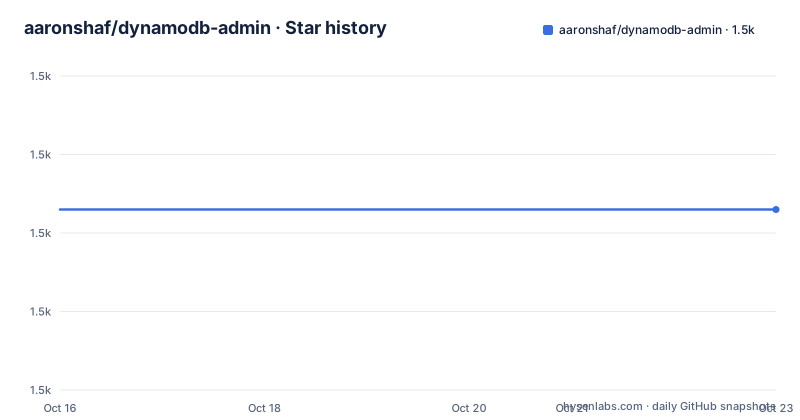
- aaronshaf/dynamodb-admin1,483 ★ · +0
| Repository | 2026-10-16 | 2026-10-23 |
|---|---|---|
| aaronshaf/dynamodb-admin | 1.5k | 1.5k |
0 Stars in the last 7 days, measured from the daily GitHub snapshot. Compare with other projects
Editorial analysis
What dynamodb-admin actually wraps
dynamodb-admin is an Express server that renders EJS templates from a views directory and serves static assets from public. It holds no database of its own. Every table listing, item scan and query you see in the browser is forwarded to a DynamoDB endpoint through the AWS SDK v3 client, so the target can be DynamoDB Local, dynalite, or a localstack container. The package exposes two entry points that matter for the way you adopt it. The bin entry maps to dist/dynamodb-admin.js and is what you run from a terminal. The main entry maps to dist/backend.js, with TypeScript types at dist/lib/backend.d.ts, so the same server can be imported into an existing Node process and mounted wherever you want.
The useful consequence is that the tool inherits DynamoDB Local's semantics rather than smoothing them over. Nothing here models a schema, so an item missing a key attribute behaves exactly as the endpoint says it behaves, including the errors. For a developer trying to reproduce a bug that only appears with a specific key schema or a conditional write failure, that fidelity is the point of the tool rather than a limitation.
The default credentials that break the rest of your stack
On startup the server sets accessKeyId, secretAccessKey and token to "key", "secret" and "token", and sets the region to "us-east-1". Those values are then passed to the SDK client. If your local DynamoDB checks credentials, that is usually harmless, but the README draws attention to the trap: the AWS_ACCESS_KEY_ID used by another piece of software has to match the one you gave dynamodb-admin if you want both to see the same data. A test suite that authenticates with AWS_ACCESS_KEY_ID=local will be looking at a different logical namespace than a browser session using "key", and the mismatch reads as missing rows rather than as a configuration bug.
If you would rather hand credential resolution to the SDK, the escape hatch is a flag:
AWS_REGION=eu-west-1 AWS_ACCESS_KEY_ID=local AWS_SECRET_ACCESS_KEY=local dynamodb-adminThat line passes three environment variables for a single invocation. Adding --skip-default-credentials removes the injected placeholder values entirely, at which point you are responsible for the default credential provider chain described in the AWS SDK documentation. The three environment variables AWS_REGION, AWS_ACCESS_KEY_ID and AWS_SECRET_ACCESS_KEY are accepted without any flag, which is the cleaner path when the same values already exist in your shell profile.
Host, port and the base path behind a reverse proxy
Four options shape where the server listens and how it builds URLs. --port PORT and -p PORT set the listen port, which defaults to 8001. --host HOST and -h HOST set the bind address, which defaults to localhost, so the server is not reachable from another machine unless you change it. --dynamo-endpoint sets the DynamoDB endpoint, defaulting to http://localhost:8000. --base-path prefixes every generated route, which is what you need when nginx or a similar proxy owns a subdirectory. The environment variables HOST, PORT, BASE_PATH and DYNAMO_ENDPOINT set the same four values, and the repository ships an .env.example whose single line points at a container host name:
DYNAMO_ENDPOINT=dynamo.dockerThe reverse proxy setup is documented with a concrete nginx block:
location /dynamo/ {
    proxy_pass http://localhost:8001/;
    proxy_http_version 1.1;
    proxy_set_header Upgrade $http_upgrade;
    proxy_set_header Connection 'upgrade';
    proxy_set_header Host $host;
    proxy_cache_bypass $http_upgrade;
}
The websocket headers are there because the live item view updates over a socket, and the paired server flag is `dynamodb-admin --base-path=/dynamo`. Note the trailing slash on the location and the stripped prefix on proxy_pass: the upstream still receives a root relative request, so a mismatch here produces a page that loads its HTML but never attaches to the update stream.
Installing globally and pointing it at a database
The README gives two commands for the common case. Install the package and start it against a local endpoint:
npm install -g dynamodb-admin

dynamodb-admin --dynamo-endpoint=http://localhost:8000
The second flag is only necessary when your endpoint is not on the default http://localhost:8000. Add --open or -o to launch the default browser at startup, which saves a tab of manual typing during a long session. The README also links to an image containing dynamodb-admin and to an alternative image that integrates dynamodb-admin with DynamoDB.
For contributors, the build path is pnpm rather than npm. The package pins pnpm as its package manager and enables it through corepack. `pnpm build` runs a type check with tsc, clears dist, then bundles with rollup, and `DYNAMO_ENDPOINT=http://localhost:8000 pnpm start` launches the result under nodemon. A second terminal running `pnpm build:watch` recompiles on change and restarts the running instance. The scripts lint and fix wrap eslint, and the test script is vitest run.
Embedding the server in your own application
The library path exists for teams that already have a Node process and do not want a second service. It requires AWS SDK v3, because the package imports DynamoDBClient from @aws-sdk/client-dynamodb:
import { DynamoDBClient } from '@aws-sdk/client-dynamodb';
import { createServer } from 'dynamodb-admin';

const dynamoDbClient = new DynamoDBClient();

const app = createServer({ dynamoDbClient });

const host = 'localhost';
const port = 8001;
const server = app.listen(port, host);
server.on('listening', () => {
  const address = server.address();
  console.log(`  listening on http://${address.address}:${address.port}`);
});
You construct the client yourself, so the credential decision moves out of the tool and into your code: an explicit client config, a profile, or whatever your application already does. That is the cleanest way to avoid the placeholder credential problem described earlier. The README is explicit that a v2 dependency means using the v4 line of this package instead, so upgrading an application that still pins AWS SDK v2 is a coordinated change rather than a version bump.
What the Dockerfile does and does not give you
The image is a two stage build on node:24-alpine. The builder copies bin, lib, package.json, pnpm-lock.yaml, pnpm-workspace.yaml, rollup.config.ts and tsconfig.json, installs with the frozen lockfile, and runs pnpm build. The runtime stage copies the built files and dependencies, installs production dependencies with scripts disabled, and starts `node dist/dynamodb-admin.js` through tini. Port 8001 is exposed and nothing else is.
Combined with the default bind address of localhost, the safe posture is to keep the port unpublished or bound to loopback, and to reach a shared instance through an authenticated proxy rather than a public mapping.
Where a different tool fits better
If your local stack already includes SQS, Lambda or Kinesis emulation, running dynamodb-admin as a second UI duplicates work you get for free from the same container, and the.env.example line pointing at a host called dynamo.docker implies exactly that two service arrangement. When DynamoDB is the only service you emulate, this package offers a focused browser UI and can connect to dynalite.
For scripted work the AWS CLI is the other comparison point, and the README does not pretend otherwise. The GUI is for the exploratory questions that a CLI answers slowly: what does this table actually contain after the last batch, why is this key missing, what does the item look like with the current key schema. Anything that belongs in a test suite or a script should stay in code.
Maintenance pace and what an upgrade costs
The repository is not archived and the last push was on 2026-09-10. The three most recent releases, v5.3.2, v5.3.3 and v5.3.4, all landed on 2026-06-10 within about half an hour of each other, which is the signature of a release please driven commit history rather than hand written version bumps; the repository carries both a release-please-config.json and a .release-please-manifest.json. Version churn inside one day is worth knowing about if you pin the CLI, since a floating tag can move under you without a deliberate upgrade on your side.
The licence is MIT, which permits commercial use and modification with attribution retained and carries no warranty. The published files array lists dist, public and views, so a forked copy has everything needed to run. The README does not document a rollback procedure, and it does not state which Node versions are supported; the Dockerfile pins node:24-alpine and package.json declares [email protected] as the package manager, so those two values are the closest thing to a stated runtime requirement.
Editorial conclusion
Adopt dynamodb-admin if your team develops against DynamoDB Local or dynalite and wants one shared browser view of tables and items. The server binds to localhost by default. Before the first run, decide whether the AWS_ACCESS_KEY_ID you pass to dynamodb-admin matches the one your own application code uses, and check the pinned port 8001 against whatever else occupies it on the machine.
Frequently asked questions
How do I install dynamodb-admin and point it at DynamoDB Local?
Run `npm install -g dynamodb-admin` and then start it with `dynamodb-admin --dynamo-endpoint=http://localhost:8000`, where 8000 is the default endpoint the tool assumes. The server itself listens on port 8001 unless you pass `--port`.
Why does dynamodb-admin not see the data my application wrote?
By default the server sets accessKeyId, secretAccessKey and token to "key", "secret" and "token" and the region to "us-east-1". The AWS_ACCESS_KEY_ID used by your other software has to match the one given to dynamodb-admin, or pass AWS_REGION, AWS_ACCESS_KEY_ID and AWS_SECRET_ACCESS_KEY explicitly, or use `--skip-default-credentials` and let the SDK resolve them.
Can I use dynamodb-admin with AWS SDK v2 in my project?
No. The library entry point requires AWS SDK v3 and imports DynamoDBClient from @aws-sdk/client-dynamodb. The README directs projects still on the v2 SDK to use dynamodb-admin v4.
How do I serve dynamodb-admin from a subdirectory behind nginx?
Start the server with `--base-path=/dynamo` and proxy that location to `http://localhost:8001/`, stripping the prefix in proxy_pass and forwarding the Upgrade and Connection headers.
Official sources
Add this badge to your README
If you maintain this project, the badge below links readers to this analysis and shows its maintenance status from the daily GitHub snapshot. Paste the markdown into your README; add ?metric=license or ?metric=stars to the image URL for a different field.

[](https://hysenlabs.com/projects/aaronshaf-dynamodb-admin)Star history chart for your README
[](https://hysenlabs.com/projects/aaronshaf-dynamodb-admin)Was this useful?