EbookLib and the case for building EPUBs as objects, not files
A versatile Python library for EPUB2/EPUB3 manipulation and processing.
At a glance
- What is it?
- EbookLib is a Python library for reading and writing EPUB2 and EPUB3 files, built around an EpubBook object with items, a spine and a table of contents. It runs on Python 3.10 and later with lxml as its only required dependency, and it is licensed AGPL-3.0, which is the part to think about before you adopt it.
- Who is it for?
- EbookLib suits Python teams that generate or transform EPUBs programmatically and want a typed, dependency-light API, and it does not suit teams that need DRM handling, PDF output or a permissive licence. Before adopting it, confirm that AGPL-3.0 fits your distribution model, since the licence applies to code you link against it, and check that Python 3.10 or later is acceptable for your runtime.
- Can I use it commercially?
- Yes, with strict conditions. AGPL-3.0 is a network copyleft licence: if people use a modified version over a network, for example as a hosted service, you must offer them its source code under the same licence.
- Is it still maintained?
- Yes. The repository last received commits 16 days ago.
- What is it written in?
- Mainly Python, according to GitHub's language statistics.
Answers come from the project's GitHub data, last synced on October 23, 2026, and from our analysis. They are not legal advice.
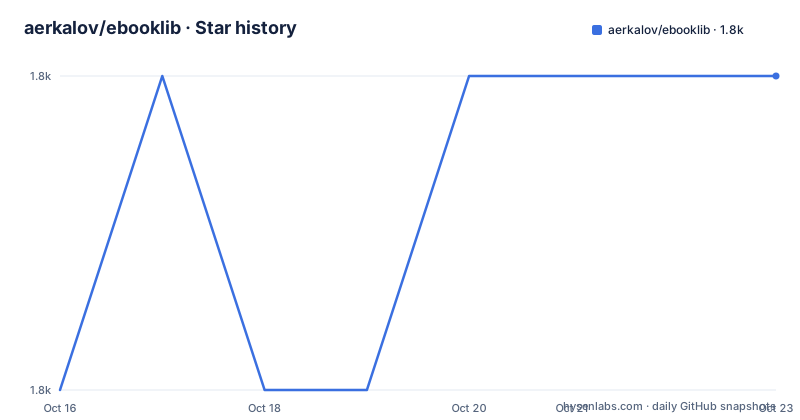
Star history
- aerkalov/ebooklib1,820 ★ · +1
| Repository | 2026-10-16 | 2026-10-23 |
|---|---|---|
| aerkalov/ebooklib | 1.8k | 1.8k |
1 Stars in the last 7 days, measured from the daily GitHub snapshot. Compare with other projects
Editorial analysis
An EPUB library that treats the file as a ZIP of content items
EbookLib is a Python library for managing EPUB2 and EPUB3, and it is capable of reading and writing EPUB files programmatically. The problem it addresses is narrow but real: an EPUB is a ZIP archive holding XHTML documents, images, stylesheets and a package document, and hand-assembling one means tracking MIME types, relative paths and the manifest by hand. EbookLib lets you build that structure in memory as objects and write the container at the end.
The people it serves are engineers with a content pipeline: a documentation site that needs to ship a downloadable EPUB, a publishing platform that receives manuscripts in mixed formats, or a tool that converts a pile of XHTML into a single readable file. It is not a reader, a catalogue or a DRM tool, and it does not pretend to be one. The API is described as designed to be as simple as possible while still making complex things possible, with support for covers, table of contents, spine, guide, metadata and related structures.
EpubBook holds items; the spine and toc decide what the reader sees
The core object is epub.EpubBook. It collects three kinds of thing. Items are resources: EpubHtml documents, EpubImage objects, and generic EpubItem instances for anything else such as a CSS stylesheet. Metadata is set through dedicated methods, so identifiers, titles, languages and authors have their own setters, and arbitrary Dublin Core entries go through add_metadata.
Two structures give the book its reading order. The spine is a list of the items in display order, and it also decides which item serves as the navigation document, since the string "nav" in the spine refers to the EpubNav item. The table of contents is a tuple that mixes plain links with nested sections, which is what lets a file carry both a flat list of chapters and a grouped structure. Both EPUB2 and EPUB3 navigation are supported: EpubNcx provides the NCX file that EPUB2 readers expect, and EpubNav provides the EPUB3 navigation document, and the project notes the NCX is not required for EPUB3 output.
Reading an existing file and extracting its images
Reading is a single call. The example in the project documentation opens a file with epub.read_epub and then walks the items by type, using the constant ebooklib.ITEM_IMAGE to select images, and writes each one to disk under its own base name. The point of the type filter is that a book contains a mix of documents, images and styles, and the type constant lets you pick one category out of the collection without parsing file extensions yourself.
The code below is the documented reading example. You should see a directory of image files appear, named after the paths stored inside the EPUB rather than after the original media names.
import os
import ebooklib
from ebooklib import epub

book = epub.read_epub('test.epub')

# Export all images from the Book
for image in book.get_items_of_type(ebooklib.ITEM_IMAGE):
    with open(os.path.basename(image.get_name()), "wb") as f:
        f.write(image.get_content())
Writing a book: metadata and authors first
Writing is the same object model in reverse. You create an EpubBook, describe it, attach content, and then call epub.write_epub with a filename and the book. The order in the documentation is deliberate: metadata first, then content items, then navigation, then the write call.
The author API is worth a second look because it carries EPUB-specific fields that a name string cannot hold. An author can have a separate display name, a role such as illustrator, and a uid that links the two author entries, which is what lets a file list two names for the same person with different roles. The snippet below sets the identifier, title, language and two authors.
from ebooklib import epub

book = epub.EpubBook()

book.set_identifier("GB33BUKB20201555555555")
book.set_title("The Book of the Mysterious")
book.set_language("en")

book.add_author("John Smith")
book.add_author(
    "Hans Müller",
    file_as="Dr. Hans Müller",
    role="ill",
    uid="coauthor",
)
Chapters and images are all items on the same list
Content is attached with add_item, and that one method takes chapters, images and stylesheets alike, so there is no separate registration path per media type. Each EpubHtml document carries a title, a file name inside the archive and a language, and its content is plain XHTML assigned as a string. Because every item goes through the same call, a generated book with two hundred chapters and a hundred images is assembled by looping rather than by hand.
The image object is separate from the HTML because an image is a binary resource with its own media type and filename. The stylesheet is even more generic: an EpubItem with a uid, a path, a media type and its text content. Both are shown below as they appear in the documentation example.
img = epub.EpubImage(
    uid="image_1",
    file_name="static/ebooklib.gif",
    media_type="image/gif",
    content=open("ebooklib.gif", "rb").read(),
)

nav_css = epub.EpubItem(
    uid="style_nav",
    file_name="style/nav.css",
    media_type="text/css",
    content="BODY {color: black; background-color: white;}",
)
The spine list and the write call finish the archive
Once the items exist, the book is complete in three statements: attach the remaining items, declare the toc and spine, and write. The toc tuple mixes a link with a nested section, so a file can have both flat chapters and a grouped part. The spine is a plain list of item references, and the position of "nav" in that list decides where the navigation document sits in reading order.
The navigation objects come from the same factory functions. EpubNcx carries the NCX, EpubNav carries the EPUB3 navigation document, and both are added as items so they land in the manifest.
book.add_item(c1)
book.add_item(c2)
book.add_item(img)
book.add_item(nav_css)

book.toc = (
    epub.Link("introduction.xhtml", "Introduction", "intro"),
    (epub.Section("Deutsche Sektion"), (c2,)),
)

book.spine = ["nav", c1, c2]

book.add_item(epub.EpubNcx())
book.add_item(epub.EpubNav())

epub.write_epub("the_book_of_the_mysterious.epub", book)
AGPL-3.0, one runtime dependency, and a Python 3.10 floor
The licence is the first thing to check. EbookLib is licensed under the AGPL, and the project metadata states GNU Affero General Public License v3 or later. For a service that runs the library unmodified over a network, the AGPL reaches further than a permissive licence would, and teams that ship a closed product may need a different arrangement or a different library. That is a business decision, not a technical one, but it is a gate.
Technically, the dependency list is short: lxml is the only required package, and the project has no dependency on six anymore. Version 0.20 was the final release supporting Python 2.7, and the next release requires Python 3.10 or later and ships type annotations, with a py.typed marker packaged into the library. The pyproject classifiers list Python 3.10 through 3.14 and mark the project as Production/Stable, and packaging is handled by setuptools with a pyproject.toml, while setup.py remains only for backwards compatibility with legacy tooling.
Development and test extras are also declared: pytest and pytest-cov for testing, sphinx for docs, and ruff plus ty for linting and type checking, with the type checker pinned to the oldest supported Python version. Sphinx documentation is generated from the docs/ directory. A Linux user can skip the packaging step entirely, because Debian and Ubuntu ship python-ebooklib packages. The project also links the library from its own sample scripts, one of which parses Markdown, and it is used by Booktype from Sourcefabric, Marker, ebook2audiobook, Audiblez, e2m and Telemeta.
Editorial conclusion
EbookLib suits Python teams that generate or transform EPUBs programmatically and want a typed, dependency-light API, and it does not suit teams that need DRM handling, PDF output or a permissive licence. Before adopting it, confirm that AGPL-3.0 fits your distribution model, since the licence applies to code you link against it, and check that Python 3.10 or later is acceptable for your runtime. If those two hold, start with the samples/ directories in the repository, where 01_basic_create and 04_markdown_parse show the shortest path to a valid file.
Frequently asked questions
What Python version does EbookLib require?
Version 0.20 was the final release supporting Python 2.7, and the following release requires Python 3.10 or later. The project metadata lists support for Python 3.10 through 3.14 and the library ships with type annotations.
What are the dependencies for EbookLib?
lxml is the only required dependency, and the library no longer depends on six. Optional extras cover development, testing and documentation, including pytest, pytest-cov, sphinx, ruff, ty and lxml-stubs.
Can EbookLib read an existing EPUB file?
Yes, read_epub returns a book object, and items can be filtered by type, for example with the ITEM_IMAGE constant, so images or chapters can be extracted one at a time. The project also ships sample scripts for parsing, including samples/06_parse.
Under what licence is EbookLib released?
EbookLib is licensed under the AGPL, specifically GNU Affero General Public License v3 or later, and the licence text is in LICENSE.txt in the repository. Authors are listed separately in AUTHORS.txt.
Official sources
Add this badge to your README
If you maintain this project, the badge below links readers to this analysis and shows its maintenance status from the daily GitHub snapshot. Paste the markdown into your README; add ?metric=license or ?metric=stars to the image URL for a different field.

[](https://hysenlabs.com/projects/aerkalov-ebooklib)Star history chart for your README
[](https://hysenlabs.com/projects/aerkalov-ebooklib)Was this useful?