BRPickerView: an Objective-C wrapper for the iOS picker dialog
BRPickerView wraps common iOS picker components: a date picker (15 styles including year-month-day and year-month, with weekday and 'to present' options), an address picker (province-city-district, province-city, or province only), and a custom string picker (single-column, multi-column, two-level and three-level linkage). Supports custom themes, dark mode, and embedding pickers in a specified container view.
At a glance
- What is it?
- Two components, one for dates and one for text, sitting on top of UIDatePicker and UIPickerView, with fifteen date modes, region data, custom themes and dark mode.
- Who is it for?
- BRPickerView does one job and does it in the way an iOS team would expect: it takes the two system picker classes and adds the parts applications always end up rebuilding, which is a modal presentation, a callback, a title, min and max bounds, and a place to put the cancel and confirm buttons.
- Can I use it commercially?
- Yes. MIT is a permissive licence: you can use, modify and sell software built on it, as long as you keep its copyright and licence notices.
- Is it still maintained?
- Yes. The repository last received commits 156 days ago.
- What is it written in?
- Mainly Objective-C, according to GitHub's language statistics.
Answers come from the project's GitHub data, last synced on October 23, 2026, and from our analysis. They are not legal advice.
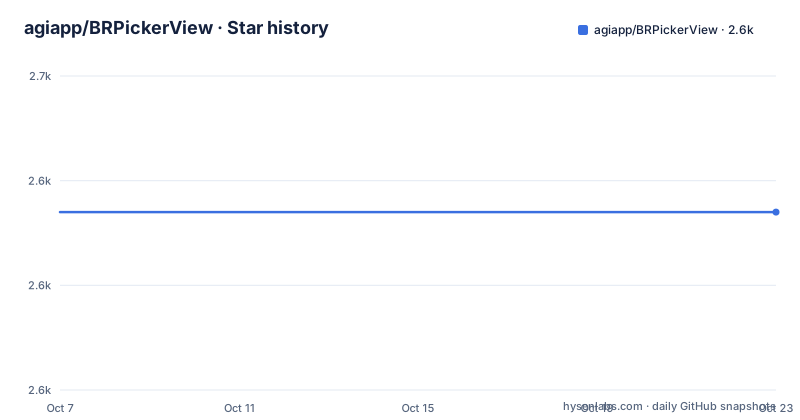
Star history
- agiapp/BRPickerView2,634 ★ · +0
| Repository | 2026-10-07 | 2026-10-23 |
|---|---|---|
| agiapp/BRPickerView | 2.6k | 2.6k |
0 Stars in the last 16 days, measured from the daily GitHub snapshot. Compare with other projects
Editorial analysis
Two components where there used to be four
The library's current surface is small on purpose. `BRDatePickerView` handles dates and times, and `BRTextPickerView` handles everything else: single column, multiple columns, and multi-level linked selection down to province, city and district data. Version 3.0.0 removed `BRAddressPickerView` and `BRStringPickerView` as deprecated, and the README is direct about the migration. If your build breaks broadly after upgrading, the documented escape hatches are to pin the old pod version or to drag the `Deprecated` directory from the demo project into your own.
That kind of major version break is unusual to see handled this plainly, and the README's remedy list is worth reading before an upgrade: pin `pod 'BRPickerView', '2.9.9'` temporarily, or copy the deprecated sources in manually. It also tells you to run `pod repo update` when CocoaPods cannot see the newest release, which is the single most common cause of a stale pod install.
The project is MIT licensed, written in Objective-C, has 2634 stars and 452 forks, and the last push was on 2026-05-20, so the component split is current rather than a plan.
Fifteen date modes split into system styles and custom ones
The date component's enum is the clearest statement of what the library does. Four modes wrap `UIDatePicker` itself, which means they inherit the system behaviour including internationalised date ordering and looping scrolling. The first four entries are the system-backed ones:
    BRDatePickerModeDate,
    BRDatePickerModeDateAndTime,
    BRDatePickerModeTime,
    BRDatePickerModeCountDownTimer,
The remaining modes are built on `UIPickerView` and cover date combinations the system picker does not offer as a single mode: year, month and day down to seconds, month and day, hours and minutes, month and week, year and quarter, and a few partial formats. Two of them carry an explicit compatibility note in the header comments, one for the plain date mode and one for year and month, because a fixed `yyyy-MM-dd` string can read wrong to a user in a locale that expects `dd-MM-yyyy`.
The countdown timer mode is what the repository topics lead with, alongside date, time and region, and it maps to the system's own countdown behaviour rather than reimplementing it.
Setting bounds, a result block and a custom style
The usage pattern is the one you would guess: create the view, set properties, attach a callback, show it. What is worth noting is which properties exist, because they are the API surface you would otherwise hand roll.
BRDatePickerView *datePickerView = [[BRDatePickerView alloc]init];
datePickerView.pickerMode = BRDatePickerModeYMD;
datePickerView.selectDate = [NSDate br_setYear:2019 month:10 day:30];
datePickerView.minDate = [NSDate br_setYear:1949 month:3 day:12];
datePickerView.maxDate = [NSDate date];
datePickerView.isAutoSelect = YES;
[datePickerView show];
`minDate` and `maxDate` are the ones that matter most in practice. A date picker with no bounds will happily return 1949 or next year, and enforcing the range at the widget level is more reliable than validating after the fact. `selectDate` takes an `NSDate` built through a category method rather than a string, which sidesteps the date parsing bug that this class of component usually introduces.
`isAutoSelect` decides whether the value updates as the wheels turn or only when confirm is tapped, and the `resultBlock` callback receives both the `NSDate` and the formatted string, so you can store a typed value and display a formatted one without converting twice. Styling is a separate object, `BRPickerStyle`, with properties for the picker background colour, the text colour and the separator colour, and a `BR_RGB_HEX` macro for colour literals. The README also notes that the picker can be added to a container view you choose rather than only presented modally.
Installation through CocoaPods, Swift Package Manager or a dragged folder
All three routes are documented, and the CocoaPods route is the shortest:
pod 'BRPickerView'
pod install
pod update
After installing you import the umbrella header with `#import <BRPickerView.h>` for a framework build, or `#import "BRPickerView.h"` for the manual route. Swift Package Manager support exists and is done from Xcode's menu: Add Package Dependencies, then paste the repository URL and select it.
The manual route is the one with a real caveat. You drag the `BRPickerView` folder from alongside the README into your project, and the instructions say to delete `PrivacyInfo.xcprivacy` from it. That file exists because Apple requires privacy manifests for certain SDK reasons, and shipping one copied from another project invites exactly the kind of declaration mismatch you would rather not debug. If you go the manual route, the file should be yours.
System requirements are modest: iOS 11.0 or later and ARC. There is no stated minimum Swift version, no dependency on a networking or database library, and nothing in the requirements that would drag a project onto a newer deployment target.
Where the documentation stops: the header and the demo project
The README covers installation thoroughly and then explicitly hands off for usage details. For the date component it says to look at `BRDatePickerView.h`, because the header offers two usage approaches, and points at the demo for examples. That is a reasonable split, but it does mean the header comments are the real reference documentation for this project.
The demo project is the thing to run first. `BRPickerViewDemo.xcodeproj` contains the animated effect recordings that appear in the README, and the screenshots walk through the date modes one by one, which makes it easy to see which of the fifteen you actually want. The topic tags are a decent proxy for what people use it for: date picker, time picker, region picker and countdown timer, with uidatepicker and uipickerview listed as the underlying classes.
There is no changelog file in the tree, no release history, and no CI configuration to read. The tree itself is short: the podspec, a `Package.swift`, the source folder, the demo project, and the licence. For a component library that is about as small as a repository should be, and it means the interesting code is all in the headers.
How it compares to writing the picker yourself
It helps to be clear about the alternative. Apple's `UIPickerView` and `UIDatePicker` are wheel controls, not dialogs. To turn one into a date selection sheet with a title, a confirm button, a cancel button and a callback you need a container view, a background dimmer, button layout, keyboard and rotation handling, and the usual memory management around a presented controller. That code is not hard, but it is the same code in every project, and it is code nobody wants to own.
This library takes that work and adds the parts that differ between apps: the fifteen date formats, the region data for the text picker, the linked multi-level selection, the theme object, and dark mode support so the sheet matches the rest of an interface that may be following the system appearance.
The honest cost is a dependency written in Objective-C, at a version 3 that removed two public components, with a README that is strongest on installation and thinnest on behaviour. If your team is all Swift and already has a picker layer, the incremental value is mostly the date modes and the region data. If you are starting an app with an Objective-C or mixed codebase and a date picker on screen, this removes a screen's worth of work for a single import.
Editorial conclusion
BRPickerView does one job and does it in the way an iOS team would expect: it takes the two system picker classes and adds the parts applications always end up rebuilding, which is a modal presentation, a callback, a title, min and max bounds, and a place to put the cancel and confirm buttons. The date component is the reason to pick it over writing your own, because the fifteen modes cover a lot of ground without a dependency, and the text component covers province, city and district data that would otherwise be a data file you have to source and maintain. Start with the demo project, BRPickerViewDemo.xcodeproj, then read BRDatePickerView.h, since the header is where the two supported usage patterns are described and the README defers to it for everything else.
Frequently asked questions
What does BRPickerView do?
It is an iOS picker component library that presents a modal selection sheet instead of a bare wheel. It ships two components: a date and time picker covering fifteen display formats, and a text picker for single column, multi column, and linked province, city and district selection. Custom themes and dark mode are supported.
What happened to BRAddressPickerView and BRStringPickerView?
Both were removed as deprecated in version 3.0.0. The replacement is the single BRTextPickerView component, which covers the same single column, multi column and linked region cases. If upgrading breaks a build widely, the README offers two workarounds: pin version 2.9.9, or copy the Deprecated folder from the demo project into your own target.
Which iOS versions and installation methods does BRPickerView support?
It requires iOS 11.0 or later and ARC. Installation works through CocoaPods, through Swift Package Manager using the repository URL, or by dragging the BRPickerView folder into the project, in which case the bundled PrivacyInfo.xcprivacy file should be removed rather than shipped as is.
Official sources
Add this badge to your README
If you maintain this project, the badge below links readers to this analysis and shows its maintenance status from the daily GitHub snapshot. Paste the markdown into your README; add ?metric=license or ?metric=stars to the image URL for a different field.

[](https://hysenlabs.com/projects/agiapp-brpickerview)Star history chart for your README
[](https://hysenlabs.com/projects/agiapp-brpickerview)Was this useful?