Instagram Crew: A Minimal crewAI Example for Multi-Agent Content Research
Example inspired by @joaomdmoura sample project
At a glance
- What is it?
- This template, based on a sample by João Moura, shows how to assemble a crew of AI agents with crewAI to research a topic and write a report. It is a starting point for learning the framework, not a production Instagram pipeline.
- Who is it for?
- Adopt this example if you are new to crewAI and want a working skeleton to experiment with agents, tasks, and YAML-based configuration. It is not a ready-made Instagram content tool; the only output is a report.md file, and the agents are generic research roles.
- Can I use it commercially?
- Not without permission. GitHub finds no licence file in the repository, and without a licence all rights are reserved by default: you may read the code but not reuse it. Check the README, or ask the authors, before using it.
- Is it still maintained?
- Probably not. The repository last received commits 30 months ago, on April 17, 2024.
- What is it written in?
- Mainly Python, according to GitHub's language statistics.
Answers come from the project's GitHub data, last synced on October 4, 2026, and from our analysis. They are not legal advice.
Star history
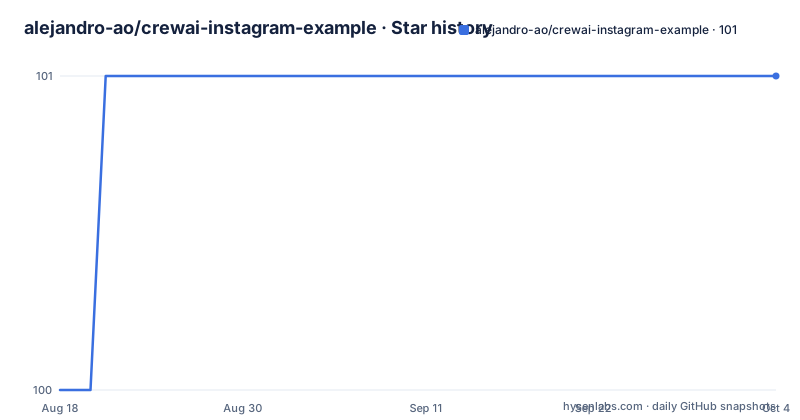
- alejandro-ao/crewai-instagram-example101 ★ · +1
| Repository | 2026-08-18 | 2026-10-04 |
|---|---|---|
| alejandro-ao/crewai-instagram-example | 100 | 101 |
1 Stars in the last 47 days, measured from the daily GitHub snapshot. Compare with other projects
Editorial analysis
What This Template Actually Does
The repository is a minimal crewAI example, inspired by a sample from crewAI's creator. It sets up a multi-agent system that, when run unmodified, performs research on LLMs and writes the result to a report.md file. The README is explicit about that: 'This example, unmodified, will run the create a report.md file with the output of a research on LLMs in the root folder.' Despite the name, there is no Instagram integration, no image generation, no caption scheduling. The project is for engineers who want to see how crewAI wires agents and tasks together, not for someone who needs an Instagram publishing tool.
The Mechanism: Agents, Tasks, and YAML Configuration
The architecture is visible from the file layout. The crew is assembled in src/instagram/crew.py, which reads two YAML files: config/agents.yaml and config/tasks.yaml. Agents have roles, goals, and tools defined in YAML. Tasks are also defined in YAML, listing what each agent should do. The main.py file provides custom inputs. When you run the command, the crew orchestrates the agents to execute the tasks sequentially or in parallel, depending on how the tasks are configured. The README describes it as 'agents collaborate on a series of tasks... leveraging their collective skills.' The output is a single markdown file, so the data flow is simple: YAML definitions are loaded, agents are instantiated, tasks run, and the result is written to disk.
Running It: Poetry, Python Version, and a Key
The setup is straightforward but has specific constraints. You need Python between 3.10 and 3.13. The project uses Poetry for dependency management. Install Poetry with 'pip install poetry', then run 'poetry lock' and 'poetry install' from the project root. After that, you must add your OPENAI_API_KEY to a .env file. The README does not show the exact format, but the standard is OPENAI_API_KEY=your-key. Then run 'poetry run instagram' to execute the crew. This is a real command, and it will produce report.md in the root folder. There is no mention of other model providers, so the default is OpenAI. If you do not have an OpenAI key, the example will not run.
The Limitation: It Is a Template, Not a Solution
The biggest limitation is that the project does nothing beyond a research report. The README says you can modify agents.yaml, tasks.yaml, crew.py, and main.py, but it gives no guidance on how to make it Instagram-specific. There are no tools for image processing, no social media APIs, no scheduling logic. The name 'Instagram Crew' is aspirational. If you run it as-is, you get a generic LLM research report. The framework itself is powerful, but this example is thin. Also, the README contains typos ('folser', 'Joing', 'wtih'), which suggests it was not polished for public consumption. For a production system, you would need to significantly extend the code, and the template gives you no help with that.
A Real Alternative: The Official crewAI Quickstart
Instead of this fork, you can use the official crewAI quickstart template, which is referenced in the README through the link to crewAI's GitHub repository. The difference is that the official quickstart is maintained by the framework authors and is likely to stay in sync with crewAI releases. This example is a third-party copy, and the README does not indicate which crewAI version it targets. The official template also comes with documentation and community support via Discord, which this repository does not offer. If you want the latest features and a more reliable baseline, start from the official template, not from this inspired example.
Maintenance and License Implications
The repository has no license listed, which is a red flag for reuse. Without a license, you have no legal right to copy, modify, or distribute the code, even for internal use, unless you get permission from the author. The README does not mention a license, and the last push date is unknown, so the project may be stale. crewAI itself is a separate project with its own license, but this example's code is a derivative work. Before adopting it, you should contact the author or find a licensed alternative. The maintenance cost is low if you only use it as a learning tool, but if you integrate it into a product, you inherit the risk of an unmaintained, unlicensed codebase.
Editorial conclusion
Adopt this example if you are new to crewAI and want a working skeleton to experiment with agents, tasks, and YAML-based configuration. It is not a ready-made Instagram content tool; the only output is a report.md file, and the agents are generic research roles. Do not use it for production without rewriting the tasks and agents, adding real tools, and checking your API key handling. Before relying on it, verify the crewAI version compatibility with your Python environment and confirm that the .env file is git-ignored, since the repository does not document that. The project is a teaching scaffold, not a product.
Frequently asked questions
What are some examples of projects that use CrewAI?
This repository is one: a template that scaffolds a multi-agent crew, with agents and tasks defined in two YAML files under a config directory and the assembly logic in a crew file, invoked through a console script named after the project. The README describes it as inspired by another author's sample project.
What are some common uses for CrewAI?
This template frames the use as a multi-agent system for complex tasks where agents with distinct roles, goals and tools collaborate on a shared objective. Unmodified, the example runs a research task about language models and writes the result to a markdown report in the project root.
Are AI accounts allowed on Instagram?
This repository says nothing about Instagram's policies. Despite the project name, the code is a generic multi-agent template: the Instagram connection is not implemented here, and the only credential files reference a model provider and a search service.
Official sources
Add this badge to your README
If you maintain this project, the badge below links readers to this analysis and shows its maintenance status from the daily GitHub snapshot. Paste the markdown into your README; add ?metric=license or ?metric=stars to the image URL for a different field.

[](https://hysenlabs.com/projects/alejandro-ao-crewai-instagram-example)Star history chart for your README
[](https://hysenlabs.com/projects/alejandro-ao-crewai-instagram-example)Was this useful?